Visual Classroom Schedule
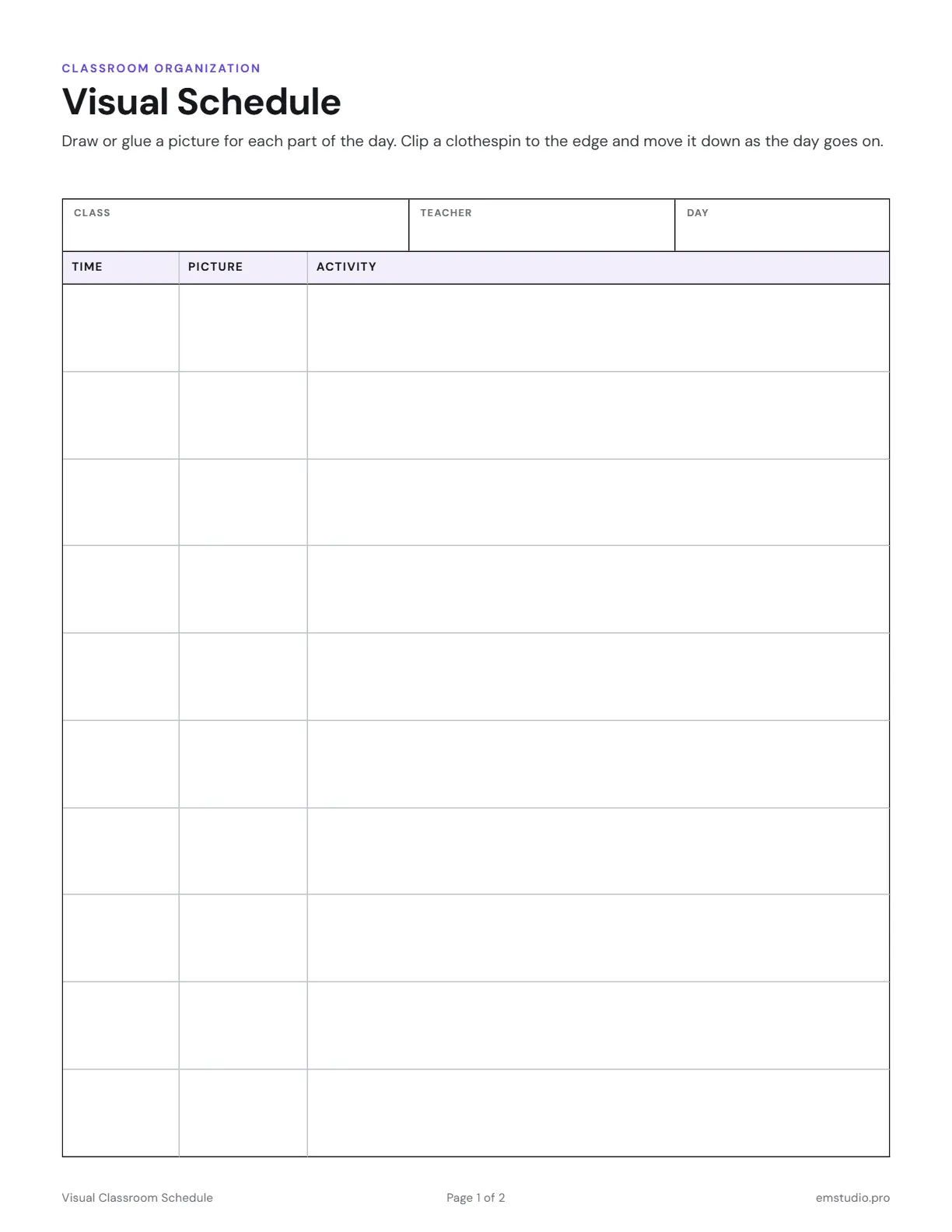
A visual classroom schedule in two pages. Page 1 is a daily table with Time, Picture and Activity columns, with room to draw or glue a picture for each part of the day. Page 2 holds schedule cards to cut apart for a pocket chart.
- Grade Level
- Pre-K to Grade 5
- Pages
- 2
- Formats
- PDF, Google Docs, Word
- Paper Size
- US Letter and A4
- Checked By
- Milo, Classroom Teacher
- Last Updated
- October 2026
Visual Classroom Schedule Example
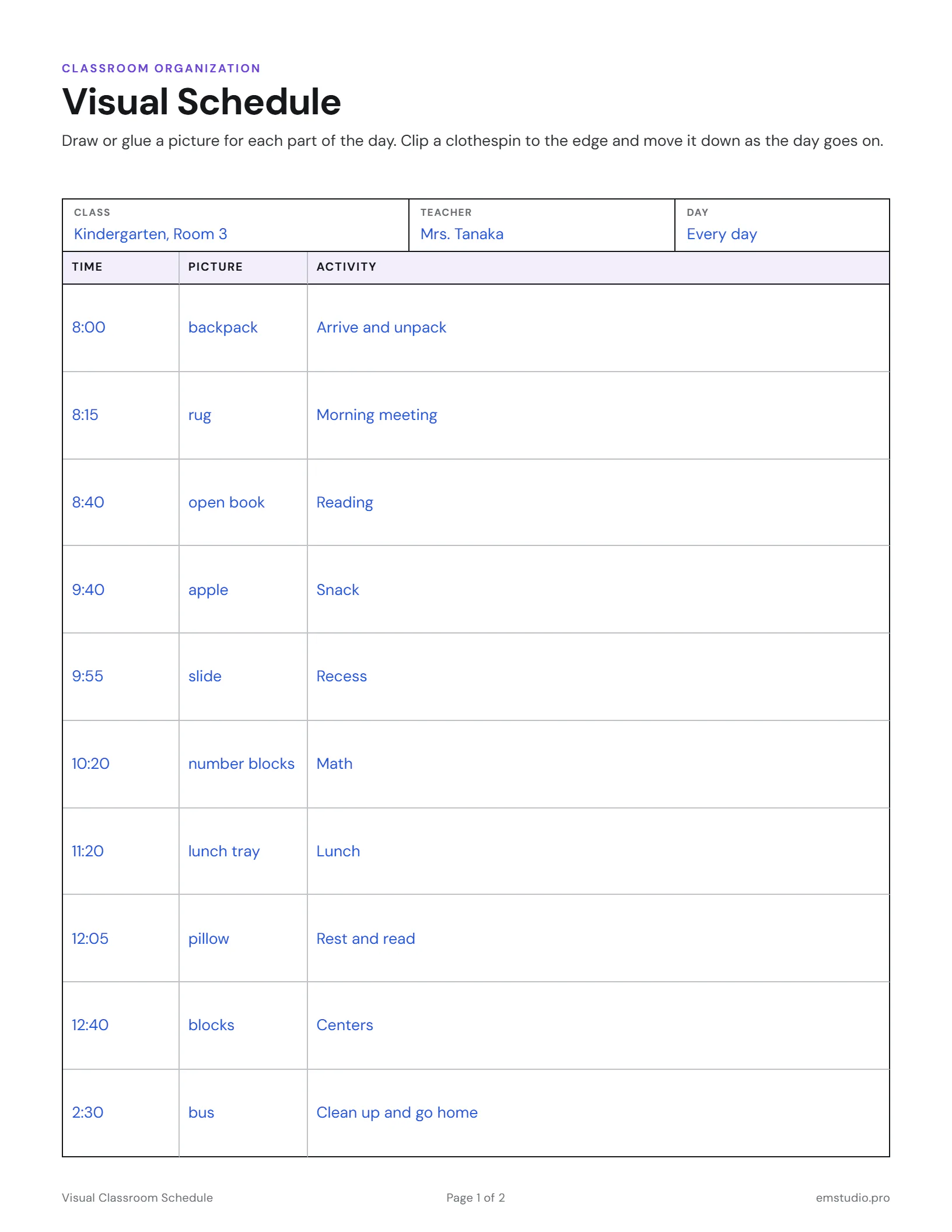
A kindergarten day planned out: the teacher noted which picture goes in each square before gluing them on.
What's in the Visual Classroom Schedule
Page 1: Visual Schedule
Class, teacher and day fields, then a table with Time, Picture and Activity columns.
Page 2: Schedule Cards
Picture and Activity pairs, with Arrival, Morning Meeting, Reading, Math and more printed.
Room for Your Pictures
Each row has a square for a drawing, a photo or a symbol that shows the activity.
Editable Versions
Type into the Word or Google Docs file, or print the PDF. US Letter and A4.
How to Use the Visual Schedule
Fill In the Header
Write the class, your name and the day at the top of page 1, then list the times down the first column.
Name Each Activity
Write the activity beside each time in plain words students already use, such as Reading or Snack.
Add a Picture to Each Row
Draw a quick picture or glue a small photo or symbol in each square, so a child can read the day.
Cut Out the Cards
On page 2, glue a picture beside each activity, cut the cards apart and line them up in a pocket chart.
Move a Clothespin Down
Clip a clothespin to the edge of page 1 and move it to the next row as each part of the day ends.
Visual Classroom Schedule Questions
More Classroom Organization Templates
All 16 Classroom Organization Templates

Other Templates
Run the Classroom from EMStudio
Rosters, attendance, seating and schedules together, always up to date. Free to start.
Get Started for Free