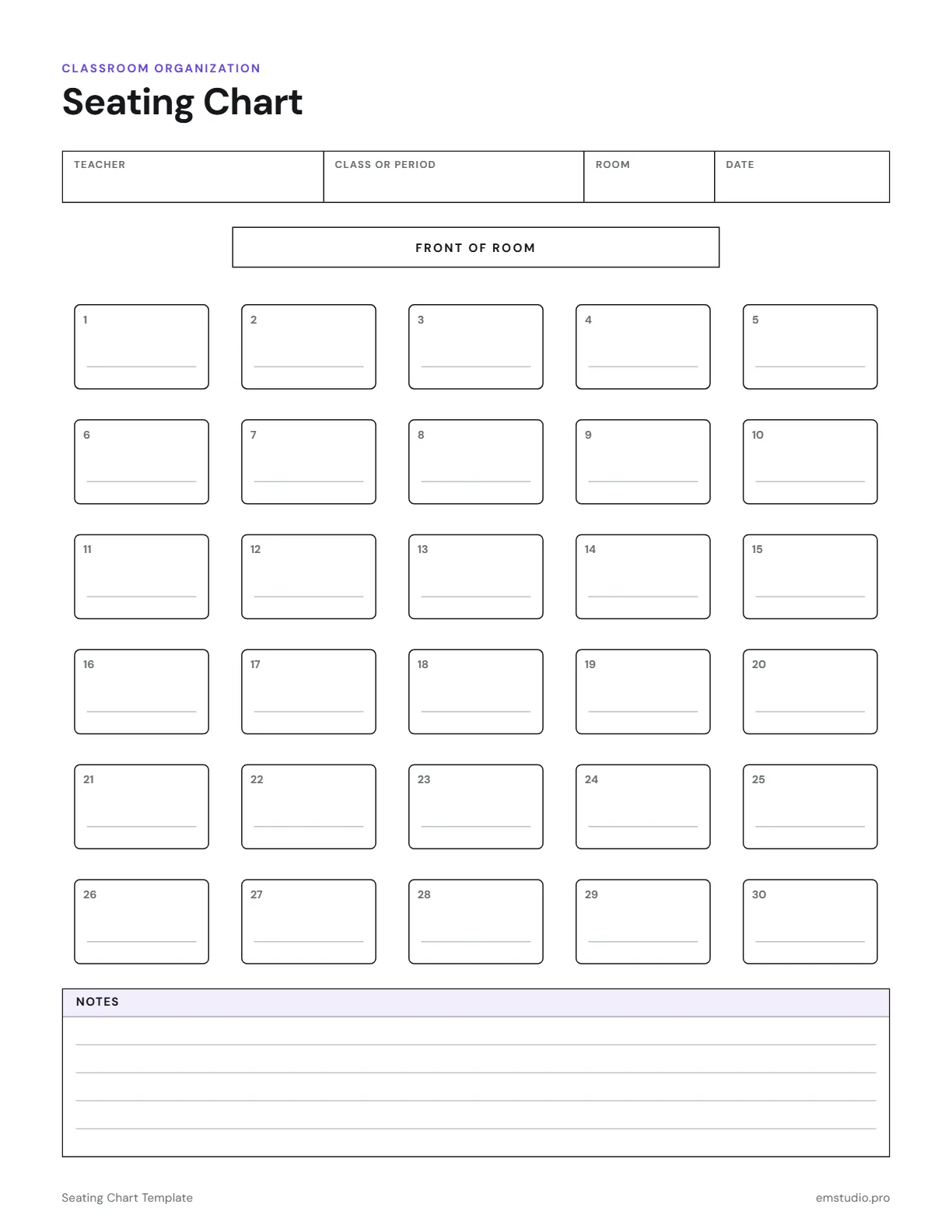
Seating Chart Template
A seating chart template with 30 numbered desks in rows under a front of room label. Write the teacher, class or period, room and date at the top, put a student's name at each desk, and use the ruled Notes box for seating reasons.
- Grade Level
- All Grades
- Pages
- 1
- Formats
- PDF, Google Docs, Word
- Paper Size
- US Letter and A4
- Checked By
- Milo, Classroom Teacher
- Last Updated
- October 2026
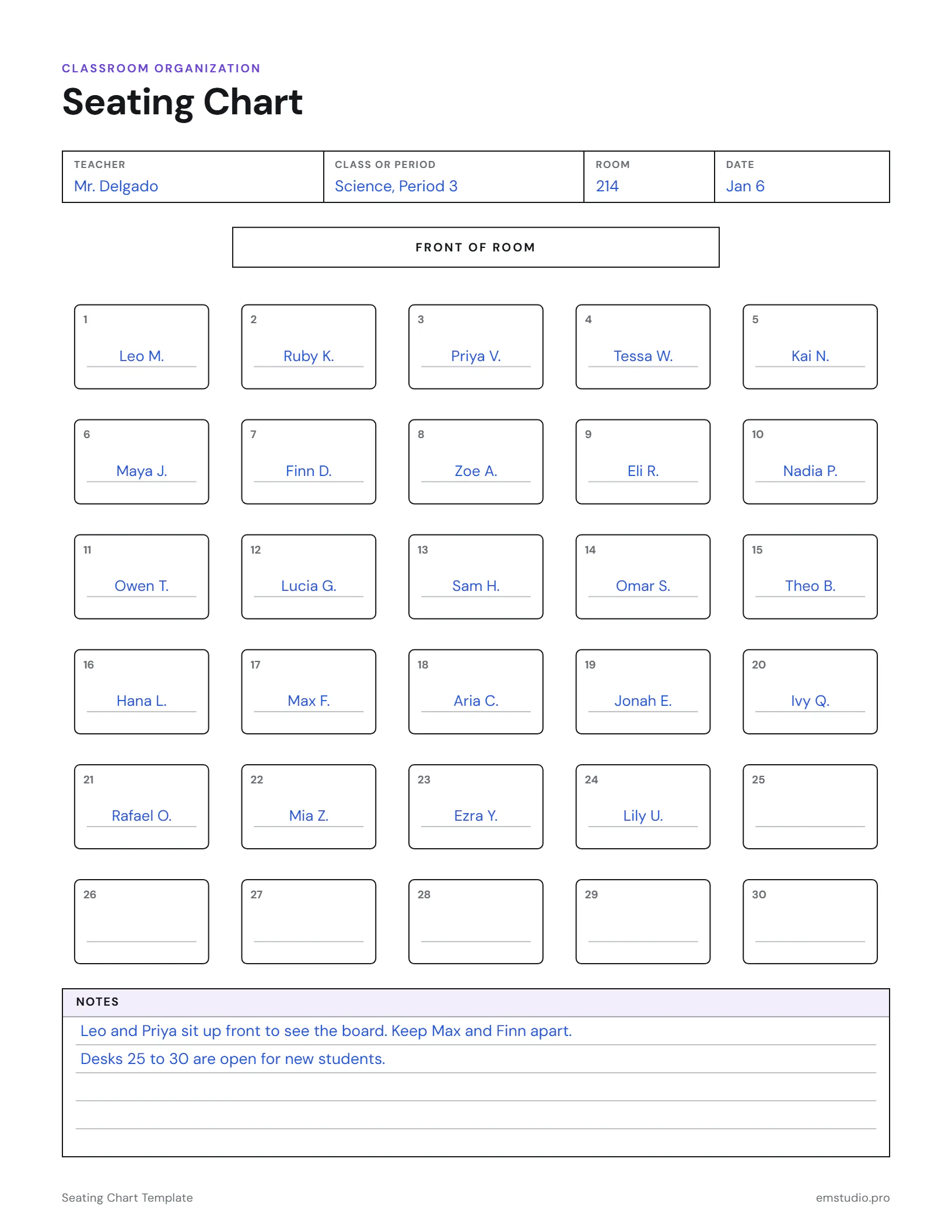
Seating Chart Template Example
A 6th grade science class seated by name, with the notes a substitute would need.
What's in the Seating Chart Template
30 Numbered Desks
Desks 1 to 30 drawn in rows, with FRONT OF ROOM marked above them.
Class Details
Fields for the teacher, class or period, room and date.
A Ruled Notes Box
Lines below the chart for who sits where and why, and anything a sub should know.
Editable Versions
The room drawing prints as a picture. Fields and Notes can be typed into in Word and Docs.
How to Use the Seating Chart
Label the Page
Fill in your name, the class or period, the room and the date before you add any students.
Match the Desks to Your Room
Check that the front of the page is the front of your room, then count the desks you really have.
Write a Name at Each Desk
Pencil the names in first, so you can move a student after a week without starting over.
Record the Reasons
In the Notes box, write who sits up front, who needs space and who works well next to whom.
Leave a Copy for Subs
Print one for your sub folder, and one for each class period if you teach more than one.
Seating Chart Questions
More Classroom Organization Templates
All 16 Classroom Organization Templates
Other Templates
Run the Classroom from EMStudio
Rosters, attendance, seating and schedules together, always up to date. Free to start.
Get Started for Free