Compare and Contrast Graphic Organizer
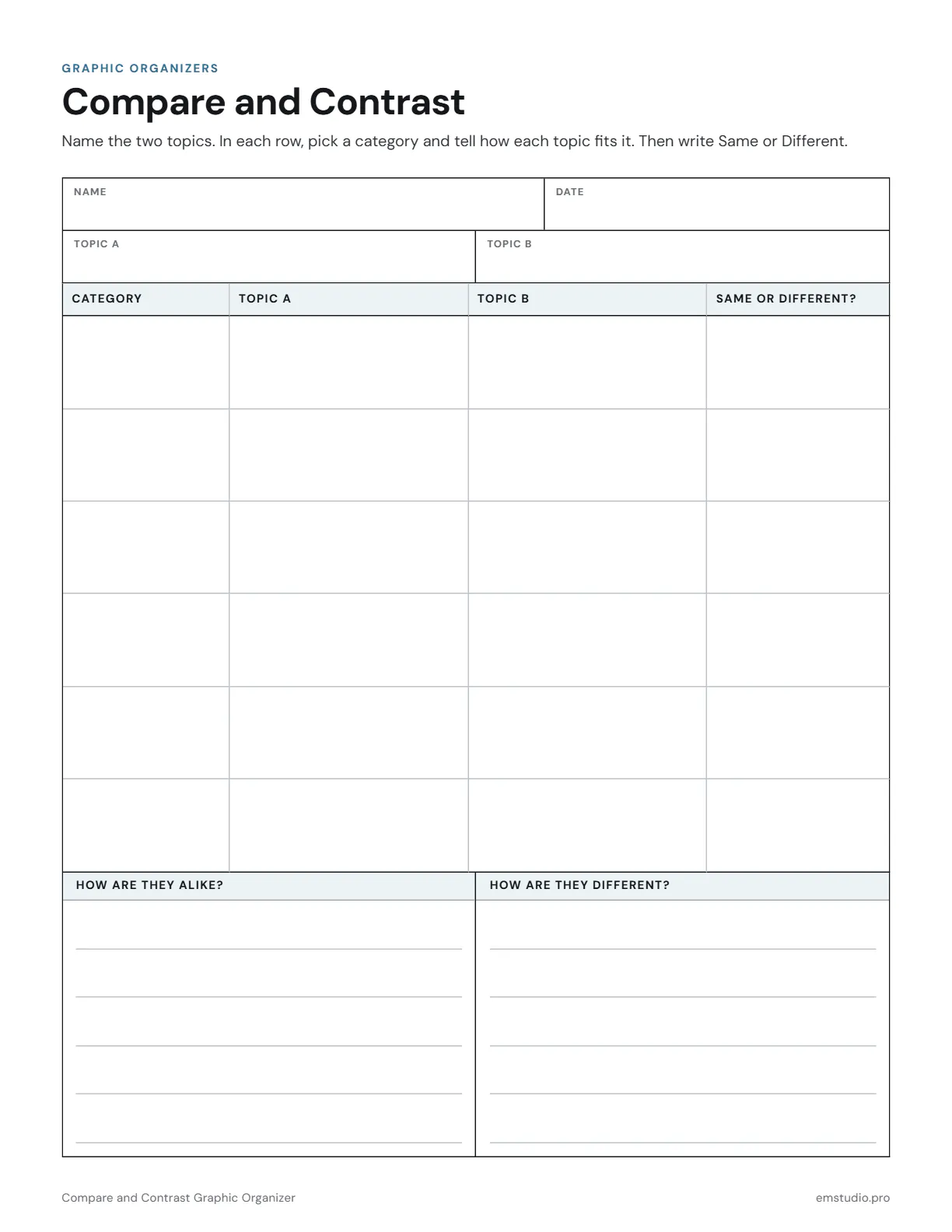
This compare and contrast graphic organizer is a chart with four columns: Category, Topic A, Topic B and Same or Different. Six rows hold the comparisons, and two ruled boxes below ask how the topics are alike and how they are different.
- Grade Level
- Grades 1 to 12
- Pages
- 1
- Formats
- PDF, Google Docs, Word
- Paper Size
- US Letter and A4
- Checked By
- Milo, Classroom Teacher
- Last Updated
- October 2026
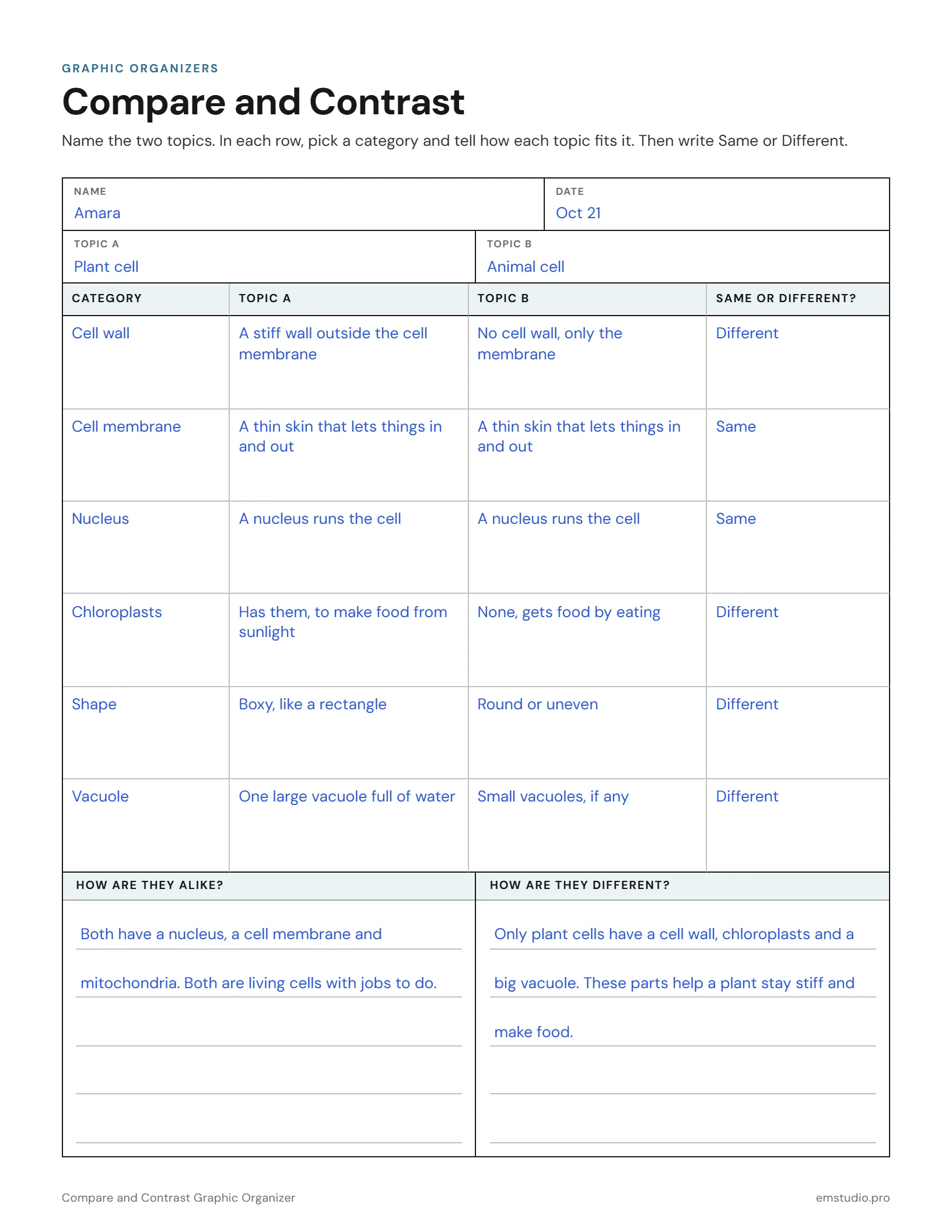
Compare and Contrast Graphic Organizer Example
Plant and animal cells compared one category at a time, with a written summary at the bottom.
What's in the Compare and Contrast Graphic Organizer
A Four-Column Chart
Category, Topic A, Topic B and Same or Different?, with rows to fill in.
Topic A and Topic B Fields
Name the two topics at the top, next to the Name and Date fields.
Alike and Different Boxes
Two ruled boxes, side by side, for writing the comparison in sentences.
Word, Google Docs and PDF
Edit it in Word or Google Docs, or print the PDF. US Letter and A4.
How to Use the Compare and Contrast Chart
Name the Topics
Students write the two things they are comparing in the Topic A and Topic B fields at the top.
Choose the Categories
Agree on categories as a class, like size or habitat, and have students write one in each row.
Describe Each Topic
In every row, students tell how Topic A and Topic B each fit that category, in a few words.
Mark Same or Different
Students read across each row and write Same or Different in the last column.
Turn Rows into Sentences
Students copy the Same rows into the Alike box and the Different rows into the other, as sentences.
Compare and Contrast Chart Questions
More Graphic Organizer Templates
All 21 Graphic Organizer Templates
Other Templates
Plan the Lesson Around It in EMStudio
Attach any organizer to the lesson it belongs to and reuse it next year. Free to start.
Get Started for Free