T-Chart Template
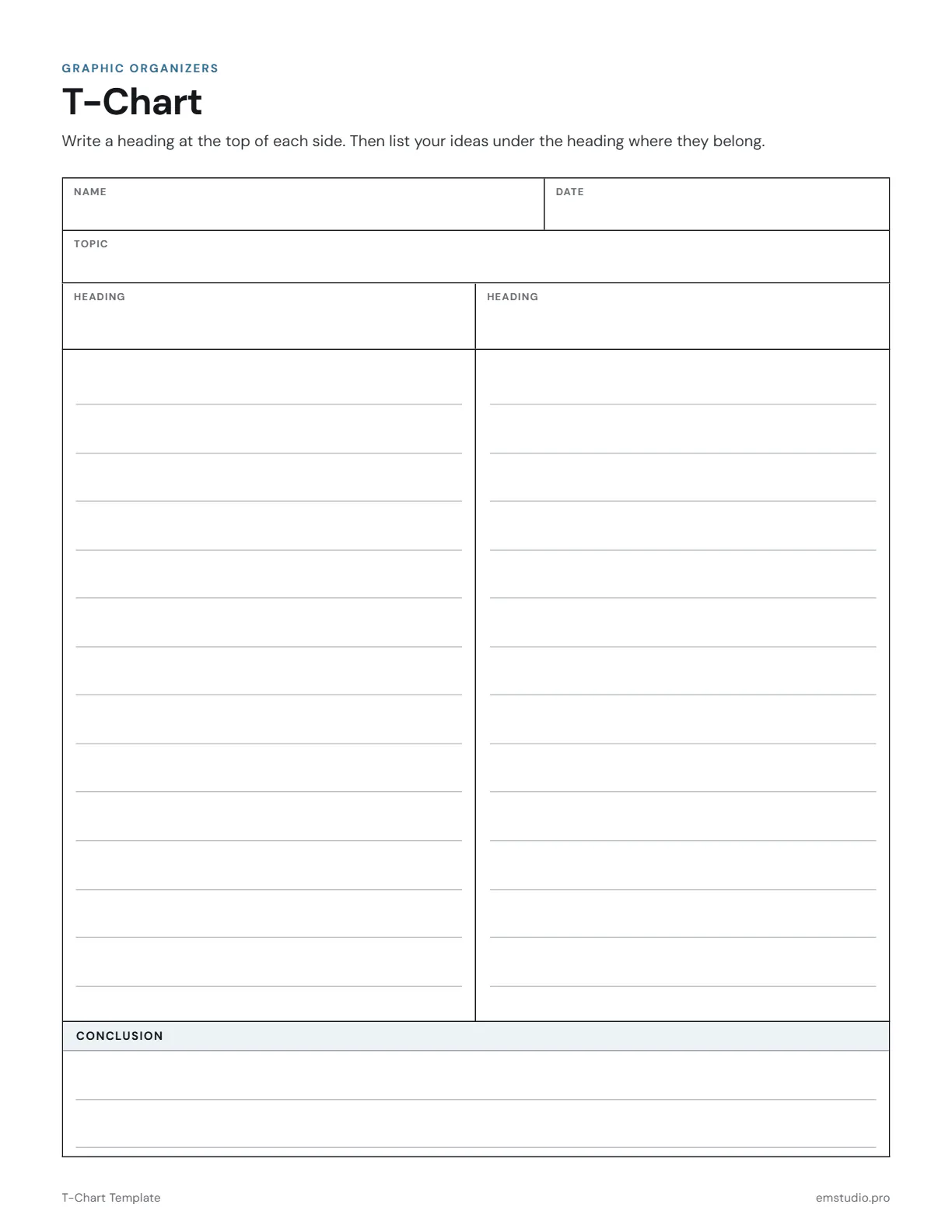
This T-chart template gives students two side-by-side columns, with a heading of their own to write at the top of each. Every column has ruled lines, with Name, Date and Topic fields above and a ruled Conclusion box below.
- Grade Level
- K to Grade 12
- Pages
- 1
- Formats
- PDF, Google Docs, Word
- Paper Size
- US Letter and A4
- Checked By
- Milo, Classroom Teacher
- Last Updated
- October 2026
T-Chart Template Example
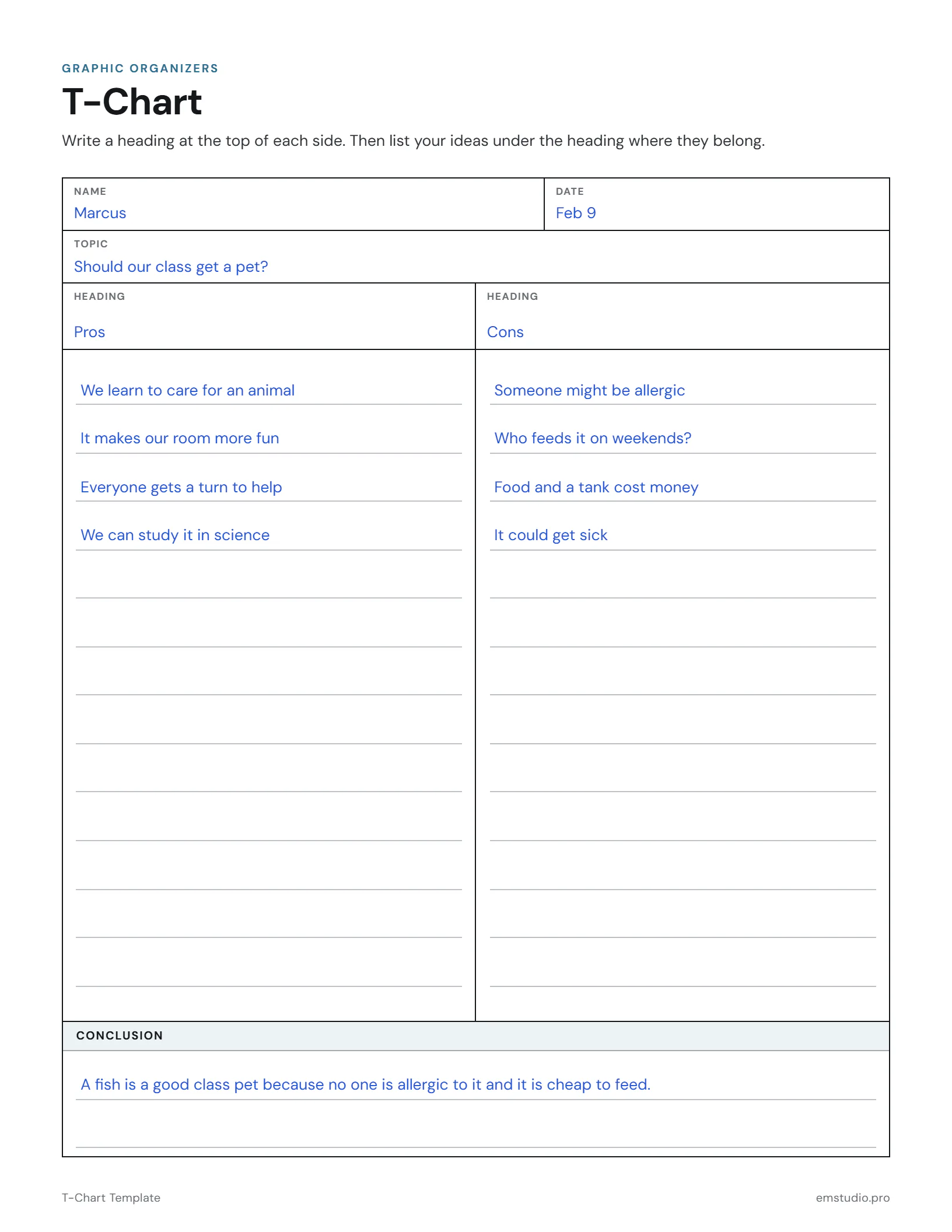
A 4th grader weighs the pros and cons of a class pet.
What's in the T-Chart Template
Two Ruled Columns
One list on each side of the T, with lines for writing under each heading.
Headings You Choose
A Heading field over each column, so any pair of categories fits.
Topic and Conclusion
A Topic field at the top and a ruled Conclusion box under the columns.
Word, Google Docs and PDF
Edit it in Word or Google Docs, or print the PDF. US Letter and A4.
How to Use the T-Chart
Name the Topic
Write the topic in the Topic field, such as a decision, a character or a unit of study.
Choose the Headings
Decide on two headings together, like Pros and Cons or Fact and Opinion, and write one on each side.
List Under Each
Students add one idea per line under the heading where it belongs, in words or short phrases.
Check Both Sides
Have students compare the two lists and look for a side with too few ideas to add more.
Write the Conclusion
In the Conclusion box, students write what the two lists show, with one reason from the chart.
T-Chart Questions
More Graphic Organizer Templates
All 21 Graphic Organizer Templates
Other Templates
Plan the Lesson Around It in EMStudio
Attach any organizer to the lesson it belongs to and reuse it next year. Free to start.
Get Started for Free