Navigate the app
In this article
Get familiar with EMStudio's layout so you can move quickly between classes, lessons, and tools. A few minutes here will save you time every day.
The top bar
The top bar gives you quick access to key actions from anywhere in the app.
Left side:
- Collapse sidebar — hide or show the sidebar to get more screen space.
- Full screen mode — expand EMStudio to fill your entire screen.
Center:
Home— takes you back to the dashboard.Feedback— opens the feedback page to report bugs, suggest features, or ask questions.
Right side:
- Language — switch between 20 supported languages.
- Guided tutorials — view your tutorial progress and jump to any tutorial to walk through it.
- Send feedback — report bugs, suggest features, send praise, or ask questions.
- Profile — opens your settings and preferences.
The sidebar
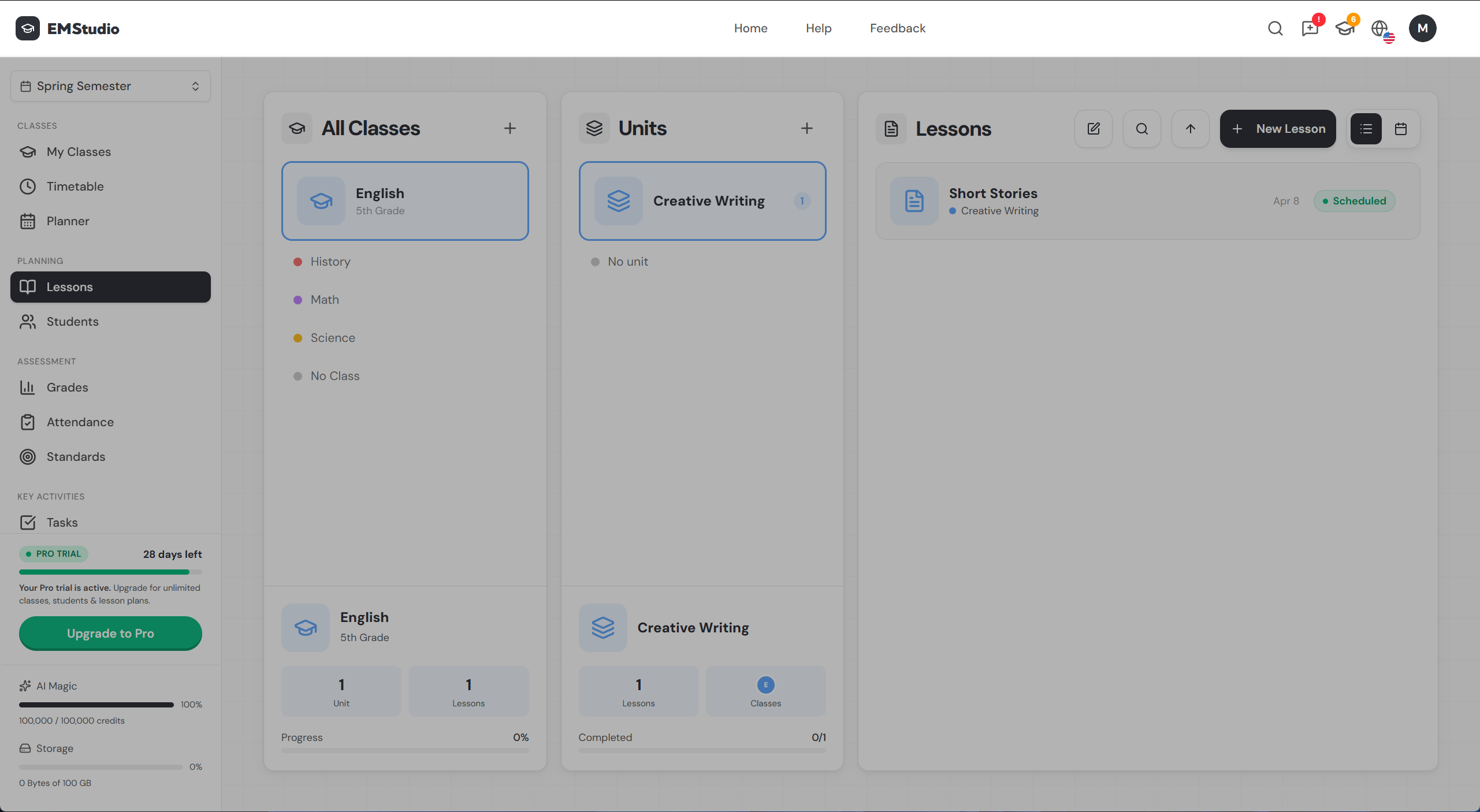
The left sidebar is your main navigation. It's organized into four groups:
- Classes — My Classes, Timetable, Planner
- Planning — Lessons, Students, Classwork (where you create assignments and manage grade topics)
- Assessment — Grades, Attendance, Standards
- Key Activities — Tasks
At the bottom of the sidebar, you'll also see your trial status, AI credit usage, and storage usage.
Collapse the sidebar with Ctrl + \ to get more screen space.
Page layout
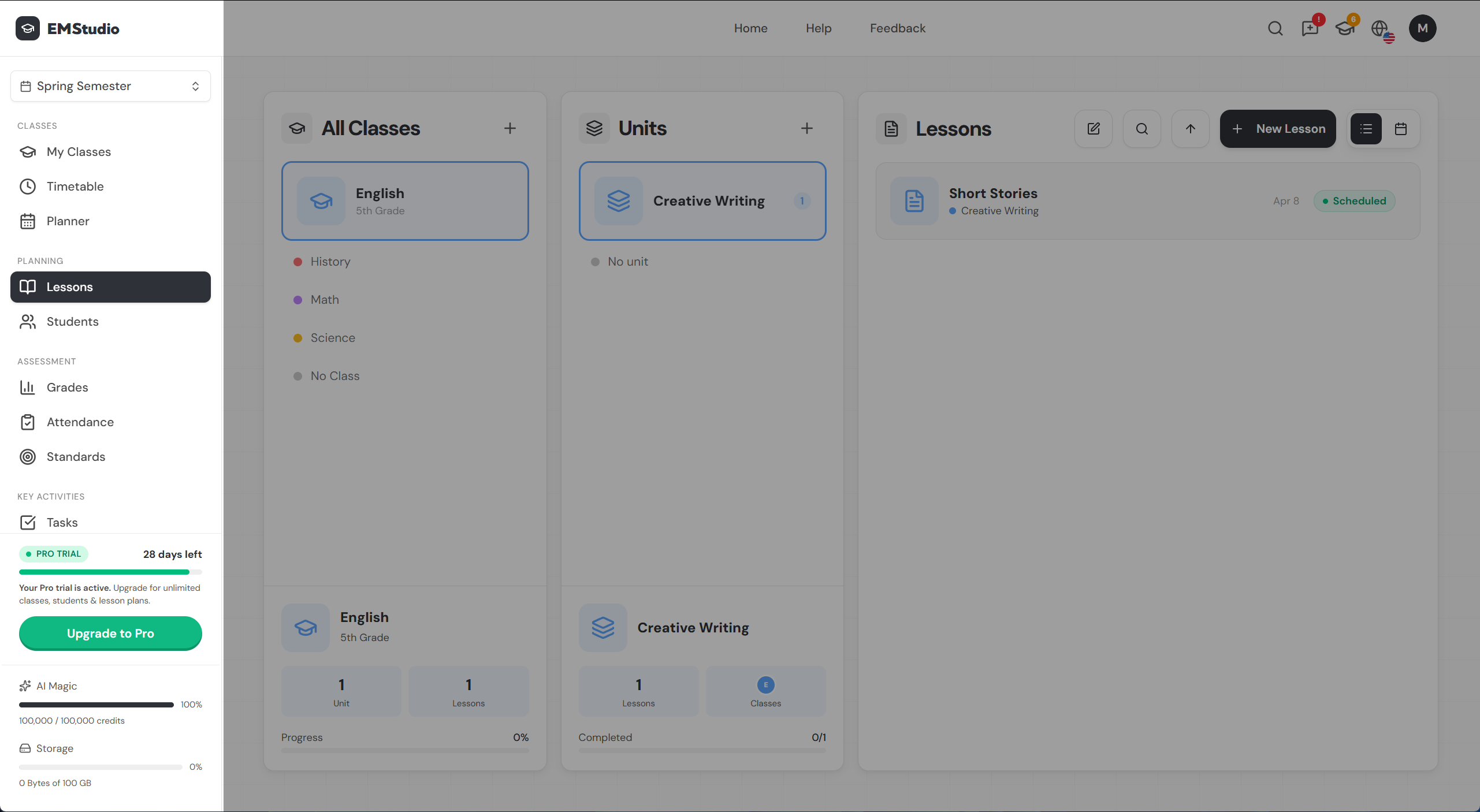
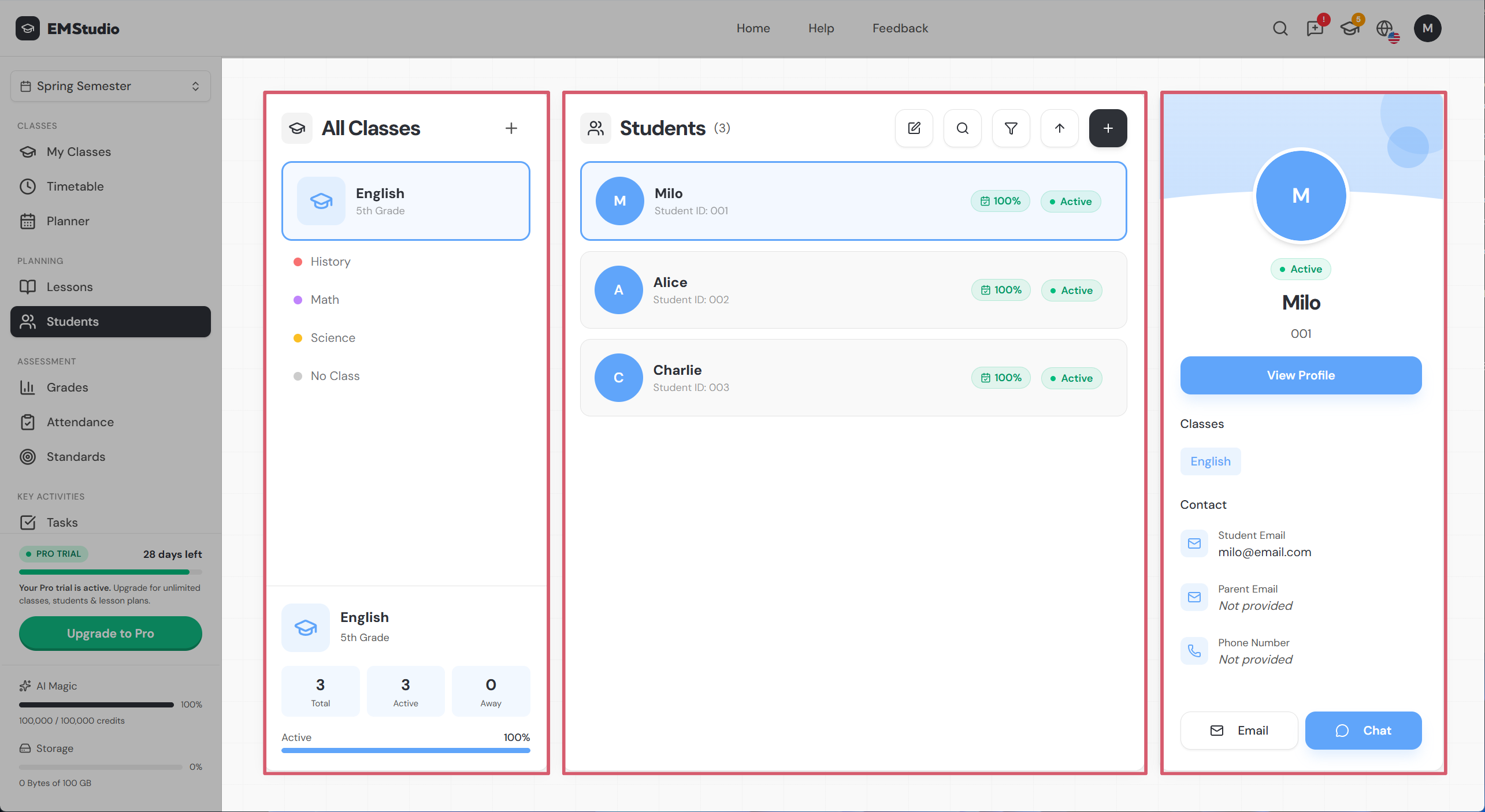
Most pages use a consistent layout with a class selector on the left and the main content on the right:
- Left panel — class selector. Pick a class to filter everything else.
- Main panel — the page content. Student list, gradebook grid, classwork list, attendance grid, etc.
- Detail views — click into a row to open a detail panel or a focused modal (student profile, lesson editor, assignment viewer, etc.).
Panels resize as you interact with them. Click something in the main panel to drill into more detail.
Class-first vs feature-first
You can navigate EMStudio two ways:
- Feature-first — click any page in the sidebar (Lessons, Grades, Attendance, etc.), then pick a class from the left panel.
- Class-first — click into a class from
My Classesto open the class page, then navigate to the section you need.
Same data, different entry point.
Teachers with one or two classes often prefer class-first. Teachers juggling many classes tend to prefer feature-first.
The dashboard
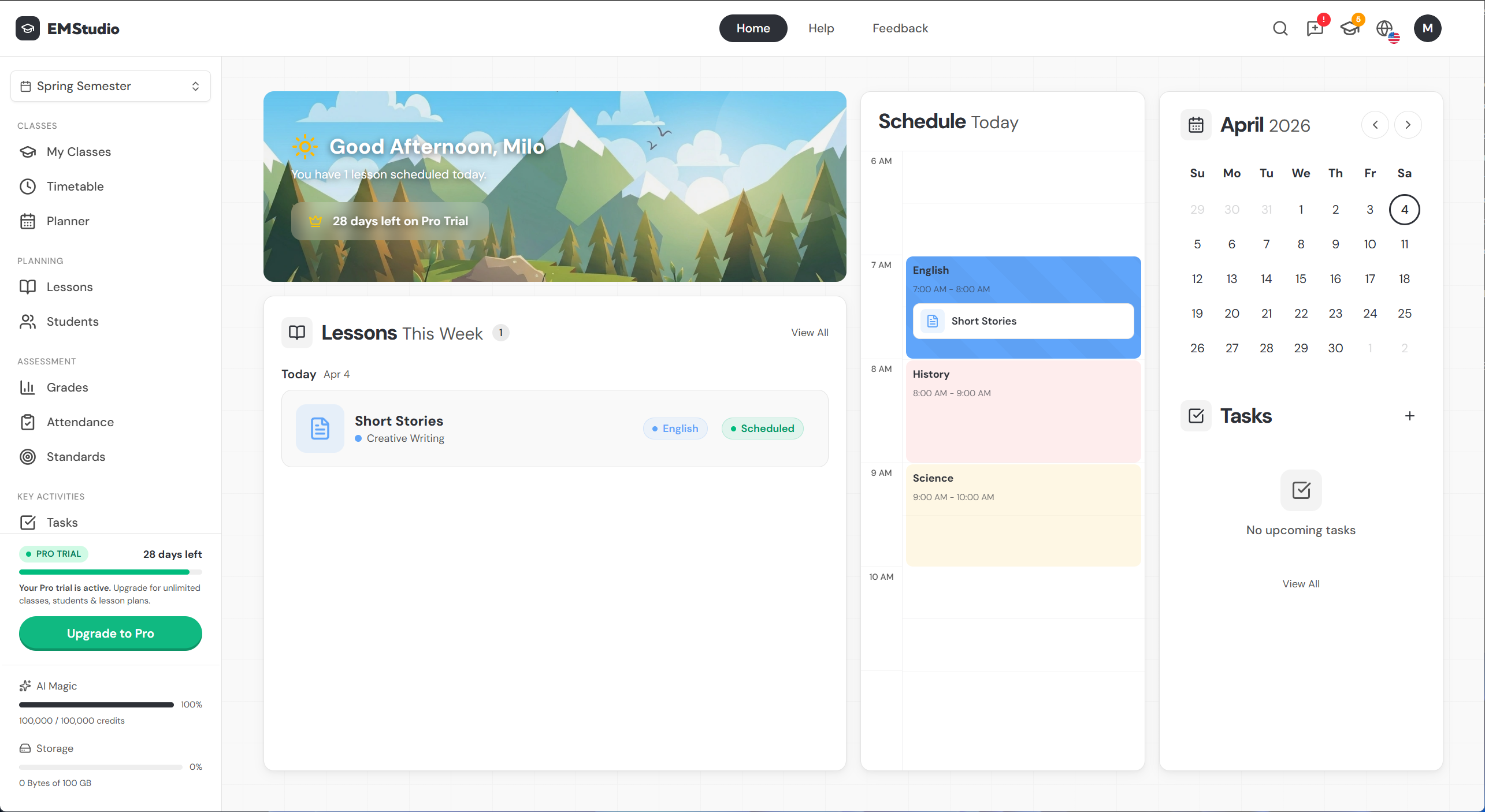
Click Home in the top bar to get here from anywhere. The dashboard shows everything you need for the day:
- Today's schedule — your classes in a timeline view
- Upcoming lessons — lessons scheduled for this week
- Calendar — a mini monthly calendar
- Tasks — your upcoming to-dos
Still have questions?
Chat with us— we're happy to help.