Designing Learning: A Complete Guide to Planning What Works

Jump to section
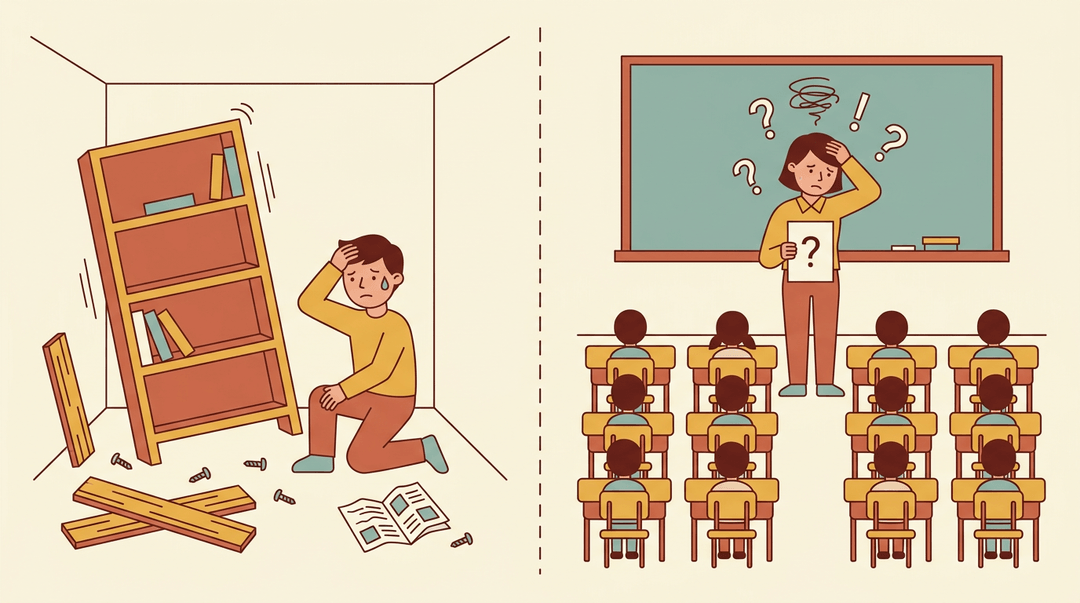
Think about the last time you assembled furniture without the instructions. You can usually get there, but it takes longer, and you might end up with a wobbly shelf.
Designing learning works the same way: skip the blueprint, and you're improvising in front of thirty kids.
Designing learning is the deliberate process of planning what students learn, how they'll learn it, and how you'll know it worked. It's more than a single lesson plan; it's the whole architecture behind it.
In this post, we'll walk through the full process: frameworks, activities, assessment, delivery, and a checklist you can use Monday morning.
The Basics of Designing Learning
Good lesson design rests on a handful of ideas you can lean on every time you plan. Get these basics right, and your activities, assessments, and delivery all fall into place around them.
Learner-centered vs traditional teaching
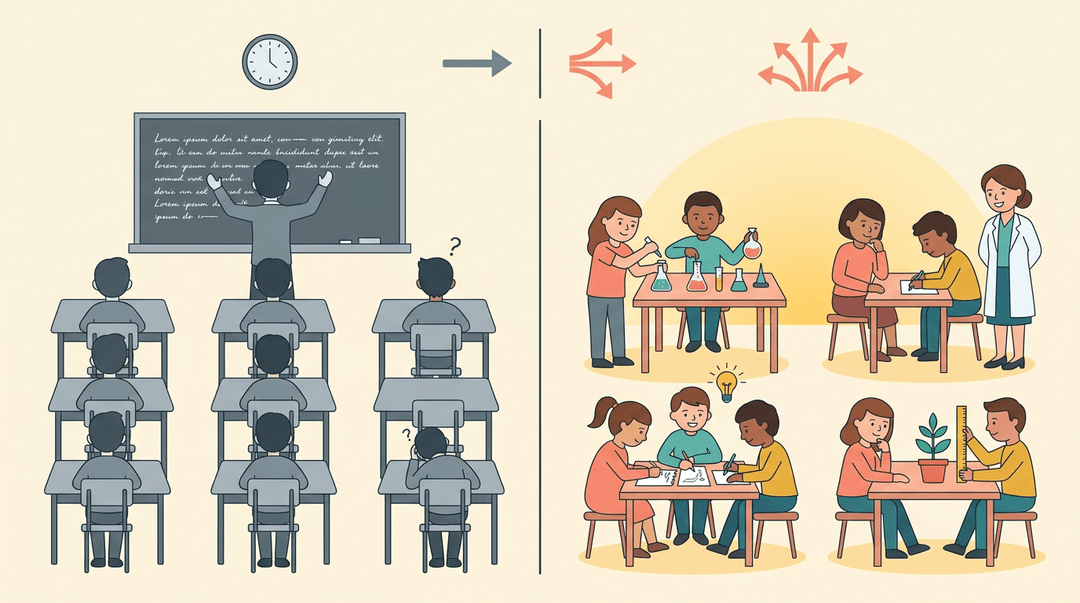
Traditional teaching leans on lecture delivery: the teacher talks, students listen, and the whole class moves at one pace whether everyone's ready or not. Learner-centered design flips that script.
Instead of starting with content, you start with what your students actually need: their gaps, their interests, their pace.
Build in some learner autonomy in pacing, and a struggling reader isn't racing to keep up with a lesson built for the middle of the class.
This shift has real roots in inquiry-based pedagogy, where students ask questions and build understanding themselves rather than absorb it secondhand.
Consider a science teacher who skips the standard lecture and has students design their own experiment to test a hypothesis instead. That's learner-centered design at work.
What are the 5 basic design principles?
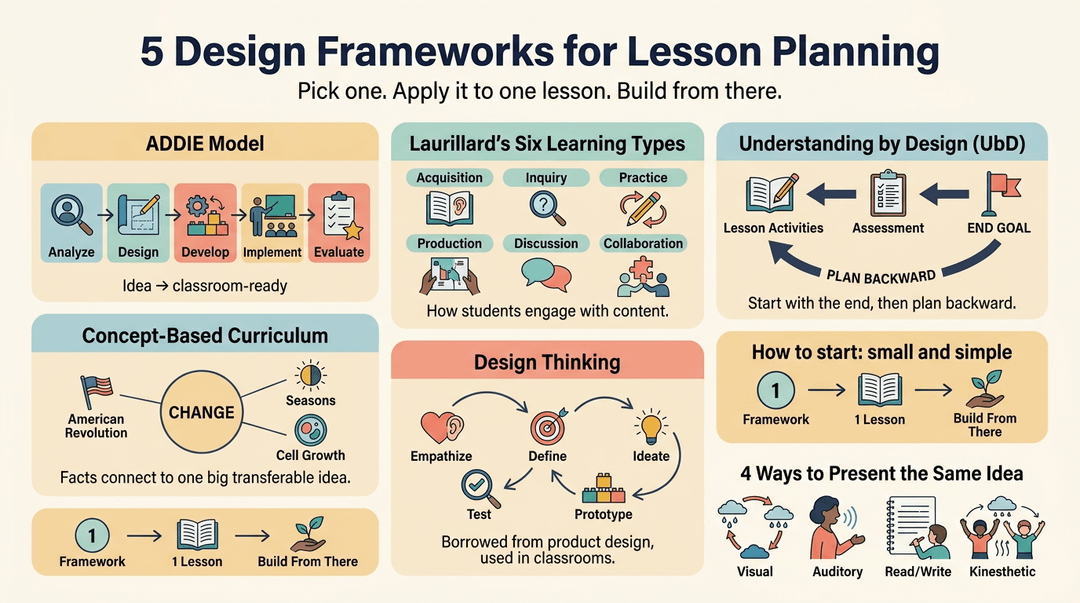
Five frameworks give you a solid foundation:
- ADDIE model. Five phases: Analyze, Design, Develop, Implement, Evaluate, moving a lesson from idea to classroom-ready.
- Laurillard's six learning types. Acquisition, inquiry, practice, production, discussion, and collaboration: how students actually engage with content.
- Understanding by Design (UbD). Start with the end goal, then plan backward from there.
- Concept-Based Curriculum. Organize lessons around big transferable ideas instead of isolated facts.
- Design thinking. Empathize, define, ideate, prototype, test: borrowed from product design to solve real classroom problems.
Wondering how to learn designing yourself? Start small: pick one framework, apply it to a single lesson, and build from there.
And if you're weighing the four types of learning, they're usually grouped as visual, auditory, reading/writing, and kinesthetic, a handy lens for varying how you present the same idea to different learners.
Planning the Design Process
Good lesson design isn't a single decision. It's a process, and working through it in order saves you from redoing work later.
Setting clear learning outcomes first
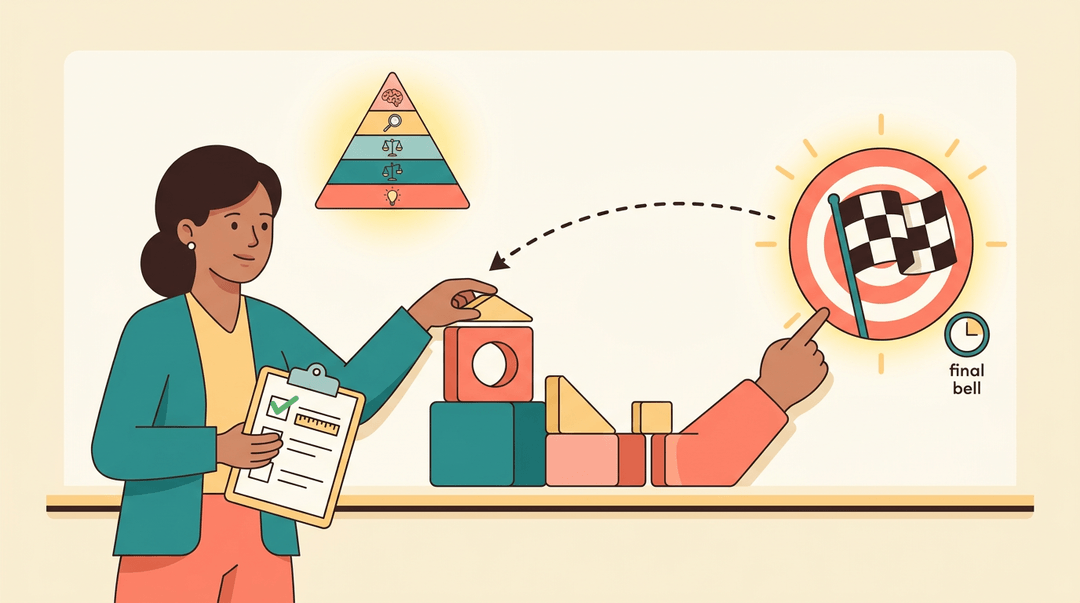
Start with the end in mind: what should students know or do by the final bell? Backward design means working from that big idea back to the lesson itself, so every activity earns its place.
Pin down the conceptual understandings you want students to walk away with, then write goals that are genuinely measurable, not vague hopes like "understand fractions."
Bloom's Taxonomy helps here, pushing objectives past simple recall toward analysis, evaluation, and creation. Make sure those outcomes align with your assessment: if you can't test it, it isn't really an outcome.
Understanding your learners' needs
Before you build anything, get to know who's sitting in front of you. Identify your learner audience: their age, prior knowledge, and interests. A short questionnaire or quick feedback survey can surface what students already know and where the gaps are.
Consider learner diversity too, including reading levels, language needs, and learning preferences, so the design doesn't quietly favor one kind of student. This context and needs investigation is the foundation everything else builds on.
Prototyping and testing your design
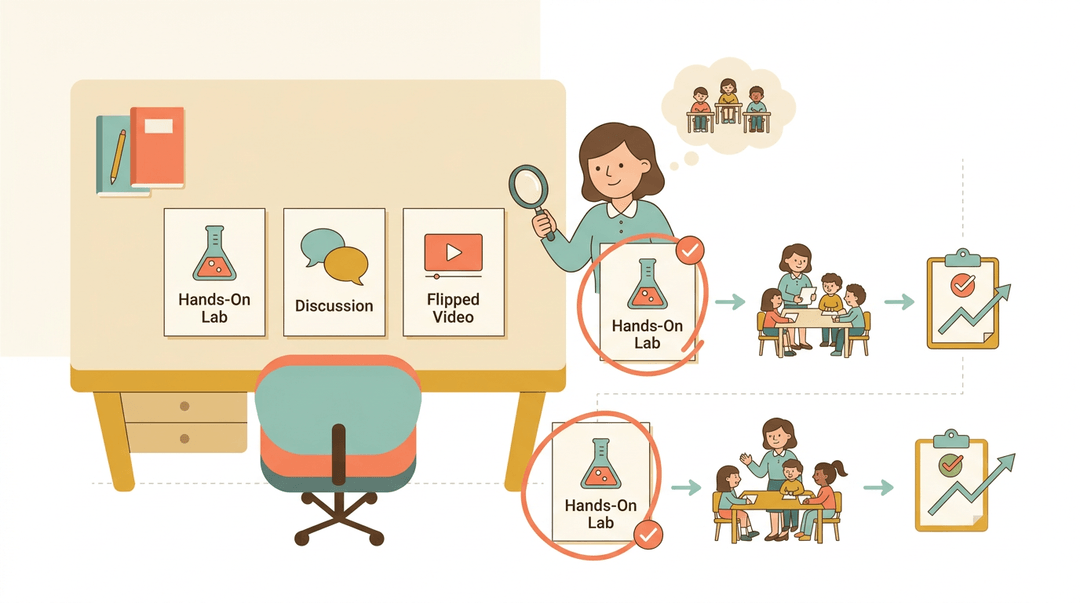
With that context in hand, generate a few different approaches: a hands-on lab, a discussion-based lesson, a flipped video. Weigh them against your learners' needs and select the one most likely to land.
Then prototype and test it with a small group or a single class before rolling it out everywhere. Once you produce the final version, evaluate how it actually performed and adjust from there.
Structuring your lesson from start to finish
Think in three phases. Before class, plan your outcomes and activities. During class, focus on implementation and timing, keeping pace so no single activity eats the whole period. After class, reflect on what worked and redesign what didn't.
Robert Gagné's nine-step events of instruction, from gaining attention to enhancing retention, offer a ready-made map for that structure.
And once you've built something that works, save it: reusable lesson plan templates mean you're not reinventing the wheel every unit.
A Ready-to-use Lesson Design Checklist
Everything in this article boils down to four questions you can ask of any lesson plan in under a minute. Run the first three before you teach; jot the fourth after the bell.
The four-point check
- Clear learning target set. Students can say what they're learning, not just what they're doing.
- Write it as an "I can" statement on the board, in student language.
- Active practice included. Students spend more minutes doing than watching.
- Sorting, solving, writing, debating: anything that produces work you can see.
- Feedback loop planned. Name the exact moment you'll find out who got it.
- Pick one and write it in the plan: exit ticket, whiteboard flash, thumb check.
- Reflection notes captured. After teaching, add one line on what you'd change.
- "Hunt ran long; cut to three shapes next time" is plenty.
The first check is where most plans quietly fail. A target names an action you can watch for; a topic just names content:
❌ "Today we're learning about fractions." ✅ "I can show one half and one fourth of a shape and explain the difference."
The difference: the second tells you (and the students) exactly what success looks like by the end of the period.
The checklist in two classrooms
The same four checks scale from folded paper to backward design.
Elementary example: A second-grade teacher defines one big idea (shapes can be sorted by their attributes), chooses an engaging activity (a classroom shape scavenger hunt), and plans a quick formative check (each student sorts one mystery shape on the way out). Target, practice, feedback: three boxes ticked before the lesson starts.
Secondary example: A tenth-grade history teacher backward-designs from the assessment (an essay on the causes of World War I), adds a peer discussion task (partners rank the causes and defend their order), and differentiates by readiness (two source packets, one with guided annotations). The essay defines the target, the ranking is the practice, and the defense is where the feedback happens.
💡 Tip: Keep the four checks taped inside your plan book. Once they're habit, you'll catch a missing feedback loop before the lesson does.
The checklist keeps each lesson tight; the last step is keeping lessons connected across the year. Map each lesson to standards and pacing as you plan in EMStudio's Curriculum Planner.
Choosing Learning Activities and Strategies
Once you know what students need to learn, the next question is how they'll spend their time getting there. The right activity depends on the goal: some lessons call for input, others call for students to wrestle with a problem themselves.
Different types of learning activities
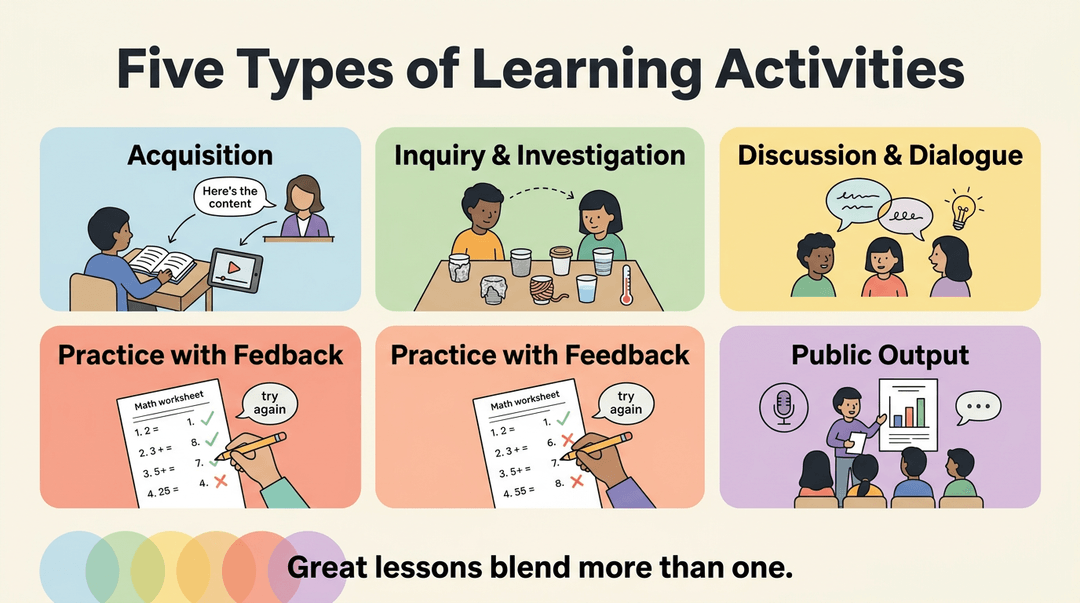
Most classroom activities fall into a few broad categories, and a well-designed lesson usually blends more than one:
- Acquisition. Lectures, readings, and videos hand students the core content they need before they can do anything with it.
- Inquiry and investigation. Students ask questions and dig for answers themselves, like a class testing which materials insulate heat best instead of just reading about insulation.
- Discussion and peer dialogue. Talking through ideas with classmates surfaces misunderstandings early and builds on Piaget's idea that knowledge grows through social interaction.
- Practice with feedback loops. Repetition only sticks when it's paired with quick, specific feedback: think of a math worksheet paired with immediate answer checks.
- Production of public outputs. Presentations, posters, or podcasts give students a reason to polish their thinking for a real audience.
Project-based and design activities
Some of the deepest learning happens when students build something.
Consider a middle school science teacher whose class enters a robotics competition: students design, test, and redesign a machine to solve a set challenge, learning engineering concepts by doing them rather than reading about them.
Other project formats work the same way:
- Students create artifacts, like models, videos, or apps.
- Storyboarding and prototyping let students sketch an idea before committing to it.
- Real-world problem framing roots the project in an actual community issue, not a hypothetical one.
What are the 5 C's of learning?
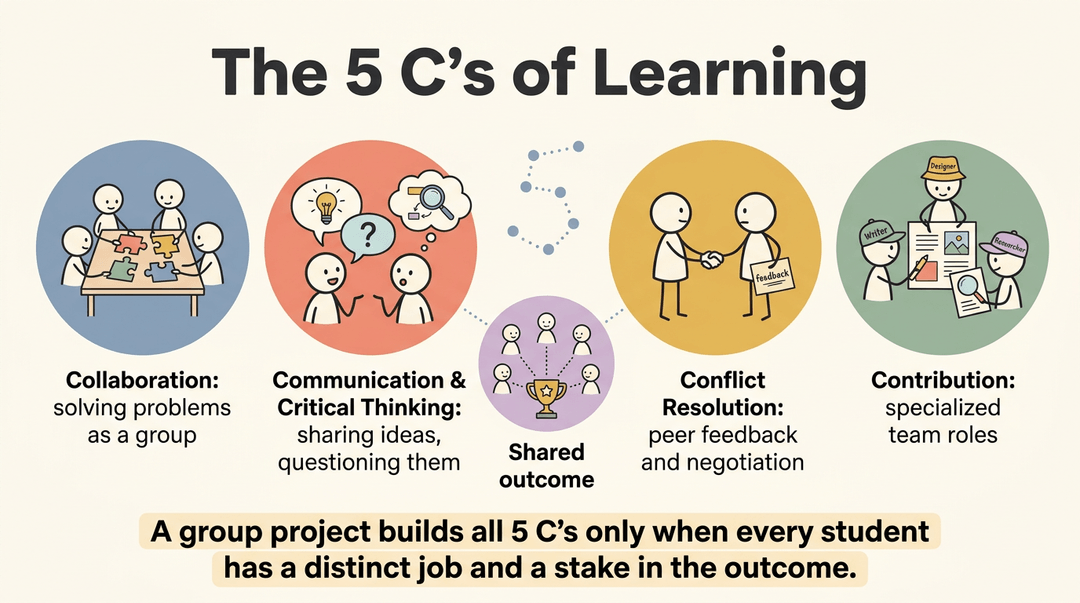
The 5 C's describe the skills students build through collaborative work:
- collaboration (group problem solving)
- communication and critical thinking
- conflict resolution (peer feedback and negotiation)
- contribution through specialized team roles
A group project only teaches all five when each student has a distinct job and a stake in the outcome.
Differentiating for every learner
No single activity works for every student. Universal Design for Learning (UDL) offers a framework for this: give students multiple ways to take in information, multiple ways to show what they know, and modifications for learning differences.
A quick differentiation checklist:
- Offer at least two ways to access content (text, audio, visual).
- Build in choice for how students demonstrate mastery.
- Adjust pacing or scaffolding for students who need it.
Assessing and Evaluating Learning
Good assessment doesn't happen after the learning wraps up: it's built into the design from the start. If your outcomes describe what students should be able to do, your assessments need to prove they can actually do it.
Aligning assessment with outcomes
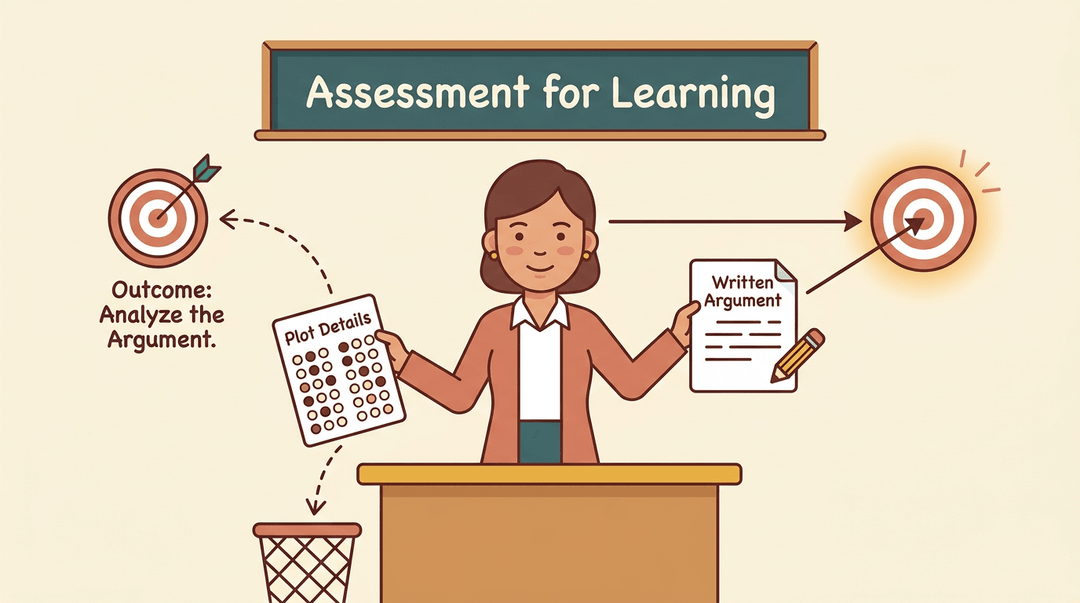
Every assessment should trace back to the outcome it's measuring. If the outcome asks students to analyze a text's argument, a quiz on plot details won't cut it: you need evidence of deep understanding, not just recall.
That's the heart of assessment for learning: using ongoing checks to guide instruction, not just grade it.
Think of a history teacher who swaps a multiple-choice test for a short written argument, because that's what the outcome actually asks students to do.
Using formative checks and feedback
Between the big outcome and the final grade sits the everyday work of formative assessment: quick checks that tell you who's got it and who's still stuck. Exit tickets, thumbs-up polls, and quick conferences all work.
Feedback matters just as much as the check itself, and it can come from three directions:
- the teacher
- a peer
- the student's own reflection on their work
Reflecting and evaluating after teaching
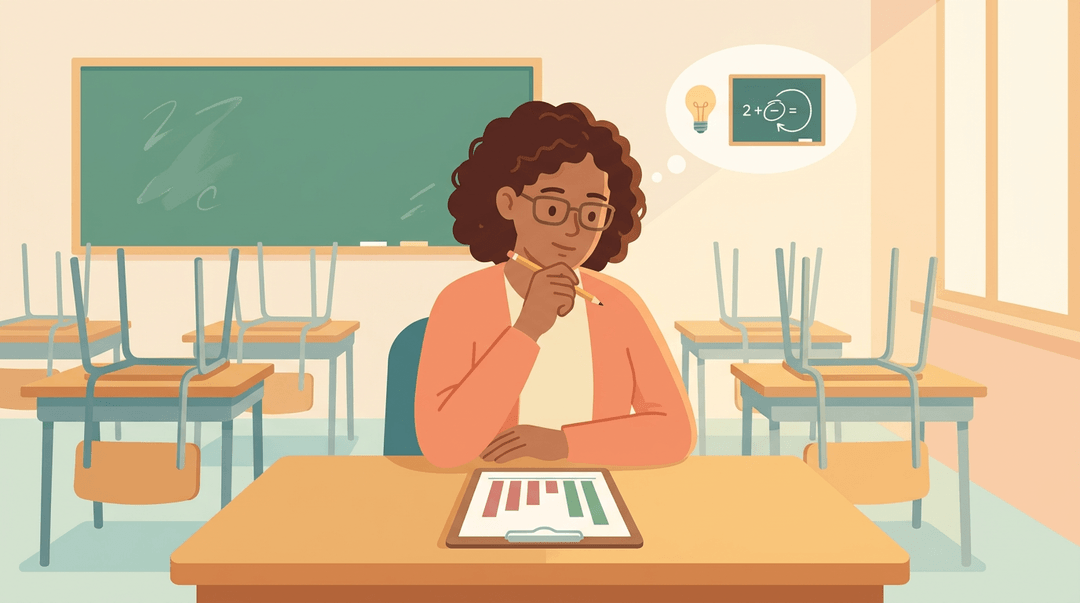
Most design frameworks end with an evaluate, or produce, phase, and it's easy to skip once the bell rings. Take a few minutes to ask what actually landed and what didn't.
A middle school math teacher who notices half the class missed the same concept knows exactly where to rebuild the next lesson. That's iterative redesign: using real data to adjust, not starting from scratch each time.
Choosing Delivery Modes and Environments
Once you know what students need to learn, you still have to decide where and how that learning happens. The right delivery mode isn't about trends: it's about matching the format to your learners and your goals.
In-person, online, or hybrid delivery
Choosing a delivery method starts with a simple question: what does this lesson actually require? A lab experiment calls for a room and real materials. A short review session might work fine over video.
Consider a middle school teacher who needs students collaborating on a group project: face-to-face time helps here, while background reading can happen at home.
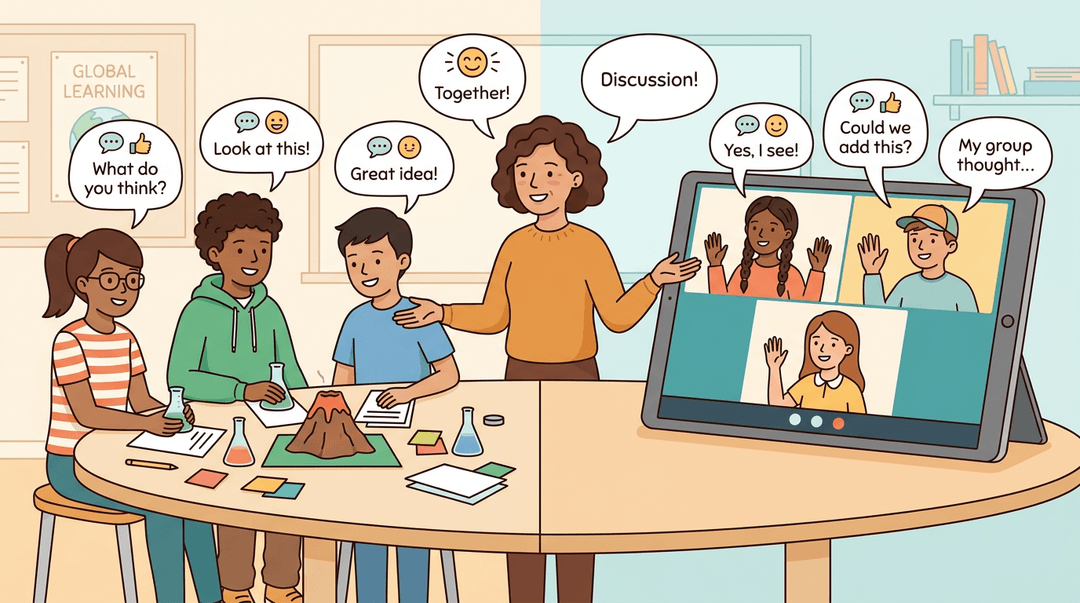
Hybrid learning blends both worlds, letting you use in-person time for discussion and hands-on work while shifting lecture-style content online. It's flexible, but it only works if you're intentional about which parts belong where.
Engaging remote learners takes extra effort. Build in regular check-ins, short polls, or breakout discussions so students on a screen don't just fade into the background. A quick "turn and talk" prompt works in person and online alike.
Picking the right resources and platforms
Selecting an online platform means thinking about what your students will actually use, not just what looks impressive. A cluttered tool with too many features can slow everyone down.
Discussion board access matters more than it seems: if students can't easily post, reply, or find threads, the conversation dies quickly. Test it yourself before rolling it out.
Finally, keep accessibility and inclusion at the center of every choice. Captions, screen-reader compatibility, and mobile-friendly design aren't extras. They're what make sure every student, not just most, can actually take part.
Evidence, Outcomes, and Real Challenges
Good intentions aren't enough on their own. Here's what the research actually shows about learning design, and where it still gets messy once you're in the room with 30 students.
What research says about effectiveness
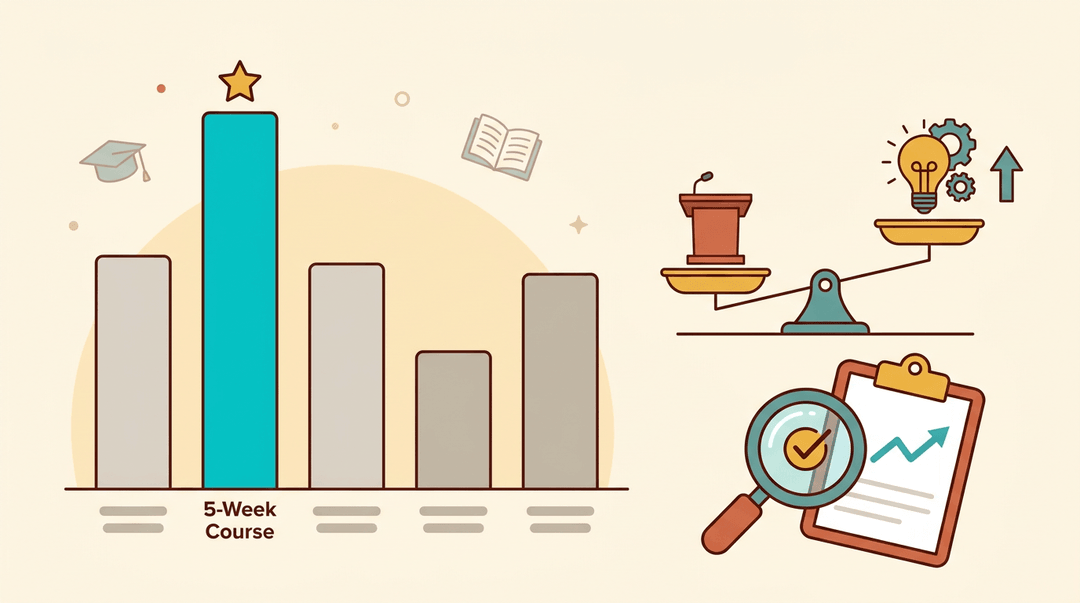
The numbers back up the effort. A study on course formats found that the five-week online course structure produced the highest retention rate and academic performance among the formats tested.
Beyond retention, a systematic review and meta-analysis in dental education found a significant, moderate effect favoring innovative teaching approaches over traditional lectures.
And it's not just scores: Edutopia reports that design-based instruction helps students build genuinely deeper understanding, because creating a product forces them to actually apply what they've learned instead of just recalling it.
How it boosts motivation and engagement
Well-designed learning doesn't just teach better, it makes students want to learn. UF/IFAS Extension notes that varying activities to include different learning modalities increases student interest across the board.
Ownership matters too: when students help shape their own work product, they engage with it differently than a worksheet handed to them. That engagement isn't limited to your top performers.
A Virginia Tech study on design-based learning found it increased both desire to learn and success for students across the achievement spectrum.
Common challenges when putting it into practice
None of this happens automatically. Teachers need real time to build new facilitation skills, not just a slide deck at a staff meeting.
Grouping students into compatible teams takes judgment, and even a strong team can quietly let one student carry the load. Watching for equal participation, not just equal seating, is what keeps the design honest.
Designing learning isn't a one-time task you finish before the semester starts. It's a habit: plan with intention, choose activities that fit the goal, check for understanding, and adjust when the evidence tells you to.
Get that rhythm right, and lessons stop feeling like guesswork.
Ready to turn that design process into a plan you can actually stick to? Check out our Curriculum & Standards feature to map units, lessons, and standards across the whole year.
References
- Course Format Matters: Effects on Student Retention and Academic Performance — doi.org (2026)
- Effectiveness of Innovative Teaching Methods Versus Traditional Lectures in Dental Education: A Systematic Review and Meta-Analysis — pubmed.ncbi.nlm.nih.gov (2026)
- AEC671/WC334: Using Interest Approaches in Instructional Design and Delivery — ask.ifas.ufl.edu
- JTE - Spring 2008 v19n2 - Engagement and Achievements: A Case Study of Design-Based Learning in a Science Context — scholar.lib.vt.edu
- Powerful Learning: Studies Show Deep Understanding Derives from Collaborative Methods — edutopia.org
Frequently asked questions
What are the 5 C's of learning?
The 5 C's of learning describe essential skills fostered through collaborative work: collaboration for group problem-solving, effective communication, critical thinking, conflict resolution through peer feedback, and contribution through specialized team roles. These elements ensure each student has a distinct job and a stake in the outcome of a group project.
What are the 5 basic design principles?
The 5 basic design principles are foundational frameworks used in designing learning. These include the ADDIE model, Laurillard's six learning types, Understanding by Design (UbD), Concept-Based Curriculum, and Design thinking. Each framework offers a structured approach to planning and implementing educational experiences.
How do I learn designing?
To learn designing, you can start by selecting one design framework, such as the ADDIE model or Understanding by Design, and applying it to a single lesson. This hands-on approach allows you to build your skills progressively. Consistent practice and application of these principles will help you develop proficiency in designing learning experiences.