Student Time Management: A Complete Guide


Jump to section
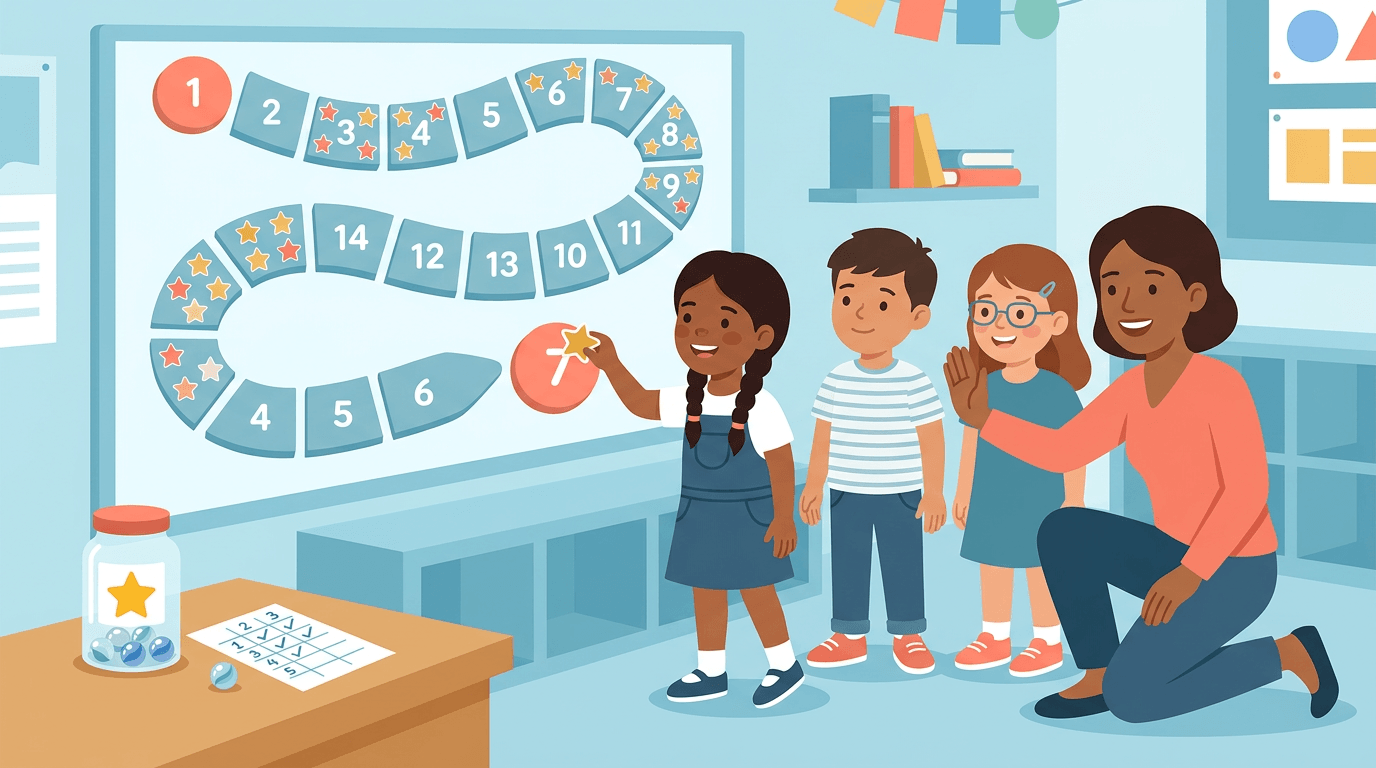
Think about the last time you packed for a big trip. You laid out what you needed, decided what mattered most, and left the rest behind.
Student time management works the same way: it's the skill of deciding what to do first, what can wait, and how to make the hours in a school day actually count.
For students juggling homework, activities, and everything in between, that skill matters more than ever. This post walks through the frameworks, tools, and classroom strategies that make it stick.
Why Student Time Management Matters
Ask any teacher what separates a calm classroom from a chaotic one, and time management is usually part of the answer.
For students, the payoff of learning to manage their time well shows up almost everywhere: in their grades, their stress levels, and eventually, their careers.
How Better Time Management Boosts Grades
Research shows that young people who can effectively manage their time perform better academically. That's not a coincidence.
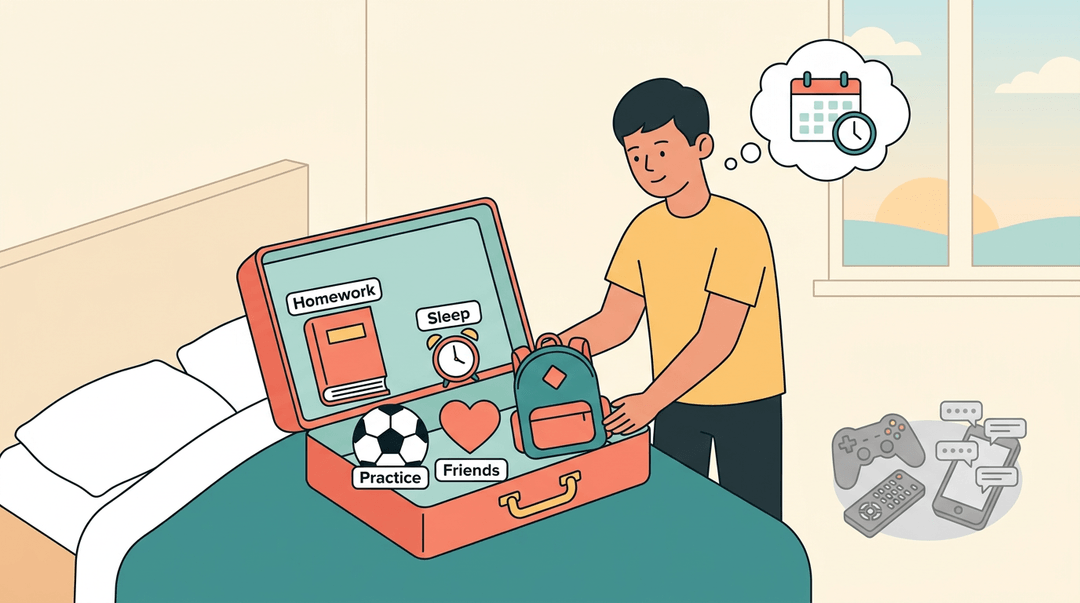
Students who plan ahead tend to meet deadlines instead of scrambling for extensions, and they spread their studying out instead of cramming the night before a test.
That steadier pace makes exam prep feel less like a fire drill and more like, well, preparation.
Less Stress, Better Sleep, More Free Time
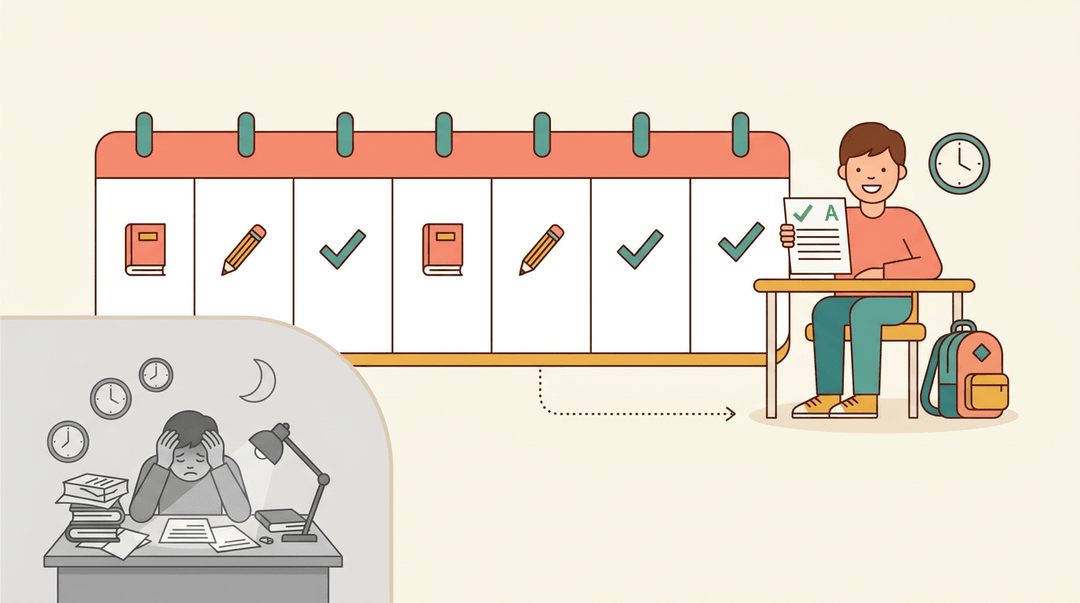
According to a study cited in Frontiers in Psychology, effective time management helps students cut down on procrastination and stress, creating better conditions for learning overall.
Not every finding lines up so neatly, though: one study on university students found no significant link between time management and burnout, a good reminder that a planner alone won't fix exhaustion.
Still, when students aren't racing the clock every night, there's more room left for sleep and downtime, both easy to sacrifice when everything feels urgent.
A Skill That Pays Off for Life
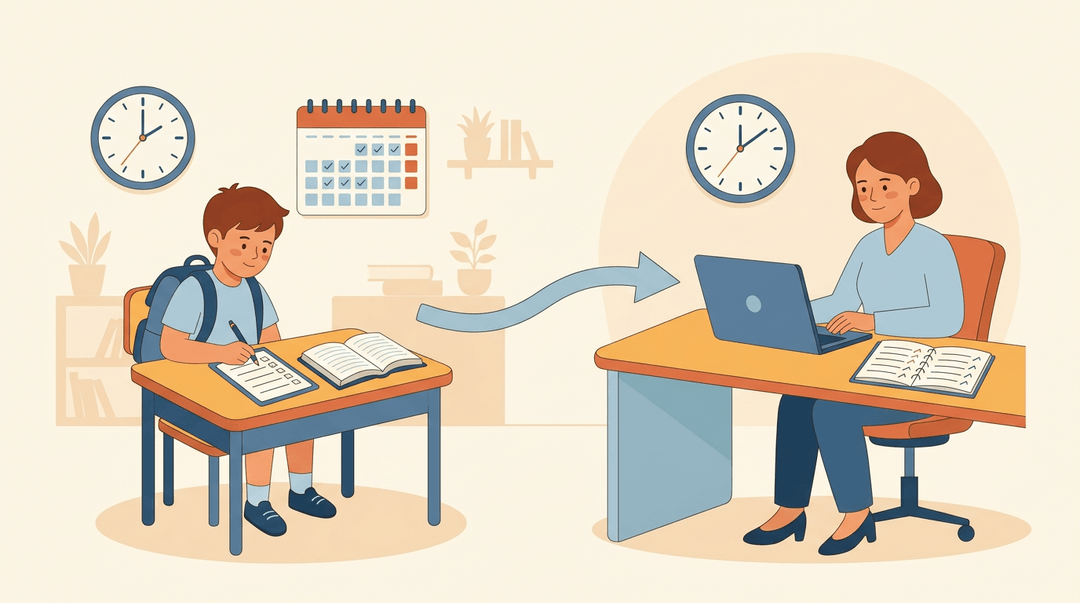
Time management isn't just a school skill. As research summarized in a meta-analysis on time management points out, employers push adults to manage their time well for the same reasons teachers push students to.
The habits built now (blocking out study time, setting priorities, actually meeting deadlines) carry straight into the workplace. What starts as a classroom skill becomes real professional preparation, and it's a lifelong habit, not a one-semester fix.
Common Time Management Struggles Students Face
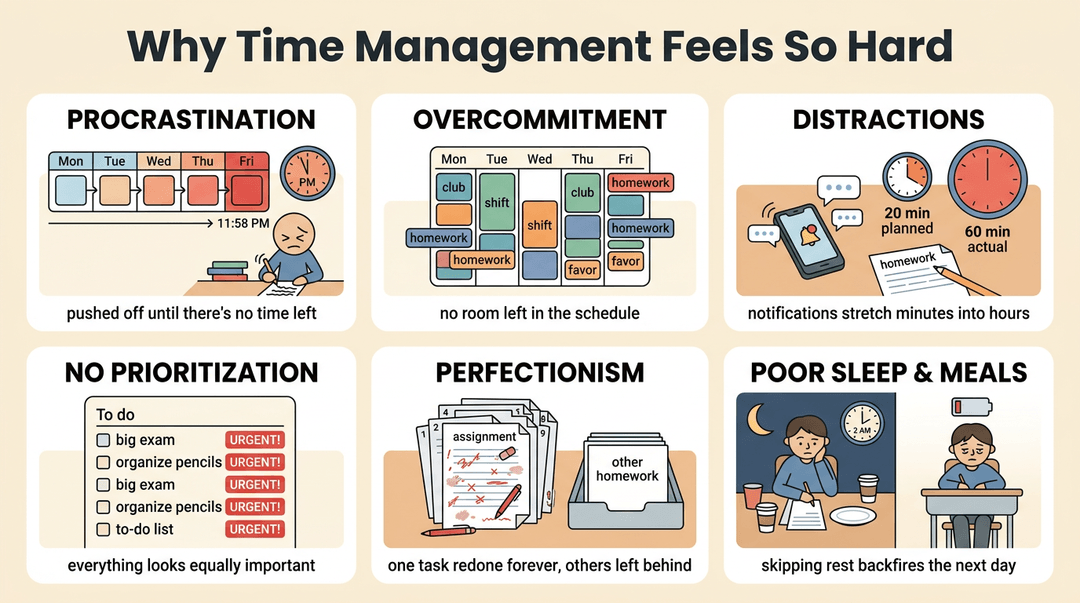
Most students don't struggle with time management because they don't care. They struggle because a handful of familiar habits get in the way:
- Procrastination. Putting off the hard task until there's no time left to do it well.
- Overcommitment. Saying yes to every club, shift, and favor until the schedule has no give left.
- Distractions. Phones, notifications, and noisy environments that turn twenty minutes of homework into an hour.
- Lack of prioritization. Treating every task as equally urgent, so the important ones get lost in the shuffle.
- Perfectionism. Reworking one assignment endlessly instead of moving on to the next.
- Poor sleep and nutrition. Skipping rest or meals to "find" more time, which usually backfires the next day.
Setting Goals and Priorities That Stick
A goal without a deadline is just a wish. This section turns big intentions into concrete daily choices your students can actually act on.
Setting SMART Time-Bound Goals
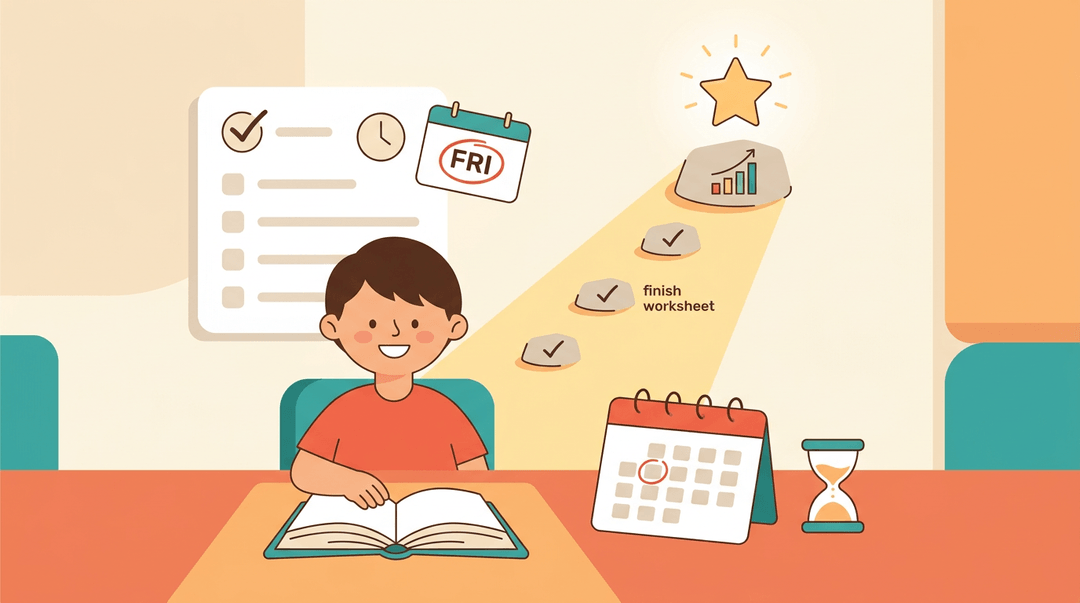
SMART goals work because they replace vague hopes ("get better at math") with something you can check off: specific, measurable, and tied to a real deadline.
A student aiming to "read for 20 minutes every night before Friday's quiz" knows exactly what done looks like. Time-bound targets matter because open-ended goals drift; a due date creates urgency.
Teach students to pair short-term goals (finish tonight's worksheet) with long-term ones (raise a test average by the semester's end), since the small wins keep the big goal from feeling impossible.
Sorting Tasks by Urgent vs Important
Not every task deserves the same panic. Urgent tasks scream for attention right now; important ones move a student toward what actually matters.
A simple four-quadrant sort (urgent and important, important but not urgent, urgent but not important, neither) helps a student see that a due-tomorrow essay outranks a study group text.
Tasks that land in the bottom quadrants? Delegate them or drop them entirely.
What Are the 5 P's of Time Management?
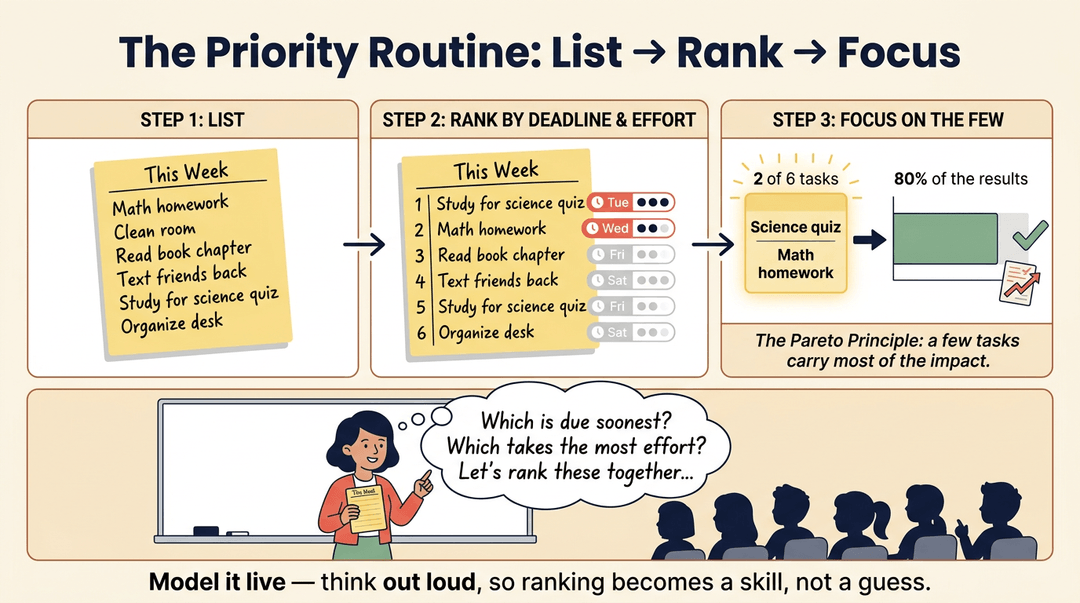
The 5 P's framework gives students a repeatable routine:
- identify top priorities
- rank them by deadline and effort
- focus energy on the few tasks that move the needle most
That last piece borrows from the 80/20 Pareto principle: a small share of tasks tends to drive most of the results.
Model this live in class discussions, thinking aloud through a real to-do list, so students see prioritizing as a skill they can practice, not a guess they have to get lucky on.
How to Write a Time Management Plan
Ever wonder why some students seem to have hours to spare while you're drowning in deadlines? Writing a real plan starts before you touch a calendar: with a time audit.
Track where your hours actually go for a few days (classes, sleep, scrolling, studying) and the gaps a plan needs to fill become obvious. From there, it's mostly a matter of picking your tools and building a rhythm you'll stick to.
Choosing a Digital or Paper Calendar
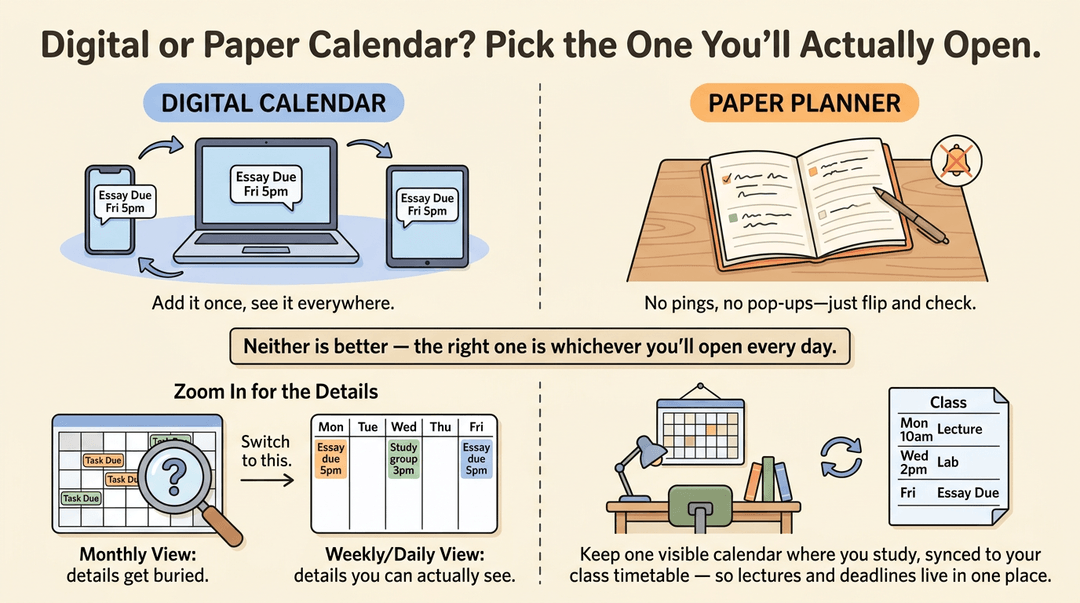
Some students swear by a digital calendar that syncs across their phone, laptop, and tablet, so a deadline added on one device shows up everywhere else. Others do better with a paper planner they can flip open in class: no notifications, no distractions.
Neither option is better; the right one is whichever you'll actually open every day.
Set it to a weekly or daily view instead of a monthly one: monthly views hide the details that trip students up.
Keep a visible desk calendar where you study, and sync it with your class timetable so lecture times and due dates live in one place instead of scattered across syllabi.
Set Up a Weekly Planning Routine
Pick one day (Sunday works well for most students) and treat it as a standing planning session. At the start of the semester, build a master calendar with every syllabus deadline mapped out in advance, so nothing ambushes you in week ten.
Each week, revisit that calendar, review what worked, and adjust the week ahead based on what's actually due.
Block Time to Protect Your Focus
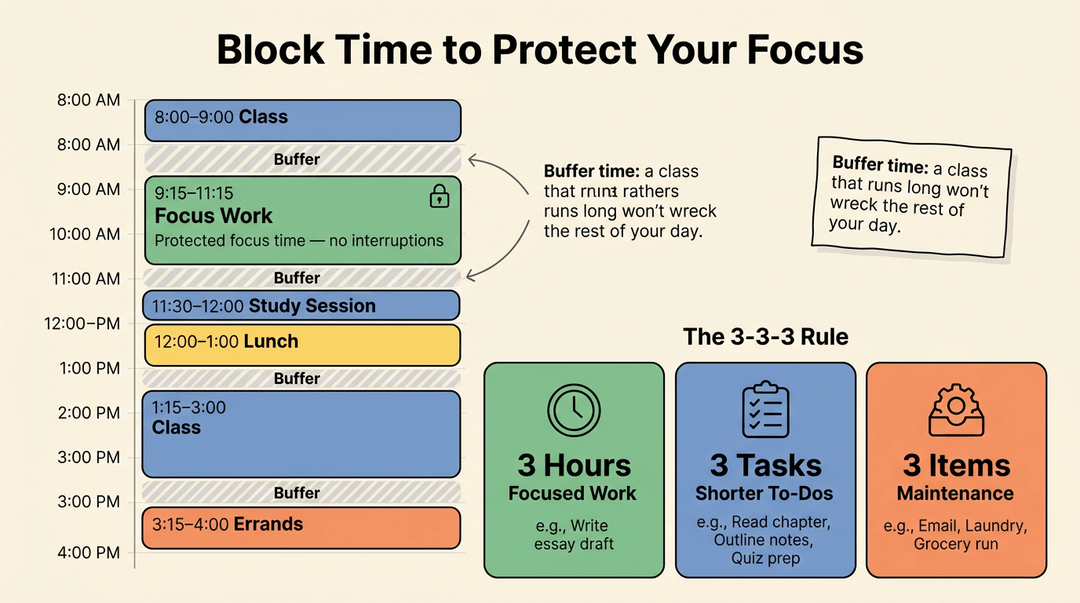
Once deadlines are mapped out, protect the hours you'll use to meet them. Time blocking means assigning dedicated blocks for classes, study sessions, and specific tasks, so your calendar shows not just what's due, but when you'll do it.
That structure protects your focus time from getting swallowed by whatever feels urgent in the moment.
Build in buffer time between blocks, too: a class that runs long shouldn't wreck the rest of the day.
For a simple structure to try, the 3-3-3 rule splits a work session into three hours of focused work, three shorter tasks, and three maintenance items like email or errands, giving both big and small work a place on the schedule.
Balancing Life with the 8-8-8 Rule
Time blocks only work if the day's hours are balanced in the first place. The 8-8-8 rule splits a 24-hour day into eight hours of sleep, eight of work or class, and eight for everything else: meals, exercise, friends, downtime.
Some students prefer the 7-8-9 rule instead: seven hours of sleep, eight of work, nine for life outside it. Either way, treat coursework like a job with set hours, then allocate the rest by category instead of letting it disappear.
Break Big Projects into Small Steps
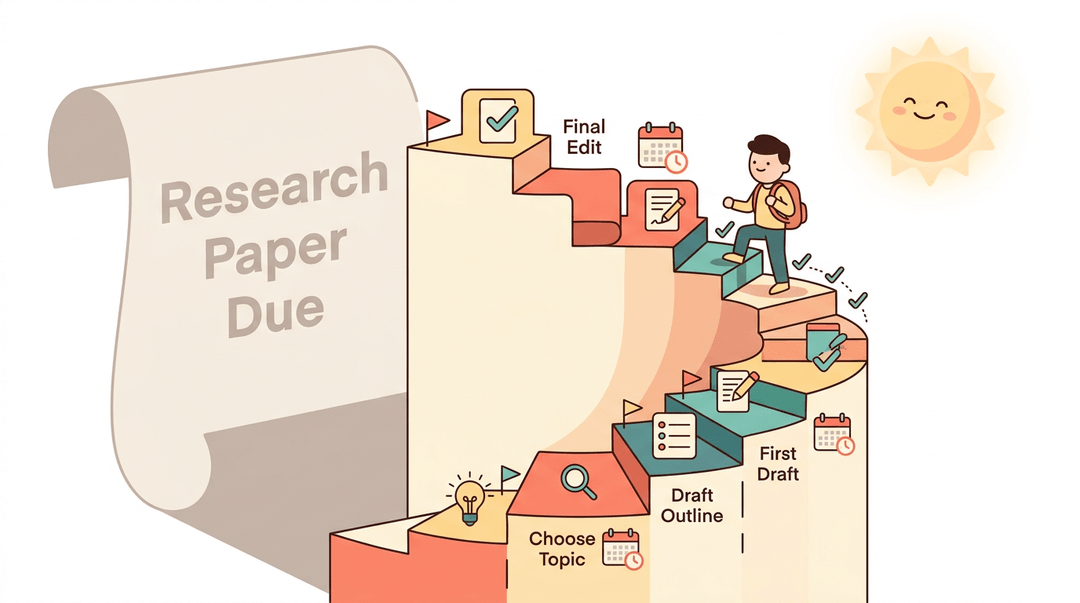
A research paper due in six weeks feels abstract until it's chunked. Break a large project into smaller, manageable steps (choosing a topic, drafting an outline, writing a first draft) and give each one its own mini deadline on the calendar.
That turns one overwhelming due date into a series of small wins you can actually plan around.
Techniques to Stay Focused and Productive
Knowing how to plan a week is one thing. Actually sitting down and doing the work without drifting off to a phone notification is another. These four techniques help close that gap:
Try the Pomodoro Technique for Focus
The Pomodoro Technique breaks work into 25-minute sprints followed by a 5-minute break. After four rounds, take a longer break of 15 to 20 minutes.
For example, a student working through a stack of math problems can knock out one Pomodoro, stretch, refill a water bottle, and come back with a clear head instead of grinding through an hour of slow, distracted effort.
Why Single-Tasking Beats Multitasking
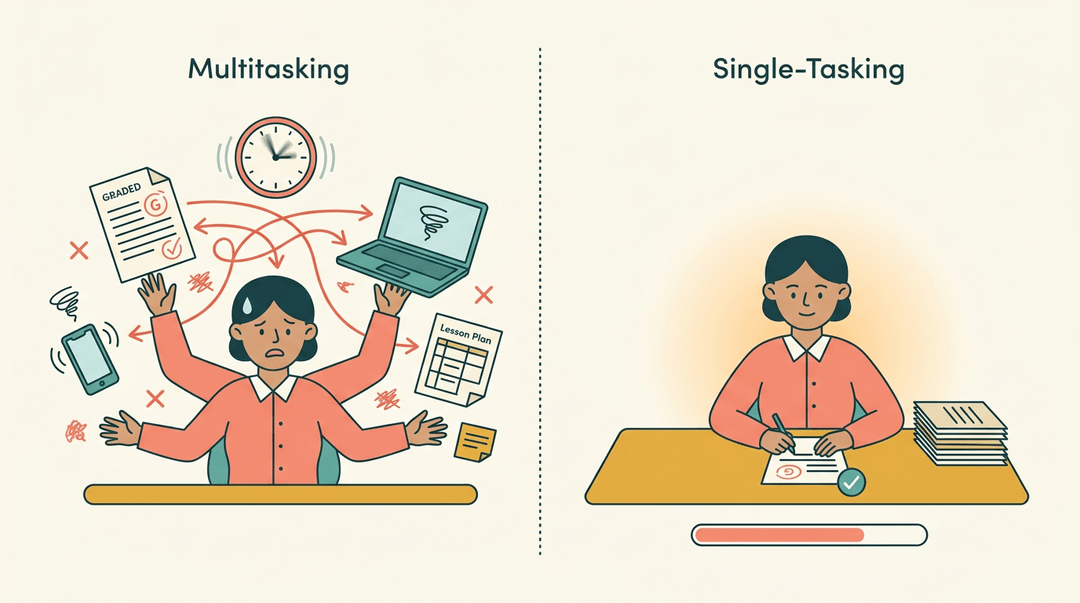
Switching between tasks feels productive, but it rarely is. A large body of research in psychological science has found that people almost always take longer and make more errors when they bounce between tasks than when they stick to one.
Single-tasking means picking one assignment, finishing it, and then moving to the next. Fewer errors, less backtracking, and a clearer sense of progress.
Cutting Distractions While You Study
A quiet room doesn't help much if a phone buzzes every few minutes. A few habits make a real difference:
- Turn off notifications before starting a study block.
- Identify your time-wasters: the specific apps or sites that eat up minutes without you noticing.
- Use app or website blockers during focus time.
- Set up a designated study space that your brain learns to associate with getting work done.
Working with Your Natural Energy Rhythm
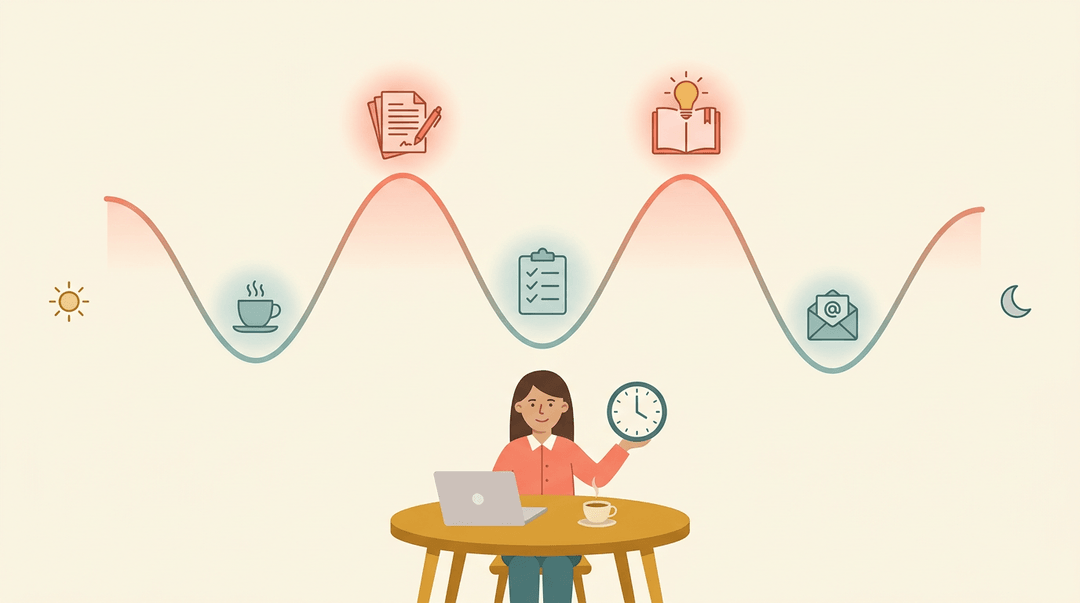
Not every hour of the day is equal. Notice when energy naturally peaks, whether that's early morning or late afternoon, and schedule the hardest tasks for those windows. Save easier, routine work for the lower-energy stretches.
Building a consistent routine around this rhythm makes focus feel less like willpower and more like habit.
Teaching Time Management in the Classroom
Time management isn't a trait students arrive with; it's a routine you build with them. This guide gives you the right strategy for your grade band, a ready-to-run mini lesson, and a checklist to keep the habit alive.
Match the strategy to the grade
Start with the tool that fits where your students are developmentally, then read across for the concrete move.
| If you teach... | Lead with... | What it looks like |
|---|---|---|
| Elementary | Visual timers and checklists | A projected countdown timer plus a 3-item picture checklist per task |
| Middle school | Planner check-ins | A 2-minute Monday routine: open planners, copy this week's deadlines |
| High school | Term calendars and deadlines | Students map every major due date onto one term-long calendar in week one |
The five-step mini lesson
One class period is enough to teach prioritizing. The lesson centers on the Eisenhower Matrix: a 2x2 grid that sorts tasks by urgent vs. not urgent and important vs. not important.
- Introduce the Eisenhower Matrix. Draw the grid on the board.
- Label the quadrants: do now, schedule, delegate or shrink, drop.
- Model prioritizing sample tasks aloud.
- Say: "Essay due tomorrow: urgent and important, so it goes in 'do now.'"
- Sort 4 to 5 sample tasks so students hear your reasoning, not just the answer.
- Run guided practice with a worksheet. Give pairs a blank grid and 8 mixed tasks.
- Include one trap: something fun but neither urgent nor important.
- Move to independent weekly planning. Students sort their own real week.
- Each student leaves with their top three "do now" items written down.
- Reflect and adjust the next week. Revisit the plans as a class.
- Ask: "Which task moved quadrants, and what would you change?"
Example: A seventh-grade teacher runs step 5 every Friday for a month. By week three, students start correcting their own sorting ("I keep putting gaming in 'schedule'"), which is the habit taking root.
Keep it running: your classroom checklist
Once the lesson lands, confirm these five conditions stay true. This is maintenance, not a sequence:
- Visible class calendar posted. Every deadline lives in one spot all students can see.
- Weekly planning routine set. Same day, same time, every week: predictability builds the habit.
- Transition timers used. A visible countdown between activities keeps time concrete, not abstract.
- Check-ins for at-risk students. A 30-second planner glance catches slipping students before deadlines do.
- Consistency wins celebrated. Praise the student who planned all month, not just the one big finish.
💡 Tip: Celebrate the routine, not the grade. "You've checked your planner every Monday this month" reinforces the behavior you actually want repeated.
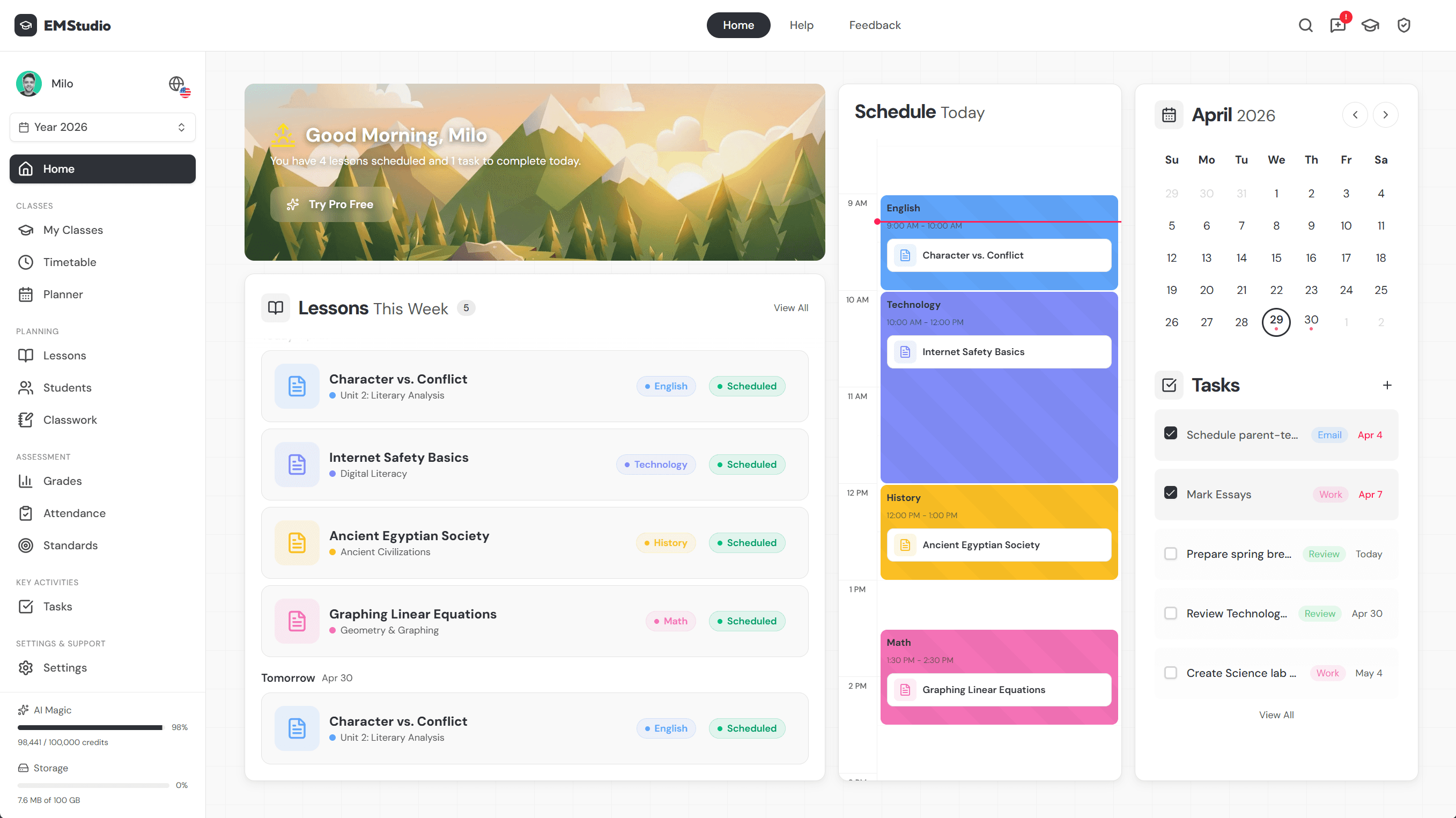
When you're ready to set this up for your own class, you can map class routines and deadlines instantly with EMStudio's timetable and planner tools.
Helpful Tools and Apps for Staying Organized
The right app won't build a habit for a student, but it makes the habit easier to keep. Below is a quick tour of tools worth trying, grouped by the problem each one solves:
- capturing tasks
- tracking time
- staying focused
- just getting it all down on paper
Best To-Do List Apps to Try
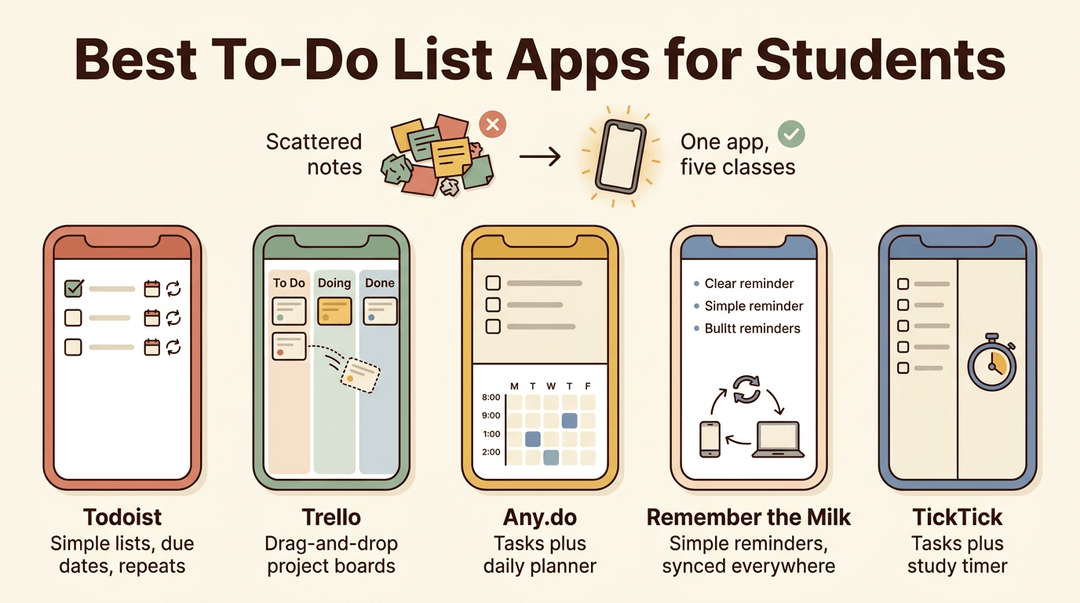
For a student juggling assignments across five classes, a to-do list app that lives on their phone beats a stack of loose sticky notes.
- Todoist. Clean, simple task lists with due dates and recurring reminders for weekly homework.
- Trello. Drag-and-drop boards that work well for bigger projects with multiple steps.
- Any.do. Combines a task list with a built-in daily planner view.
- Remember the Milk. Straightforward reminders that sync across devices, good for students who just need the basics.
- TickTick. Task lists plus a built-in timer, useful for students who also want to track study sessions.
Popular Digital Calendar Apps
A calendar app turns due dates into something visual instead of a list to reread.
- Google Calendar. Free, widely used, and easy to share between students and teachers.
- Outlook. A natural fit for students already using school email through Microsoft.
- Apple Calendar. Built into iPhones and syncs automatically across Apple devices.
- Fantastical. Adds natural-language entry, so typing "chemistry quiz Friday" creates the event automatically.
Apps That Help You Stay Focused
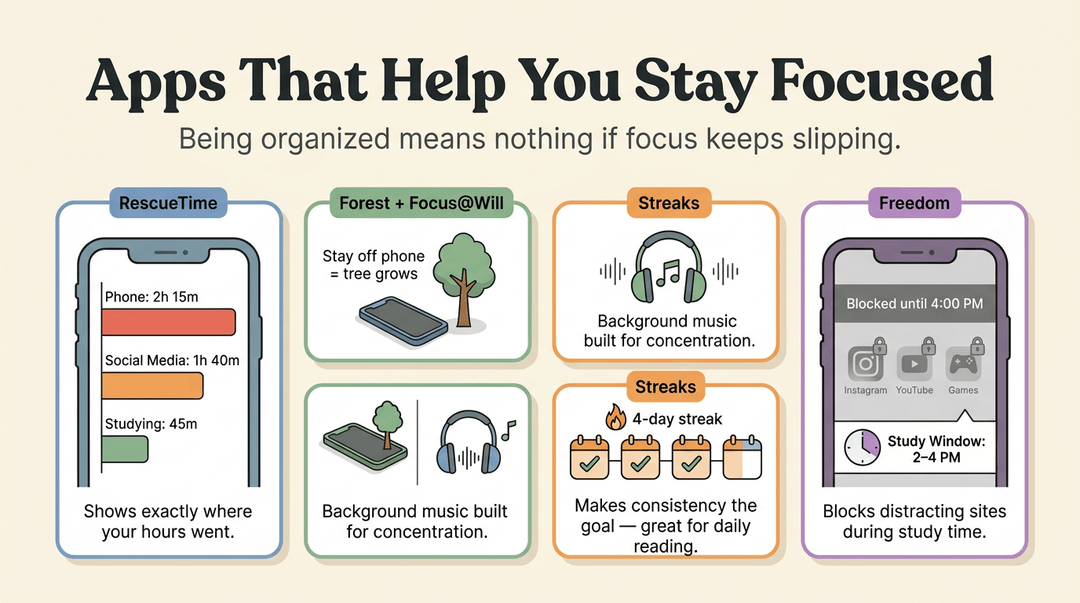
Staying organized on paper or in an app means little if focus keeps slipping.
- RescueTime tracking. Shows exactly where the hours went, phone included.
- Forest/Focus@Will. Forest grows a virtual tree while a student stays off their phone; Focus@Will plays background music designed to support concentration.
- Streaks habit app. Turns consistency itself into the goal, useful for a student building a daily reading habit.
- Freedom website blocker. Blocks distracting sites and apps during set study windows.
Paper Planners and Journals Still Work
Not every student needs a screen to stay on track.
Paper planner brands, bullet journals, and note apps like Notion or Evernote all serve the same purpose in different formats: giving a student one trusted place to see what's coming and check it off once it's done.
Balancing Work with Self-Care
A color-coded planner won't do much good if the student following it is running on empty by Wednesday. Self-care isn't a reward for finishing the to-do list: it's part of what makes the list doable in the first place.
Scheduling Rest and Breaks
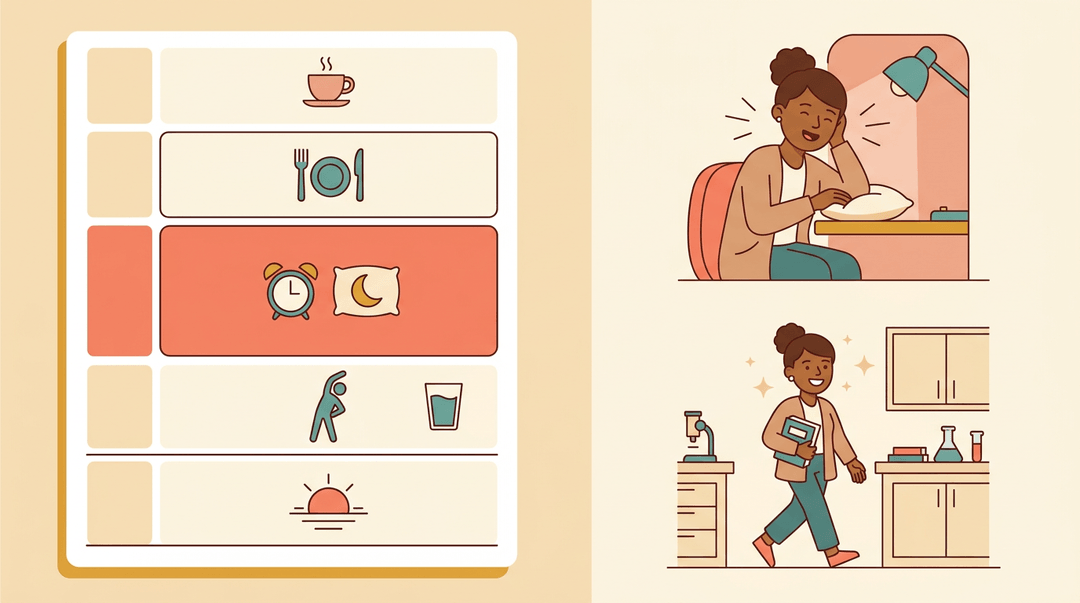
Rest works best when it's planned, not squeezed in as an afterthought. Scheduled downtime, blocked into the day the same way a class or a shift would be, protects a student from running straight through until they crash.
That might mean a short nap between classes, a few minutes to stretch and hydrate every hour or so during a long study session, or simply a fixed stopping point each evening.
Consider a college sophomore who blocks a 20-minute nap after lunch: she comes back to her afternoon lab sharper, not groggier. The goal is simple: avoid burnout before it starts, not recover from it after.
Using Mindfulness to Reduce Stress
A racing mind makes every task feel bigger than it is. A short meditation practice, even five minutes, can settle that noise before a study block.
Deep breathing works the same way in a pinch: a few slow breaths before a test can lower a spiking heart rate fast. Yoga adds movement to the mix, easing physical tension along with mental.
None of these mindfulness techniques demand a special class or a quiet studio: they just need a few minutes and a willingness to pause.
Making Room for Fun and Friends
Hobbies scheduled onto the calendar are far more likely to happen than ones left to "whenever there's time." The same goes for socializing with friends and regular exercise or movement: both recharge focus rather than steal it.
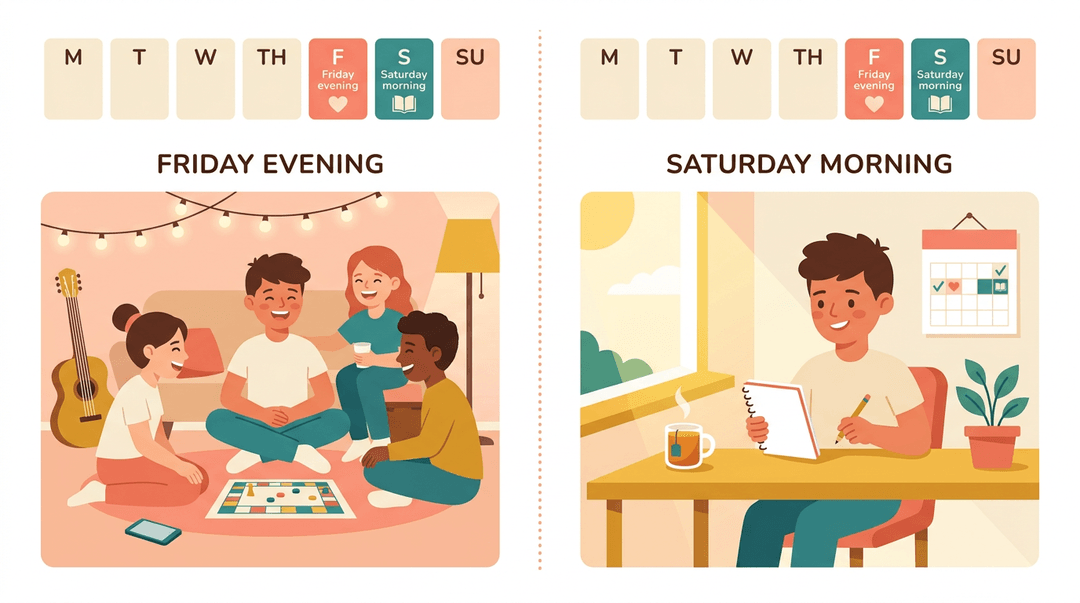
A student who blocks out Friday evening for friends, guilt-free, often studies better on Saturday morning than one who skipped it to keep working.
Asking for Help When You Need It
No one manages everything solo. Asking roommates to help split chores frees up real study hours. Academic coaching and accountability partners add outside structure and a nudge when motivation dips.
And campus support resources, tutoring centers, counseling, advising, exist precisely for the weeks when a student's own systems aren't enough.
Staying Flexible When Plans Change
Even the best schedule meets a Monday that refuses to cooperate. A pop quiz gets added, a group project falls apart, or a student sleeps through their alarm.
Flexibility isn't the opposite of good planning: it's what makes a plan survive contact with real life.
Adapting When Plans Get Disrupted
When a plan breaks, the first move is to reassess priorities: what actually has to happen today, and what can wait?
A student who loses an hour to an unexpected obligation doesn't need a new schedule from scratch, just a quick reshuffle of what matters most.
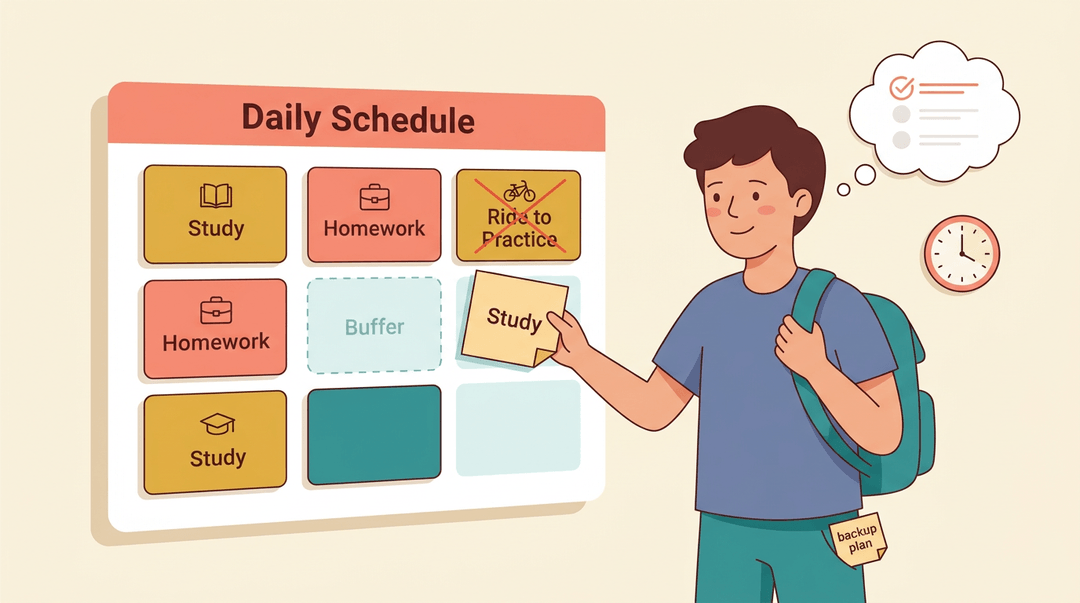
That's easier with a backup plan already in mind: a shorter version of tonight's homework routine, or a second study slot held in reserve.
Building in buffer time (a spare 15 minutes between tasks) gives a schedule room to absorb the unexpected before it becomes a crisis.
Consider a high school student whose ride falls through right before a study session. With buffer time already built in, they simply shift to the next open slot instead of losing the whole evening.
Staying calm under pressure matters just as much as any tool: panic burns time that a calm reset wouldn't.
Building Habits That Actually Last
Motivation fades. Consistency is what actually carries a habit through a bad week. Pair that with self-compassion: missing one day isn't failure, it's just a day to pick back up from.
Celebrate small wins along the way, and lean on systems, not willpower, to keep showing up when things get hard.
Time Management Tips for Different Students
No single strategy works for every student, especially when executive function (the mental skills behind planning, focus, and follow-through) varies so widely.
Students with ADHD often need more external structure than their peers, and that's true whether they're learning from a kitchen table or a classroom desk.
Time Management Tips for Online Students
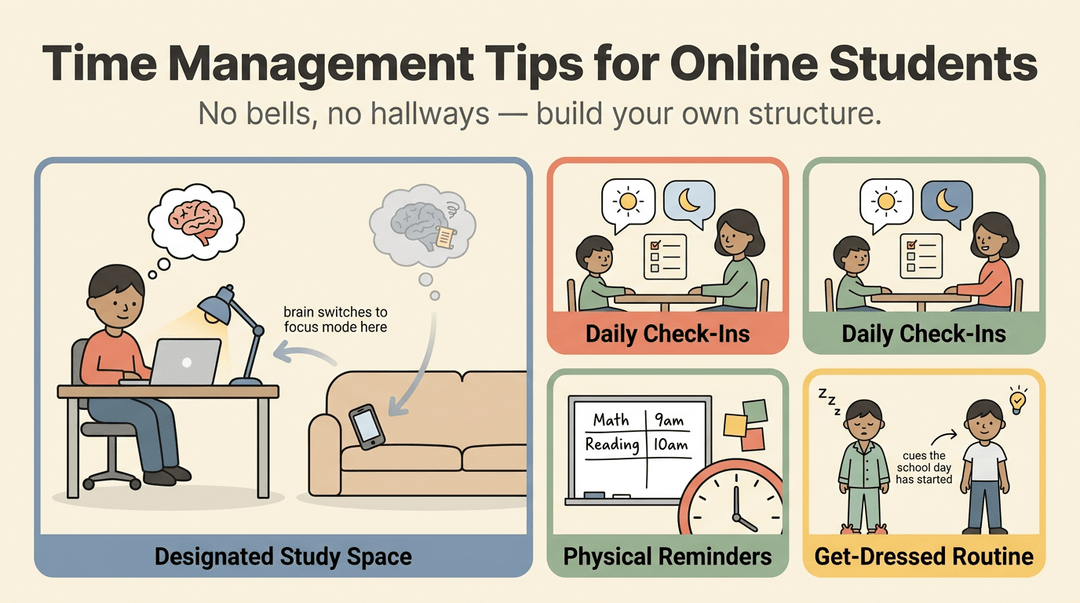
Without bells or hallway transitions, online learners have to build their own structure. A few habits go a long way:
- A designated study space. Even a small desk signals to the brain that it's time to focus, not scroll.
- Daily check-ins. A quick morning or evening chat with a parent, tutor, or teacher keeps students accountable and catches problems early, which matters most for homeschool and tutoring setups where there's no built-in class schedule.
- Physical reminders. Sticky notes, a whiteboard, or a visible timer help students with weaker executive function see time instead of just guessing at it.
- A get-dressed routine. Swapping pajamas for regular clothes, even at home, cues the brain that the school day has started.
Time Management Strategies for Teens
Teens respond best when time management feels less like a lecture and more like a system they're part of.
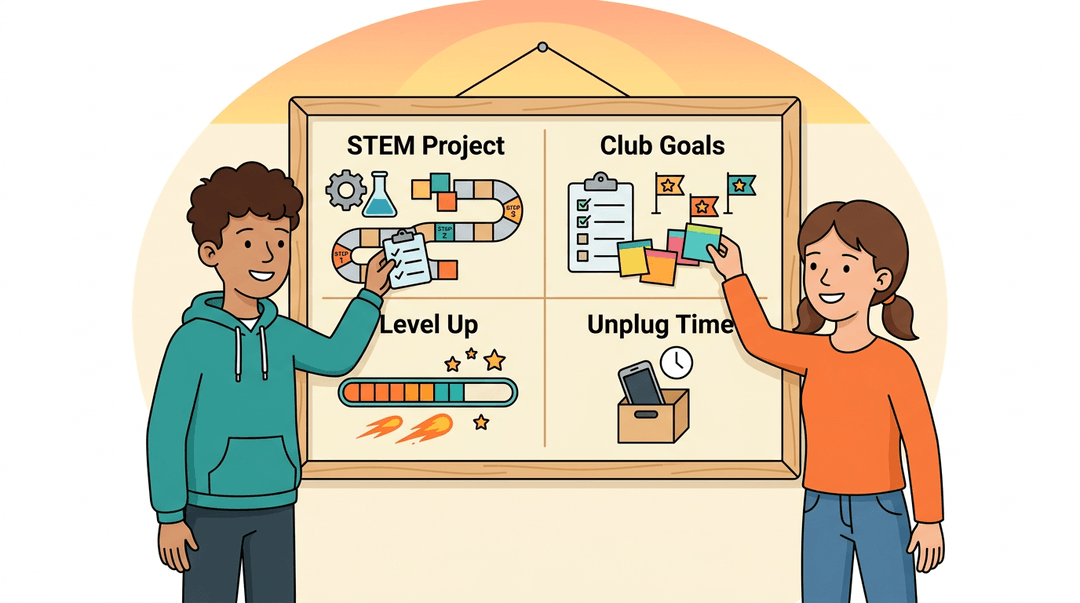
- STEM hands-on learning. Building or testing something gives teens a natural reason to plan steps and manage time toward a real result.
- Chunking via clubs. Extracurriculars break big goals into smaller deadlines, which teaches pacing without anyone calling it that.
- Gamified goal programs. Points, streaks, and levels turn abstract planning into something teens actually want to track.
- Unplugging from devices. Scheduled screen-free blocks protect the focus every other strategy depends on.
Good time management isn't about cramming more into a day. It's about helping students see what matters, plan for it, and stay steady when things shift. Build that skill early, and it pays off far beyond the classroom.
Ready to bring more structure to your own routine while you teach it to your students? Check out our Classroom Management tool to organize your classes, rosters, and timetables in one place.
References
- Frontiers | Time management disposition and academic self-efficacy as predictors of learning well-being among Chinese university students: evidence for a mediation mechanism — frontiersin.org (2026)
- The Relationship between Time Management and Academic Burnout with the Mediating Role of Test Anxiety and Self-efficacy Beliefs among University Students — brieflands.com
- Does time management work? A meta-analysis — pmc.ncbi.nlm.nih.gov
- Multicosts of Multitasking — pmc.ncbi.nlm.nih.gov
- The benefits of time management — nordangliaeducation.com
Frequently asked questions
What is the 3-3-3 rule for time management?
The 3-3-3 rule is a work-session structure that gives different types of tasks a place on the schedule. It includes three hours of focused work, three shorter tasks, and three maintenance items such as email or errands.
What are 10 ways students can improve their time management?
Ten ways students can improve time management are: set SMART goals, prioritize urgent and important tasks, use a calendar or planner, plan each week, block time for specific activities, break large projects into smaller steps, limit distractions, single-task, schedule breaks and sleep, and review and adjust plans regularly.
What are 10 time management techniques?
Ten useful time management techniques are time auditing, SMART goal setting, the Eisenhower Matrix, time blocking, the 3-3-3 rule, the 8-8-8 rule, the Pomodoro Technique, single-tasking, task chunking, and weekly planning. Combining several techniques can help students plan realistically and protect their focus.
How to write a time management plan?
To write a time management plan, first track how you currently spend your time for several days. Then record fixed commitments, list deadlines, rank tasks by urgency and importance, break large projects into smaller steps, and assign each task a specific time block. Include sleep, meals, breaks, exercise, downtime, and buffer time, then review the plan weekly and adjust it when circumstances change.