Is Synchronous Learning Right for You? Comparing Both Models

Jump to section
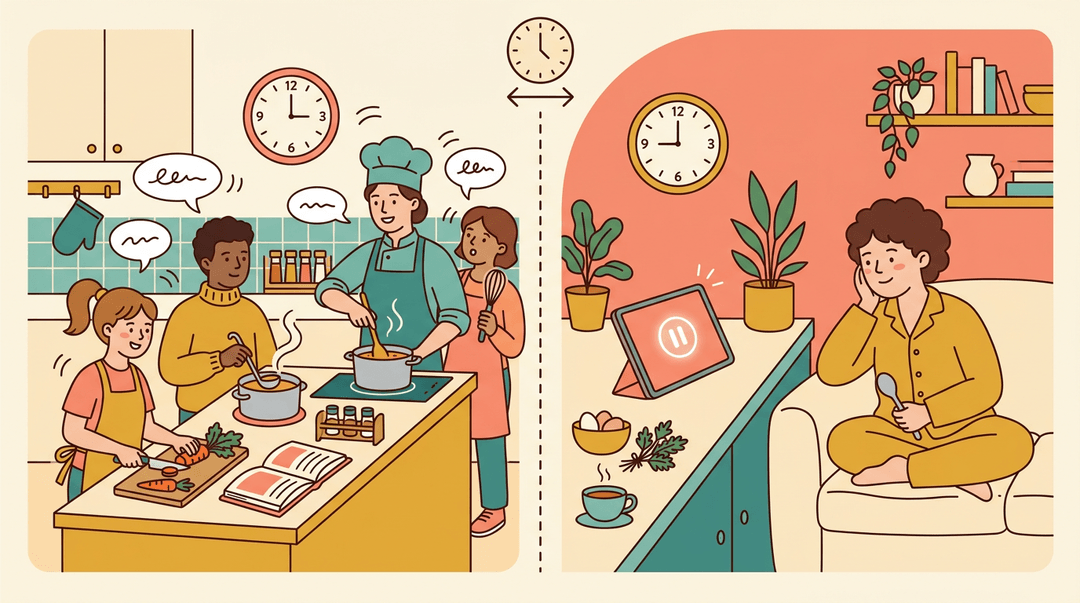
Think about the difference between sitting in a live cooking class and watching a recipe video at your own pace. Both can teach you to make dinner, but the experience feels very different.
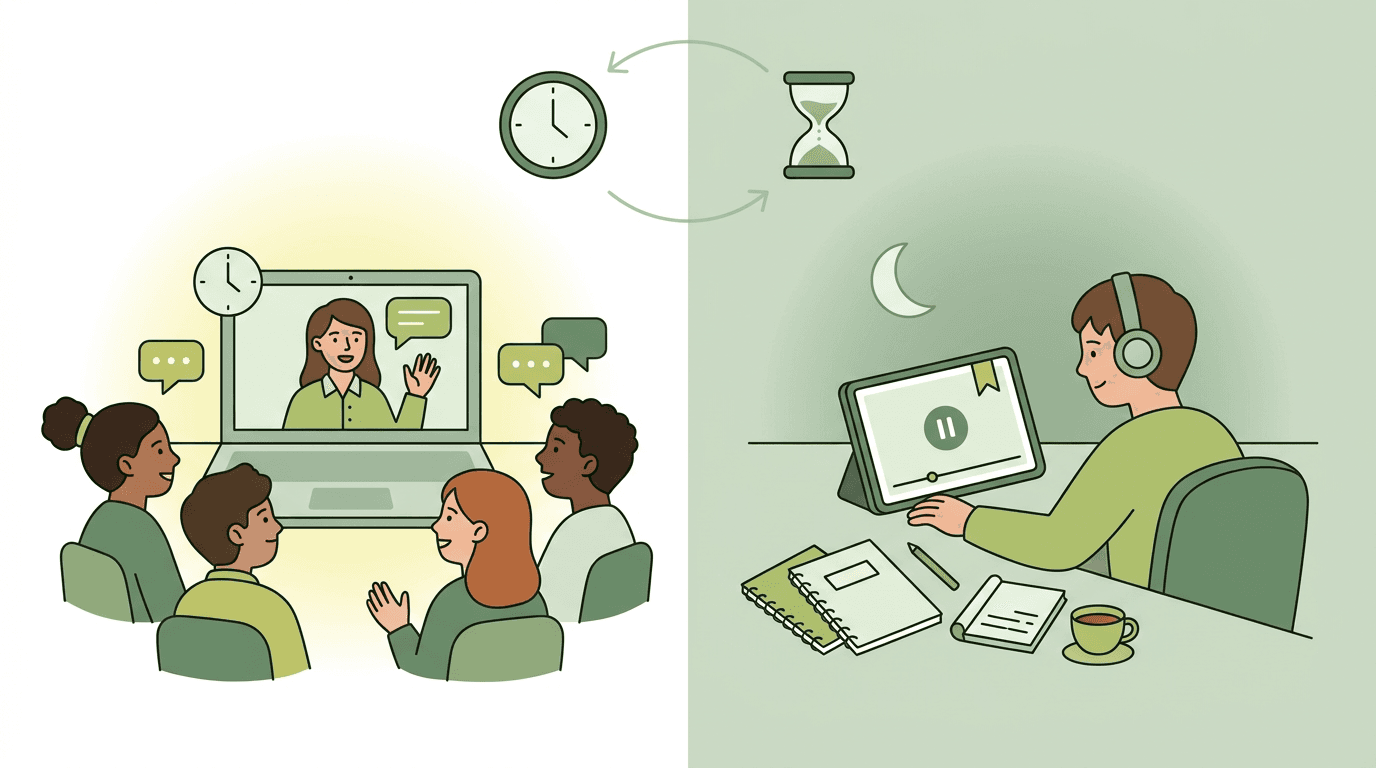
That's the heart of the synchronous vs. asynchronous debate in teaching. Synchronous learning happens live, with teacher and students together at the same time. Asynchronous learning happens on each learner's own schedule.
In this post, we'll break down both models, weigh their benefits and challenges, and share a practical checklist for running live lessons well.
Synchronous vs Asynchronous Learning Explained
Online learning comes in two main types: synchronous and asynchronous. Knowing the difference helps you pick the right format for your students and your schedule.
What synchronous learning is
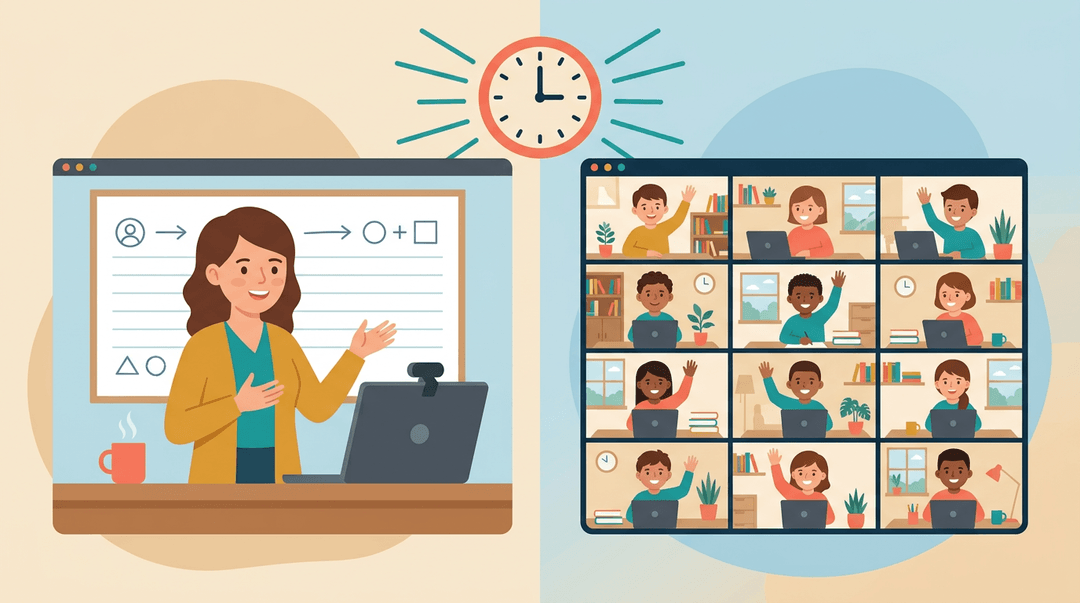
Synchronous learning happens at the same time and in the same place, even when that place is a virtual room. You teach live, and students respond in real time.
Picture a fourth-grade teacher running a morning livestream: students ask questions out loud and solve a problem together while she answers on the spot. Virtual livestream classes fall here, and the class moves at a collective pace.
Is Zoom synchronous or asynchronous? Mostly synchronous: a live Zoom meeting is the classic example. Recording it for later viewing makes that part asynchronous.
Ano ang ibig sabihin ng synchronous classes sa Tagalog? Roughly, sabay-sabay na klase: classes held together at the same time.
What asynchronous learning is
Asynchronous learning is self-paced study with no real-time interaction. Students work through pre-recorded lectures or videos on a flexible schedule.
A high school student might watch a chemistry lesson at 9 p.m., pause to take notes, and rewind the tricky part. Nobody is waiting, so learning fits their life.
How the two models differ
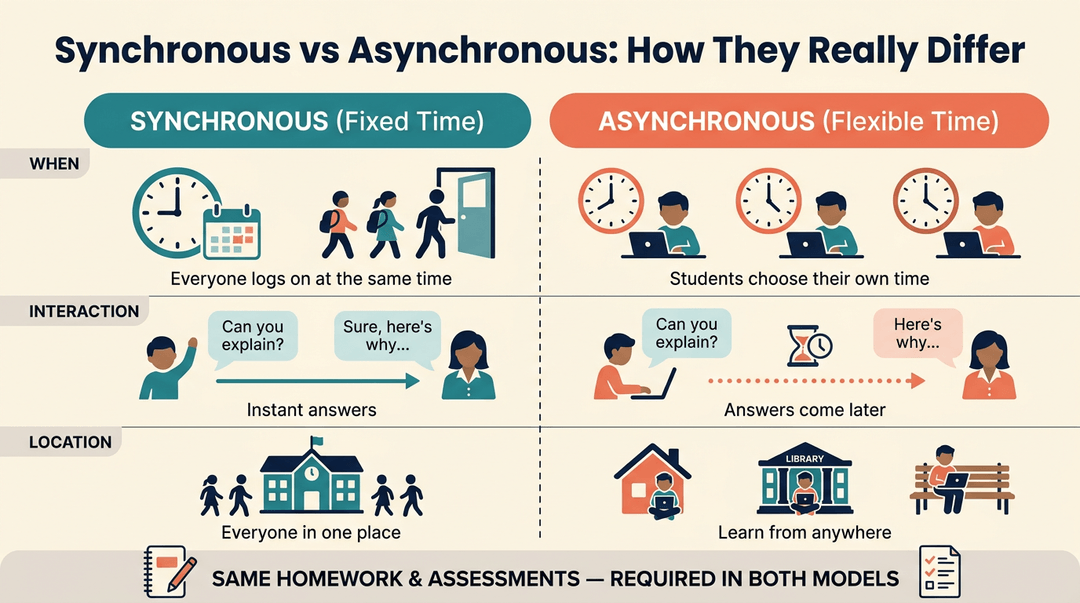
The biggest gap is when students learn. Synchronous classes are fixed, while asynchronous courses are flexible. Interaction differs too: live teachers answer questions on the spot, while asynchronous students usually wait for a reply.
Location differs as well, since asynchronous learning offers location independence and students can learn from home or a library. Assessment and homework, though, are still required in both models.
Benefits of Each Learning Model
Each model earns its place, and the right choice depends on what your students need most. Here's what each one does well.
Why synchronous learning works so well
Live sessions move information fast. A question gets answered in seconds instead of after a back-and-forth over email. Students get immediate feedback, so a misunderstanding gets caught before it becomes a habit.
Learning together in real time also builds a sense of community and belonging, which keeps students engaged.
A recent meta-analysis of webinars found that synchronous online learning is more effective than asynchronous and face-to-face options at improving learning performance, not just attendance.
The upside of learning at your own pace
Asynchronous learning gives students more time to explore material, rewatch a tricky video, or work through a concept at their own speed.
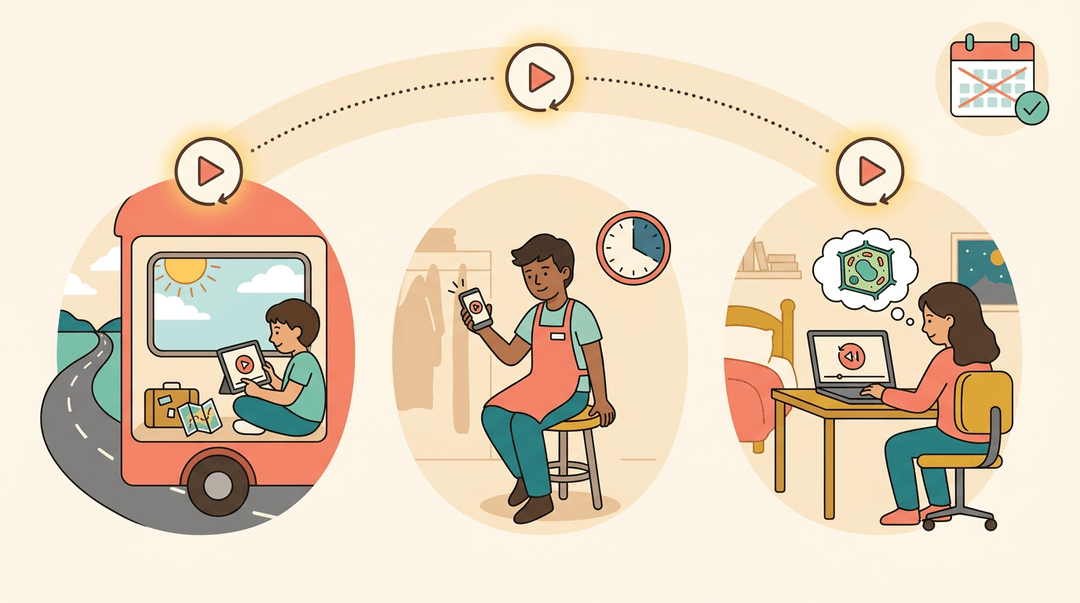
It's accessible from anywhere, so it accommodates unique schedules, whether that's a student with a part-time job or a family on the road. Self-guided resources stay available anytime, so help is always close.
Consider a seventh-grade science teacher whose student misses a week for a family trip. The student works through the recorded lessons on return, so catch-up doesn't mean falling behind.
Combining synchronous and asynchronous learning
Why choose one? Pairing the two gives you the best of both worlds. Live instruction builds understanding, and asynchronous homework lets students practice on their own schedule.
A study on online learning design found statistically significant gains for students whose synchronous instruction was paired with asynchronous homework, so the combination pays off.
HyFlex takes this a step further by running the same course in person, live online, and on demand at the same time, so students choose how they participate.
A Teacher's Checklist for Synchronous Lessons
Use this card to run a live session from the first link click to the last piece of feedback. It's built to be glanced at mid-lesson, so print it or pin it beside your screen.
Before class: confirm it's ready
Run through these a few minutes ahead. Each one is a yes or no.
- Platform and links work. Open the join link yourself and test audio and screen share.
- Bell ringer is queued. One question on screen so students have something to do on arrival.
- Agenda is shared in advance. Post it where students will see it before they join.
A bell ringer and an agenda can be tiny. Here's one you could lift:
Today's agenda: 1. Bell ringer (type your answer in chat) 2. Mini-lesson 3. Poll check 4. Practice 5. Follow-up task
Bell ringer: "In one sentence, what's still fuzzy from last time?"
During class: run the moves
You're doing three things at once: counting heads, checking understanding, and listening. Find the moment, then read across.
| Moment | Your move | Try saying |
|---|---|---|
| First few minutes | Take attendance early | "Type 'here' in the chat so I can see you." |
| After each chunk | Use a poll to check | "Poll's up: pick A, B, or C before we move on." |
| All session | Monitor chat for questions | "I'm seeing a question in chat. Let's tackle it now." |
⚠️ Watch out: Chat is easy to miss while you're talking. Set a pause after each chunk to read it, or ask a co-host to flag questions.
After class: close the loop
Do these in order while the session is still fresh.
- Post the recording and notes
- Put them in the same place as the agenda so students know where to look.
- Assign the async follow-up
- For example, a short practice set or a reflection due before the next live session.
- Grade and give fast feedback
- Comment on the poll results or practice work quickly, so students can still use it.
Example: A seventh-grade science teacher opens with a one-question bell ringer, takes attendance from the chat replies, and runs a two-question poll after the demo. Afterward she posts the recording and notes, assigns a short async reflection, and returns comments the next morning. Students never wonder what happens next.
Build and reuse your synchronous lesson plans in one place with EMStudio's lesson planner.
Setting up a Synchronous Learning Environment
A strong live setup rests on five things:
- the platform
- the rules
- collaboration
- belonging
- feedback
Here's how to get each one right.
Picking the right platform
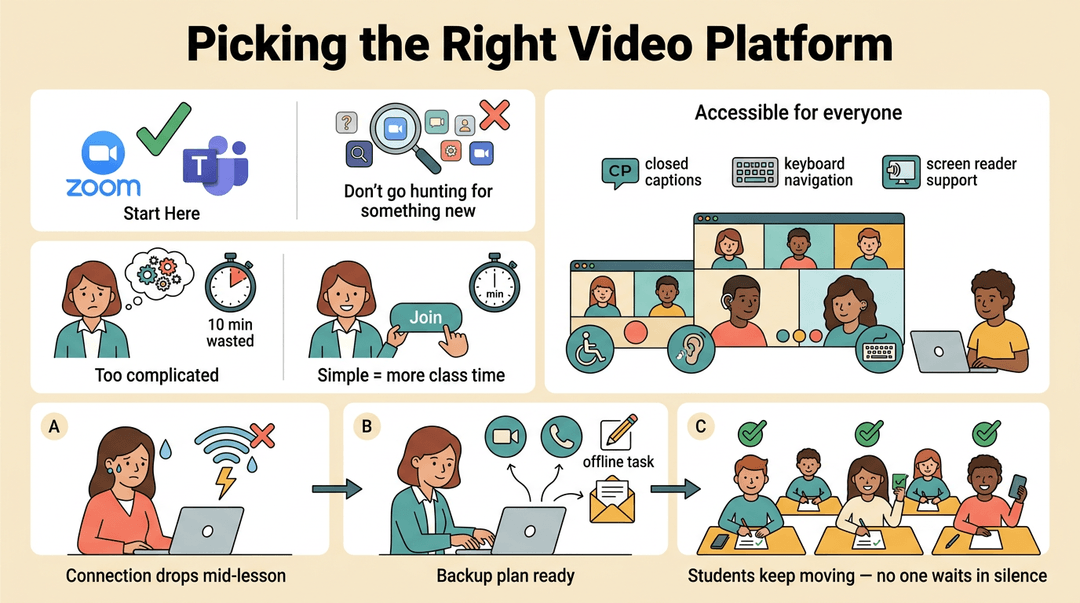
Most schools already use a video tool such as Zoom or Microsoft Teams, so start there rather than hunting for something new. Choose a platform that's user-friendly, because a tool that takes ten minutes to figure out eats into your lesson.
Make sure it's accessible for all participants, so students with different needs can join and take part fully.
Plan for failure, too. Keep a backup ready: a second meeting link, a phone dial-in, and a short task students can finish offline if the connection drops. Picture a teacher who loses internet mid-lesson.
With a backup in place, she posts the link in the class email and students keep moving instead of waiting in silence.
Setting clear rules and expectations
Students need the rules before the first session, not during it. Spell out your grading policies, your behavior expectations (when to mute, how to raise a hand, how to use chat), and your assignment deadlines.
Post them in one place where everyone can find them.
Define a simple procedure for extra-time requests. Students submit the request through one form by a set time, and you reply within a set window. Clear rules are about prevention rather than punishment.
Track attendance during each session with the platform's report or a quick poll, so you know who joined and when.
Encouraging student collaboration
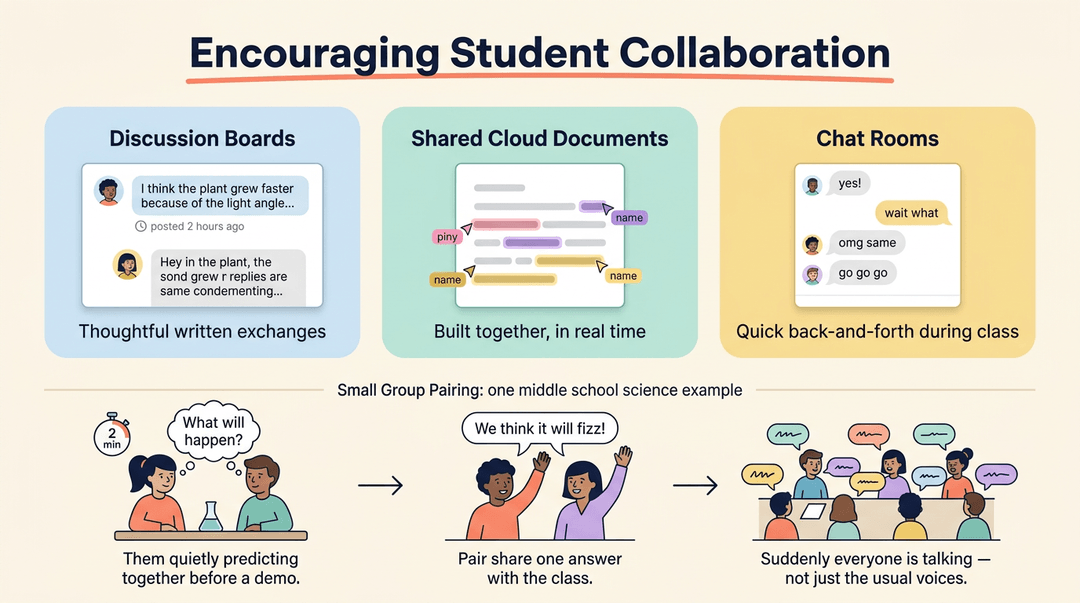
Give students more than one way to talk with each other. Use discussion boards for thoughtful written exchanges, shared cloud documents for group work they build together, and chat rooms for quick back-and-forth during class.
Small group pairing helps quieter students speak up. Consider a middle school science teacher who pairs students for a two-minute prediction before a demo.
Each pair shares one answer with the class, and suddenly everyone is talking, not just the usual voices.
Building a sense of belonging
Belonging starts with student self-introductions. Ask each student to share a name, a favorite subject, and one thing they'd like classmates to know. It takes a few minutes and makes a screen full of tiles feel like a room full of people.
Bring in local and cultural content where it fits, such as a problem set built around a nearby landmark. Learn your students' backgrounds, too. When you know where they're coming from, your examples land better and your feedback feels personal.
Giving students quick feedback
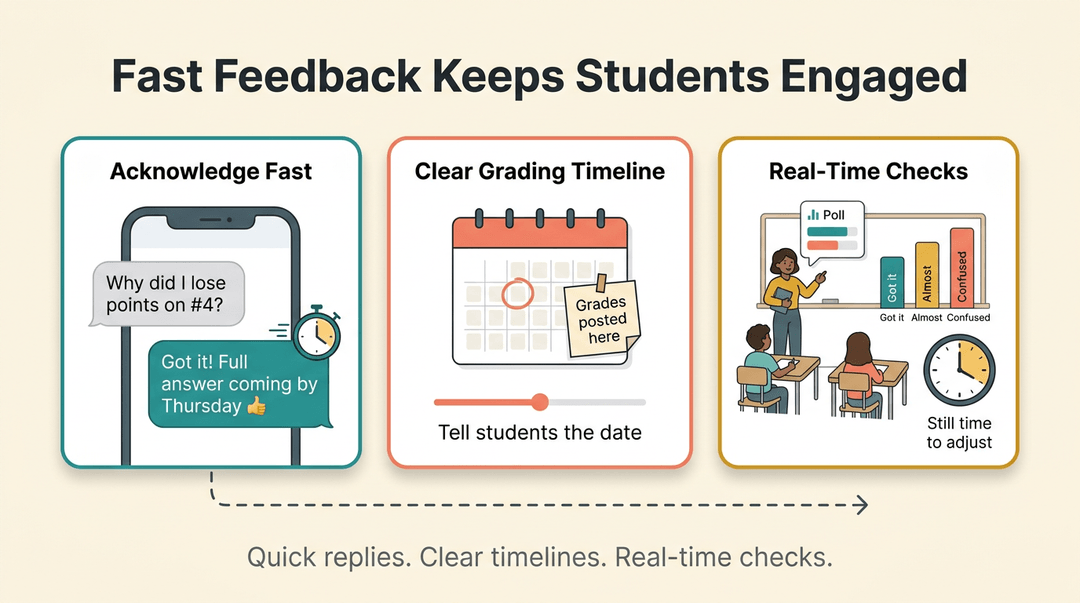
Students stay engaged when they hear back fast. Aim for timely responses to questions, and acknowledge every message quickly, even if the full answer takes longer. A reply like 'Got it! Full answer coming by Thursday' is enough.
Post grades on a clear timeline and tell students what it is. Real-time formative checks, such as a quick poll or a three-question quiz mid-lesson, show you what students understand now, while there's still time to adjust.
Challenges of Each Approach
Every format has trade-offs, and knowing them up front helps you plan around the weak spots.
Downsides of asynchronous learning
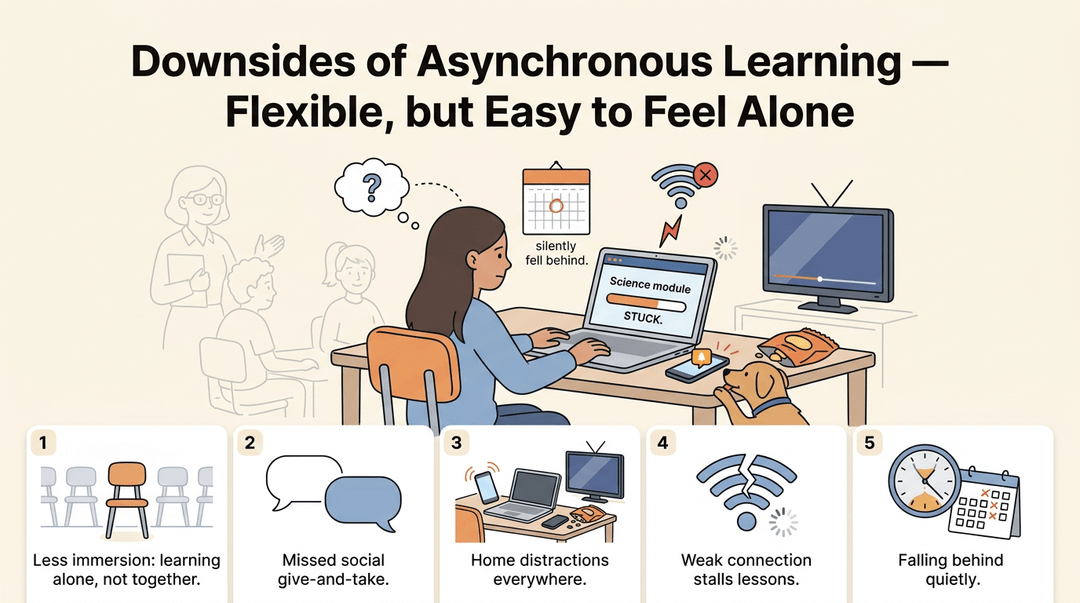
Asynchronous learning gives students flexibility, but it can also feel disconnected. Learners working alone may feel less immersed, and they miss the social give-and-take of a live class. Common hurdles include:
- Less immersion: Learners can lose the sense of being in a room together.
- Missed social opportunities: Classmates don't bounce ideas off each other.
- Potential distractions: Home is full of them.
- Internet connectivity issues: A weak connection can stall a whole lesson.
- Requires strong time management: Students who struggle to schedule themselves often fall behind quietly.
Consider a sixth grader working through a self-paced science module at home. With no classmate to ask, she stalls for a day and never tells anyone.
Downsides of synchronous learning
Live instruction brings people together, but it has its own constraints. The biggest is teacher shortage, which limits how many live sessions a school can realistically offer. A live session also requires proper planning. Before you plan the session, it helps to weigh the didactic approach to learning against your class goals.
A rushed lesson with fuzzy goals wastes everyone's time, and live time is precious. Even a strong session may not fully meet all student needs on its own, which is why many programs pair it with an asynchronous component.
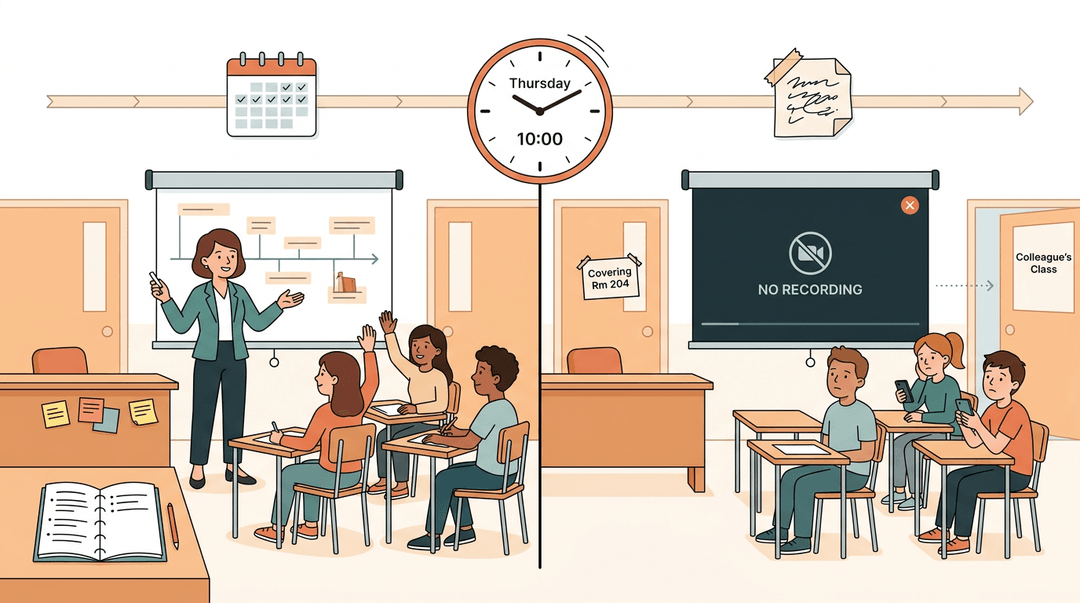
Picture a high school history teacher who runs a live review on Thursday, then gets pulled to cover a colleague's class. Without a recording or a follow-up task, half her students miss the review entirely.
The planning behind a live session matters as much as the timing.
Who Each Model Fits Best
Neither model fits every learner, so the right choice depends on the student. Synchronous learning suits students who need live discussion, real-time feedback, and a set schedule to stay on track.
Asynchronous learning works differently: it offers flexibility rather than a fixed meeting time. Flexibility is the draw.
Who thrives with asynchronous learning
Asynchronous learning tends to work best for students in these situations:
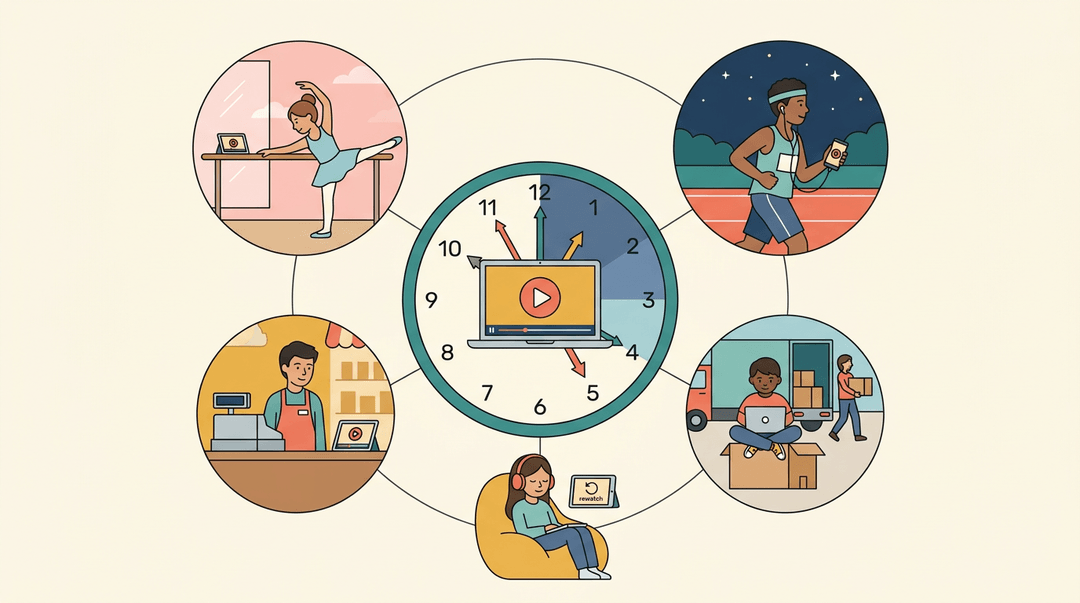
- High-achieving and accelerated learners. They can move ahead as soon as they've mastered a concept instead of waiting for the class to catch up.
- Athletes and performers with odd schedules. Consider a student who trains at 5 a.m. and rehearses late at night. Recorded lessons let her learn on her own timetable without falling behind.
- Military and relocating families. Frequent moves and deployments can break up a school year, and asynchronous courses keep learning going wherever the family lands.
- Neurodivergent learners and students with accessibility needs. They can pause, rewatch, and work at a pace that suits them.
- Students already in the workforce. A student working a part-time shift can finish lessons after work, so school fits around the job rather than the other way around.
Neither model wins every time. Live lessons build connection and give instant feedback, while self-paced lessons offer flexibility and room to revisit tricky ideas. The right choice depends on your students, your goals, and your schedule.
Whichever model you choose, good planning makes the biggest difference. Ready to plan smarter? Check out our Lesson Planning feature to write, organize, and reuse lesson plans across multiple classes from one place.
Frequently asked questions
What is synchronous learning and asynchronous learning?
Synchronous learning happens live, with teachers and students participating at the same time and responding in real time. Asynchronous learning is self-paced, allowing students to study pre-recorded lessons or complete activities on their own schedule without real-time interaction.
What are the different types of online learning?
The main types of online learning are synchronous, asynchronous, and blended or hybrid learning. Synchronous learning uses live online classes, asynchronous learning uses self-paced materials, and blended learning combines live instruction with independent online work. HyFlex learning is a flexible form of hybrid learning that lets students participate in person, live online, or on demand.
Is zoom synchronous or asynchronous?
Zoom is usually synchronous when it is used for a live meeting, because participants interact at the same time. A recorded Zoom meeting that students watch later is asynchronous.
Ano ang ibig sabihin ng synchronous classes sa Tagalog?
Ang ibig sabihin ng synchronous classes sa Tagalog ay mga klaseng sabay-sabay na ginaganap sa parehong oras. Karaniwang may guro at mga estudyanteng nakikilahok nang live at maaaring magtanong o sumagot agad.