Fred Jones Tools for Teaching Explained: How It Works


Jump to section
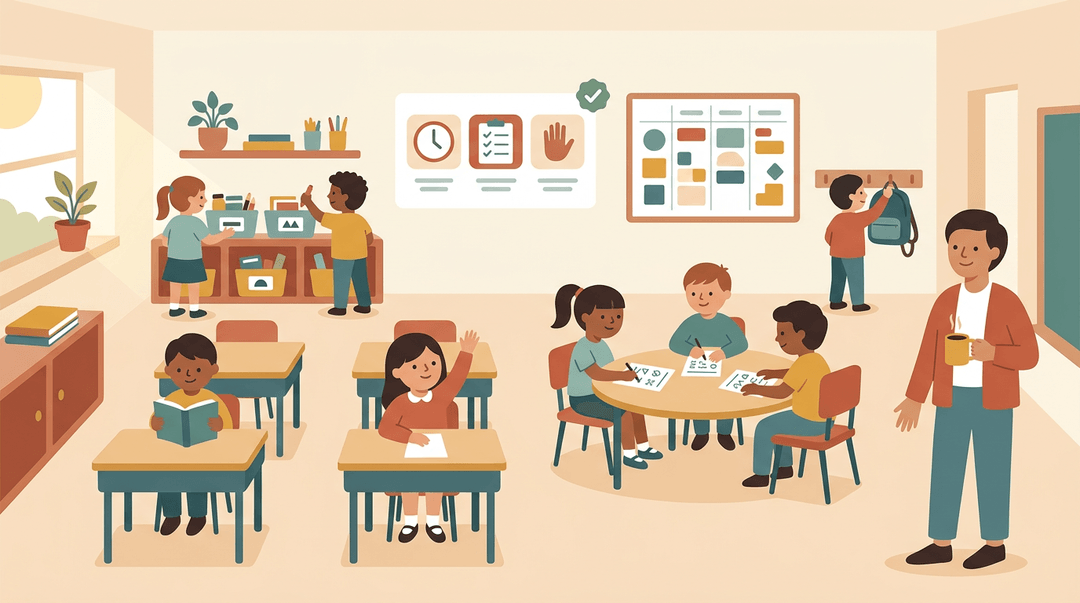
Walk into a classroom that runs smoothly, and you'll rarely see chaos.
You'll see routines that feel almost automatic, students who know what to do next, and a teacher who isn't spending the whole period putting out fires. That calm doesn't happen by accident.
Fred Jones' Tools for Teaching is a practical classroom management system built on three pillars, with tools you can use to create that kind of environment.
In this post, we'll walk through what the system is, the key tools and scripts, how to build them into your daily lesson plans, and fixes for common problems.
How Fred Jones' Tools for Teaching Works
Fred Jones' Tools for Teaching rests on one practical idea: small, everyday disruptions eat up valuable time, so the best fix is a classroom that prevents them.
Its origins and the research behind it
Dr. Fred Jones, a psychologist, built his approach on thousands of hours of classroom observation. The book came out in 1987 and was revised in 2007, so start with the newer edition.
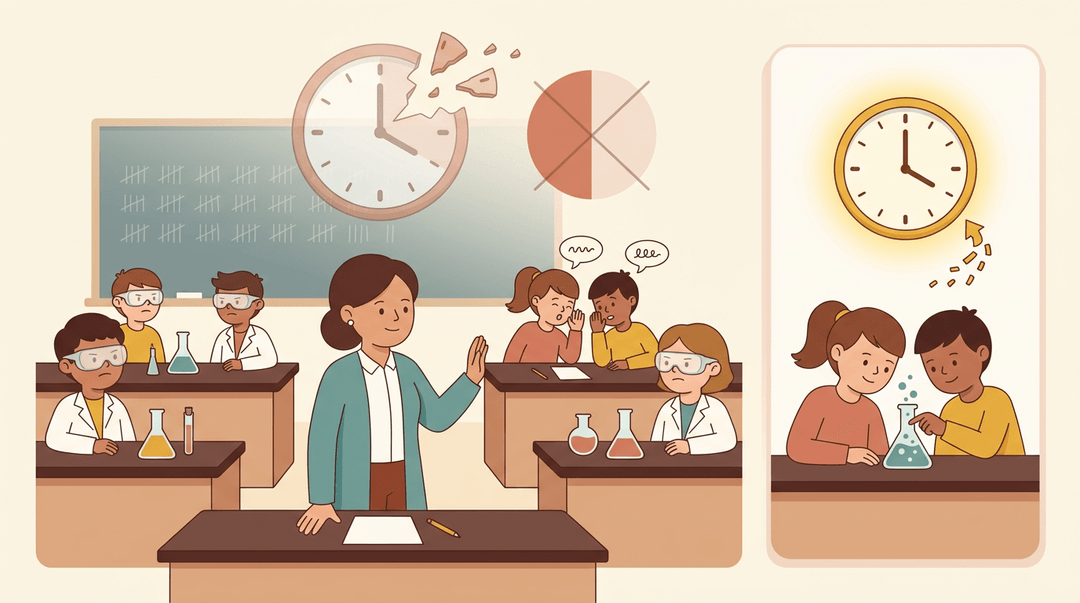
Teachers can lose up to 50% of their time to disruption, and low-level disruptions are the main drain: side conversations, drifting attention, and small interruptions.
A journal article on classroom interruptions estimates that a typical classroom in one school district is interrupted more than 2,000 times per year, costing between 10 and 20 days of instructional time.
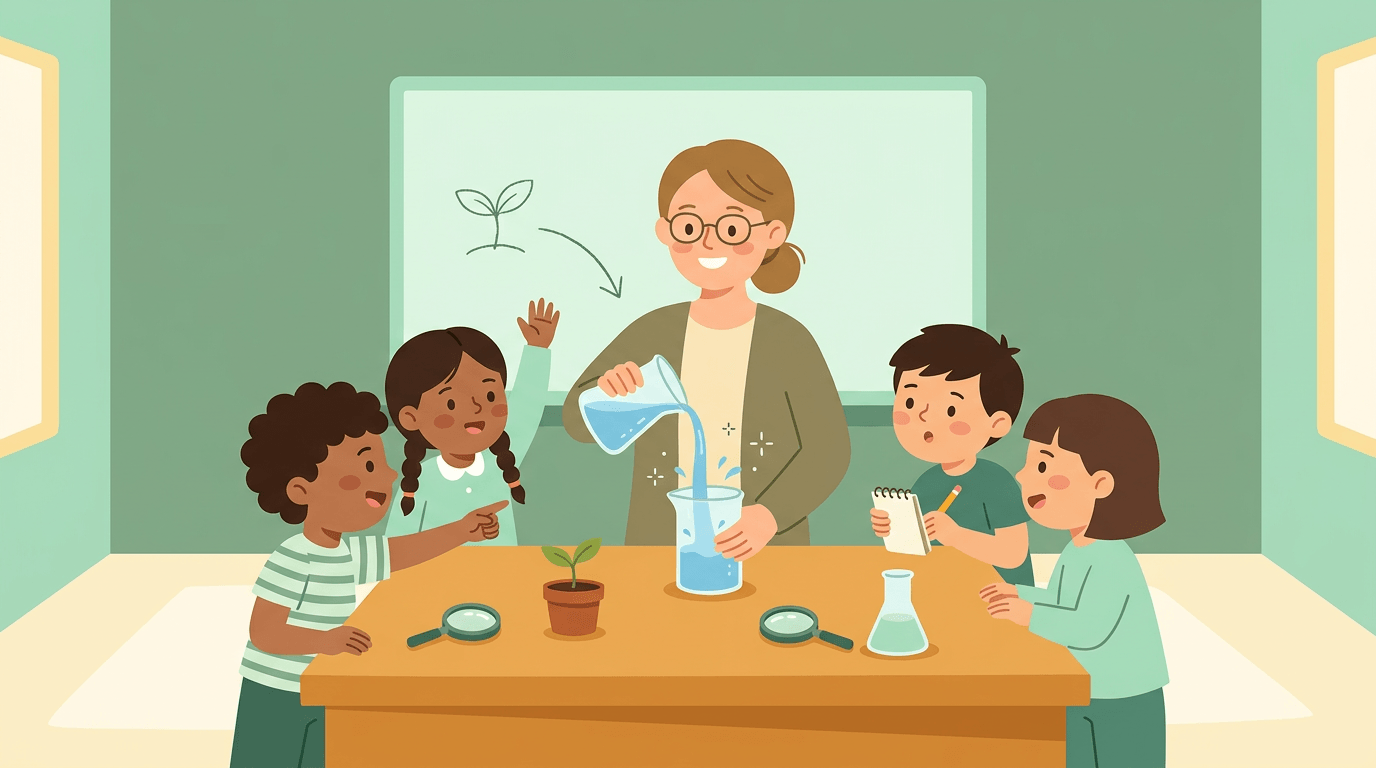
Consider a science teacher who redirects the same two students every period. Fix that early, and the lost minutes return to the lab.
The three parts that work together
Jones's system rests on three pillars:
- Classroom structure. The routines, expectations, and setup that keep the room running smoothly.
- Incentive systems. Preferred Activity Time (PAT) lets students earn time for an activity they enjoy by meeting your expectations.
- Limit setting. Clear, consistent boundaries for what happens when a student crosses a line.
Each pillar strengthens the others. Structure sets the stage, incentives motivate, and limit setting handles what's left. Together they form one system, not three separate tricks.
What sets it apart from other approaches
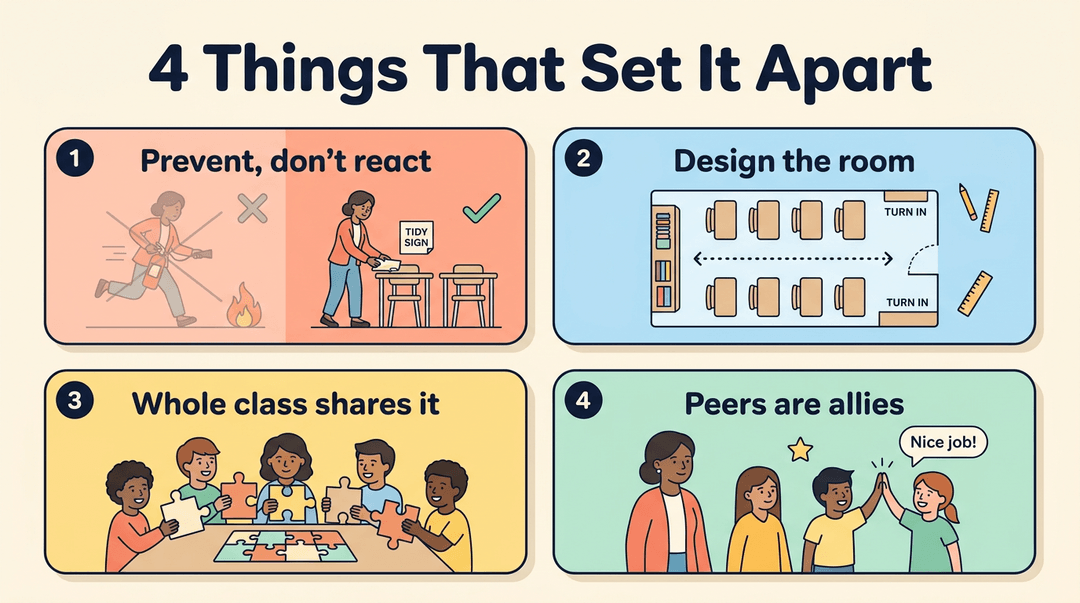
Four ideas set it apart:
- Prevention over reaction. Instead of reacting to every problem, you'll prevent many of them through how you set up the room.
- Environment design. The focus is the classroom setup itself, not just individual students.
- Group accountability. The whole class shares responsibility for how the room runs.
- Peer influence as an ally. Classmates can encourage good behavior, so they work with you, not against you.
What Are the Top Teaching Tools for Teachers?
Searching for the top 10 teaching tools? Fred Jones' Tools for Teaching works differently: its tools shape behavior while you teach, unlike general tools like timers or worksheets. Here are three core ones.
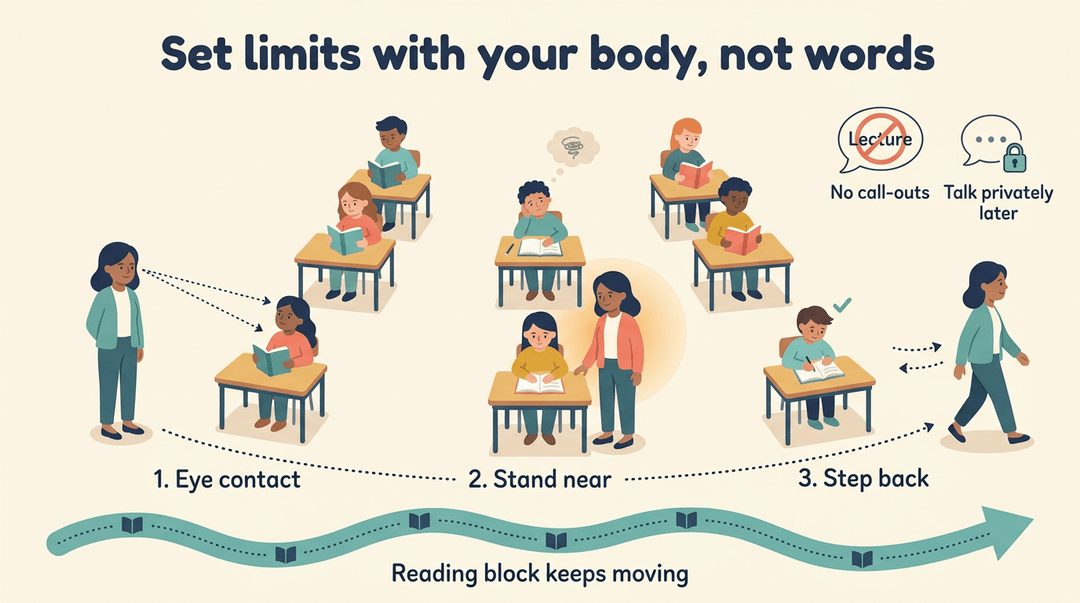
Set limits with your body, not words
A sixth-grade teacher whose class drifts during reading never stops to lecture. She relies on:
- Body language and eye contact. A steady look says you've noticed, without interrupting anyone.
- Physical proximity. Standing near a drifting student brings them back quietly.
- Slow approach, then retreat. Step over, pause, then step back once they're on task, so the focus stays on the work.
- No lectures or public call-outs. Address problems privately so the class keeps moving.
Her reading block keeps moving.
Make Preferred Activity Time a group reward
Preferred Activity Time is a group incentive system: the whole class earns a fun block at the end of the period, and the whole class can lose it. Keep the reward shared, not tracked on individual charts or stickers.
If the class stays on task, everyone keeps the last 10 minutes for a review game.
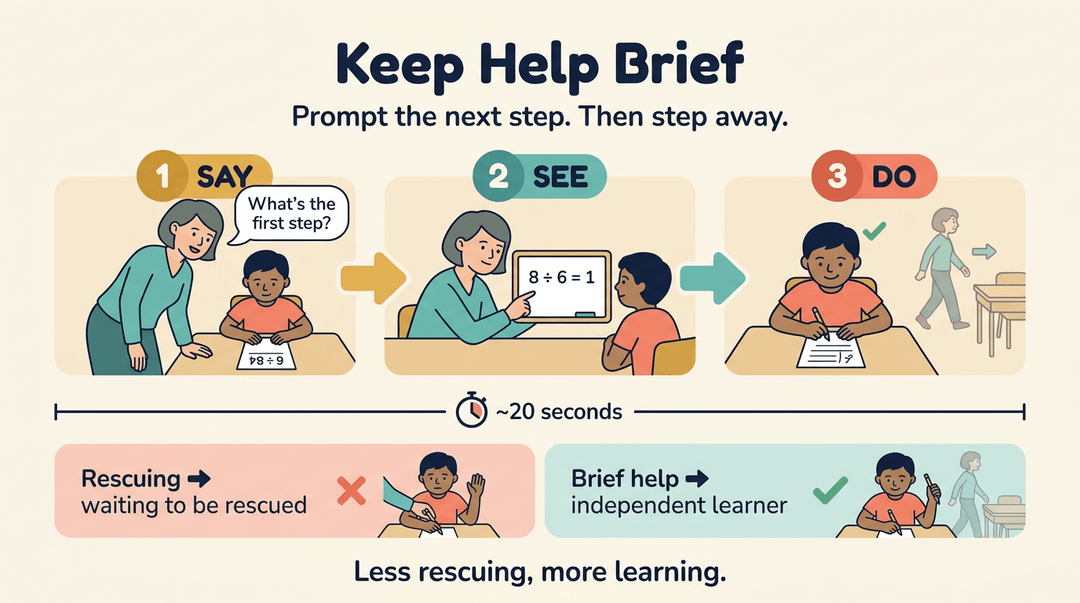
Keep help brief so students stay independent
In Education World's column on Fred Jones: Tools for Teaching, help follows a say, see, do sequence that prompts the next step rather than doing the work:
- Say what to do next.
- See it modeled.
- Do it themselves.
Keep each interaction to about 20 seconds, and prompt only the next step. Brief help prevents learned helplessness, the habit of waiting to be rescued. Less rescuing, more learning. Errorless teaching ABA applies this prompting idea to keep learners from practicing mistakes.
Use it during guided practice. A fifth-grade teacher helping with long division asks a stuck student, 'What's the first step?' The student finishes that step alone, and the teacher moves on.
Fitting These Tools into Your Lesson Plans
The tools work best when they're written into the plan, not remembered mid-lesson. Use this guide when you draft a lesson: drop each tool into its slot, then schedule your help rounds before the bell rings.
The lesson map
Read across to see where each tool lives and what to write in your plan.
| Lesson part | Tool | Write in your plan |
|---|---|---|
| Bell ringer | Calm start routine | The same quiet task, every day |
| Direct instruction | Limit-setting cues | Where you'll pause, look, or step closer |
| Guided practice | Help rounds | Your circulation path and prompts |
| Closure | PAT balance check | A quick look at PAT earned |
Schedule your help rounds
Help is where lessons drift, so give it a time slot. Treat it as a short sequence.
- Block circulation into guided practice
- Write "circulate" in the plan, not "available for questions."
- Use say, see, do prompts
- Say the next step, show it, then watch the student do it.
- Cap help at 20 seconds
- Then step away, so no single student holds you.
Say: "Do the next one while I'm here. Then I'll check back."
Example: A seventh-grade math teacher plans ten minutes of guided practice. She says the first step, sketches it on the student's page, and watches the student try it. Then she moves on within 20 seconds. Nobody waits long, and she covers the whole room.
Examples by level
PAT (preferred activity time) looks different by age. Pick the row closest to your room.
| Level | PAT move | What it looks like |
|---|---|---|
| Elementary | Visible PAT chart | A posted chart that fills as the class works |
| Middle school | Student-chosen activities | Students pick from a short menu |
| High school | Short PAT blocks | Brief earned breaks inside the period |
Plan your week
Run this before Monday. It's verification, so check each line against your plans.
- PAT options planned: you have two or three activities ready for each class.
- Proximity transitions noted: you've marked the moments where standing near students will help.
- One tool rehearsed: you've practiced one tool this week, such as your cues or your 20-second rounds.
Rehearse just one tool a week. Next week, add another.
Map PAT time and help routines into each lesson with EMStudio's online lesson planner.
Why This System Actually Works
Most lost teaching time doesn't come from one big blowup. It leaks away in small moments, and that's where we'll start.
Fix the small issues stealing class time
Think of a fifth-grade teacher mid-lesson when two students start whispering and tapping pencils. That's a chronic minor disruption: small but constant.
Walking to each desk for a private chat feels helpful, but it's inefficient one-on-one help while the rest of the class waits. The fix is early, calm intervention: a glance or a quiet word before the issue grows.
A calm fix early beats a loud fix late, and your lesson keeps its instructional momentum. That's hard to win back once it's gone.

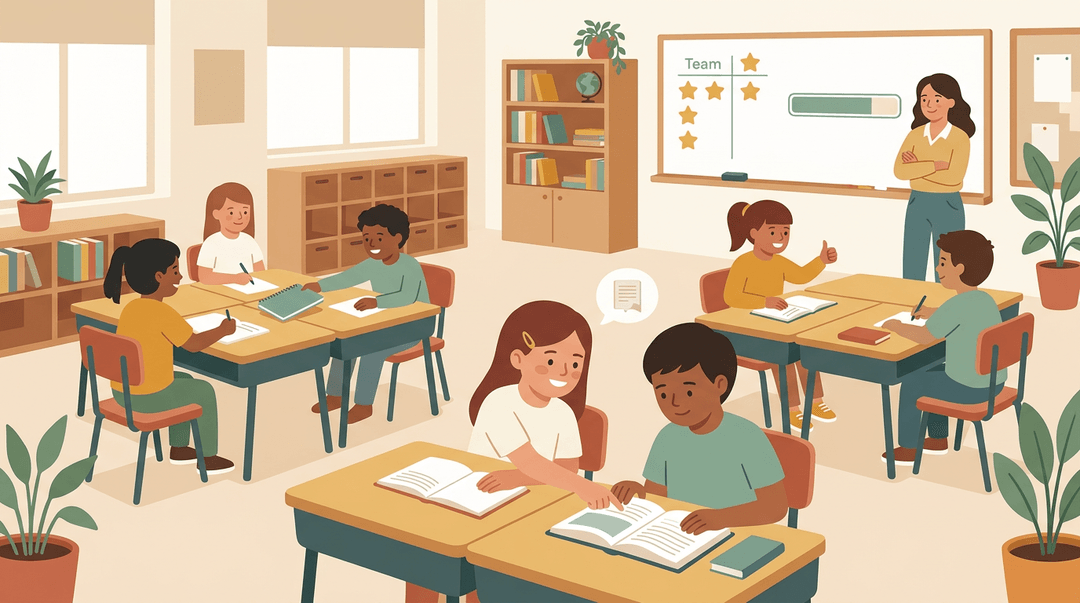
Lets classmates keep each other on track
Here's the shift: students monitor each other. A quiet reminder from a classmate moves the job from you alone to everyone in the room. Research on group incentives supports this.
A review of the Good Behavior Game from 1969 to 2002 notes that the game pairs team competition and peer influence with reinforcement.
Shared incentives can also give students a stake in monitoring one another's behavior, as an evaluation of group contingencies in the Good Behavior Game explores.
When the group shares the outcome, every student has a shared stake in how the class behaves.
Consider a student who finishes early and quietly reminds a neighbor which page the class is on. That nudge keeps the group moving without a word from you.
The aim is habits that outlast any single reminder, so the norms belong to the class instead of the teacher. Less policing, more ownership.
How to Put the System in Place
Tools work best in a room built for them, so let's start there.
Arrange the room for easy movement
Plan an interior loop, a clear walking path through the room's middle. From that loop, reach any student quickly.
- Eliminate dead zones. Move furniture until there's no corner or back row out of reach.
- Include the room map in sub plans. Show the loop, seating, and supply spots.
Start here first, since every tool depends on movement. A fourth-grade teacher who moves the reading table beside the loop can reach a struggling reader in seconds. Tutors, homeschool parents, and online teachers can adapt the same loop.
Launch Preferred Activity Time with your class
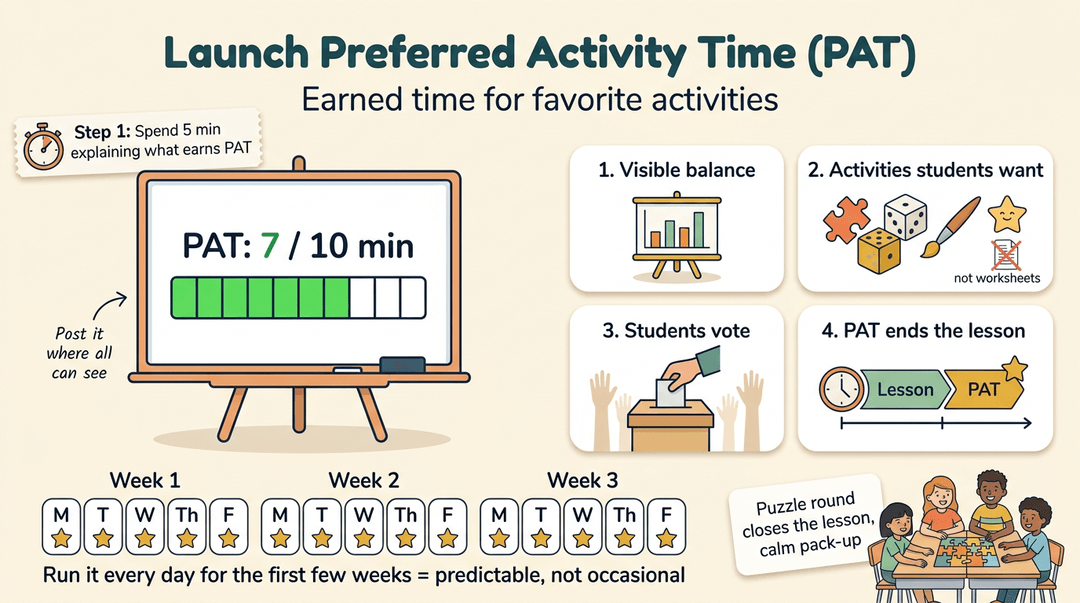
Preferred Activity Time (PAT) is earned time for favorite activities. Spend five minutes explaining what earns it.
- Visible PAT balance. Post the balance where everyone can see it.
- Appealing activities. Pick options students actually want, not worksheets in disguise.
- Student input on choices. Let students vote, so they're invested.
- Tie PAT to lesson closure. End lessons with it so the reward follows the work.
Run PAT consistently for the first few weeks, so rewards feel predictable rather than occasional. A sixth-grade teacher closes with a puzzle round, and students pack up calmly.
Rehearse limit setting before class starts
Limit setting is your response when a student crosses a line, so practice it early. Rehearse the sequence from first cue to follow-through until it feels automatic.
Pace it calmly and deliberately. Calm is firm rather than loud.
Phase in tools one at a time, letting each settle first. Consider a biology teacher who rehearses a calm “Please stop talking” before day one. When two students chat mid-demo, that one line brings them back in seconds. Rehearsal makes calm possible. Keeping a live demo on track takes planning of its own, so demonstration teaching is worth a closer look.
Scripts and Routines to Copy
Knowing the tools is one thing. Knowing what to say in the moment is what makes them work for you.
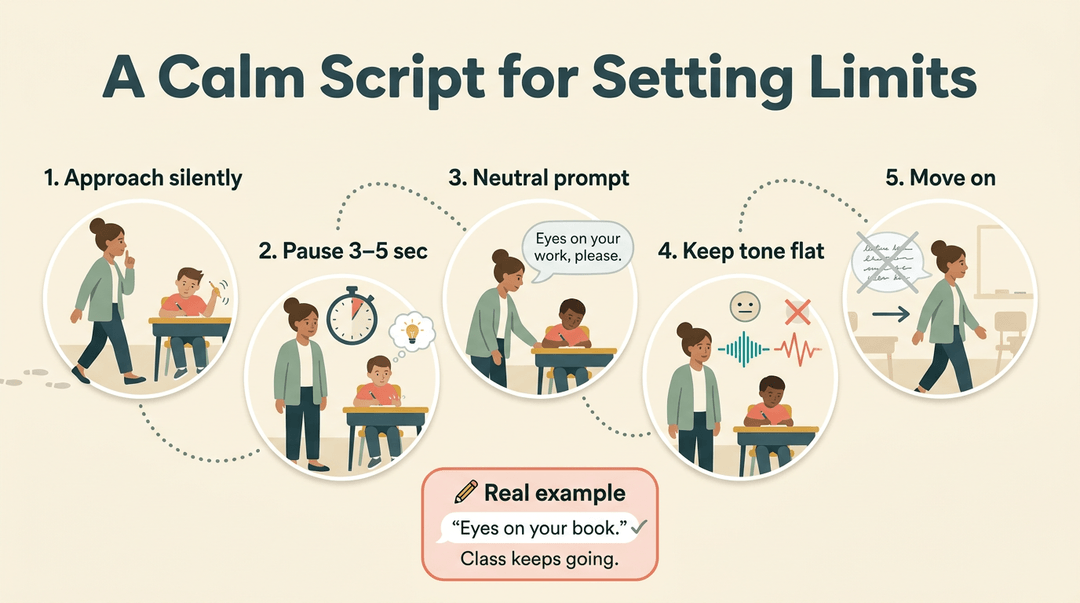
A calm script for setting limits
When a student crosses a line, follow these steps:
- Approach silently. Walk to the desk without a word.
- Pause for 3–5 seconds. Let the student notice and self-correct.
- Use a neutral prompt if needed. Try, “Eyes on your work, please.”
- Keep your tone flat. Speak evenly, with no anger or sarcasm.
- Move on immediately. Skip the lecture and keep teaching.
A sixth-grade teacher hears a pencil tapping, walks over, and quietly says, “Eyes on your book.” The check keeps going.
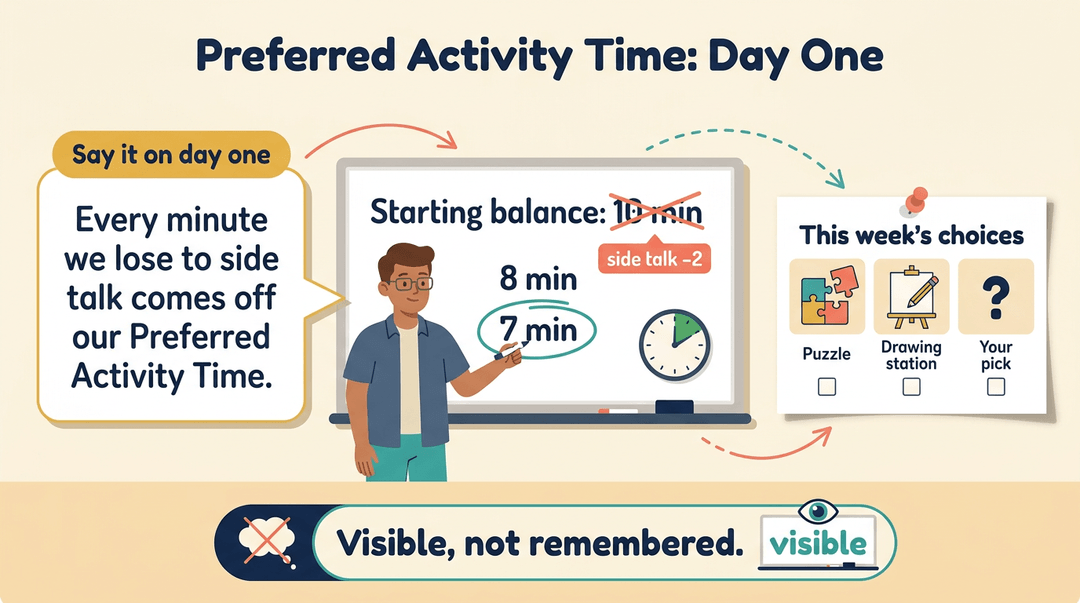
Day-one wording for Preferred Activity Time
Preferred Activity Time is a short block of a favorite activity that students earn. You'll want to introduce it on day one.
- Sample time-loss wording. Say, “Every minute we lose to side talk comes off our Preferred Activity Time.”
- Starting balance on board. Write the opening amount where everyone can see it.
- Weekly activity choices. Post two or three options, like a puzzle or a drawing station.
A middle school science teacher posts “Starting balance: 10 minutes” and updates it as time is lost. The balance is visible rather than remembered, so nobody has to take her word for it.
A quick routine for helping students
- Glance at work. Look over the student's writing from a few steps away.
- Single targeted prompt. Ask one question about the next step, like, “Which line is your evidence?”
- Step away quickly. Give the student a moment to act, then move on.
A high school English teacher glances at a student's notes, asks one question, and keeps walking. Two desks later, the student's already revising. That's the whole routine.
Common Problems and How to Fix Them
Even solid tools hit snags. Here are three common ones and how to fix them.
When students ignore your nonverbal cues
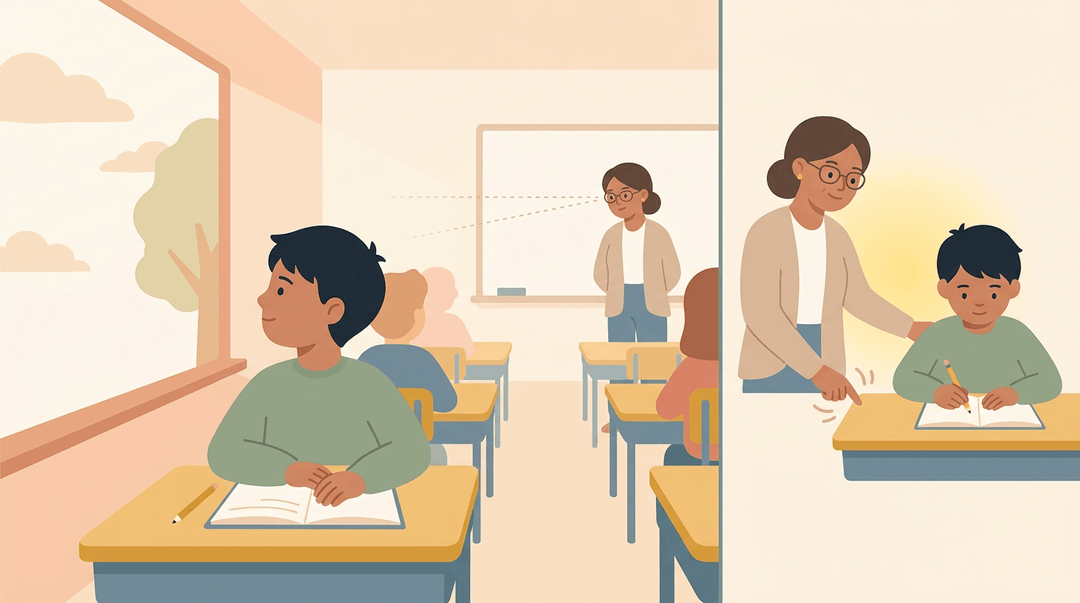
A pointed look doesn't always land. The student may have attention challenges or anxiety that makes a quiet cue easy to miss, so check before assuming defiance.
Take a sixth-grade teacher whose student kept gazing out the window during her cues. Instead of repeating the look louder, she stood beside his desk, and he turned back to his work. Sometimes, distance is the whole fix.
For students who need more support, agree on a private signal in advance, like a tap on the desk.
Getting the whole class to buy in
Students won't work for a reward they don't value. Let students choose the activity within Preferred Activity Time (PAT). It doesn't need to be fancy; it needs to feel worth earning.
Never skip a session, even on a hectic day. A skipped one tells students the promise doesn't count.
PAT has its limits, too. It only motivates as far as students value the reward, so a dull activity or a skipped session can quietly undo it.
Keep the routines the same every day
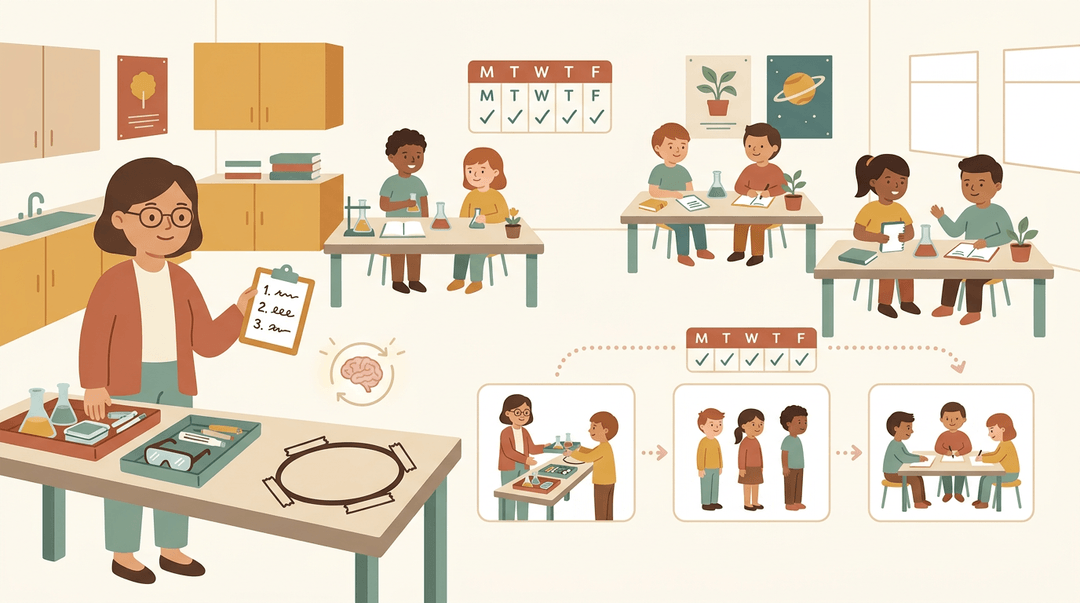
Routines run smoothly when students build muscle memory, and that takes identical steps every day. Script them in advance: write out exactly what you'll say and do.
Think of a middle school science teacher who hands out lab materials the same way every time: same spot, same words, same order. Soon, the class moves into groups with almost no reminders.
Students notice inconsistency. If the rule shifts on Tuesday, they'll test it. Predictable beats clever.
Fred Jones' Tools for Teaching gives you more than a handful of tricks. It gives you a system: clear routines, consistent expectations, and responses you can count on, so you spend less time reacting and more time teaching.
When those tools live inside your daily lesson plans, they stop being extras and become part of how your class runs. Ready to make that happen?
Check out our Lesson Planning feature to write, organize, and reuse lesson plans across multiple classes from one place.
References
- The Good Behavior Game: 1969-2002 — journals.sagepub.com
- An evaluation of interdependent and independent group contingencies during the good behavior game — pubmed.ncbi.nlm.nih.gov
- The Big Problem With Little Interruptions to Classroom Learning — journals.sagepub.com (2021)
- Fred Jones: Tools for Teaching — educationworld.com
Frequently asked questions
What is the Jones model of classroom management?
Fred Jones’ classroom management model, known as Tools for Teaching, aims to prevent everyday disruptions through effective classroom structure, group incentives, and consistent limit setting. Its practical tools include nonverbal cues and proximity, Preferred Activity Time, and brief “say, see, do” help that encourages students to work independently.
What are the top 10 teaching tools for teachers?
There is no single official ranking of the top 10 teaching tools, but commonly useful options include lesson plans, a whiteboard, visual aids, manipulatives, books and other learning resources, formative assessments, rubrics, timers, classroom routines, and nonverbal cues such as eye contact and proximity. Choose tools that support the lesson and help students stay engaged and independent.
What are the 5 C's of pedagogy?
A common set of the 5 C’s of pedagogy is critical thinking, communication, collaboration, creativity, and character. Some frameworks use citizenship instead of character, so the exact list can vary by school or educational model.