Pacing Guide: What It Is and How to Build One That Works

Jump to section
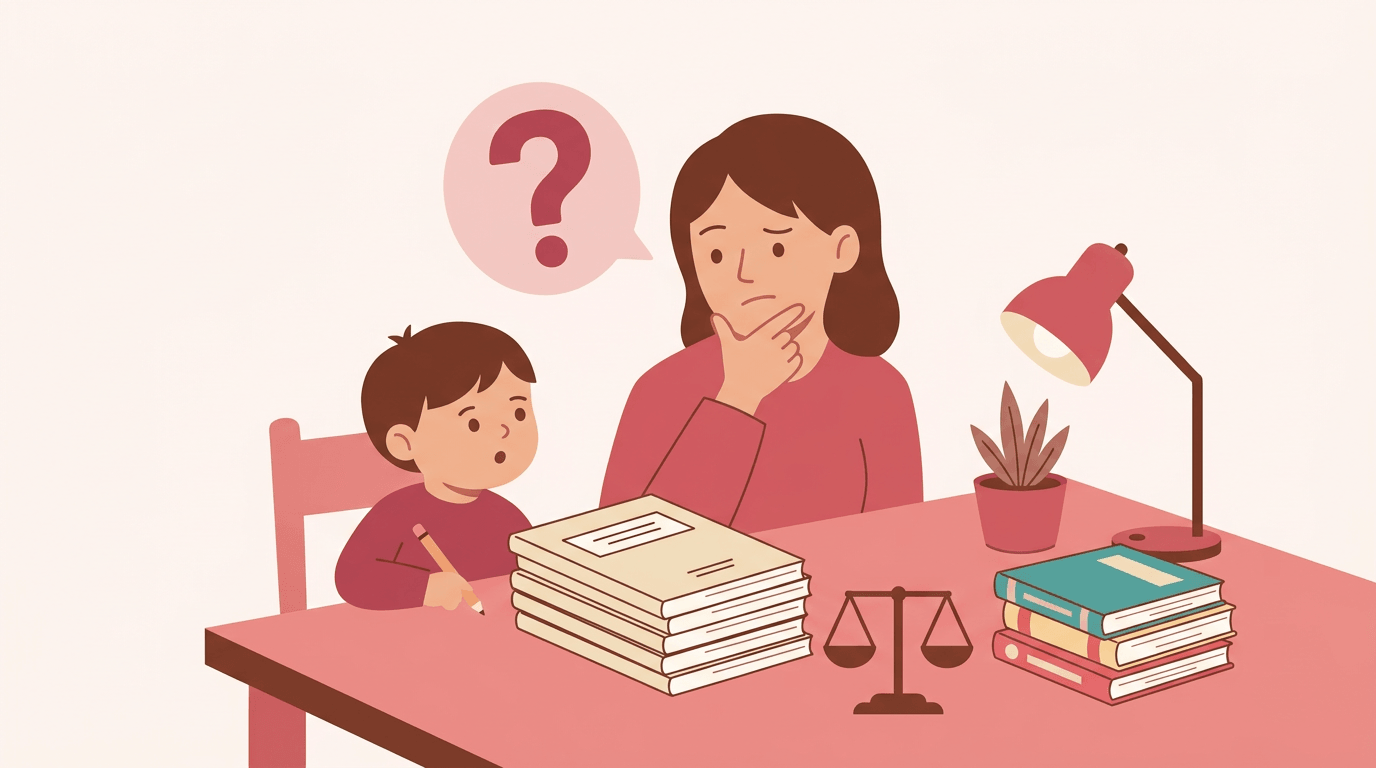
Picture a road trip with no map. You'd still get somewhere, but you'd likely take a few wrong turns and run low on gas along the way. Teaching a full school year without a plan can feel the same way.
A pacing guide is the map: a calendar that shows which topics you'll cover and roughly when, so you know where you're headed and how fast to get there.
In this post, we'll break down what a pacing guide is, how to build one step by step, and how to use it well without letting it run your classroom.
We'll also clear up the related terms you've probably heard, like curriculum map and scope and sequence, so the vocabulary stops getting in the way.

What Is a Pacing Guide
A pacing guide is the plan that tells you how much ground to cover and when. Here's what it does, who uses it, and how it differs from the documents it's often confused with.
What a Pacing Guide Is For
A pacing guide works as a teacher's personal planning tool, a week-by-week map that keeps you from racing through the unit you love or stalling on the one that tests poorly.
It can also serve as a district scope-and-sequence document, setting the order content is taught across a school. Its biggest payoff is curricular continuity: a student moving up a grade meets material in a logical order.
It also maps content to test dates, so you know which skills must be solid before the next benchmark.
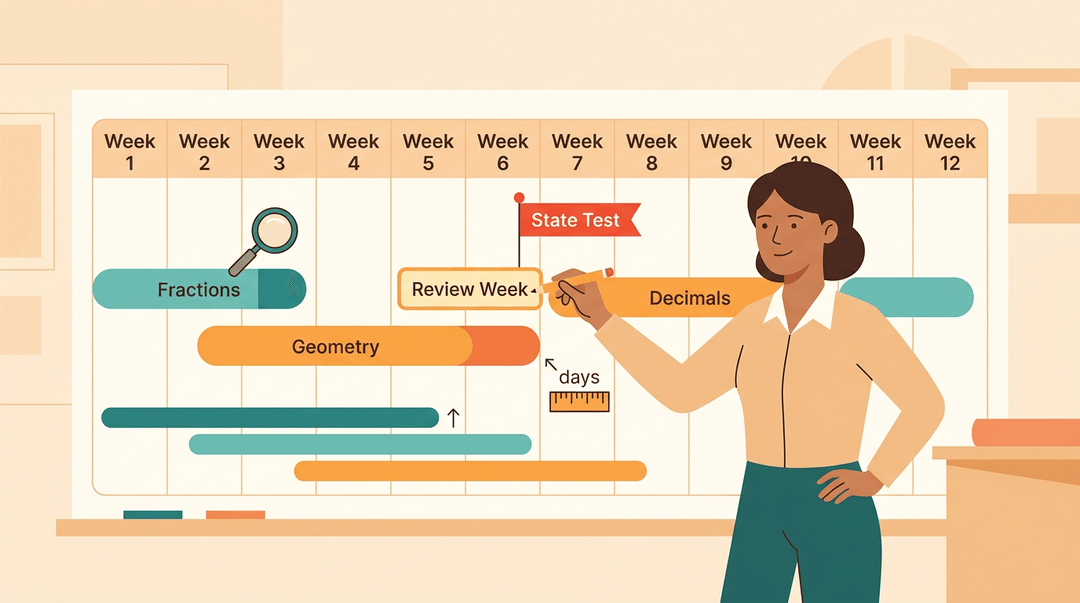
Consider a fifth-grade teacher whose guide shows state testing starts in six weeks. She builds an extra review week for fractions now instead of scrambling later.
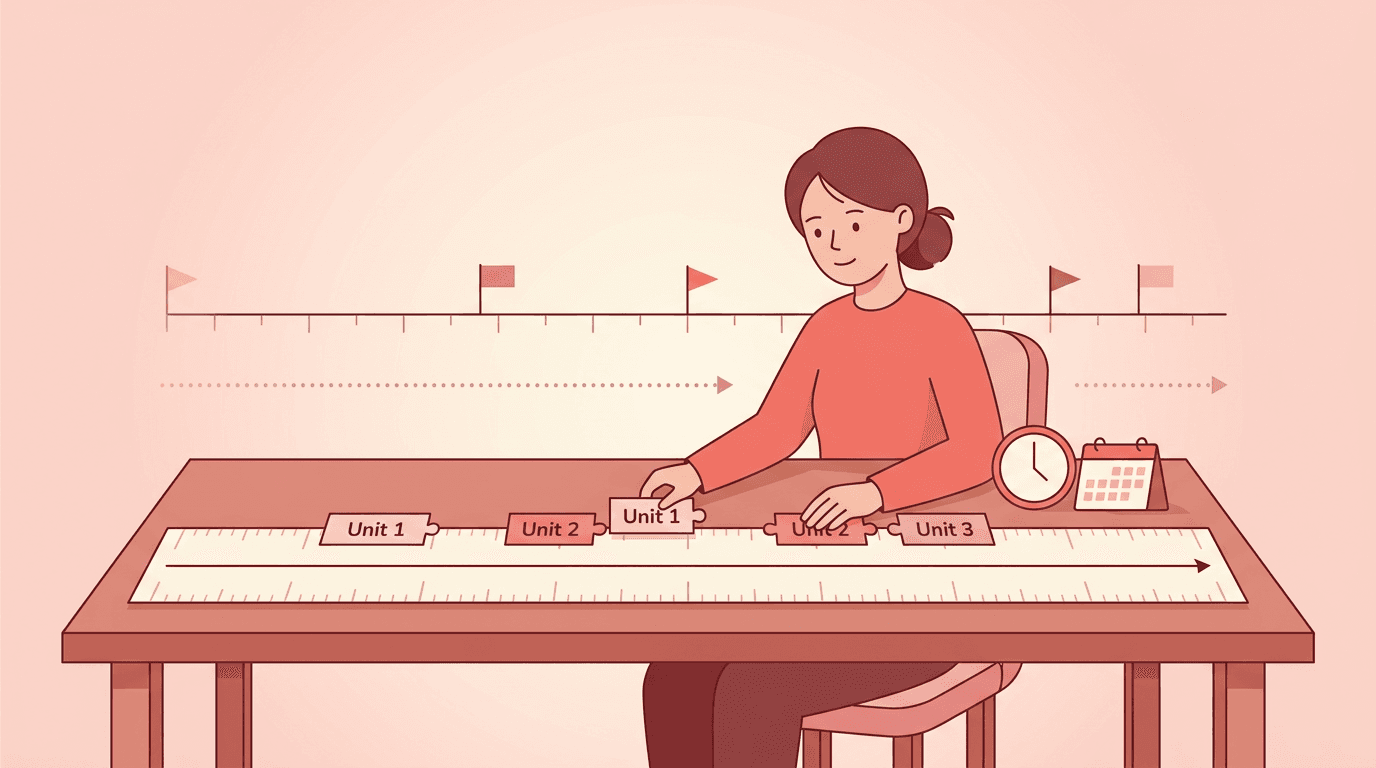
A curriculum map answers what gets taught and in what order across a course. A pacing guide adds when: how many days each unit gets. A scope and sequence is the big-picture order for a whole program, while a pacing guide zooms in on timing for your class.
Who Makes and Uses a Pacing Guide
- Individual teachers or department heads draft one for their own course.
- District or school leaders may mandate a shared version.
- New teachers start from it instead of building a year from scratch.
- Colleagues use it for cross-class calibration, so every section moves at a comparable pace.
Homeschool parents can use one too. On block schedules, plan in blocks: a 90-minute period covers far more ground than a 50-minute one, so the guide needs adjusting.
How to Build a Pacing Guide
Building one is less about writing a perfect plan and more about getting the basic math right first. Work through these steps in order, and the rest gets much easier.
Count Your Actual Teaching Days
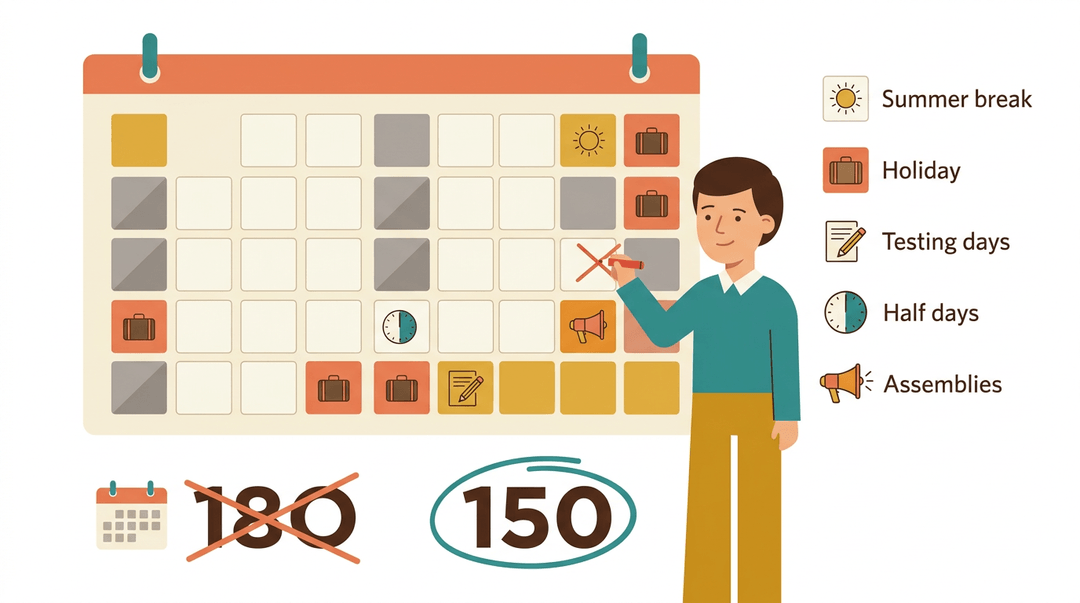
Start with the first and last teaching days on your calendar, not the total days in the year. Then subtract holidays, breaks, and any days you know you won't be teaching. Next, block out testing days, which can eat up more time than you expect.
Finally, factor in half days and assemblies. A sixth-grade teacher whose calendar shows 180 days might find only about 150 real teaching days once everything is subtracted. That smaller number is the one you'll actually plan around.
What Does a Pacing Guide Look Like
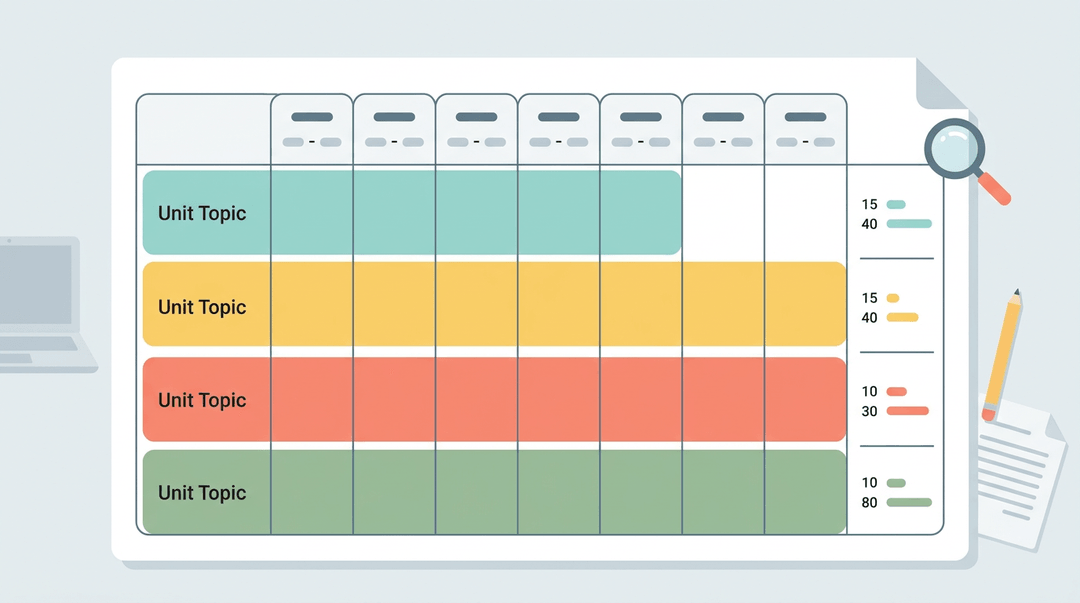
A pacing guide is usually a spreadsheet with weekly columns, date ranges, and the topics you'll cover in each. Many teachers add a column for days or minutes per topic, so they can see at a glance whether one unit is eating up the term.
Color-coding keeps it easy to scan: one color per unit, for example. Some teachers use separate tabs for each grading term. A digital file lets you copy and adjust in minutes, while paper works well if you like to mark it up by hand.
The goal is clarity: a guide you can open and read in five seconds.
Map Out Your Units and Content
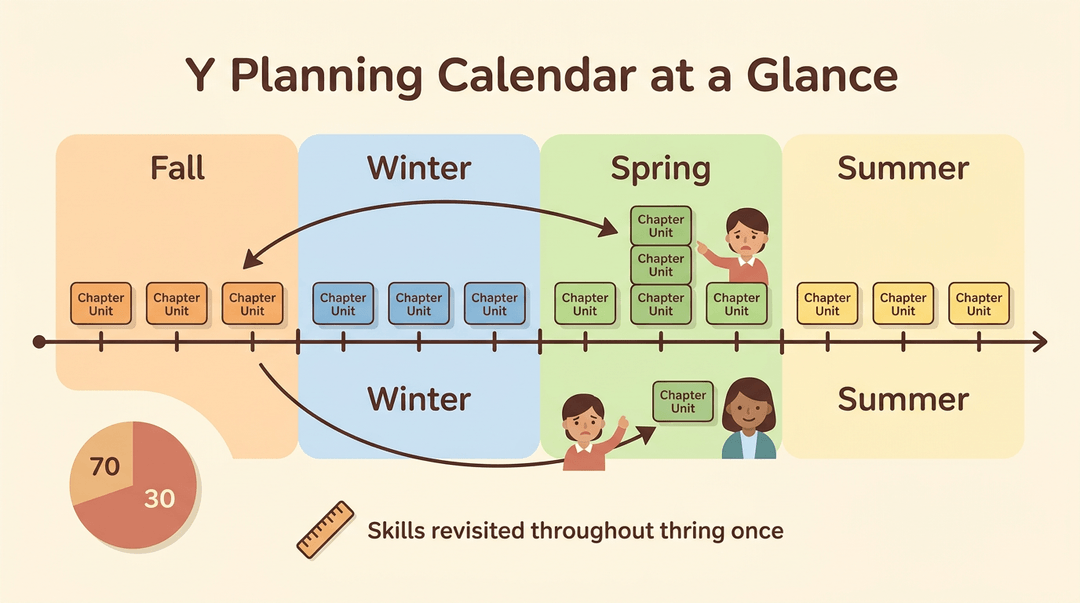
Use your textbook chapters as anchors, then group them into units that fit your days. Distribute major themes across terms so you aren't front-loading everything into fall.
Spiral key skills across the year, revisiting them rather than teaching each one once and moving on. Chunk the curriculum into sensible pieces so no single unit swallows a whole term.
The 70/30 rule is a split of instructional time, and the pacing-guide approach recommends it as a starting point.
A literacy achievement report from ASCD shows the model in practice: a program begins with 70 percent of instructional time in the non-English language and 30 percent in English.
Consider a fourth-grade teacher who maps a chapter to three weeks, then notices that the spring term holds four heavy units. Moving one chapter earlier evens the load, so the last month doesn't feel like a sprint.
Math tends to build in fixed sequences, while social studies units often have more room to flex.
Align Your Guide to Standards and Tests
Tie each topic to your state or national standards, then map topics to the annual test so you know where that content shows up. Align the guide with your benchmark assessments as well. Track standards in a dedicated column so gaps are easy to spot.
A seventh-grade teacher who sees that reading comprehension standards appear on the state test in March can move argument writing into February and avoid a rushed review.
Build In Assessment Checkpoints
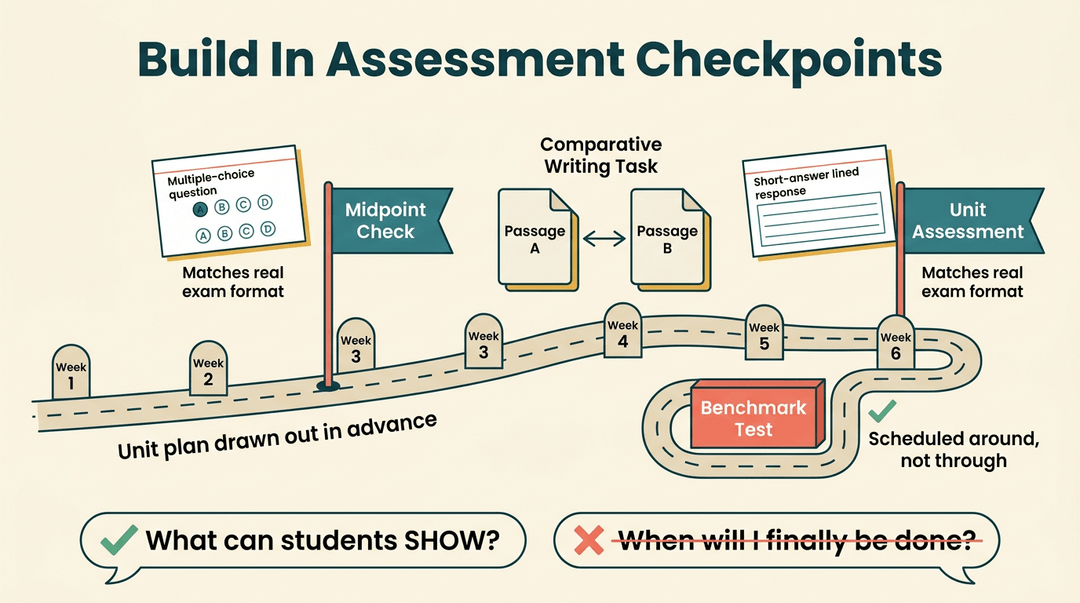
Sketch a midpoint check and a unit assessment into the guide before you need them. Match the exam format early so students practice the question types they'll actually see.
Build toward comparative writing tasks, and schedule around benchmark tests so they don't collide with a big unit. The checkpoint is about what students can show, not when you'll finally be done.
How Teachers Can Build and Use a Pacing Guide
A pacing guide is your calendar-first plan for what gets taught and when. Use this playbook to build your first one, check it, and see how it bends across grade levels.
Build it in five moves
- Count your real teaching days.
- Start with the calendar, then subtract testing windows, holidays, and assemblies.
- Write the result per term: "Term 1: 45 days."
- Block out your units.
- Give each unit a start date, an end date, and a day count.
- Jot it as: Unit 1, Ratios, days 1-12.
- Align each unit to standards.
- Put the standards code beside every unit.
- Any standard with no home yet goes on a "find a spot" list.
- Add assessment checkpoints.
- Mark a quick check mid-unit and a larger one at the end.
- Build in flex weeks.
- Leave a buffer after each major unit for reteaching or surprises.
Example: A 7th-grade science teacher with 45 days in Term 1 blocks three units of 12 days each. That leaves nine days: one flex week after each unit, plus a few days for testing. When a lab runs long in Unit 2, the flex week absorbs it and Unit 3 still starts on time.
⚠️ Watch out: A pacing guide is a plan, not a script. If students need another day, use your flex time and adjust the next block instead of skipping content.
Check it before you share it
Run through this before the guide goes anywhere:
- Dates and terms listed: every unit has start and end dates inside a marked term.
- Standards mapped: each unit shows its codes, and no required standard is missing.
- Assessments scheduled: checkpoints sit on the calendar, not just in your head.
- Buffer time included: flex days appear in every term.
- Shared with your team: colleagues have seen it, so pacing stays consistent across classrooms.
See how it looks by grade band
The five moves stay the same. What changes is the shape of each block.
| Setting | Pacing shape | What it looks like |
|---|---|---|
| Elementary | Thematic units | One theme links reading, science, and writing |
| Middle school | Subject rotations | Each subject gets set blocks within the term |
| High school | Exam-driven pacing | Work backward from the exam date |
| Homeschool | Flexible weekly blocks | Weekly goals, with days chosen as life allows |
If you're unsure where to start, pick the row closest to your setting and copy its shape into your first draft.
Map your year-long pacing guide visually and sync it to standards and terms with EMStudio's Curriculum Planner.
What Makes a Pacing Guide Effective
A good pacing guide doesn't lock you into a calendar. It gives you a sensible route and room to steer.
Build In Room for the Unexpected
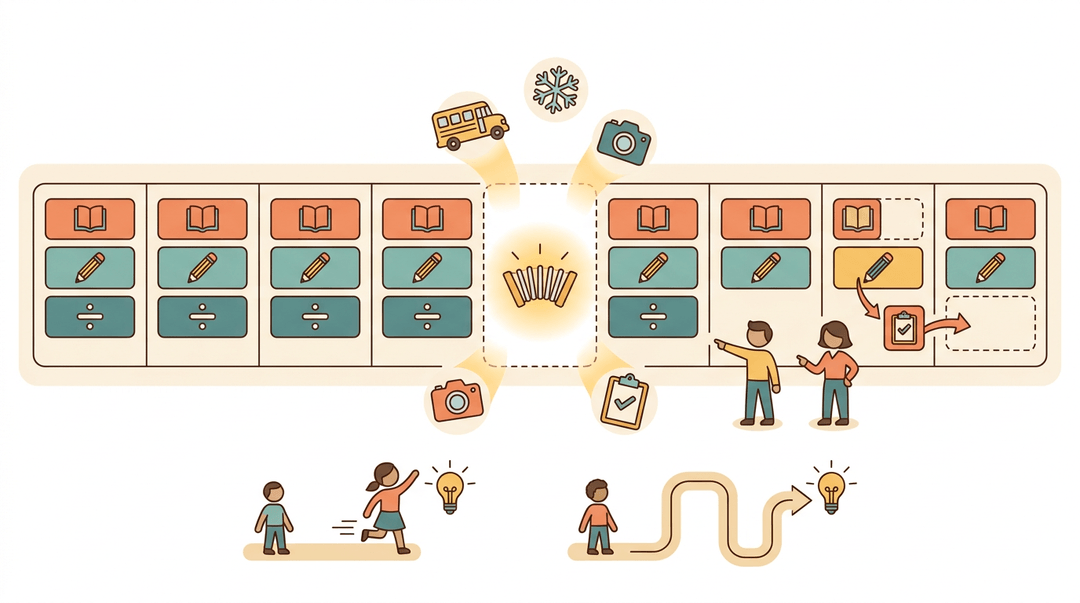
Assemblies, picture day, snow days, and state testing will knock any schedule off course. For example, a fifth-grade teacher who leaves one flexible week mid-year can absorb a field trip without rushing the next unit.
Build in swaps, too: if an end-of-unit test lands in a busy stretch, move it instead of breaking the sequence.
Students also learn at different speeds. Some master a skill in three days, while others need two weeks. Allow for that unpredictability so one group's pace doesn't dictate everyone's progress. Flexibility is the point.
What a Good Pacing Guide Includes
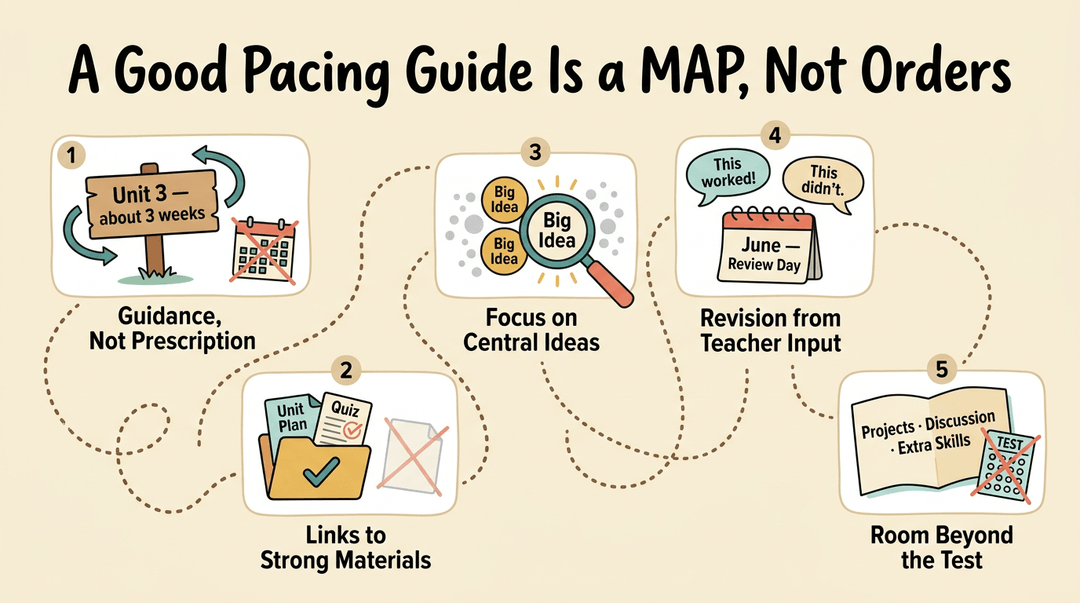
Think of the best pacing guide as a map, not a set of orders: guidance rather than prescription. Look for these features:
- Guidance over prescription. Suggested timeframes give you a target, and you decide how to reach it.
- Links to strong materials. Point teachers to vetted units and assessments so nobody starts from a blank page.
- Focus on central ideas. Highlight the big concepts students must master, not every standard equally.
- Revision based on teacher input. Hold a yearly review where teachers share what worked and what didn't.
- Room beyond test content. Leave space for projects, discussion, and skills that don't appear on a test.
Using Pacing Guides as a Team
A pacing guide works best when the whole team reads from the same page. Here's how it keeps your department aligned and helps new colleagues find their footing.
Keeping Your Department in Sync
A shared guide keeps everyone moving at about the same speed. Without one, one teacher races ahead while another is still reteaching last month's standard, and students who move between sections notice the gap.
Use the guide as the agenda for team meetings: check where each class stands, flag what's falling behind, and decide together how to catch up.
Teams also use it to swap resources and troubleshoot problems. Consider a seventh-grade math teacher who shares a fraction exit ticket with a colleague and saves an evening of prep.
Multiply that across a department and you get less duplicated work and more time for actual teaching.
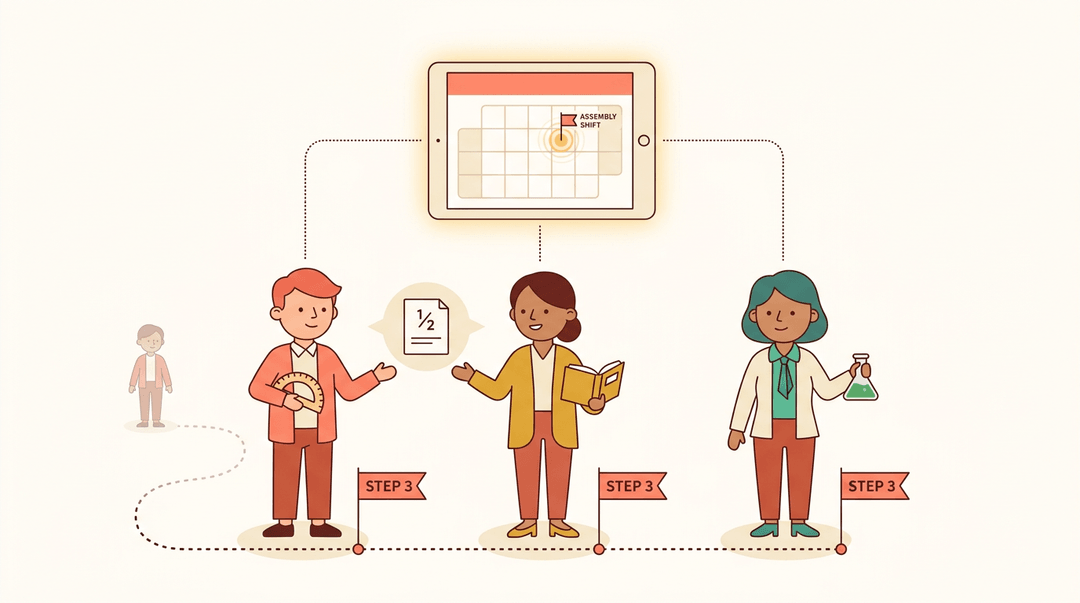
A shared digital pacing calendar puts the whole team's timeline in one place. When an assembly or field trip shifts the schedule, one update reaches everyone, so nobody is working from an outdated plan.
Helping New Teachers Get Oriented
For a first-year teacher, the pacing guide is the primary source of teaching expectations. Picture a new teacher on day one, staring at a stack of textbooks and wondering where to begin.
The guide answers that question: it shows which standards come first and roughly how long each unit should take.
It also helps new teachers figure out how to teach, not just what. Nobody should have to guess.
Benefits and Drawbacks of Pacing Guides
Pacing guides cut both ways, so weigh both sides before you lean on one.
What Pacing Guides Do Well
A pacing guide is a shared timeline, and that clarity pays off. Teachers gain confidence knowing what comes next, and students know what to expect.
Consider a first-year teacher in September: the guide tells her what to teach this week instead of leaving her to guess. Across a department, a common sequence builds trust because everyone works from the same plan.
Where Pacing Guides Fall Short
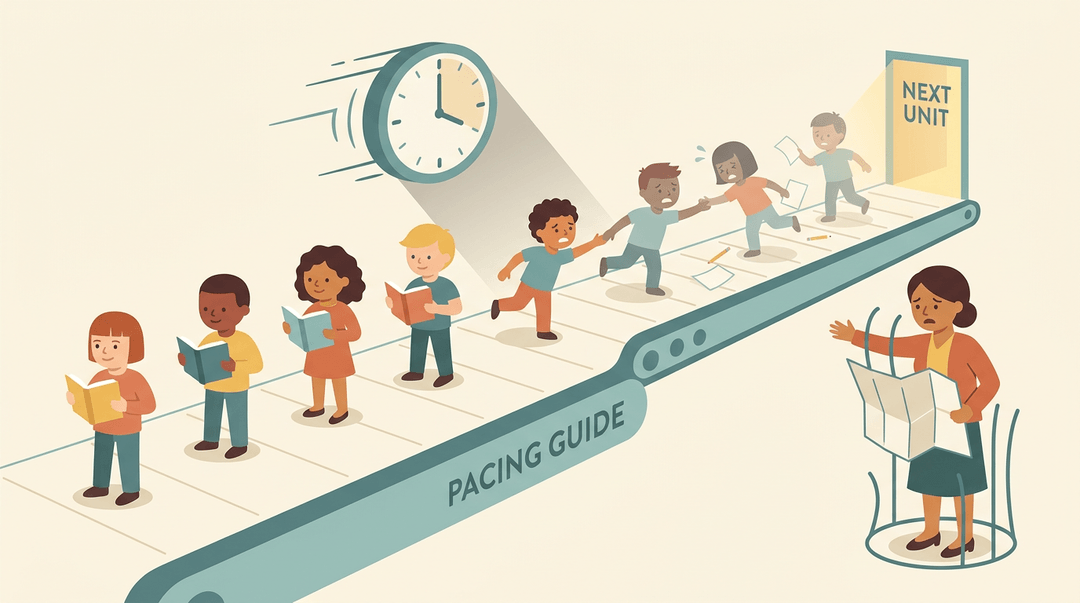
Guides can feel rigid and burdensome, especially with pressure to cover every tested topic. That pressure often trades depth for breadth, so students skim many topics without mastering any.
Long-term projects get bypassed, and lessons drift toward teacher-centered instruction with little room for discussion.
Equity Concerns With Pacing Guides
The equity concerns are the hardest to ignore.
A study of teachers in schools run by the Philippines' Department of Education (DepEd) found that pushing forward despite persistent gaps can shorten remediation and limit practice, so low-performing students can receive less rigorous instruction.
Researchers writing on racialized temporalities argue that dominant pacing norms create racially unequal conditions, which means minority students can face more narrowing. Pressure can also drive teachers toward traditional instruction.
In an interview with Lisa Scherff for Kappan Online, she describes how narrow pacing guides leave teachers feeling demoralized. Use the guide as a map, not a cage.
Sharing Your Pacing Plan with Students
Your pacing guide isn't just a planning document for you. When students can see where the class is headed, they stop asking 'how much is left?' and start focusing on the work in front of them. Here are three tools that make that possible.
Tools That Show Students the Plan
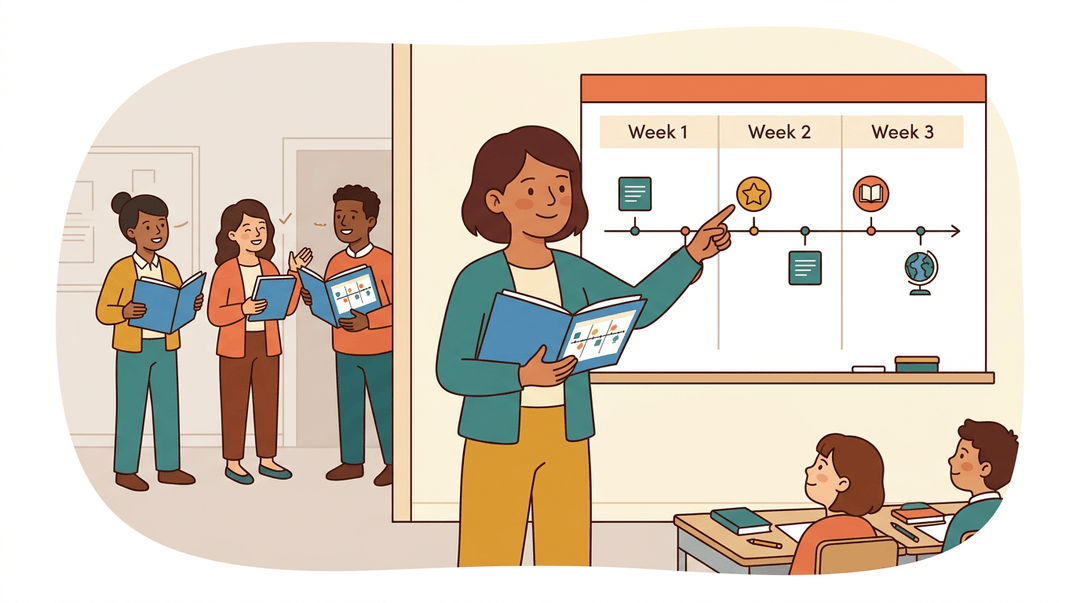
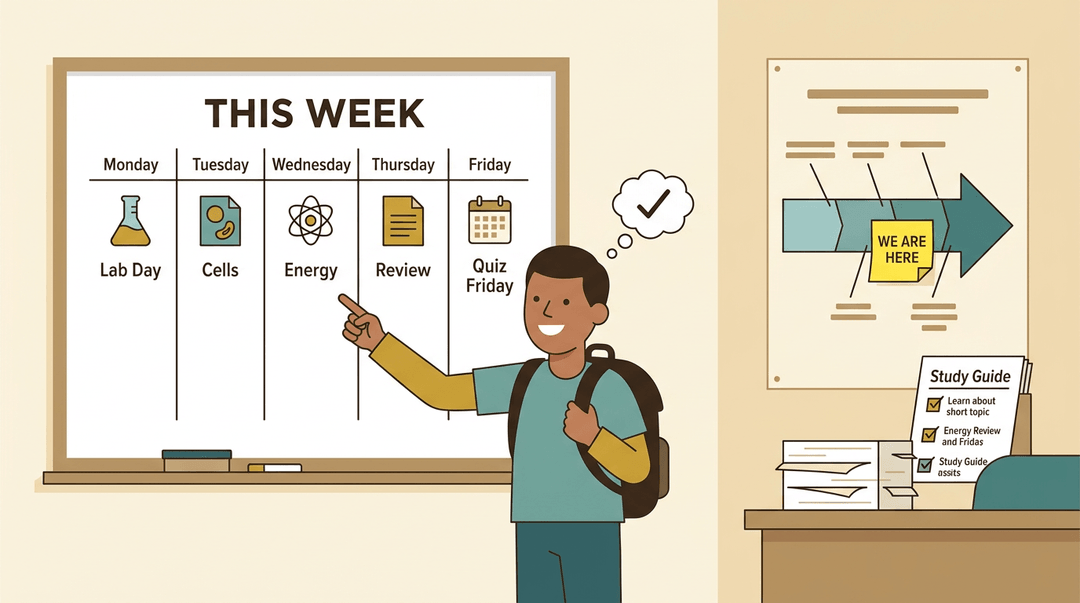
Start with a weekly road map: a simple list of what the class will cover each week, posted where students see it every day. Think of a seventh-grade science teacher who writes the week's topics, due dates, and lab days on the whiteboard every Monday.
A student who misses a day can check the board and get back on track without asking three friends what they missed.
Next, try a visual unit progression poster. This is a big-picture graphic showing the unit's stages from start to finish, with a sticky note marking where the class is now. It works best when students can see progress rather than just hear about it.
Finally, pair each unit with a study guide tied to objectives. Each review item should connect to a specific learning goal, so students know what they're expected to master and can check their own understanding before the test.
One caution: share the plan, not your planning notes. Internal teacher notes about pacing, reteach ideas, or sections you might cut stay with you. Students need a clear, student-facing version. Nothing more.
A good pacing guide doesn't lock you into a rigid schedule. It gives you a shared roadmap, so you spend less time guessing what comes next and more time teaching the students in front of you. Revisit it, adjust it, and let it keep your year on track.
Ready to put your year on the calendar? Check out our Curriculum & Standards feature to plan units, lessons, and standards across the whole school year.
References
- Navigating the Balance: Teachers’ Experiences in Meeting Curriculum Demands and Providing Individualized Support for Students in DepEd Schools — doi.org (2026)
- Stalling White Time: Racialized Temporalities, Classroom Management, and White Supremacy — doi.org (2025)
- LITERACY ACHIEVEMENT — files.ascd.org
- What is English? Who decides? An interview with Lisa Scherff — kappanonline.org
Frequently asked questions
What is the difference between a pacing guide and a curriculum map?
A curriculum map shows what will be taught and the order in which topics or units appear across a course. A pacing guide adds timing, indicating when each unit will be taught and how many days or weeks it should take.
What is the 70/30 rule in teaching?
The 70/30 rule in teaching refers to dividing instructional time into two proportions, commonly 70% in one language or instructional approach and 30% in another. In bilingual education, for example, it may mean 70% of instruction in the non-English language and 30% in English. The exact split should be adapted to students' needs and program goals.
What is a pacing schedule?
A pacing schedule is a timeline for teaching course content. It identifies when units, topics, lessons, and assessments should occur, usually by day, week, or term. It is a practical version of a pacing guide and should allow room for reteaching and unexpected interruptions.
How to write good pacing?
Start by counting actual teaching days, subtracting holidays, testing, assemblies, and other interruptions. Divide the curriculum into units with clear start and end dates, connect them to standards, schedule assessment checkpoints, and include flex time. Keep the schedule readable and flexible, using it as guidance rather than a script.
Can you give me some examples of pacing activities?
Pacing activities include quick warm-ups, guided practice, exit tickets, review games, partner discussions, labs, short quizzes, and independent practice. A teacher might use a midpoint check during a unit, followed by reteaching or enrichment before the final assessment. Weekly progress checks also help determine whether the class is moving at the right pace.
Can you give me some examples of instructional strategies?
Examples of instructional strategies include direct instruction, modeling, guided practice, cooperative learning, think-pair-share, questioning, differentiated instruction, project-based learning, formative assessment, and retrieval practice. The best choice depends on the learning goal, content, and students' needs.
What's the difference between a scope and sequence and a pacing guide?
A scope and sequence describes the broad content and the order in which it is taught across a course or program. A pacing guide focuses more closely on timing, showing how many days or weeks each unit or topic receives. In short, scope and sequence answers what and in what order, while pacing adds when.
What should a pacing guide include?
A pacing guide should include units or topics, their order, start and end dates, estimated days or minutes, relevant standards, and assessment checkpoints. It should also account for teaching days, testing windows, holidays, assemblies, and flex time for reteaching or delays. Links to instructional materials and notes for projects or major assignments can make it more useful.