Dynamic Learning Maps Essential Elements Explained

Jump to section
Picture a road trip where the map shows every highway but not the single turn you actually need. That's how many teachers feel when they first open a set of standards.
The good news is that Dynamic Learning Maps Essential Elements can give you a clearer route, one that starts where your students are.
In this post, we'll explain what Dynamic Learning Maps Essential Elements are, how linkage levels and maps work together, and how they differ from general standards. Then we'll show you how to put them to work in everyday instruction and planning.

Dynamic Learning Maps Essential Elements Explained
Dynamic Learning Maps is built around Essential Elements, standards for students with significant cognitive disabilities. Here's how they're structured and how you can put them to work in planning.
Standards made for students with significant disabilities
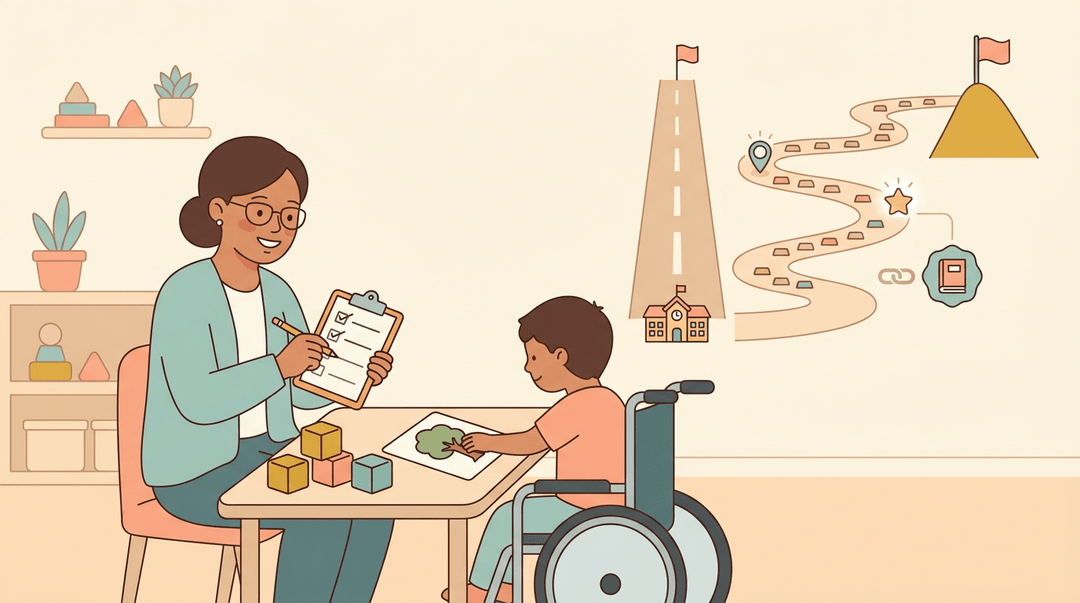
Essential Elements are alternate academic standards. Where grade-level standards describe what most students in a grade should learn, these offer a different route to learning goals for students with significant cognitive disabilities.
They aren't a watered-down copy, and they're tied to Common Core standards.
Because they're built for these learners, they aren't suited to general assessments, which wouldn't give you a clear picture of their progress.
Consider a special education teacher checking whether a student is ready for the next skill. She measures progress against the Essential Elements, then starts the next lesson right where the learning is. Less guessing, more targeted teaching.
What subjects it covers
Essential Elements span three subjects:
- English language arts
- Mathematics
- Science
They cover Grade 3 through high school, so the same framework follows students across those years.
Linkage levels and their precursor skills
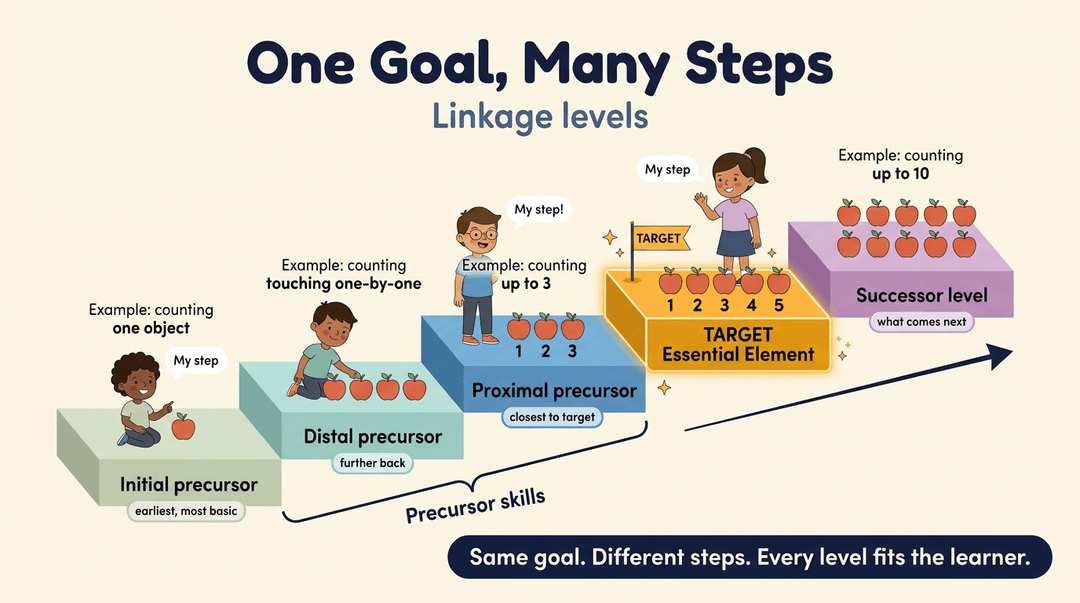
Each Essential Element is broken into linkage levels, a sequence of skills that builds toward the target Essential Element, the skill you're aiming for. The skills before it are precursor skills, and they come in three types:
- Initial precursors are the earliest, most foundational skills.
- Distal precursors sit further back from the target.
- Proximal precursors sit closest to the target.
Beyond the target is the successor level, the skill that comes next. Every linkage level is accessible at the student's ability level, so each learner can work on the step that fits them right now.
One Essential Element runs across all of these levels. The goal stays the same, but the steps change.
How learning maps and mini-maps guide instruction
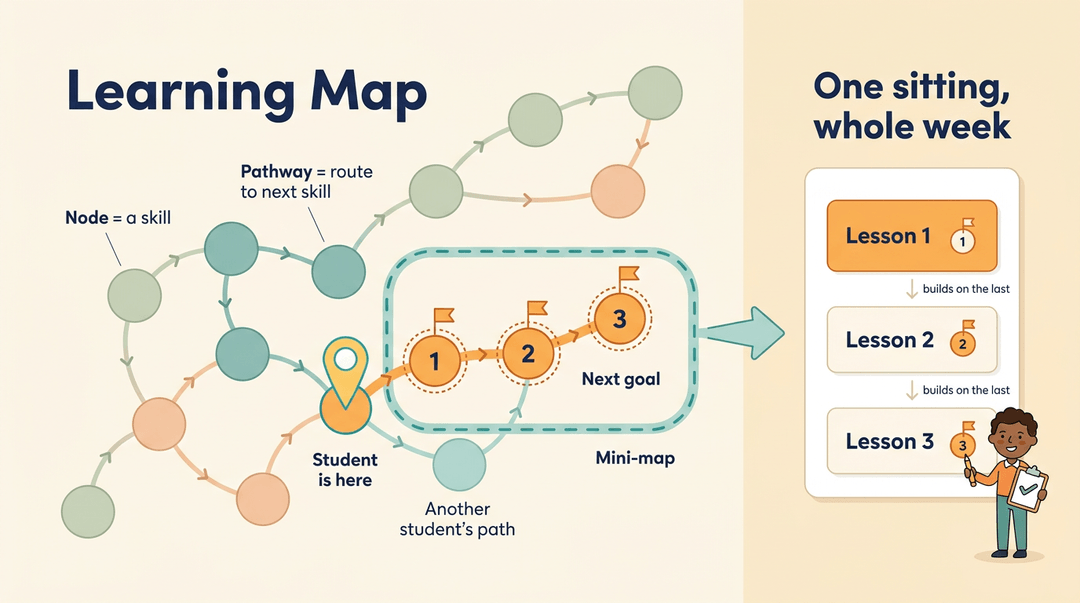
Each linkage level contains nodes, the specific skills a student can work on there. Pathways connect nodes and show the routes from one skill to the next. Together, they form the learning map.
Linkage maps also guide goal setting. Check where a student currently sits, and the next node or two becomes a realistic goal. Because each student can follow a different pathway, instruction can be individualized. Schools that need a structured way to deliver that kind of individual support often turn to MTSS in education.
Mini-maps are smaller slices of the full map, and they're handy for sequencing lessons. Consider a middle school math teacher who pulls a mini-map of three connected nodes for one student.
She plans three short lessons for the week, one per node, so each builds on the last. Instead of planning day by day, she finishes the week in one sitting.
How Essential Elements are developed and reviewed
The science Essential Elements have their own development document, which records how those standards were built.
They also go through external review, an outside check on the standards themselves. They're aligned to state and national standards, and each linkage level links back to the Essential Element it supports. Every step traces back to the standard.
Plan Your Lessons Around Essential Elements
Use this guide when you're turning an Essential Element (EE) into a real lesson plan. It runs from one standard to one measurable target, then spreads those targets across the year.
The four-step planning routine
Do these in order. Each step narrows the one before it.
- Start from the grade-level standard
- Write it at the top of your plan so the EE stays tied to it.
- Pick the matching Essential Element
- Choose the EE that expresses that standard at reduced complexity.
- Choose the student's linkage level
- Start where the student is now, not at the target.
- Set one measurable target
- Try: "Given five counters, Maya touches each once and says the count, 4 of 5 tries."
Keep it to one target per EE at a time. Two targets blur your data.
Sketches across grade bands. These are illustrations of the shape, so adapt them to your students.
| Band | Focus | Sample target |
|---|---|---|
| Elementary | Early math counting | Counts up to 5 objects, one touch each |
| Middle school | ELA text comprehension | After a read-aloud, picks the right picture for "who" |
| High school | Science concepts | Sorts living and nonliving cards, then names each group |
Pace the elements across the year
Plan the whole year first, then fill in weeks. Three moves keep it manageable.
| Move | What it looks like |
|---|---|
| Sequence EEs across terms | Assign each term its EEs; don't stack them all at once |
| Plan precursor to target | Write the chain, earliest skill first |
| Schedule check-ins | Put a progress review on the calendar for each term |
Here's a chain for the counting example, jotted the way you'd write it in a plan:
counts along with you ← counts to 3 independently ← counts to 5 independently (target)
Each link is a short stretch of instruction. When a check-in shows the student has secured one, you move to the next without rewriting the plan.
Example: A middle school teacher puts a text-comprehension EE in the first term. She starts a student with picture-supported "who" questions. At the term check-in, the work samples show he's ready, so the second term's target moves to "what happened" questions.
Verify your plan
Before you teach, confirm:
- EE linked to standard: you can point to the grade-level standard it comes from.
- Linkage level documented: the level is written down, with a note on why.
- Supports and accommodations listed: prompts, tools, and materials are named, not assumed.
- Progress evidence collected: you know what you'll gather, such as tally sheets, work samples, or photos.
If one line is blank, fix that before the lesson, not after.
Map Essential Elements to your year-long units and track standards coverage with EMStudio's Curriculum Planner.
How DLM Assessments Are Structured and Given
Knowing how Dynamic Learning Maps (DLM) assessments are built and given makes planning easier. Here's what to expect.
Embedded testing versus year-end testing
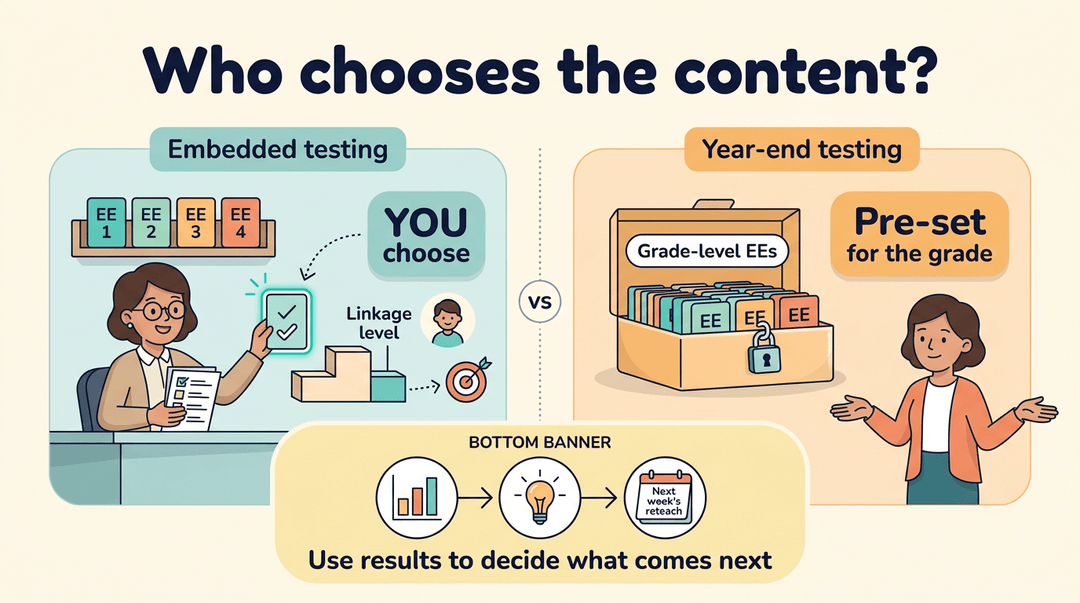
DLM uses two formats, and the key contrast is who chooses the content:
- Embedded testing: you select the Essential Elements (EEs) and linkage levels, the steps within each EE, that match your student.
- Year-end testing: the test covers grade-level EEs.
Consider a special education teacher who picks EEs matching a student's current goal, then uses the results to plan next week's reteaching. Results inform future instruction, so use them to decide what comes next.
When testing windows open in your state
Windows are set by your state.
- Fall and spring windows: testing windows open in both fall and spring.
- Phased windows in Iowa: Iowa runs its windows in phases, so check which phase applies to your students.
- State contacts: your state contact can confirm dates and answer questions about who qualifies for the alternate assessment.
- In-person administration only: testing is given in person, so build your calendar around face-to-face sessions.
Testlet formats and their key features
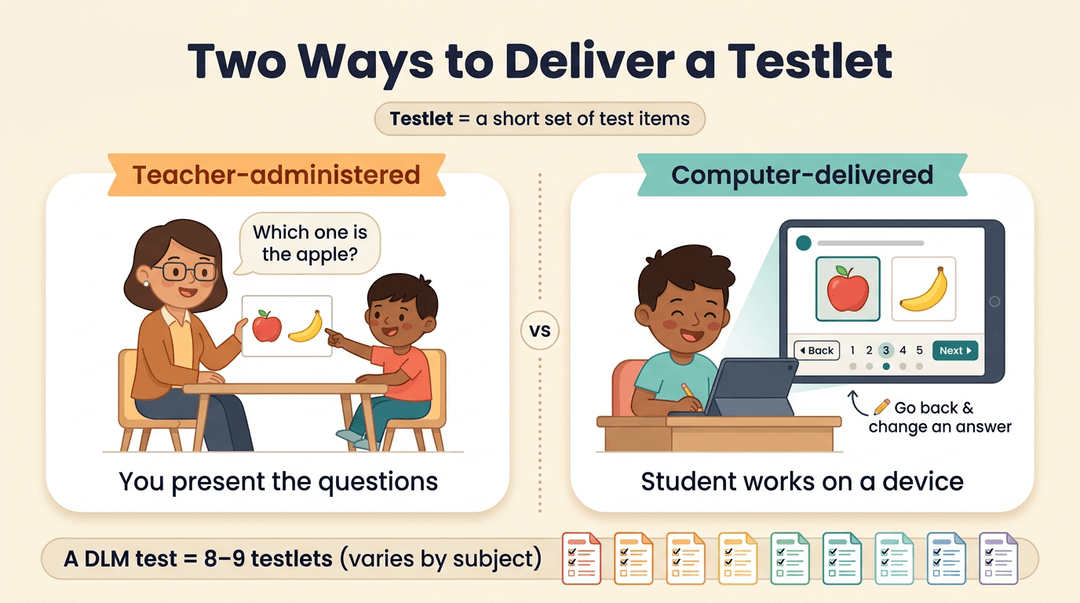
A testlet is a short set of test items, and DLM delivers them two ways. The big difference is how the questions reach your student: from you directly or through a device.
- Teacher-administered testlets: you present the questions yourself.
- Computer-delivered testlets: your student works through the questions on a device.
- Navigation and review features: computer-delivered testlets let students move between questions and review their answers.
According to a Dynamic Learning Maps overview, a DLM test includes 8 or 9 testlets, though the count varies by subject. Consider a student who wants to double-check an earlier answer. With review features, they can go back and change it.
Browse real and sample testlets
Real testlets are the quickest way to see what your students will face. Samples are organized by EE and linkage level, so you can find the ones that match your students' current work. You'll find both year-end and instructionally embedded (IE) samples.
Think of a teacher who pulls up a sample for a student's current EE, studies the question style, and builds practice in the same format. No surprises on test day.
Where to Find Essential Elements Resources
Before you plan around Essential Elements (EEs), you'll need to know which official resources exist and which ones your students need.
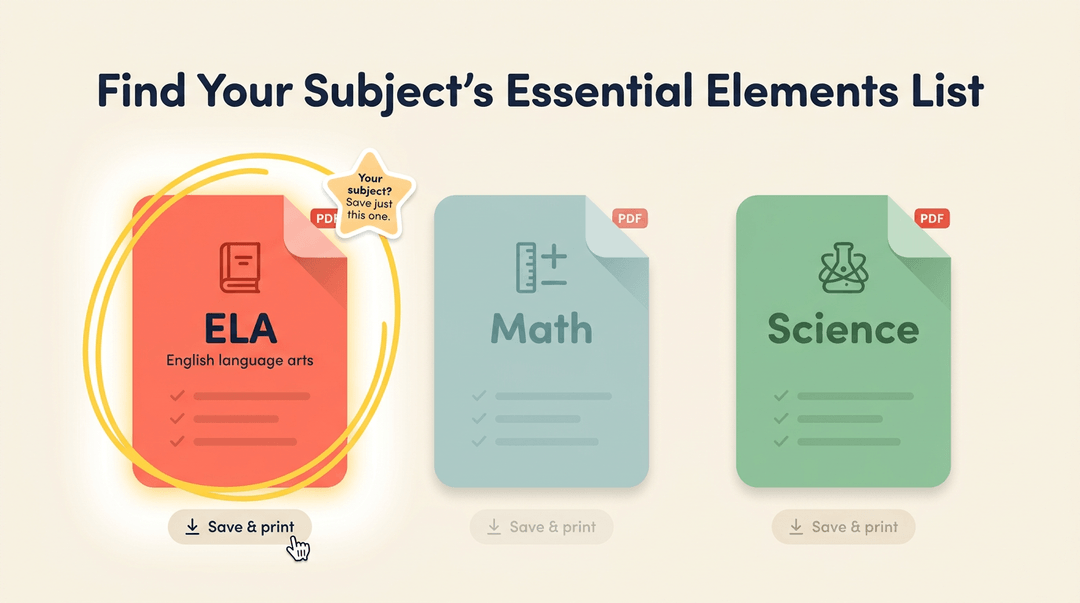
Full lists of Essential Elements by subject
Start with the complete list for your content area:
- ELA list: English language arts (ELA) elements in one place
- Math list: every mathematics element
- Science list: every science element
- Linked PDFs: each list links to a downloadable PDF (portable document format) you can save and print
Save the one you teach and skip the rest.
Tested Essential Elements and their mini-maps
Not every element on the full list is tested, so check whether an element is available for assessment before you build a unit around it.
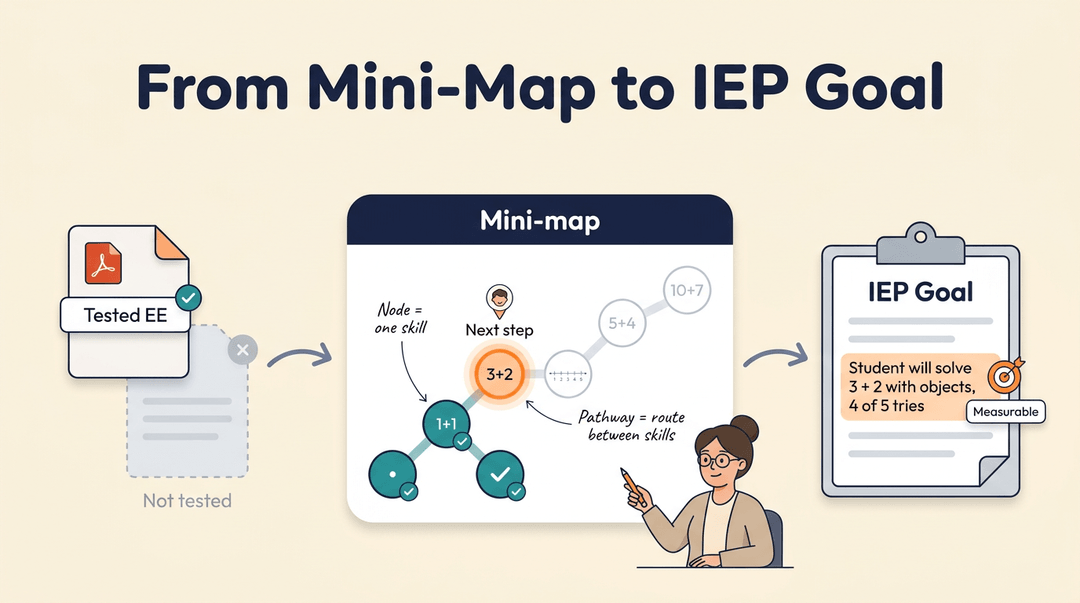
Each tested EE has its own PDF, and that PDF includes its mini-map: a small diagram of nodes (single skills) and pathways (the routes linking them). Mini-maps cover ELA, math, and science.
Consider a special education teacher writing a math goal for a student's individualized education program (IEP). She opens the mini-map, finds the node the student is ready for next, and builds the goal around that single step.
That's how you link EEs to IEP goals: the result is a goal specific enough to measure.
How blueprints set test coverage
A blueprint is the plan that sets what a test must cover. It starts with the pool of available EEs, the elements that could appear on a test. Then each conceptual area gets its own coverage requirement, so the test can't skip whole areas.
Blueprints are state-specific, so check yours first. If you teach high school biology, look for the high school biology science option before you plan.
Key manuals for accessibility, coordinators, and data
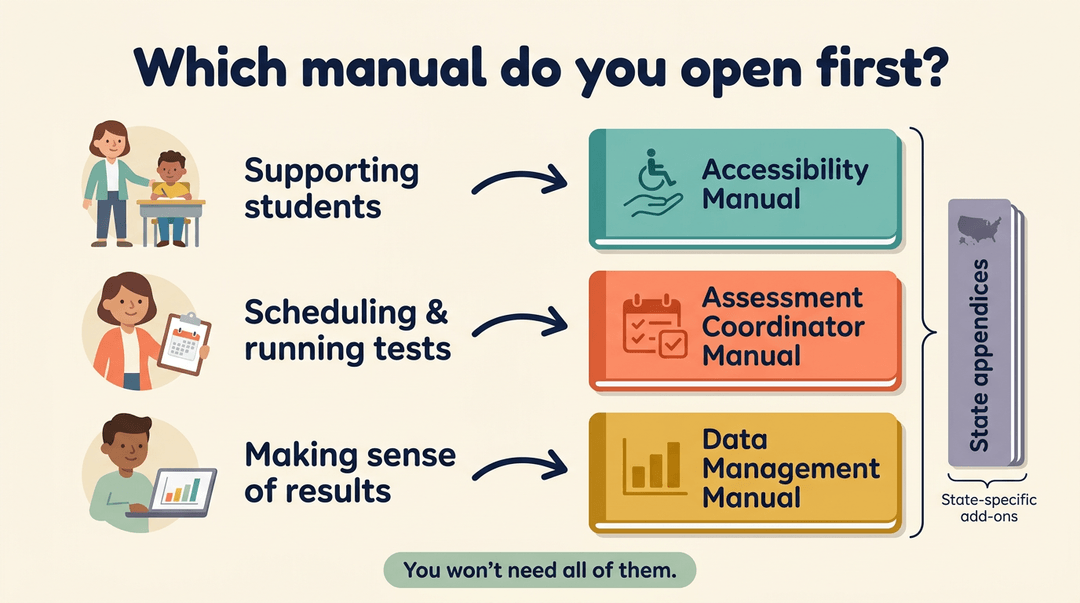
The manuals and appendices handle the nuts and bolts. You won't need all of them.
- Accessibility Manual: for questions about access and supports for students
- Assessment Coordinator Manual: for the people who schedule and run testing
- Data Management Manual: for handling and making sense of results data
- State appendices: state-specific additions that go alongside the manuals
Your role decides which one you open first.
Getting Educators and Students Ready
A few practical pieces need to be in place before instruction starts. Here's what to set up so the year runs smoothly.
Training every test administrator must complete
Every test administrator must finish training before giving the assessment. It runs through the Educator Portal, and your state sets the schedule, so check dates early. A facilitator guide supports the process.
Consider a special education teacher who's been named a test administrator. Before she meets her first student, she finishes the training, so she isn't learning on the fly. This is about preparation more than paperwork.
Set up each student's profile
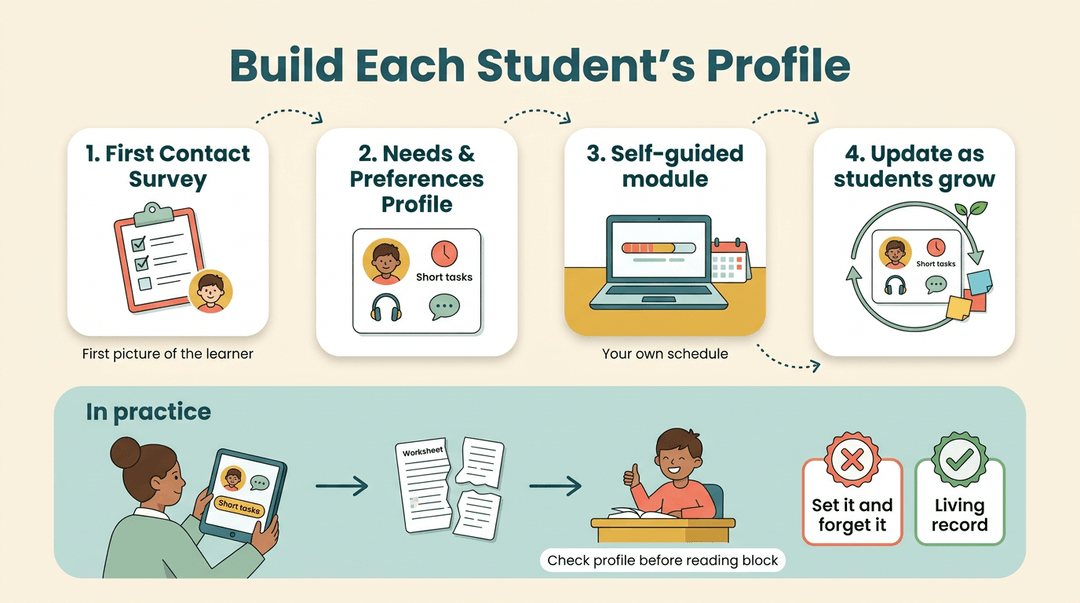
Each student needs a profile, built in this order:
- First Contact Survey. Gather the first picture of each learner.
- Personal Needs and Preferences Profile. Record each student's needs and how they prefer to learn.
- Self-guided module. Work through it on your own schedule to complete setup.
- Update profiles as students grow. A profile is a living record, not a one-time task.
Consider a teacher who checks a profile before the first reading block. It shows the student does better with shorter tasks, so she breaks the work into chunks and avoids a rough start. Keep profiles current rather than set it and forget it.
Classroom materials that support instruction
Materials should meet students where they are:
- Familiar texts. Start with material students know, so they can focus on the skill, not the story.
- Adapted chapter books. Longer reads adjusted so each student can access the content.
- Free professional development videos. Build your skills at no cost, whenever it fits your schedule.
- Visual self-assessment. Students check their own progress using visual cues.
Less scrambling, more teaching.
Who Takes Part in the DLM Consortium
Not every teacher works in a state that takes part in Dynamic Learning Maps (DLM), but that doesn't put its work out of reach. Here's who's involved and how you can contribute.
Which states take part in DLM
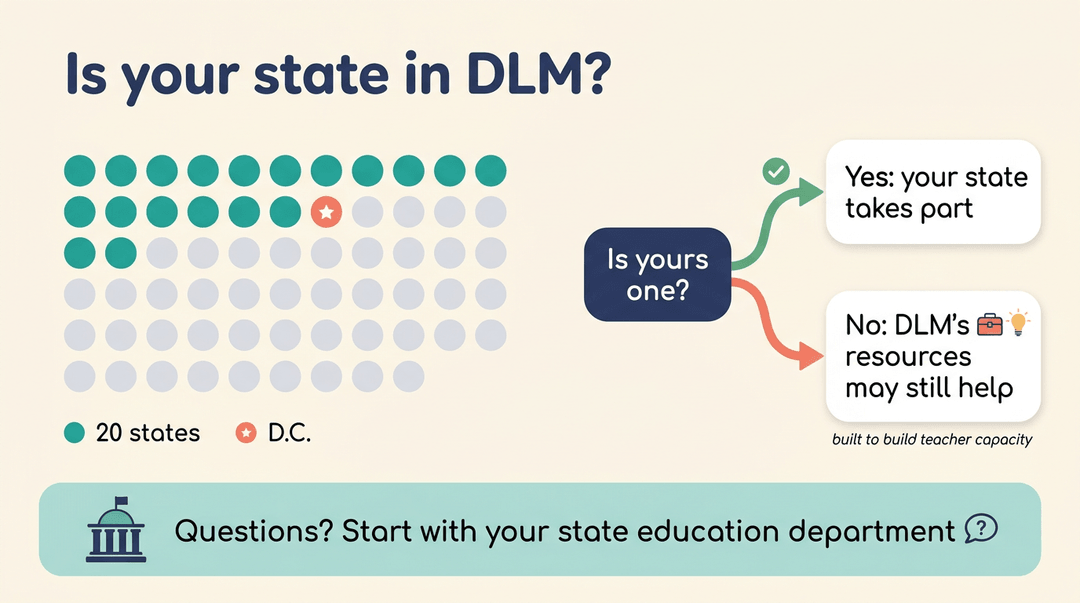
Twenty states plus the District of Columbia take part in DLM, so check whether yours is one of them.
If it isn't, DLM notes that its product resources may still be useful, since they're “designed to build teacher capacity and improve outcomes for students with disabilities.”
For questions about your own state, start with your state education department, which can point you to the right contact.
DLM events where educators can contribute
Educators don't just use DLM materials. They help build and check them. Consider a special education teacher who adapts lessons for students with disabilities every day.
Scoring student writing samples puts that daily knowledge to work and gives her a closer look at how these assessments come together. Classroom knowledge matters here.
DLM events offer several ways to get involved:
- Item writing. Educators help write the test items students see.
- External review. Educators review Essential Elements (EEs) and maps from outside the project team.
- Scoring student writing samples. Educators score the writing samples students produce.
- Participant benefits and stipends. Events also come with benefits and stipends, so look into those details before you sign up.
When you know what your students can do and what comes next, planning gets simpler and instruction gets more targeted. Dynamic Learning Maps Essential Elements give you a shared map for that work, whether you're planning a single lesson or a full unit.
Keep the focus on each learner's next step, and the rest tends to fall into place.
Ready to put that map to work? Check out Curriculum Planning, where you can plan units, lessons, and standards across the whole school year.
References
- Dynamic Learning Maps: States, Essential Elements, Testlets — mytelo.ai (2026)
- Home | DLM Products — products.dynamiclearningmaps.org