AI Literacy for Teachers: What It Means and How to Build It

Jump to section
Think about the first time you got a new smartphone. You didn't read the manual cover to cover: you poked around, figured out what mattered, and learned the rest by using it. AI literacy works the same way.
It simply means understanding what these tools do, where they help, and where they fall short, enough to use them with confidence and judgment. With AI showing up in classrooms whether teachers invite it or not, that understanding matters more than ever.
Here's what it actually looks like, and how to build it.
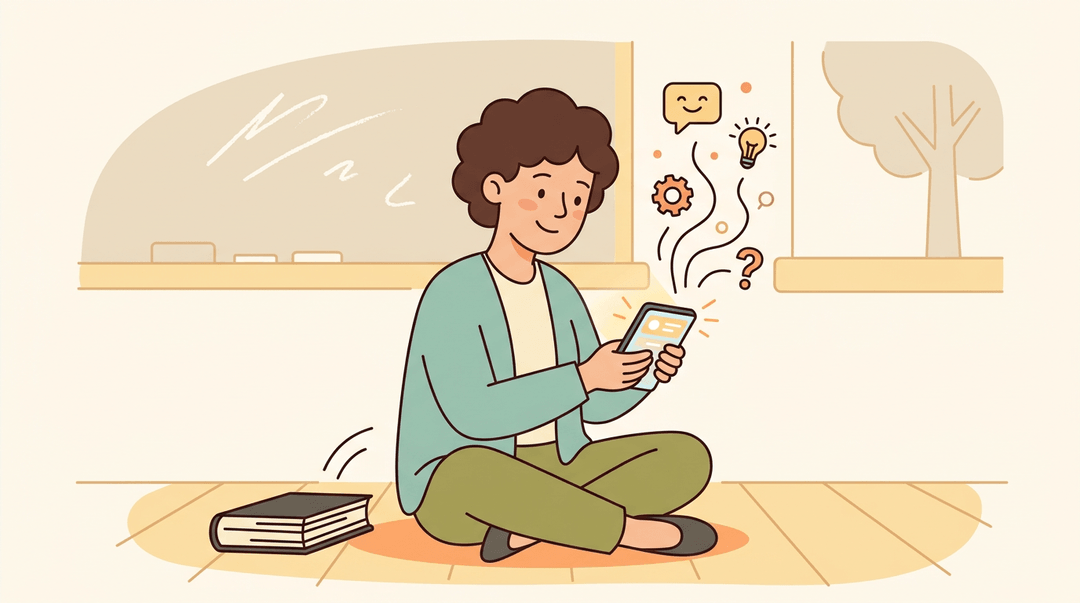
What AI Literacy for Teachers Really Means
AI literacy for teachers isn't about mastering one more app before the next one replaces it.
It's the working knowledge that lets you use an AI tool and judge what it hands back to you: as Digital Promise puts it, this means the knowledge and skills to critically understand, evaluate, and use AI systems to participate safely and ethically in a digital world.
For a classroom, that's a foundational skill set for instruction, not a side trick, and it applies just as much to a tutor building flashcards or a homeschool parent planning a unit as it does to a full-time classroom teacher.
Why AI literacy outlasts any single tool
Tools change constantly, but literacy transfers. The skill isn't clicking the right buttons, it's exercising judgment: knowing when an AI's answer is solid and when it's confidently wrong.
Consider a middle school writing teacher who understands roughly how a chatbot generates text. That teacher can spot a fabricated source before a student cites it, long after that particular tool has been swapped for the next one.
That's why AI literacy goes beyond prompt writing. Understanding has to come before using: you can't evaluate a tool's output responsibly until you grasp how it actually works.
What are the four pillars of AI literacy?
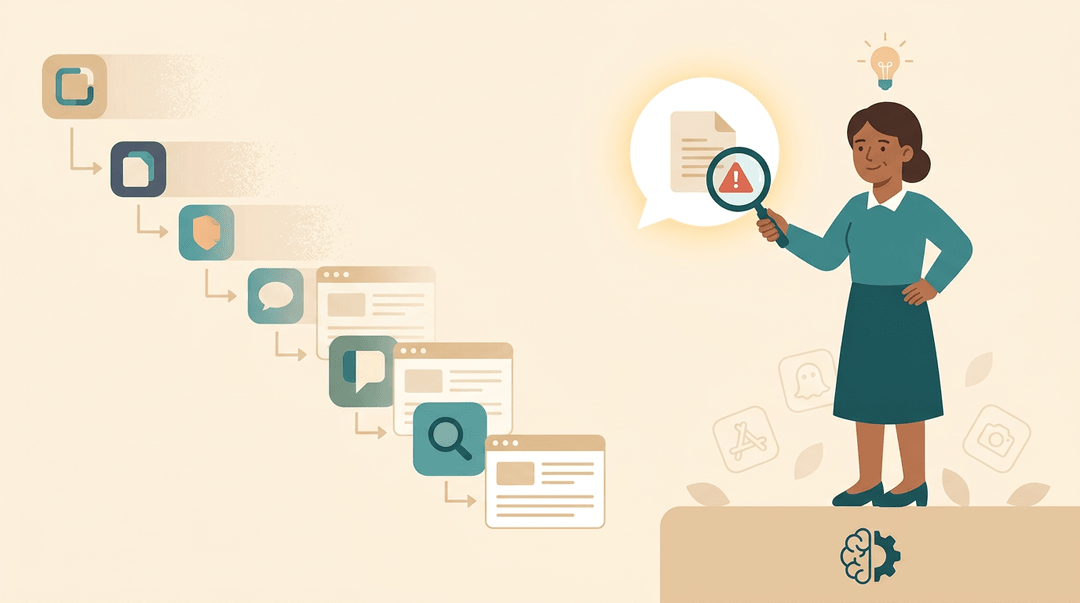
Several frameworks converge on roughly the same four pillars.
- UNESCO's AI Competency Framework for Teachers lays out the knowledge, skills, and values teachers need in the age of AI.
- Digital Promise's framework organizes literacy around understanding, evaluating, and using AI tools for real learning.
- Ohio's adoption of the ISTE Standards for Students folds AI alongside digital literacy into a shared state standard.
- ETS's Praxis Launches Adapt AI breaks literacy into four competencies:
- recognize and understand AI
- navigate AI ethically
- evaluate AI
- use and apply AI
Why AI Literacy Matters for Teachers Now
Walk into most schools today and you'll find artificial intelligence (AI) already in the building, whether or not anyone decided to let it in.
The gap between how fast the tools move and how ready teachers feel is exactly where AI literacy starts to matter.
Most teachers get no formal guidance
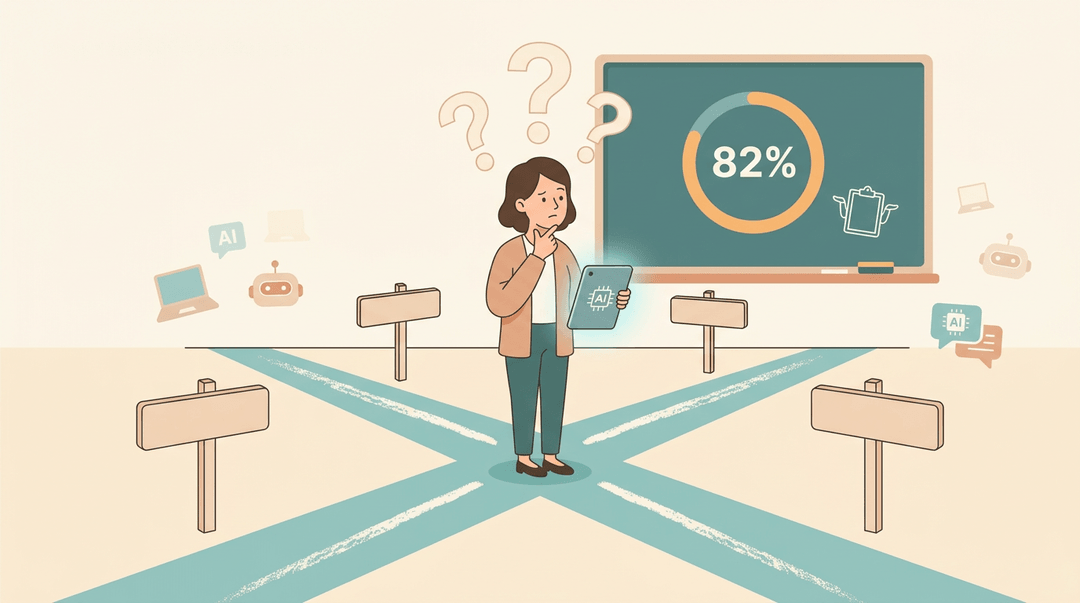
The numbers tell a stark story. According to a nationally representative Gallup/Walton Family Foundation survey, 82% of teachers say they've received no formal guidance on how to apply AI tools to their work.
A separate Gallup poll found an even smaller slice: just 18%, fewer than 1 in 5, report getting any formal guidance from administrators at all. Roughly 70% say they still lack the professional development they'd need to use these tools well.
And when it comes to classroom policy, a recent poll on teachers and critical thinking found only a third of teachers have a formal policy on student AI use. That's a lot of classrooms running on guesswork.
AI adoption is outpacing teacher training
The tools aren't waiting for a permission slip. EdWeek Research Center data shows teacher use of generative AI nearly doubled between 2023 and 2025.
Students aren't far behind: Pew Research Center found 54% of teens have already used AI chatbots for schoolwork help.
Plenty of students are experimenting with AI before their teachers have had a real chance to learn it, and AI is already embedded in the edtech tools schools use every day, invited or not.
How AI literacy saves time and builds confidence
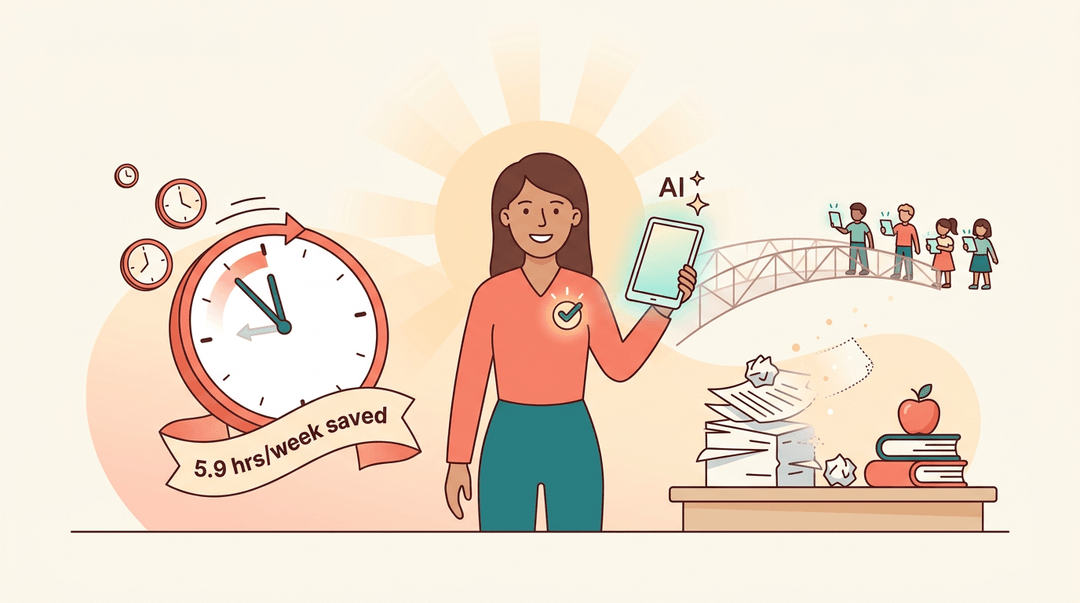
Here's the upside: teachers who build AI literacy report saving close to 5.9 hours a week, time that goes back into teaching instead of busywork. That confidence matters, too.
Knowing how a tool works, and where it falls short, reduces the uncertainty that keeps good tools sitting on the shelf. It also closes the gap between students who are already using AI and teachers still catching up.
The Core Skills Behind AI Literacy
AI literacy isn't one skill. It's a handful of smaller ones, and every one of them is learnable in an afternoon, not a semester.
How AI actually works, in plain terms
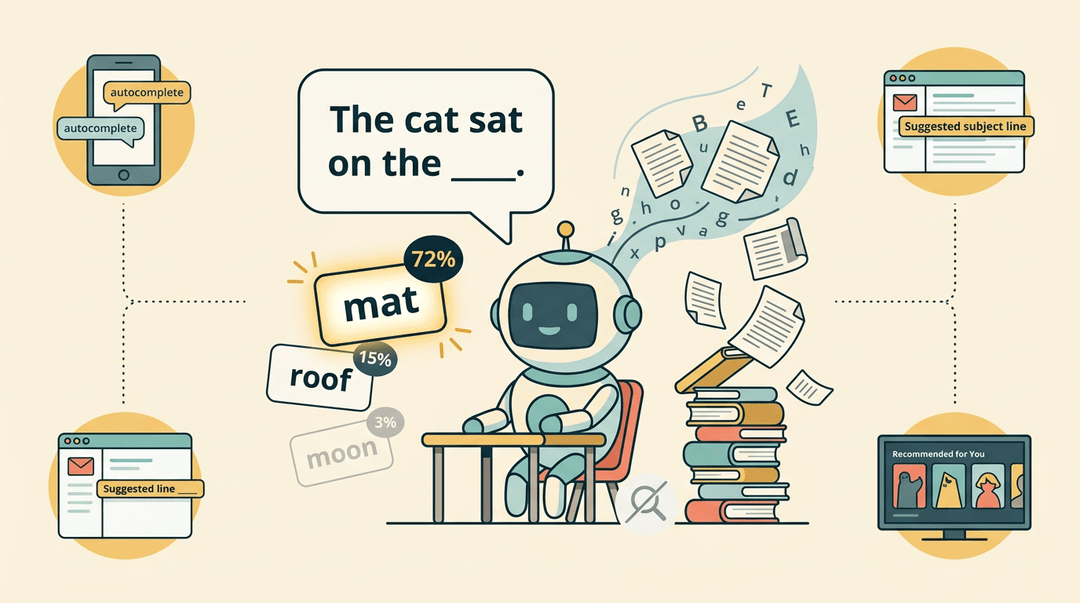
Think of a tool like a chatbot less as a search engine and more as a well-read guesser. A large language model, a type of AI trained on huge amounts of text, doesn't look anything up in real time.
It predicts the next most likely word based on patterns it learned during training. That's why it can write a confident paragraph about something it's never actually seen: it's not recalling, it's predicting.
Once you spot that pattern, you'll notice it everywhere: autocomplete on your phone, the subject line your email suggests, the "recommended for you" row on a streaming service.
Spotting bias, errors, and confident wrong answers
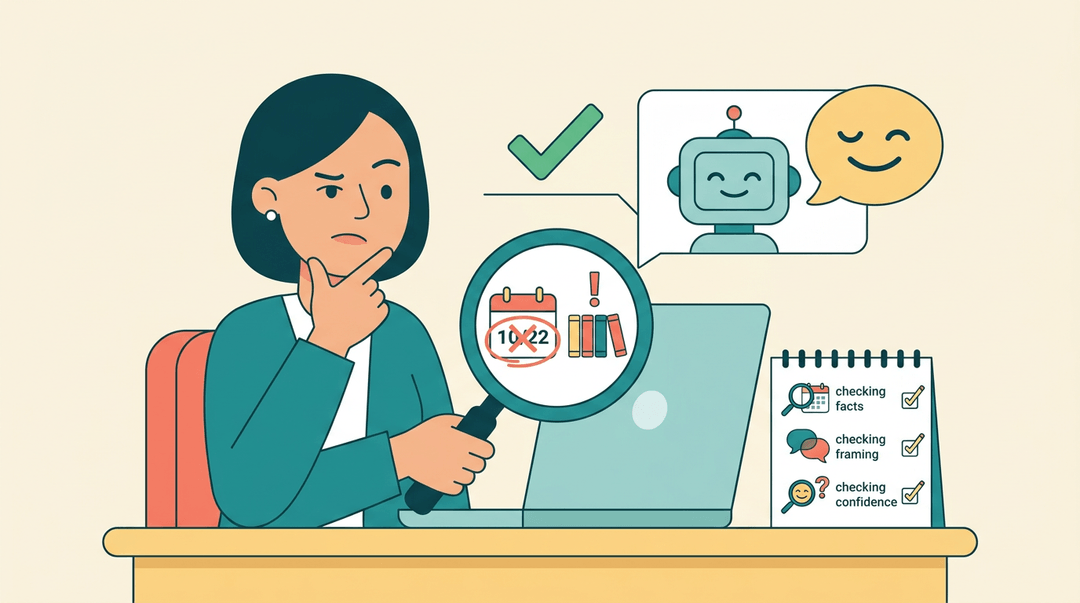
Treat every AI output as a rough draft, never a finished answer. Three rules keep that habit honest:
- Check the facts. Verify any date, name, or statistic before it reaches a student.
- Check the framing. Ask whose perspective is missing and whose examples got picked.
- Check the confidence. AI delivers wrong answers in the same calm tone as right ones, so confidence is never proof of accuracy.
This matters most when output touches real students: a reading list skewed toward one culture, or bias in who gets featured in a word problem, can slide through unnoticed if you're not looking for it.
Writing prompts that get better results
Prompting is a skill you refine through trial, not guesswork. The more context you give (grade level, standard, student needs), the closer the first draft lands.
For example, a seventh-grade teacher asking for "three discussion questions on photosynthesis aligned to NGSS, for students who struggle with multi-step reasoning" gets something far more usable than a bare "write discussion questions."
Specific in, specific out.
Keeping your professional judgment in the loop
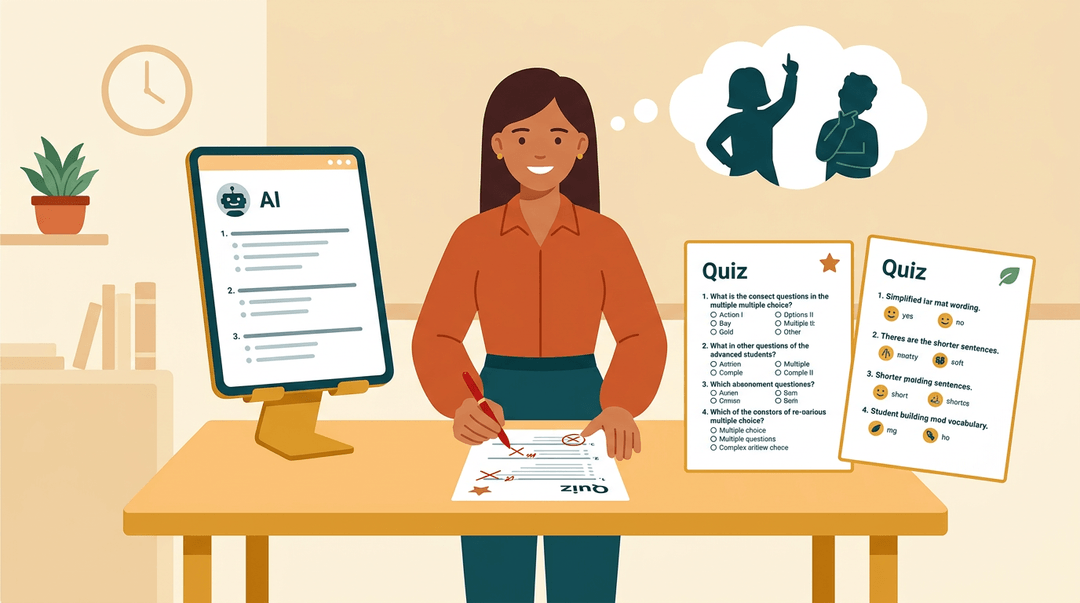
AI can draft, but it can't know your students. Protecting that pedagogical judgment means deciding, lesson by lesson, when a tool actually helps and when it just adds a step.
A quiz AI generates might need harder distractors for your advanced group, or simpler wording for a student still building academic vocabulary. The adapting is the teaching. The AI only hands you something to adapt.
Using AI ethically, safely, and fairly
Every free AI tool collects something, so it's worth knowing what data a platform stores before students type into it.
Bias in a tool's training data doesn't affect every student equally either: it can quietly reinforce gaps for English learners or students with disabilities. Navigating AI ethically and safely isn't a one-time checklist.
It's a habit of asking who benefits, who's left out, and what happens to the data, every time a new tool shows up in your classroom.
Your AI Literacy Action Plan
Everything above only matters once it shows up in your classroom. This plan gets you from "I've heard of ChatGPT" to teaching a working AI-assisted lesson, in four steps you can spread across a term.
Step 1: audit where you stand
Before you build anything, confirm these three things:
- Your tool list is written down. Include everything AI-flavored: grammar checkers, slide generators, chatbots.
- Student exposure is noted. Run one quick poll: "Which AI tools did you use this week?"
- Policy gaps are flagged. If your school has no written AI policy, email leadership today.
Sample audit entry: "Me: Grammarly, ChatGPT for parent emails. Students: Snapchat My AI, Photomath. School policy: none found."
Step 2: build the three core skills
You don't need a course before you start; you need short, deliberate reps. One ten-minute rep per skill, per week, is plenty.
| Skill | Your first ten-minute rep |
|---|---|
| Evaluating output | Ask about a topic you know; find the error |
| Prompt writing | Give a role, task, and format in one prompt |
| Data privacy | List which tools your district has actually approved |
A prompt worth copying for that second rep: "Act as a 7th-grade science teacher. Draft a 10-minute warm-up on photosynthesis with one discussion question."
⚠️ Watch out: never paste student names, grades, or work into a free public chatbot. If the tool isn't district-approved, student data doesn't go in.
Step 3: teach one AI-assisted lesson
Now put the skills together in a single, low-stakes lesson.
- Draft one lesson with AI help.
- Try: "Draft a 45-minute lesson on [topic] with a hook, practice, and exit ticket."
- Adapt the draft for your learners.
- Ask for the same reading at two levels, or a translated vocabulary list.
- Set student expectations out loud.
- Say: "You may use AI to brainstorm ideas, not to write your final answer."
Example: An English teacher has AI generate three weak thesis statements, then students diagnose and fix them. The AI's flaws become the lesson content, and students practice evaluation alongside you.
Step 4: track your progress each term
Literacy fades without a rhythm, so put three recurring items on your calendar:
- Finish one free course. Most run two to four hours and issue a certificate.
- Log the PD hours. File the certificate in your evaluation folder the same day.
- Rerun the Step 1 audit. Your tool list and your students' exposure will have changed by next term.
When you reach Step 3, let EMStudio's AI Lesson Editor turn these new literacy skills into ready-to-use lesson drafts.
Putting AI to Work in Your Classroom
Knowing what AI literacy means is one thing. Using it by Tuesday afternoon is another. A kindergarten teacher and a high school teacher will reach for AI differently, but the payoff (less prep, more teaching) stays the same across every grade band.
Saving time on lesson planning
AI can draft a first version of almost anything on your plate:
- a lesson plan
- a rubric
- a differentiated text
- even first-pass feedback on student writing
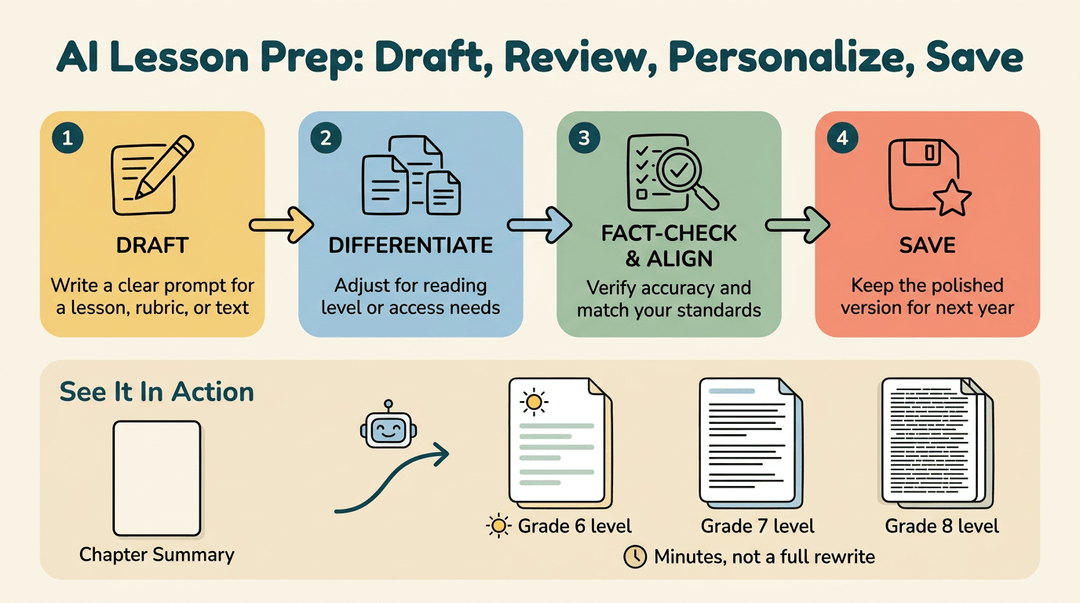
Consider a middle school ELA teacher who feeds a chapter summary into a chatbot and gets back three reading levels of the same passage in minutes, instead of rewriting it from scratch.
Build a simple workflow and reuse it: draft, review, personalize, save. A quick checklist keeps it tight:
- Draft the lesson, rubric, or text with a clear prompt.
- Differentiate for reading level or access needs.
- Fact-check and align it to your standards.
- Save the polished version for next year.
Adapting AI output for every learner
AI's first draft is rarely the final one. Adjust the reading level, add visuals or audio for accessibility, and swap in examples that reflect your students' names, neighborhoods, and backgrounds.
Think of a special education teacher who asks AI to rewrite a science passage at a lower reading level and add picture supports for an IEP, then checks it still lines up with the day's objective.
What are the top 10 AI tools for teachers?
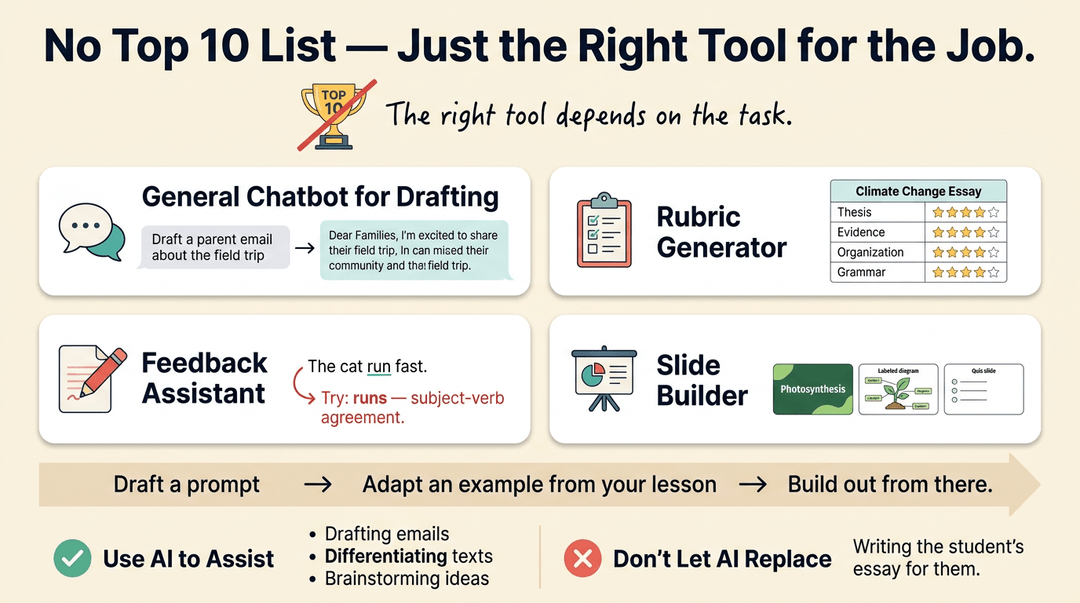
There's no single best-ten list: the right tool depends on the task. A few categories cover most classroom needs:
- a general chatbot for drafting
- a rubric generator
- a feedback assistant
- a slide or presentation builder
Draft a prompt, adapt an example from your own lesson, and build out from there. The goal is to integrate AI into real tasks like drafting and differentiating, not to let it replace the learning itself, like writing a student's essay for them.
Keeping Student Data Safe
Every new app you try out in class carries a quiet question: what happens to your students' information once you hit enter? Two federal laws, plus a bit of healthy caution, answer most of it.
What FERPA and COPPA mean for AI use
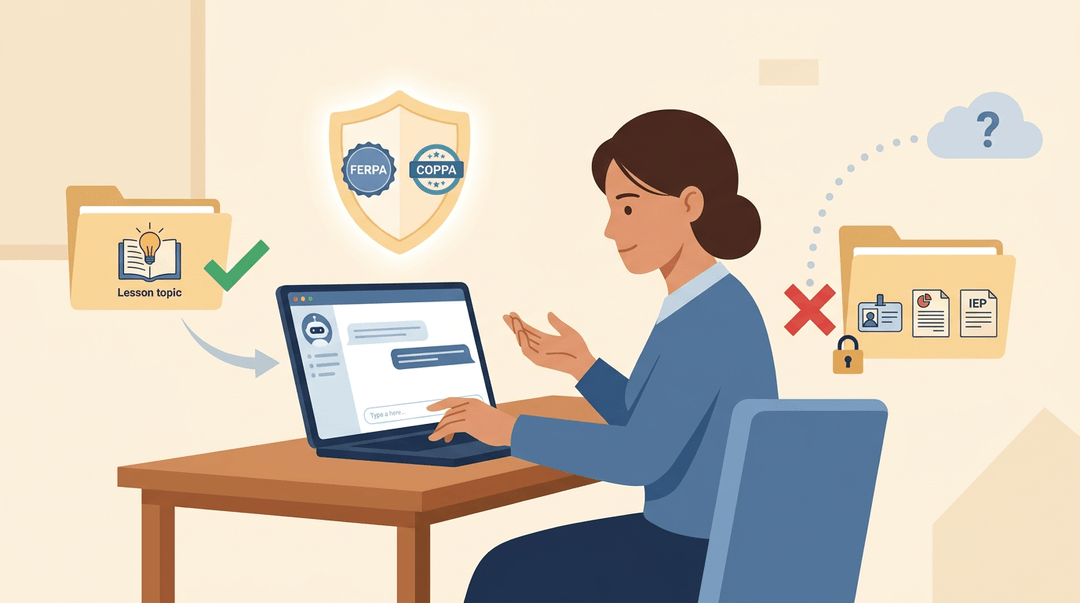
FERPA (the Family Educational Rights and Privacy Act) protects student education records, and COPPA (the Children's Online Privacy Protection Act) limits what companies can collect from kids under 13. Together, they set the floor for any AI tool entering your classroom. Do feed a chatbot a generic lesson topic or a stripped-down writing sample. Don't type in a student's full name, grades, IEP details, or any other personally identifiable information (PII): once it's in the prompt, you've lost control of where it goes.
Choosing school-safe tools over consumer apps
A consumer chatbot built for general use is a different animal than a school-safe AI platform built with student privacy in mind. Most consumer tools require users to be 13 or older, which rules out plenty of elementary classrooms outright. Stick to tools your district has already vetted and approved: if it's not on that list, check with your tech coordinator before your students ever touch it.
Spotting privacy risks before they happen
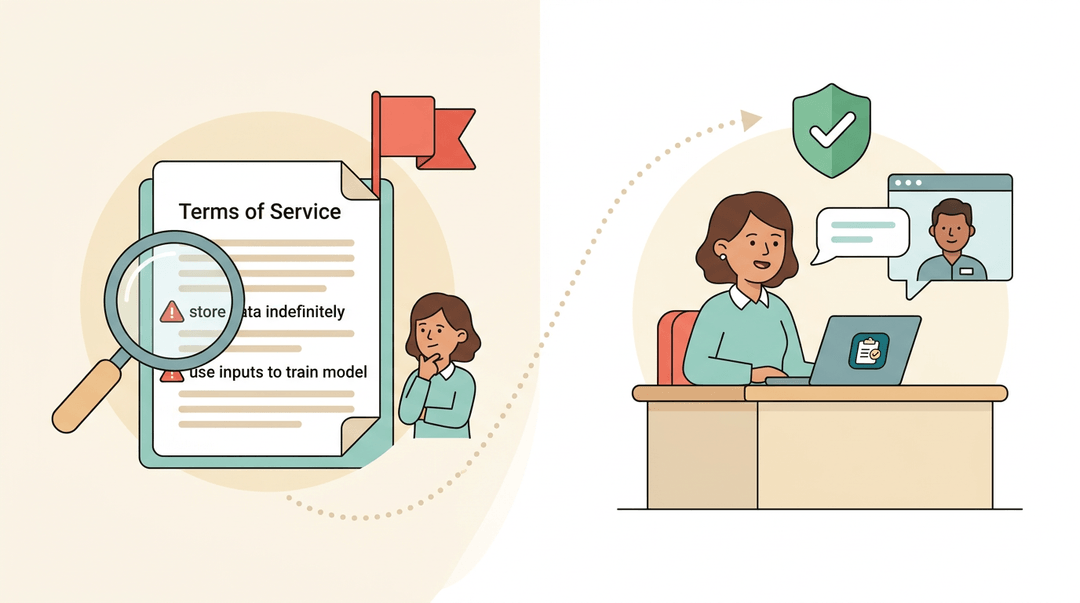
Protecting student data starts with reading the fine print: does the tool store inputs indefinitely, or use them to train its model? Those are red flags worth noticing early. When in doubt, lean on your district's guidelines rather than guessing. A middle school teacher who checks with IT before adopting a new grading assistant avoids a mess nobody wants to clean up later.
Academic Integrity in the Age of AI
Most worries about AI in the classroom boil down to one question: how do you know who actually did the work? Catching cheaters matters less than building habits that make cheating beside the point.
Why AI detectors aren't reliable
AI detectors sound like a quick fix, but they're not. They routinely flag honest, human-written essays as machine-made and miss text that's been lightly edited after generation. A better bet is watching process over product:
- drafts
- outlines
- revision history
- the small signals that show up in a real conversation about the work, like a student who can't explain a choice they supposedly made themselves
What is the 30% rule for AI?
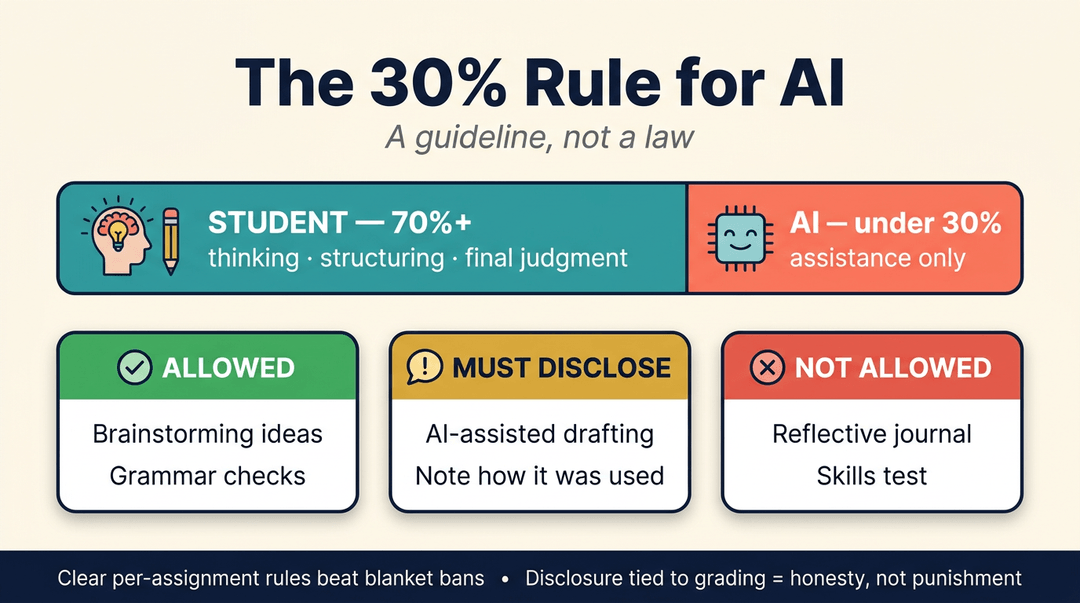
The 30% rule is a simple guideline, not a law: AI's contribution to a finished piece of work should stay under roughly a third, with the student doing the thinking, structuring, and final judgment.
In practice, that means spelling out per-assignment what's allowed (brainstorming, grammar checks), what's required to disclose, and what rules the AI out entirely (a reflective journal, a skills test).
Clear, assignment-level rules hold up far better than a blanket ban, and tying disclosure to grading keeps expectations honest instead of punitive.
Teaching students to use AI responsibly
Model transparent AI use yourself, and talk about integrity openly instead of treating it as a gotcha. Design assignments that assume AI exists (asking students to critique or improve an AI draft, for instance) rather than ones it can quietly finish.
Letting students help set the classroom's AI rules builds real buy-in. A short syllabus line works well: "You may use AI for brainstorming and editing, but you must disclose it and submit your drafts."
Ways to Build Your AI Skills
Knowing what AI can do is one thing. Building the skill to use it well takes practice, and that practice comes in different sizes: a single afternoon, a full graduate program, or something in between.
Free courses you can finish fast
Not every teacher has a semester to spare, and you don't need one to get started:
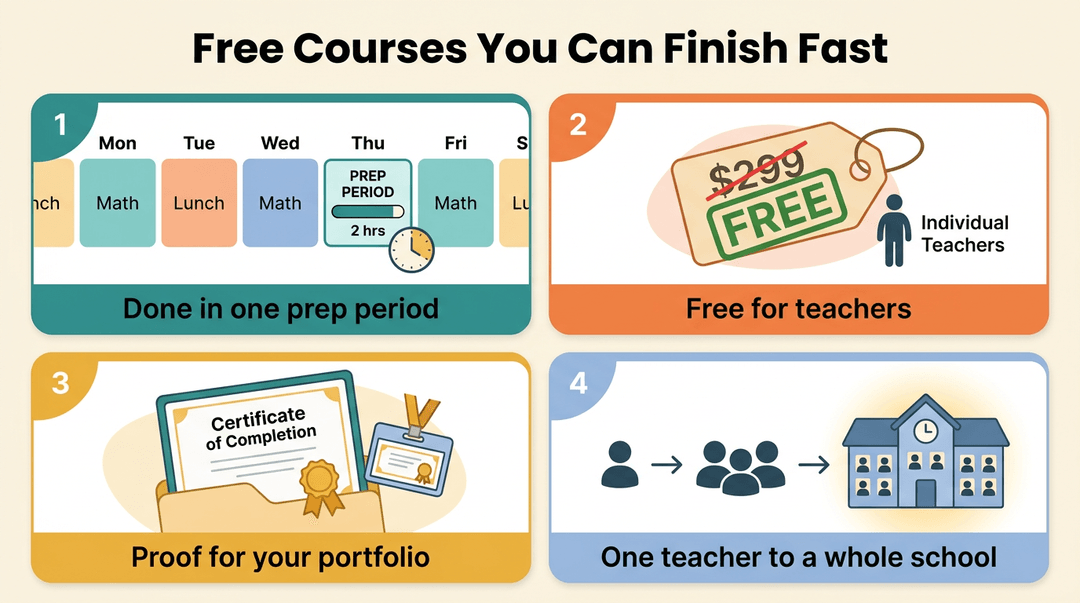
- Time: a self-paced course of about two hours, easy to finish in a prep period.
- Cost: free for individual educators.
- Proof of work: according to a practical approach to AI literacy in K-12 classrooms, finishing the course awards a certificate that "showcas[es] their expertise," something you can point to in a portfolio or at a conference.
- Scale: district or school rollout options, so one teacher's quick win becomes a shared, building-wide baseline.
Graduate programs for deeper AI training
If a free course lights the spark, a graduate program builds the fire.
Boston University's Online Master of Education in AI & Education is a 30-credit fully online program built to prepare educators for graduate-level governance: the policy, ethics, and oversight work that sits above the classroom.
The program is designed "to help educators and leaders guide AI adoption with judgment, responsibility, and impact," and its capstone pairs candidates with real schools, so the final project gets tested, not just theorized.
Measuring AI skills at the district level
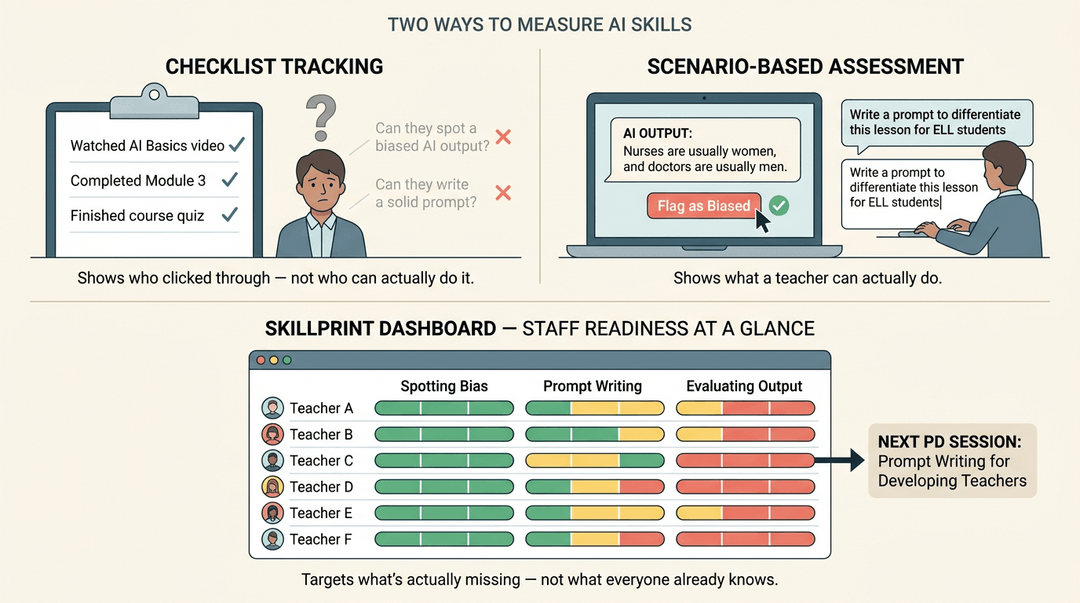
A checklist can tell you who clicked through a course. It can't tell you who can actually spot a biased AI output or write a solid prompt.
That's why districts are shifting toward scenario-based skill assessment: realistic tasks that show what a teacher can do, not just what they've watched.
A Skillprint dashboard can track that readiness across a whole staff, flagging gaps so the next round of professional development targets what's actually missing instead of repeating what everyone already knows.
Earning PD credit and certificates
Most of these courses leave you with more than new skill: they leave you with a paper trail.
A certificate documents your professional development hours, but check with your district before assuming it counts toward CEUs (continuing education units), the credit many states require for license renewal.
Once it's confirmed, add the digital badge to LinkedIn: a small signal that you didn't just hear about AI, you built real skill with it.
What District Leaders Need to Know
Teachers aren't the only ones figuring out AI literacy. District leaders carry the harder job: setting the guardrails that keep classrooms safe without slowing down good teaching.
Making defensible AI policy decisions
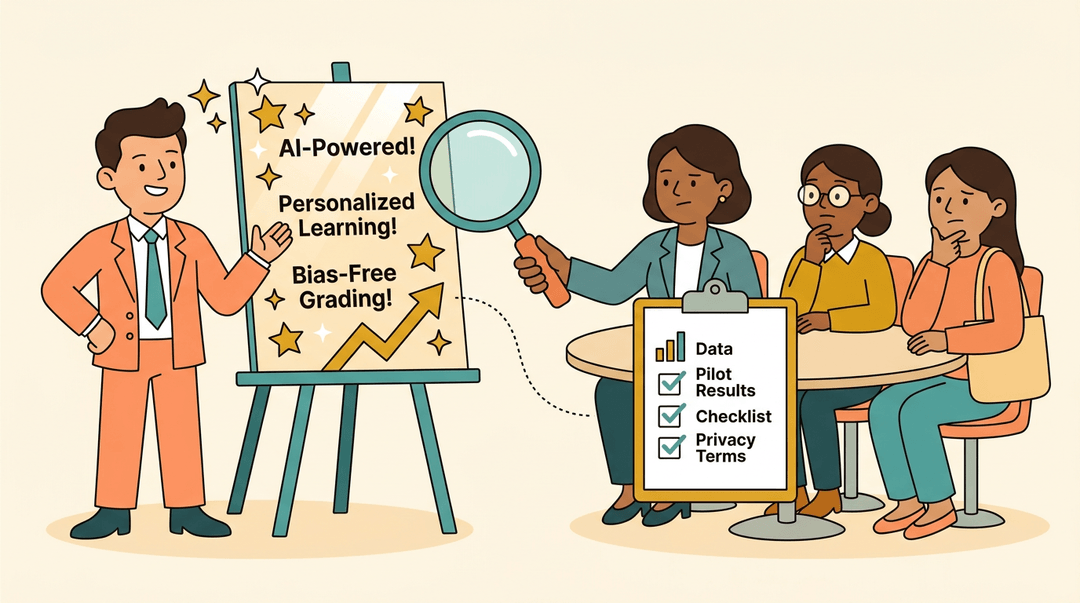
Vendor claims move faster than the evidence behind them. A platform might promise personalized learning or bias-free grading, but promises and proof aren't the same thing.
District leaders need defensible decision-making judgment: the ability to ask a vendor for data, pilot results, and privacy terms before a tool reaches a single classroom.
That judgment is what turns a flashy pitch into a sound policy, and it's what a school board can point to when a parent or teacher asks, "Why this tool?"
Building frameworks communities trust means involving teachers, families, and tech staff early, not announcing a decision after the fact.
Getting your district ready for AI
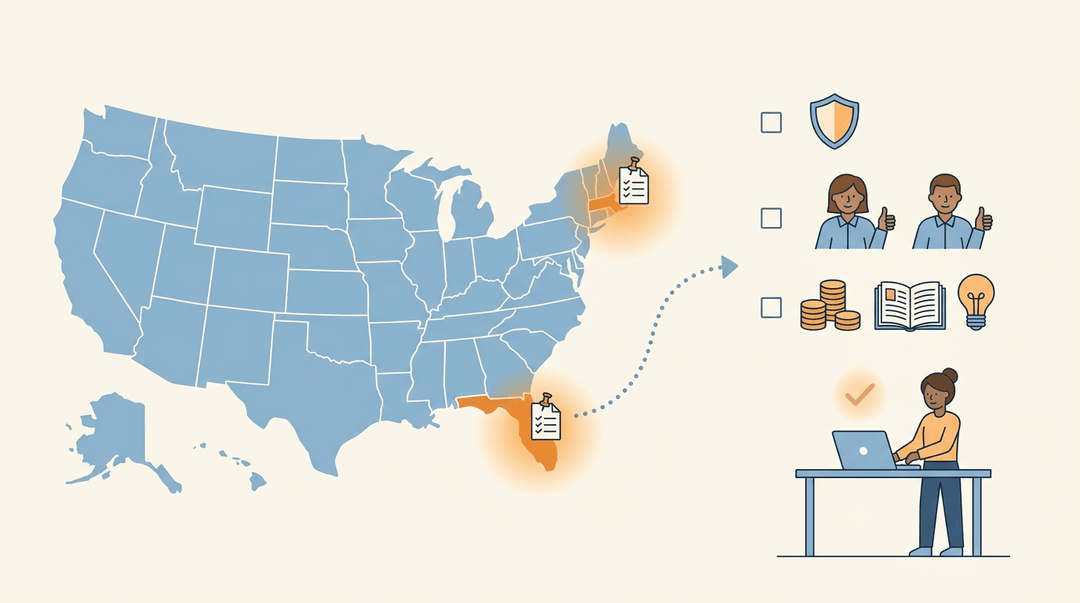
Some states have already drawn a map. Massachusetts has published guidance designed to help district leaders create and refine AI-related policies, and Florida has issued its own state-level guidance too. Districts don't have to start from scratch.
From there, readiness comes down to a few practical moves:
- Consistent expectations across staff. One grade-level team banning AI while another embraces it creates confusion fast.
- Compliance and risk reduction. Clear policy protects student data and keeps the district out of legal gray areas.
- Prioritizing budget and training. Money spent on licenses means little without the professional development to use them well.
AI literacy isn't a certificate you earn once. It's a working knowledge you build lesson by lesson, question by question, always with your students' growth and safety at the center.
Get the core skills down, and the policy questions, privacy concerns, and integrity worries stop feeling like obstacles and start feeling manageable.
Ready to put that literacy to work? Check out our AI Lesson Editor to draft and refine lessons with built-in AI assistance, so tomorrow's plan is a little easier to build.
References
- Become an AI-Ready Education Leader | BU Online MS Program — bu.edu (2026)
- Empowering Educators: A Practical Approach to AI Literacy in K-12 Classrooms — exa.ai (2025)
- Ohio’s Learning Standards for Technology — education.ohio.gov
- Massachusetts Guidance for Artificial Intelligence in K–12 ... — doe.mass.edu
- Praxis Launches Adapt AI, Empowering K-12 Districts with Insights on Educator AI Readiness — in.ets.org (2026)
- Teachers Say Lack of AI Guidance Is a Major Problem — edweek.org
- Most Teachers Receive No Formal Guidance on AI Use — news.gallup.com (2026)
- Teachers fear AI erodes critical thinking: poll — winssolutions.org (2026)
- More Teachers Are Using AI in Their Classrooms. Here's Why — edweek.org (2026)
- How Teens Use and View AI — pewresearch.org
- AI Teacher Time Savings: A School Measurement Playbook — topschool.ai
- AI Literacy: A Framework to Understand, Evaluate, and Use Emerging Technology — digitalpromise.org
- AI competency framework for teachers — unesco.org
Frequently asked questions
What is the 30% rule for AI?
1. The 30% rule is a guideline suggesting that AI should contribute no more than roughly 30% of a finished assignment. The student should do the thinking, organization, and final judgment, while clearly following assignment-specific rules about permitted use and disclosure.
What are the four pillars of AI literacy?
2. The four commonly cited pillars are recognizing and understanding AI, navigating AI ethically, evaluating AI outputs, and using and applying AI effectively. Together, they cover how AI works, how to use it responsibly, how to judge its accuracy and bias, and how to apply it to real tasks.
What are the top 10 AI tools for teachers?
3. There is no universal top-10 list because the best tool depends on the task and school requirements. Useful categories include general chatbots for drafting, rubric generators, feedback assistants, slide or presentation builders, lesson-plan generators, differentiation tools, grammar checkers, translation tools, quiz generators, and accessibility tools. District approval and student-data protections should guide the choice.
What are examples of AI literacy?
4. Examples of AI literacy include understanding that chatbots predict likely text rather than reliably retrieving facts, writing specific prompts, checking AI-generated information and bias, adapting outputs to students' needs, protecting student data, following privacy and academic-integrity rules, disclosing AI assistance, and deciding when professional judgment should override an AI suggestion.