Record Retention Explained: Periods and Permanent Files

Jump to section
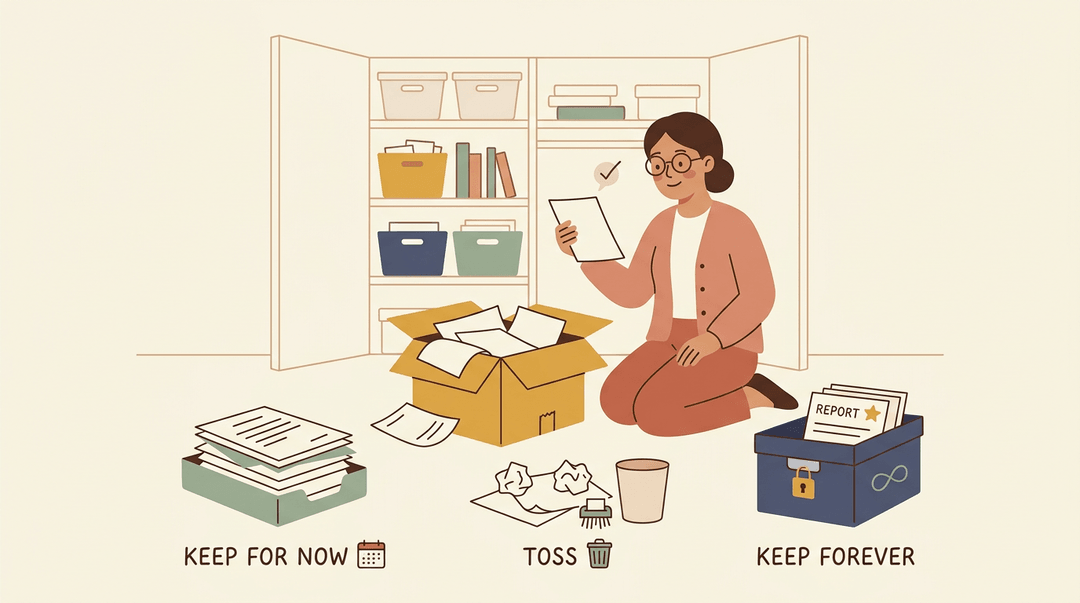
Think about the box of old permission slips, report cards, and lesson plans in your closet. Some you'll need again next month, some you could toss today, and a few must never be thrown away.
Record retention is the practice of sorting that pile on purpose instead of by guesswork.
In plain terms, record retention means deciding how long to keep each document, when to destroy it, and which records stay forever.
This post covers schedules, periods, permanent records, destruction, and policy building, plus a checklist you can use with your own files.
Record Retention Periods for Each Document Type
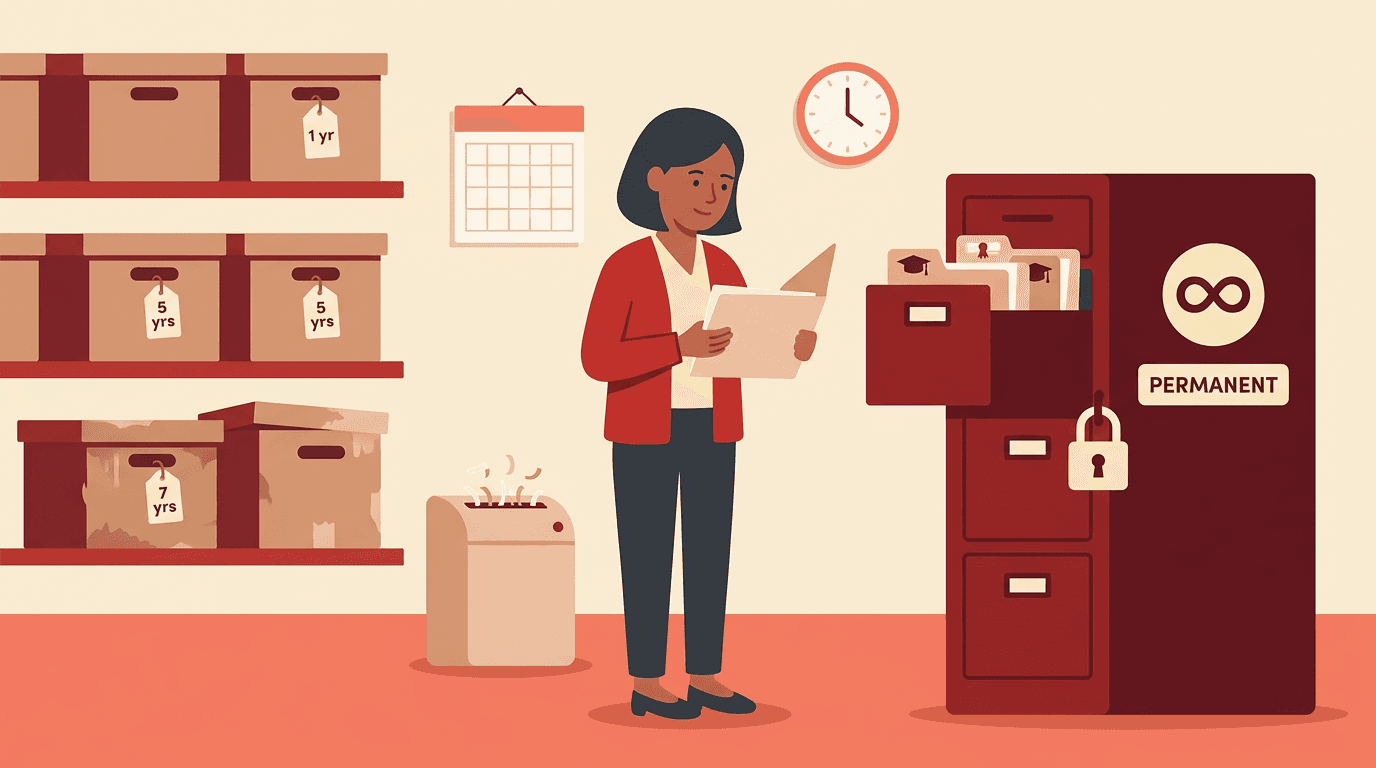
Every document has a retention period: how long you hold it before it's safe to destroy. Student and school records follow their own schedules, so check with your district first.
How long to keep business records
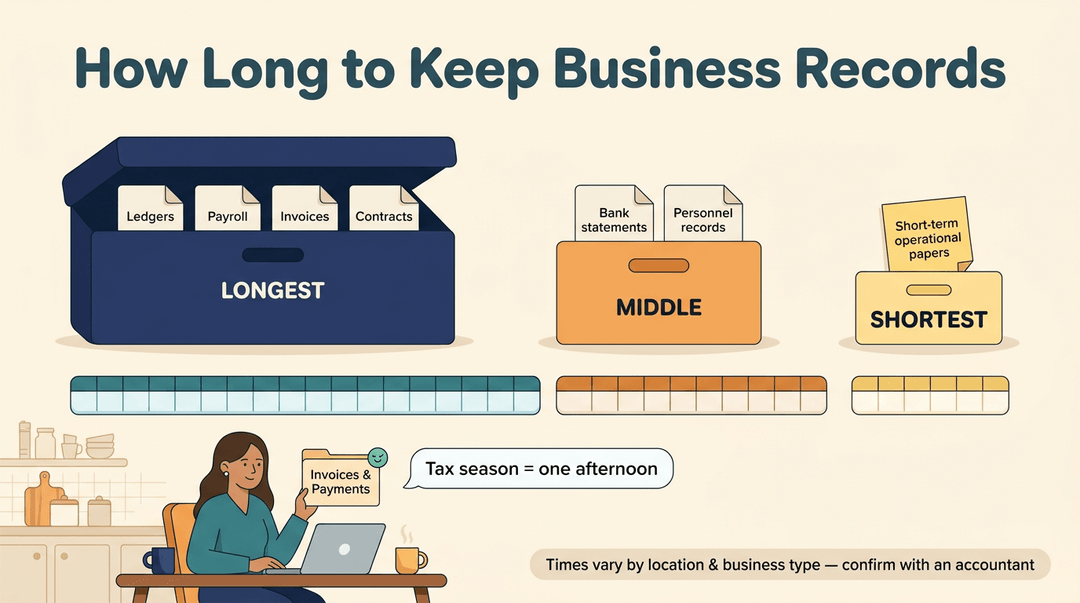
Exact lengths depend on your location and business type, so confirm them with an accountant. Business papers generally fall into three tiers:
- Longest-held: ledgers, payroll, invoices, and contracts.
- Middle: bank statements and personnel records.
- Shortest: short-term operational documents.
Think of a teacher who tutors on weekends. A labeled folder of invoices and payment records turns tax season into an afternoon.
Personal and household papers to keep
Keep credit card and utility records long enough to settle any billing question. Hold medical bills and insurance disputes until they're fully resolved.
Tax-supporting documents, like receipts behind your return, stay on file for as long as your tax authority could ask about them.
Monthly statements give you the detail, while year-end statements give you the summary you'll want at tax time.
Records with special holding rules
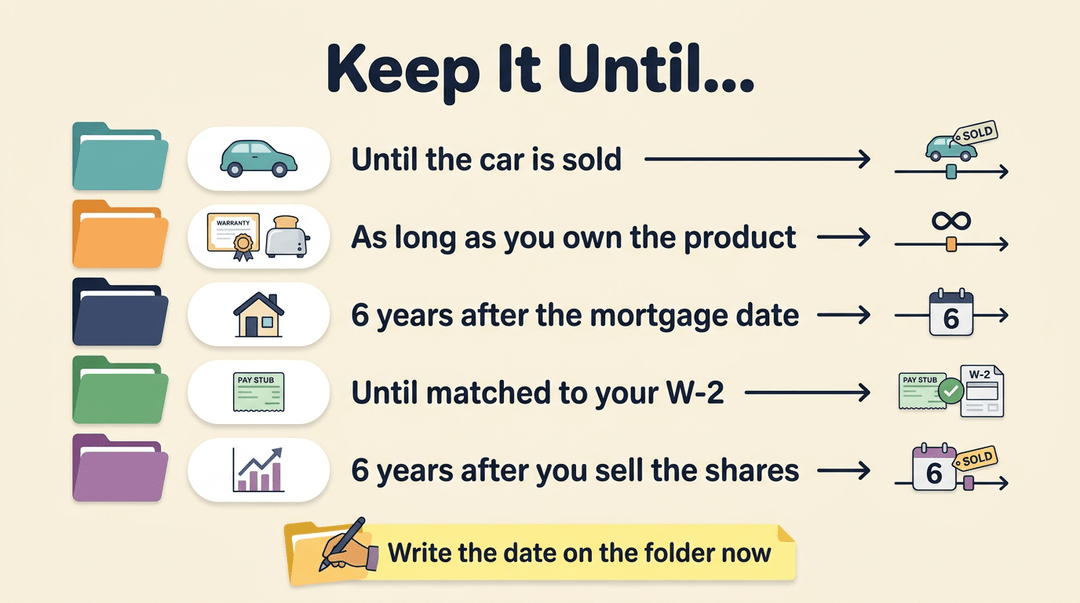
- Car records: keep them until the car is sold.
- Warranties: keep them for the life of the product.
- Mortgage files: according to Lockton's summary of the UK Finance Mortgage Lenders' Handbook, you must keep yours for at least six years from the date of the mortgage before destroying it.
- Pay stubs: keep them until your annual W-2 wage and tax statement has been reconciled, or matched, against them.
- Stock records: keep them for six years after you sell the shares.
Write each date on the folder now.
Teacher Checklist for Keeping Records
Use this guide to sort what you keep, find the rules that apply to you, and clear out the rest each year. Print it and run through it once per school year.
Sort what you have
Start by putting every record into a bucket. For each pile, ask one question.
| Record | Ask yourself |
|---|---|
| Attendance and gradebooks | Is mine the official copy, or does the school hold it? |
| Lesson plans and rosters | Will I reuse this next year, or is it just reference? |
| Parent communication logs | Does this document a concern, a decision, or an agreement? |
Then mark each folder permanent or short-term so future you doesn't have to guess. A label can be this simple:
Short-term: Grade 4 lesson plans. Review at year-end.
Look up the rules that apply
Don't set your own timelines. Find your row, then act.
| If you are... | Then... |
|---|---|
| A teacher in a school | Ask your district or school for its retention schedule |
| Teaching in any state | Check your state requirements |
| Homeschooling | Check your local rules |
| A tutor | Note what your client agreements say |
Say: "Do we have a retention schedule for attendance, gradebooks, and parent communication? How long do I keep each one?"
⚠️ Watch out: If you can't find an answer yet, keep the record. Destroying something early is much harder to undo than keeping it a little longer.
Run the yearly cleanup
Do this at the end of every year, in this order.
- Review records at year-end
- Sit down with your folders and the schedule, one pile at a time.
- Archive digital copies
- Save what you're keeping with a clear name, like Attendance_2024-25.
- Log what you destroy
- Write one line: what it was, the date, and which rule allowed it.
- Shred securely
- Anything with student names goes in the shredder, never the recycling bin.
Example: A tutor wraps up the year with a family. She checks her client agreement, archives the session notes she's keeping, and logs "session notes, spring term, destroyed, per agreement." Next year, nobody wonders what happened to them.
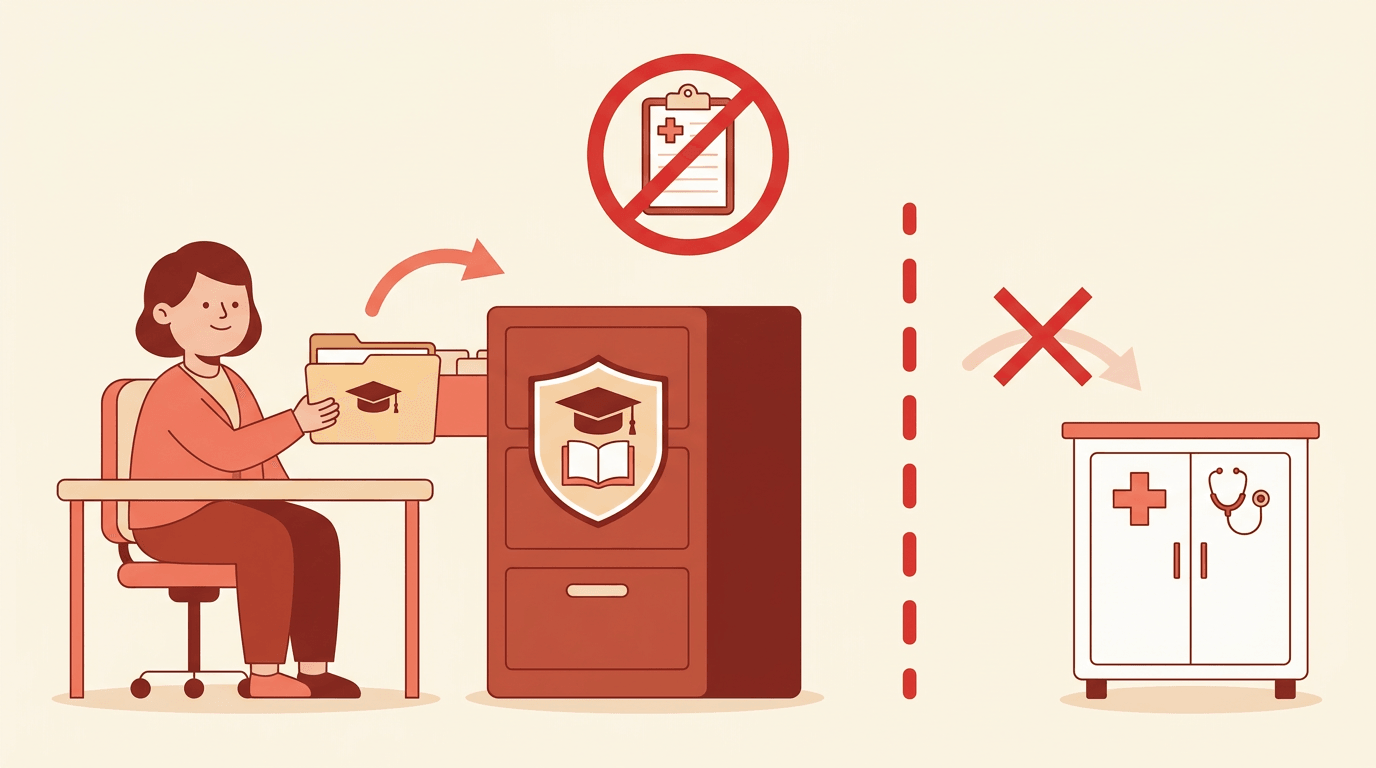
Keep student information private
Before you call the cleanup done, confirm:
- Access is limited. Only people who need a record can see it.
- FERPA guidance is followed. FERPA is the Family Educational Rights and Privacy Act, the US federal law on student education records. Check your school's guidance before sharing anything.
- Storage is secure. Paper is in a locked drawer, and digital files sit in a protected, school-approved place.
Keep attendance and student records organized year after year with EMStudio's attendance tracking and historical records.
Tax Record Retention Periods
Tax records are where teachers often start guessing, and guessing wrong costs you either way. The key term is the assessment period: the window the Internal Revenue Service (IRS) has to assess additional tax for a given year.
Here's why one number doesn't fit every record.
How far back the IRS can look
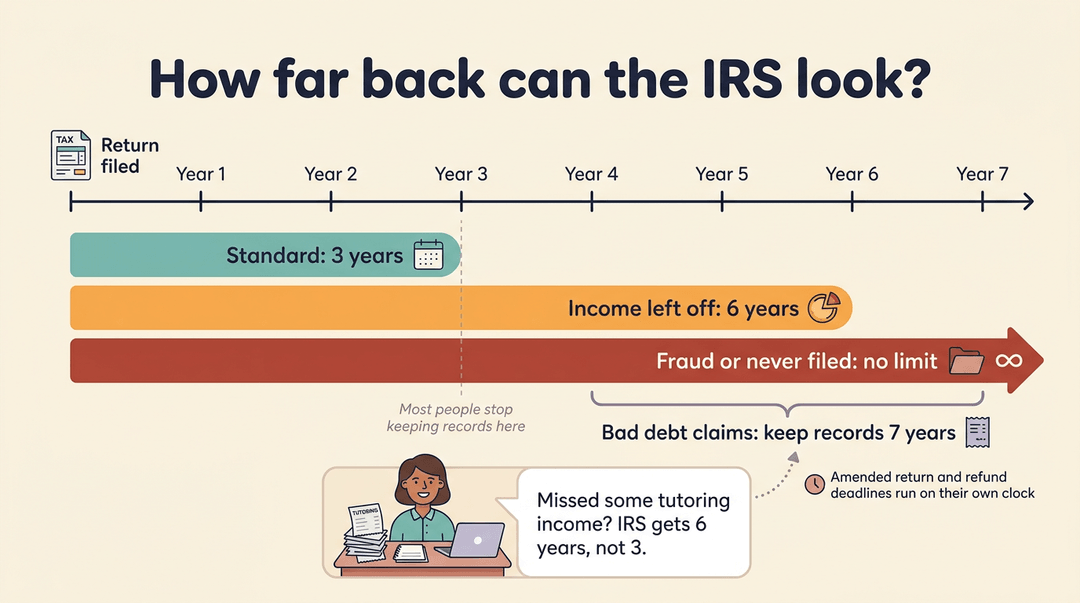
The default is three years, with a few exceptions:
- Basic three-year period. The IRS generally has three years to assess tax after your return is filed, counted from the later of its due date (extensions included) or the day it receives a late return.
- No limit for fraud or non-filing. There's no time limit when a return is fraudulent or was never filed, so the IRS can assess tax for that year at any time.
- Six years for underreported income. If income is underreported, the IRS generally gets six years instead of three to assess additional tax, counted from when you filed.
- Amended return and refund windows. These run on their own timelines, so don't clear out a year's paperwork until they've closed.
- Seven years for bad debt claims. Keep supporting records for seven years.
Think of a teacher who runs weekend tutoring on the side. If she later realizes some of that income missed her return, the IRS gets six years to come back for the difference, so her receipts need to last well past the three-year default.
Payroll and employment tax records
Payroll and tax payment records run on their own clock. Keep them four years after you file the fourth quarter return.
Property records for depreciation and sales
Property records do double duty, covering depreciation while you own an asset and gain or loss when you sell.
Keep them until the property is sold, then until the limitations period (the same kind of window as the assessment period) expires after disposal. Selling ends your ownership, not your paperwork.
Why the seven-year rule oversimplifies
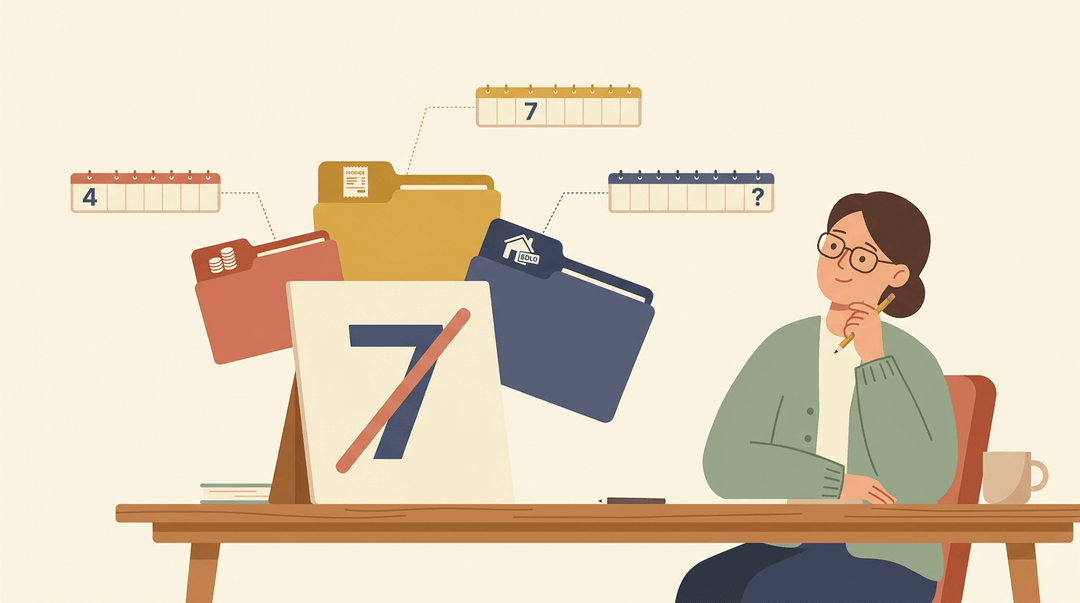
We often hear seven years called a common general standard, and it's a handy starting point. But it often oversimplifies. Payroll records run four years, bad debt claims run seven, and property depends on when you sell.
The right period varies by transaction type, so the better question is which transaction you're tracking. One number can't do that.
Records to Keep Permanently
Most records have a limited shelf life, but a few never lose their value. Knowing which ones they are keeps you from shredding something you'll need years down the road.
Documents that stay on file for good
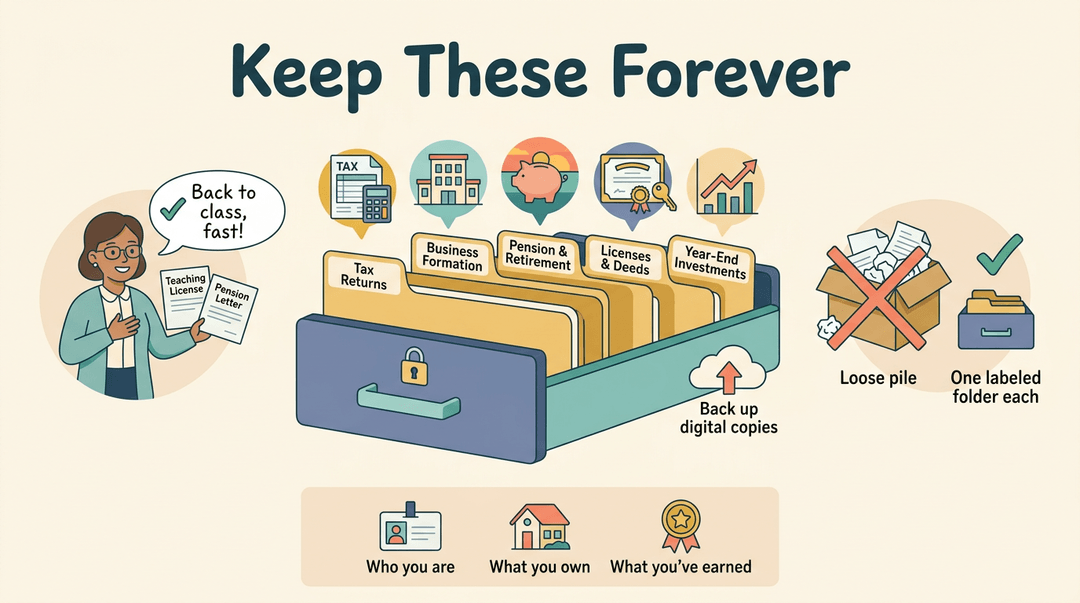
Some papers fall into the category of permanent records, the documents you keep indefinitely rather than purging on a schedule. You'll want to hold onto these, in a secure and clearly labeled spot:
- Tax returns and their supporting worksheets
- Corporate and formation documents
- Pension and retirement records
- Licenses, permits, and deeds
- Year-end investment statements
Think of a teacher who steps away from the classroom for a few years and later wants to return. Her old license and pension paperwork show exactly where she stands, so the process moves faster.
These papers prove who you are, what you own, and what you've earned.
It's less about keeping a file and more about finding it when you need it. Label each folder clearly, and back up any digital copies. A single labeled folder for each category beats a box of loose papers every time. Future you will be grateful.
Build a Written Retention Policy
Your records retention and disposition schedule lists how long each record type must be kept and what happens when that time is up.
Build it on your core record-keeping principles, name them at the top of the policy, and write it all down so staff aren't guessing.
Can you destroy a record that is out of retention?
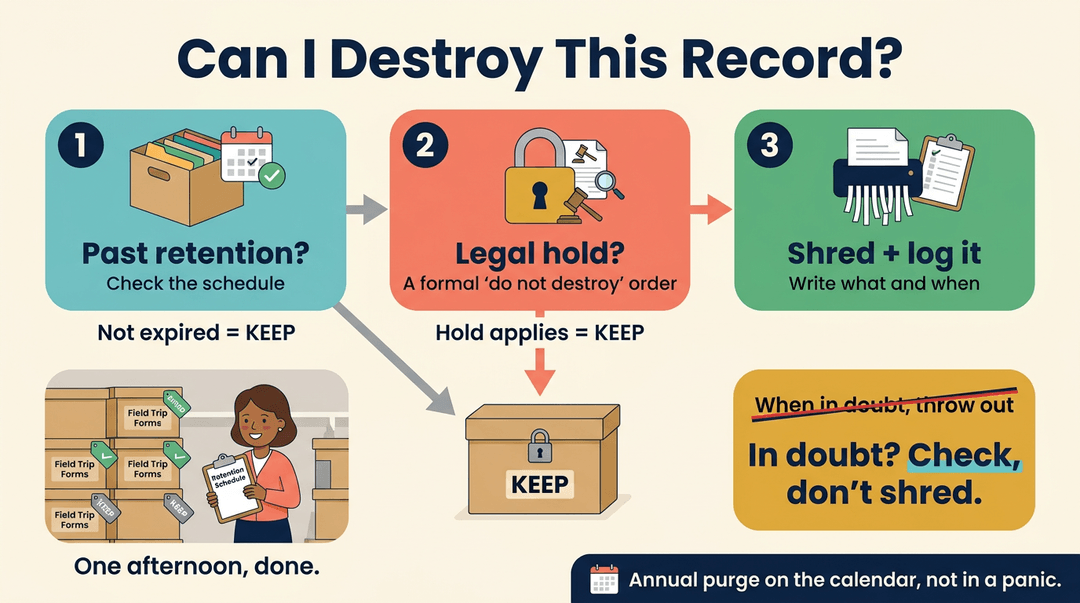
Yes, once a record is past its retention period and no legal hold applies. A legal hold is a formal instruction that suspends destruction, even for expired records, so check for one before every purge.
Destroying on schedule saves time and reduces risk, and an annual purge keeps clean-out on a calendar instead of in a panic.
Consider a school secretary who finds a closet full of old field trip forms. Checking the schedule first lets her securely shred what has expired and leave the rest alone, all in one afternoon.
A purge run by schedule beats one run by memory, so log what you destroy and when.
Avoid the 'when in doubt, throw out' habit. Doubt means check, not shred.
Other rules that may apply
Your schedule isn't the only rulebook. State and local tax rules can set their own retention periods, and lender, investor, and insurer expectations may apply too.
We'd suggest bringing legal and accounting advisors in early to confirm which rules cover you.
Keeping digital records safe
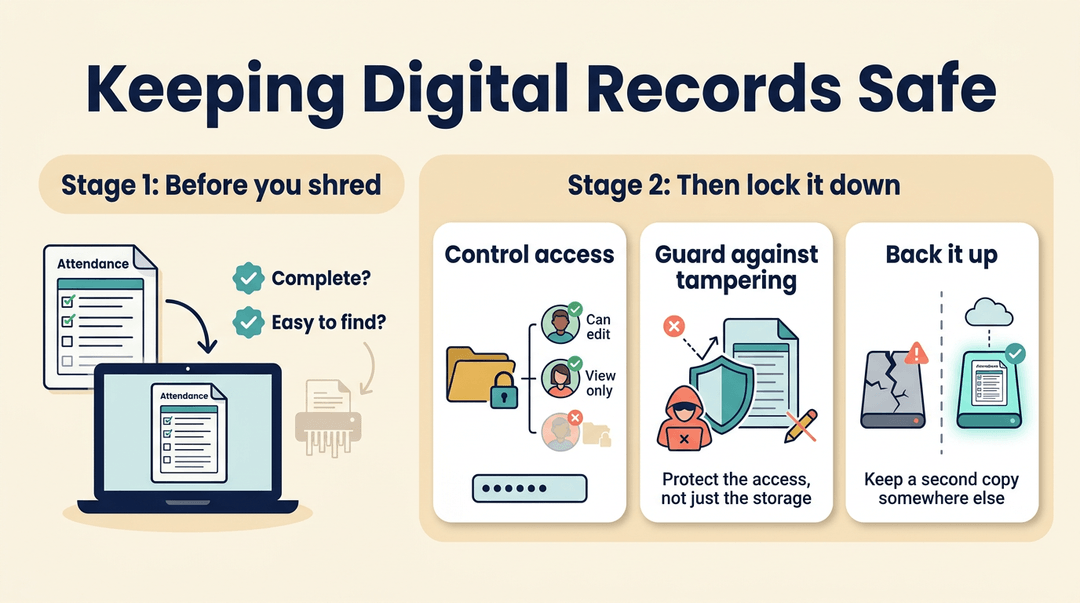
Digital copies are generally accepted, which can free up a lot of filing space. Before you destroy a paper original, verify that the copy is complete and easy to find. Then lock down your files:
- Access control. Limit who can open, edit, or delete records, and protect them with passwords and permissions.
- Cybersecurity and tampering. Digital files face cyber threats and unauthorized changes, so protect the access, not just the storage.
- Backups. Keep a second copy of digital attendance records somewhere separate, so one failed drive doesn't leave you with nothing.
Where to find IRS guidance
For federal tax questions, start with guidance from the Internal Revenue Service (IRS): Tax Topic 305 and Publication 583. Both offer general guidance only, so confirm the details with your accounting advisor before you finalize any retention period.
Federal General Records Schedules
Before you build a retention policy, it helps to know the federal rulebook for common records. The General Records Schedules (GRS) answer many of those questions for you.
Scope and mandatory use of the GRS
The disposition of a record is what happens to it at the end of its life, such as destruction or transfer.
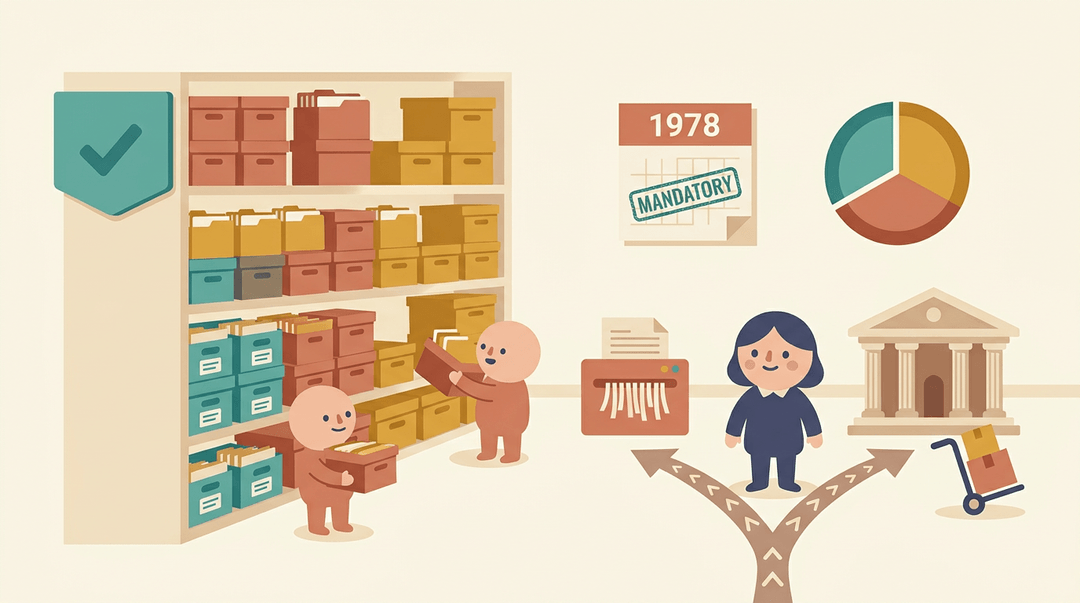
According to GRS Transmittal 36 from the Federal Register, the GRS authorizes disposition for records common to several or all federal agencies, while agencies schedule their remaining records.
Roughly one third of federal records fall under the GRS. Agencies have been required to use it since 1978.
According to An Administrative History of the Disposal of Federal Records, 1789-1949, Congress made the schedules mandatory that year for all post-1921 records to which they applied.
How admin and program records differ
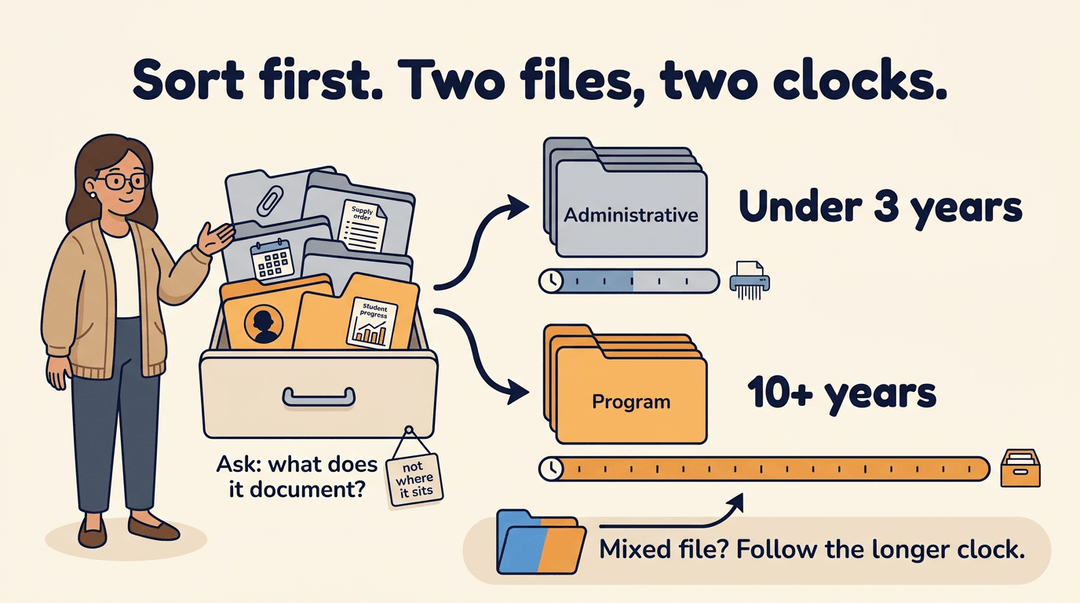
Two broad groups of files follow very different clocks, so keep them separate:
- Administrative files: kept for under three years.
- Program files: kept for 10 years or more.
The deciding factor is what a file documents, not where it sits. Think of a teacher who runs a grant-funded tutoring program and opens a drawer with routine files beside participant case files.
Sorting them apart lets the routine files follow the shorter clock while the case files keep the longer one. Without that sort, she either holds everything for a decade or risks tossing the case files with the clutter.
A file that mixes both types follows the program period. Sort first.
Which copies count as records
The GRS covers record copies only: the official file copy an agency keeps, not every duplicate floating around.
If you can't tell whether a file qualifies, treat it as a record and consult the National Archives and Records Administration (NARA) on its status. Doubt means ask, not toss.
Handling approvals, exceptions and conversions
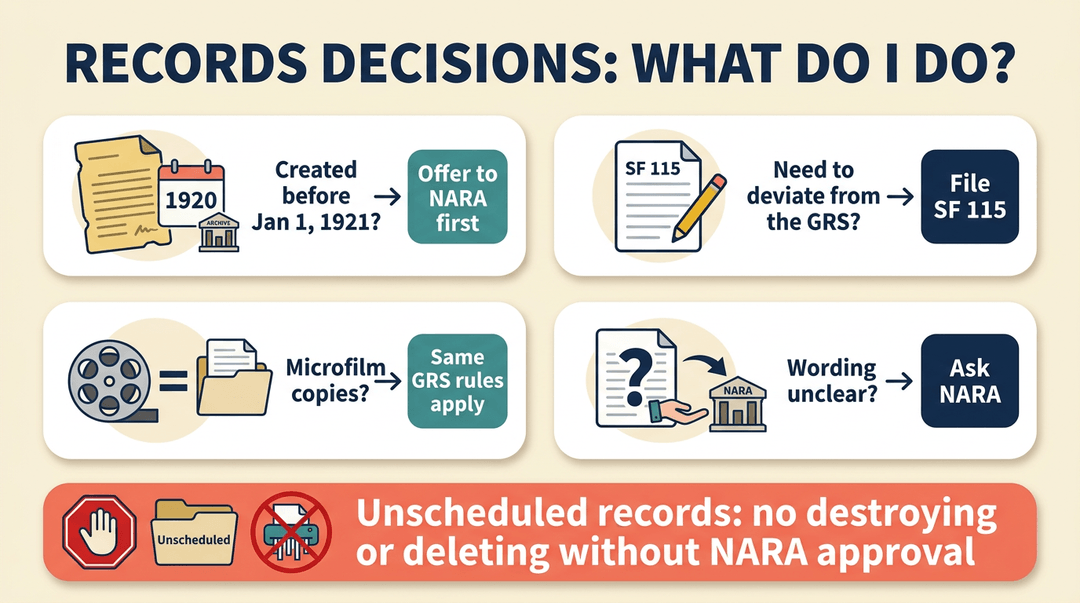
First, check the creation date. According to a Federal Register notice on the GRS, agencies must offer any records created before January 1, 1921, to NARA before applying the schedule's disposition instructions.
The 1978 mandate applies to post-1921 records, so older files take a separate route.
Deviations from the GRS go on Standard Form 115 (SF 115). The GRS also applies to microform copies, such as microfilm. When a schedule's wording leaves you guessing, refer the question to NARA rather than deciding alone.
Can unscheduled records be destroyed or deleted without NARA approval? No. Unscheduled records need NARA approval before anyone destroys or deletes them. Until then, hands off.
When to send records to storage
Retiring a record means sending it to storage, and three rules govern when you do:
- Retire a record only if it's cost-effective.
- Send only records with at least one year of retention remaining.
- The facility director decides any exceptions.
Check the clock before you box.
Good record keeping isn't about hoarding paperwork or shredding in a panic. It's about knowing what to keep, for how long, and what needs to last permanently.
With a clear schedule, a written policy, and a simple checklist, you can handle the paper trail with confidence.
Ready to make the day-to-day part of your records easier? Explore Attendance & Records to mark attendance quickly and spot patterns across classes over time.

References
- Records Management; General Records Schedule (GRS); ... — public-inspection.federalregister.gov
- All taxpayers have the right to finality of tax matters — irs.gov (2025)
- An Administrative History of the Disposal of Federal Records, 1789-1949 — digitalcommons.kennesaw.edu (1985)
- Federal Register :: Records Management; General Records Schedule (GRS); GRS Transmittal 36 — federalregister.gov
- Time IRS can assess tax — irs.gov
- UK Finance Mortgage Lenders’ Handbook: risks and obligations under Parts 1 & 2 — global.lockton.com (2025)
Frequently asked questions
What is the records retention and disposition schedule?
A records retention and disposition schedule specifies how long each type of record must be kept and what to do with it at the end of that period, such as securely destroying it or transferring it for permanent preservation.
What is the purpose of the retention policy?
A retention policy ensures records are kept as long as required, protected while they are needed, and disposed of appropriately when their retention period ends. It helps reduce risk and prevents staff from making ad hoc decisions about records.
What is the NAP records disposition schedule?
A NAP records disposition schedule is a schedule used by the National Archives of the Philippines to set retention periods and approved actions for government records. The applicable schedule depends on the record type and the agency’s requirements.
What are the 7 principles of record keeping?
Seven useful record-keeping principles are accuracy, completeness, consistency, timeliness, accessibility, security, and retention according to an approved schedule. Together, they help ensure records are reliable, usable, protected, and kept or disposed of appropriately.
How long do you have to retain records?
There is no single retention period for all records. It depends on the record type, applicable laws and rules, and any organizational schedule; check the relevant authority and keep records longer if a legal hold applies.
Can you destroy a record that is out of retention?
Yes, a record can generally be destroyed once its retention period has ended, provided no legal hold or other rule requires it to be kept. Confirm the applicable schedule, destroy it securely, and log the disposal.
What does a 7 year retention policy mean?
A seven-year retention policy means covered records are kept for seven years, usually from a specified event such as the end of a tax year or the close of a transaction. It is not a universal rule, so the policy should define when the period starts and account for exceptions or legal holds.
Can unscheduled records be destroyed or deleted without NARA approval?
No. Federal records that are unscheduled require NARA approval before they can be destroyed or deleted. Keep them until an authorized disposition is established.