Instructional Design: A Complete Guide to How It Works


Jump to section
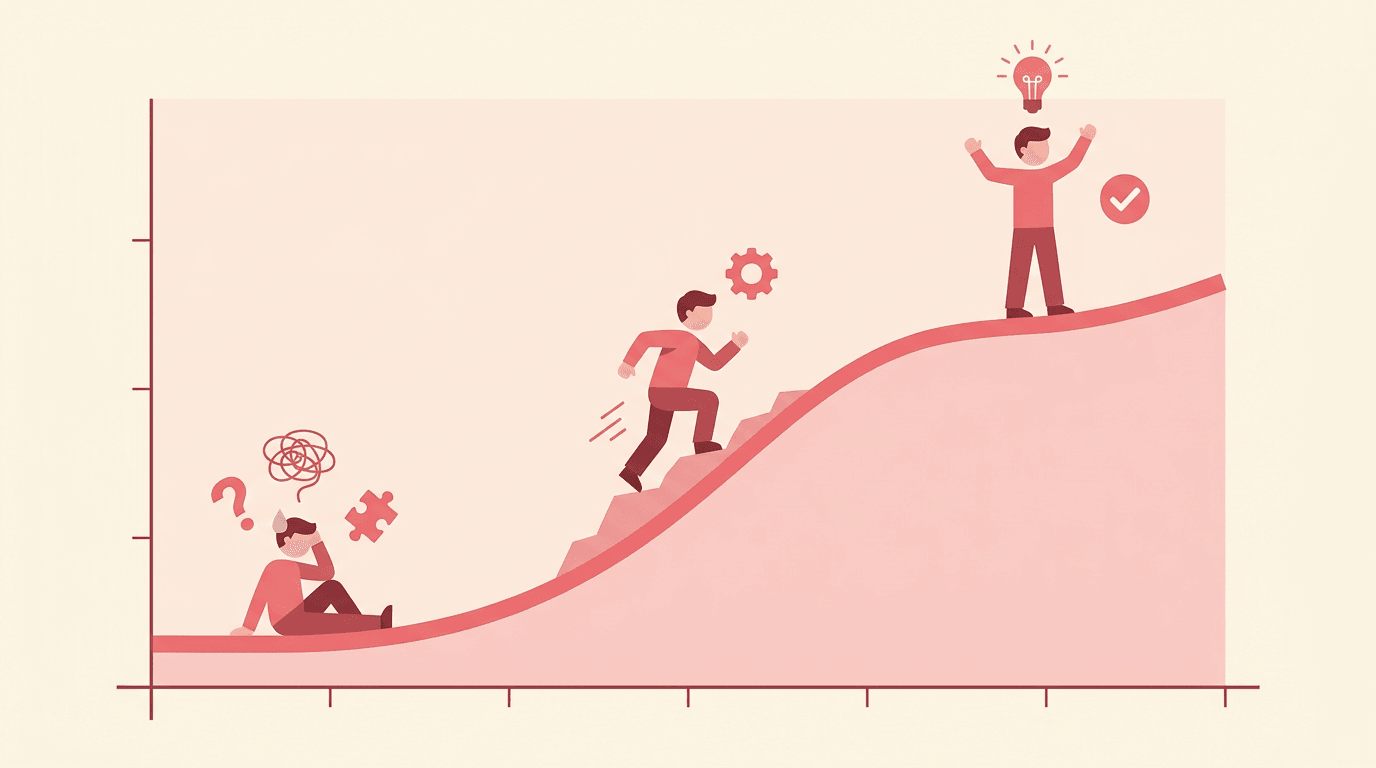
Think about the last time you watched a student's face go from confused to confident. Chances are, something behind the scenes made that moment possible: a clear goal, a well-timed example, a sequence that built on itself.
That's instructional design at work, even if no one called it that.
Instructional design is the process of building learning experiences that actually work. It asks why learners struggle, what they need, and how to close the gap. Teachers do this instinctively every day.
The frameworks in this article just give that instinct a sharper edge.
We'll cover the core definitions, the models behind the practice, the skills that matter, and how all of it applies to your classroom, starting Monday.

What Is Instructional Design
Instructional design is the systematic process of building learning experiences that meet specific objectives and put the audience first.
It draws on an interdisciplinary foundation: psychology, sociology, and education research all shape how a good lesson or course gets built.
The field has deepened considerably over the decades, and understanding where it came from helps explain why it looks the way it does today.
A working definition
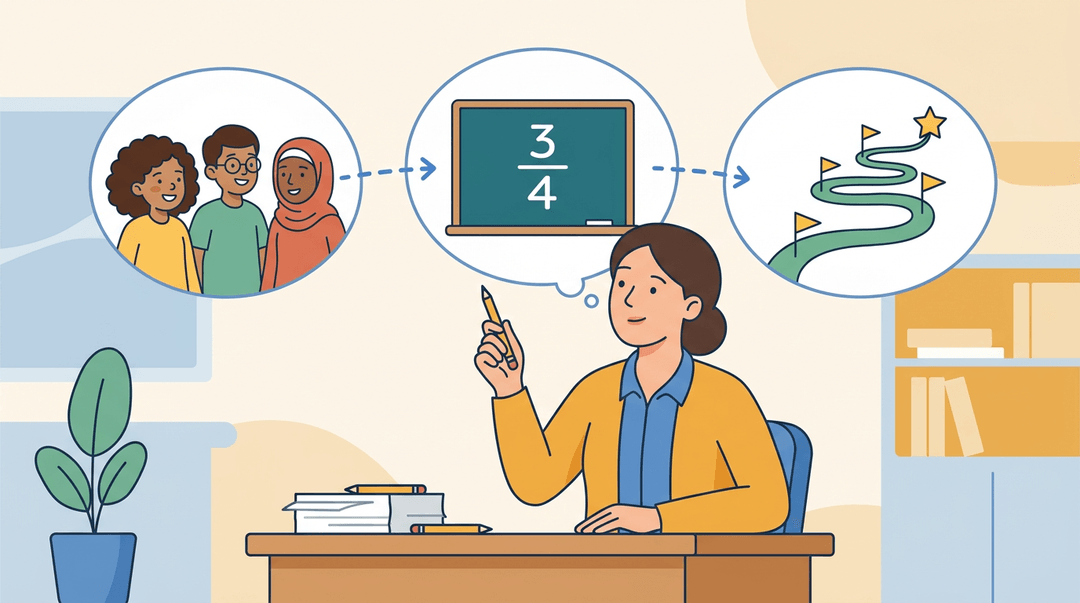
At its core, instructional design means asking: who are the learners, what do they need to be able to do, and what's the most effective path to get them there? It's less about delivering content and more about engineering understanding.
For example, a fourth-grade teacher redesigning a fractions unit isn't just picking activities; they're sequencing experiences, anticipating misconceptions, and building in checkpoints. That's instructional design, whether they call it that or not.
How the field evolved over decades
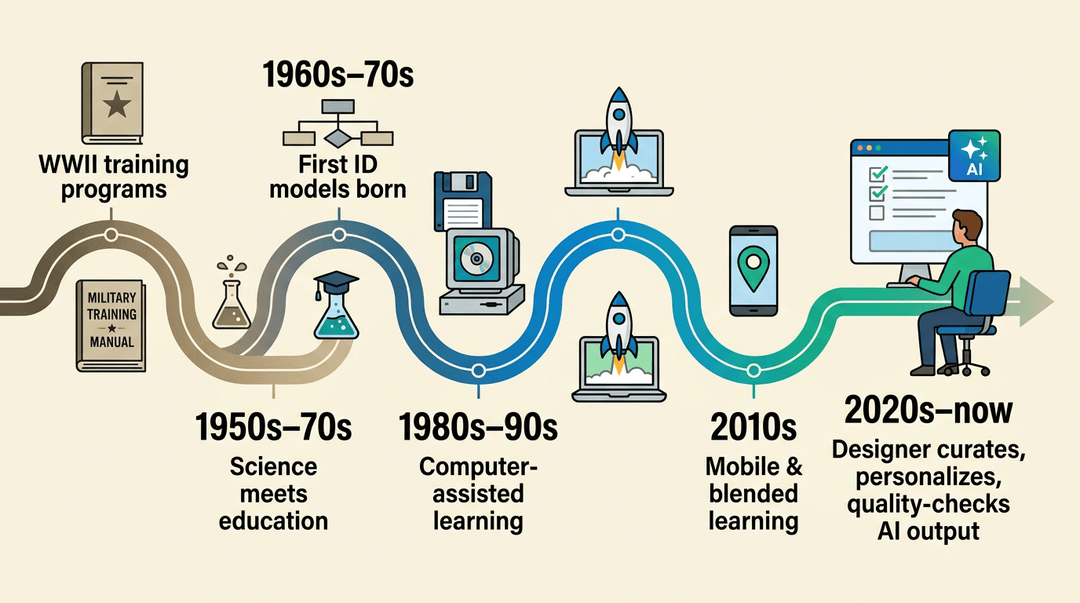
The roots go back further than most people expect. A history of the field traces instructional design's origins to training programs developed during World War II, with the first formal models emerging in the 1960s and 1970s.
Behavioral research through the 1950s–70s built the expectation that science and education would keep converging.
By the 1980s and 1990s, an ERIC review of educational software shows how computer-assisted instruction, interactive video, and CD-ROMs reshaped the work.
The 2000s brought an eLearning boom: a landmark study on online education in the US documented just how fast that shift moved.
Then the 2010s added mobile and blended learning; research on mobile learning frameworks describes how ubiquitous devices made situated, anytime learning newly possible.
AI is the current chapter. Rather than replacing instructional designers, it's shifting the role toward higher-order work: curating, personalizing, and quality-checking what AI generates.
Instructional design vs digital learning design
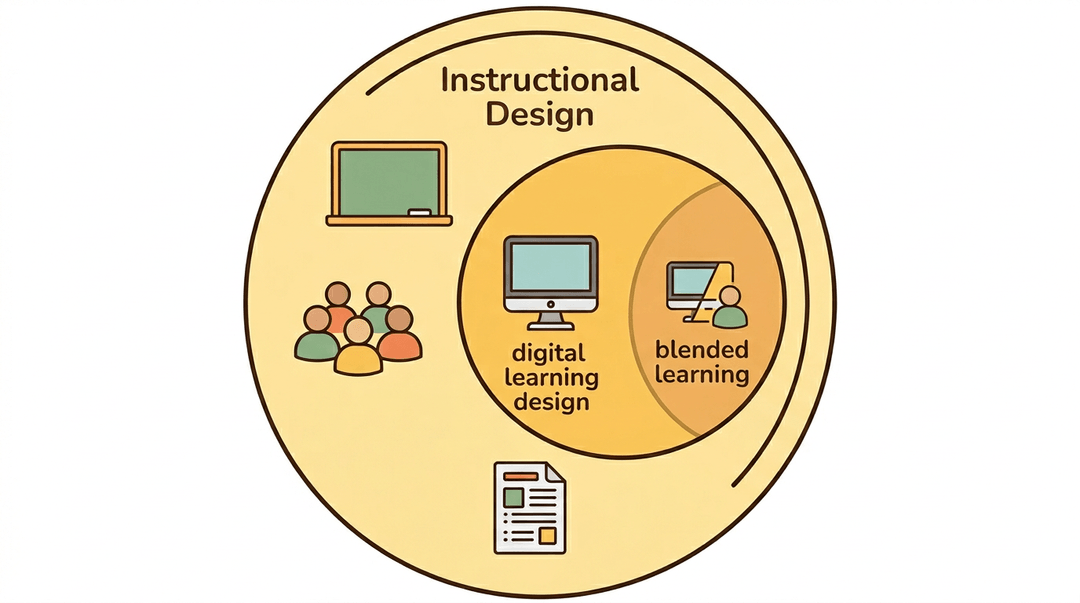
The two terms get used interchangeably, but there's a real distinction. Digital learning design focuses specifically on eLearning and online environments.
Instructional design is the broader discipline that underpins it, covering any context where learning needs to be intentionally structured, from a blended high school unit to a face-to-face professional development session.
Think of digital learning as a subset, with blended learning sitting where both fields overlap.
Goals and Benefits of Good Instructional Design
Good instructional design isn't just about building tidy lesson plans. It's about creating experiences where every learner actually gets somewhere, and where you can see the proof.
What instructional design sets out to achieve
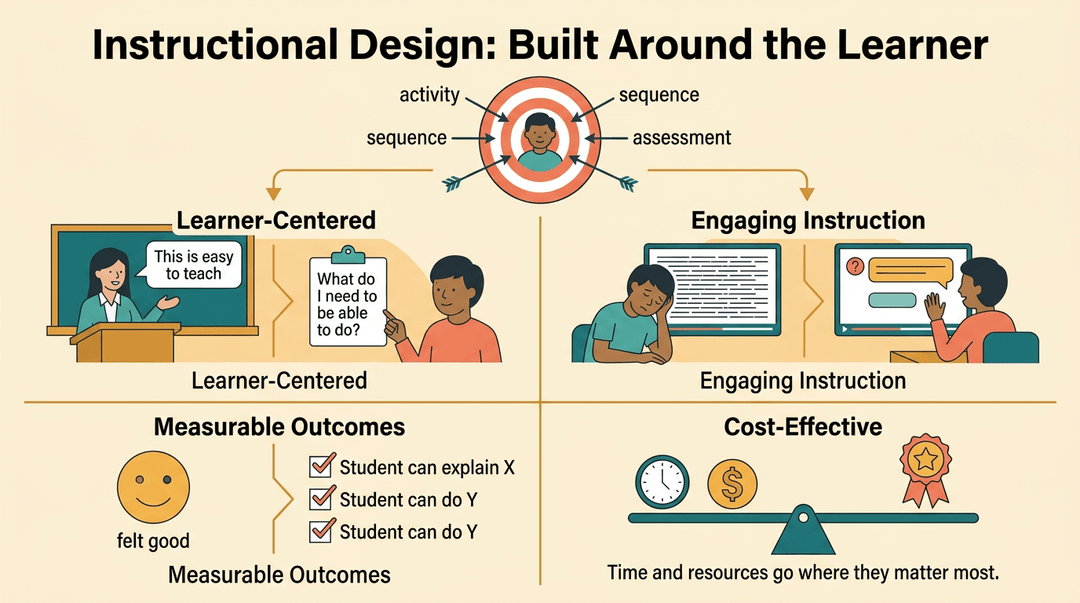
At its core, instructional design puts the learner first. That means building instruction around what students need to know and do, not just what's convenient to teach. From there, the goals are straightforward:
- Learner-centered experience design: Every choice, from sequence to activity type, serves the learner's needs, not the presenter's preferences.
- Engaging and stimulating instruction: Content that holds attention and invites participation, rather than something students endure.
- Measurable outcomes: Success isn't a feeling. It's defined upfront, so both you and your students know what hitting the mark looks like.
- Cost-effective delivery: Time and resources go where they make the biggest difference, which matters whether you're a classroom teacher or a school building a curriculum.
Why it improves learning outcomes
When you design with intention, the results follow. Clear learning objectives give students a target before they start, reducing confusion and wasted effort.
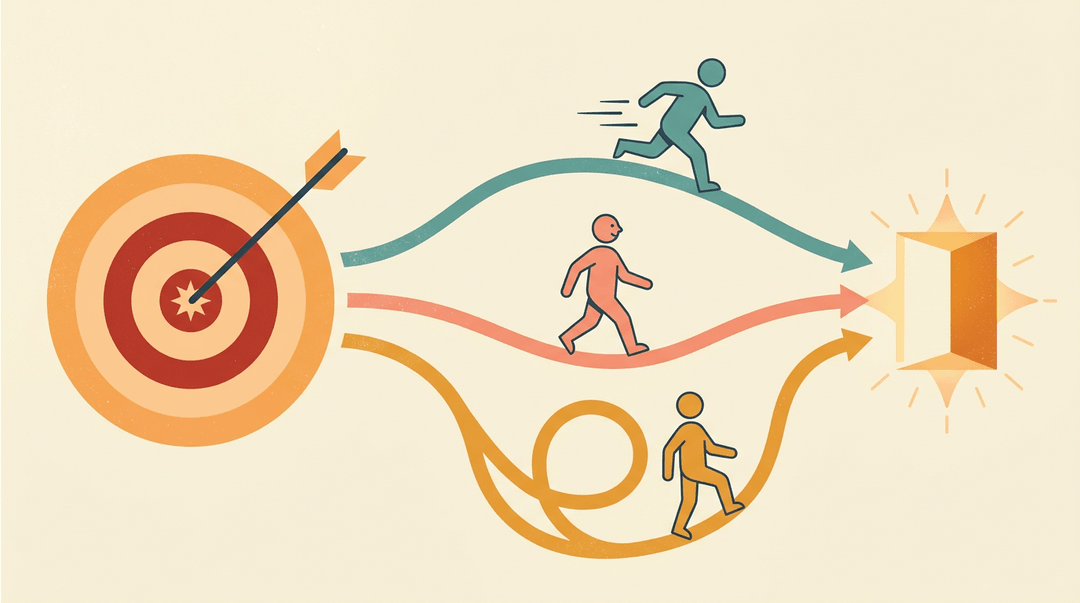
Tailoring programs to learner needs means the student who's ahead and the one who needs another pass can both find their footing in the same course.
Consistency across lessons and units builds trust: students know what to expect, and teachers can measure growth reliably. And when resources are used efficiently, there's more time for the teaching that actually matters.
Perhaps most tellingly, Villanova University highlights that when accessibility is built into the design process from the start, it improves engagement, retention, and learner satisfaction across the board.
That's not a side effect. That's the whole point.
The ADDIE Model Explained
ADDIE is the most widely used framework in instructional design, and for good reason: it gives you a clear, repeatable process for building learning experiences that actually work. The five phases are:
- Analyze
- Design
- Develop
- Implement
- Evaluate
Analyze learner needs first
Before you build anything, you need to understand what the problem actually is. A needs assessment helps you figure out whether instruction is even the right solution (sometimes it isn't).
You'll collect data, interview stakeholders, and map out learner profiles: who your students are, what they already know, and where the gaps are. The goal is to walk away with clear instructional goals grounded in evidence, not assumptions.
For teachers, this looks like checking pre-assessment data, reviewing last year's test results, or talking with colleagues before designing a new unit.
Design your objectives and assessments
This phase is where instructional design and unit planning overlap most closely. You set learning objectives (what learners will be able to do), then design assessments that actually measure those objectives.
You'll work with subject-matter experts on content, choose delivery modes and media, and sequence everything logically.
The rule here: assessments come before the lessons, not after. You decide what success looks like first, then build toward it.

Build and develop course materials
Now you create the actual materials: slides, activities, videos, handouts, whatever the design calls for.
This is also when you choose your technology, set up any learning management system (LMS, the platform that hosts and tracks the course), and build your evaluation system.
Plan whether you're running a small pilot first or going straight to a full rollout. Accessibility and clear visual design aren't optional here: they make the difference between materials learners can use and ones they struggle through.

Roll out to real learners
Implementation is the launch phase. You distribute materials, onboard learners to any new systems, and make sure educators or presenters know how to deliver the course.
Whether you run a pilot group first or go full launch depends on your context, but a pilot almost always surfaces problems you didn't anticipate.
Evaluate and improve the course
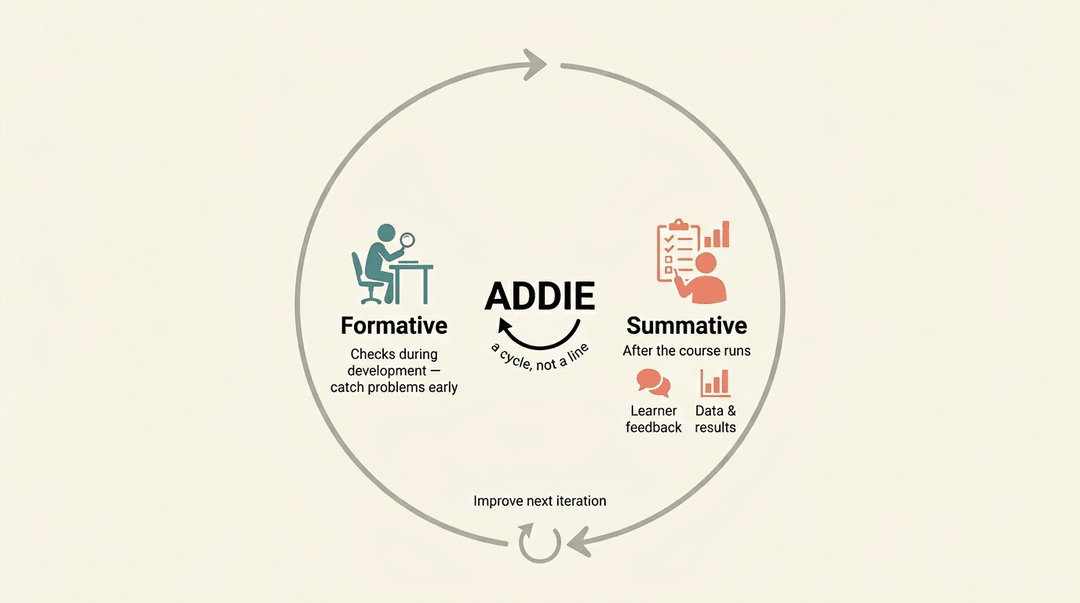
Evaluation runs throughout the whole process, not just at the end. Formative evaluation happens during development: quick checks that catch problems early.
Summative evaluation comes after the course runs, using both qualitative feedback and quantitative data to measure whether learners actually hit the objectives. Then you take what you learned and improve the next iteration.
That's what makes ADDIE a cycle rather than a straight line.
What Has Replaced ADDIE
ADDIE hasn't disappeared, but several frameworks have grown up around it, each filling a gap it left open. Some add more structure, some add speed, and some put the task at the center instead of the content. Here are the ones you'll encounter most:
Gagne's Nine Events of Instruction
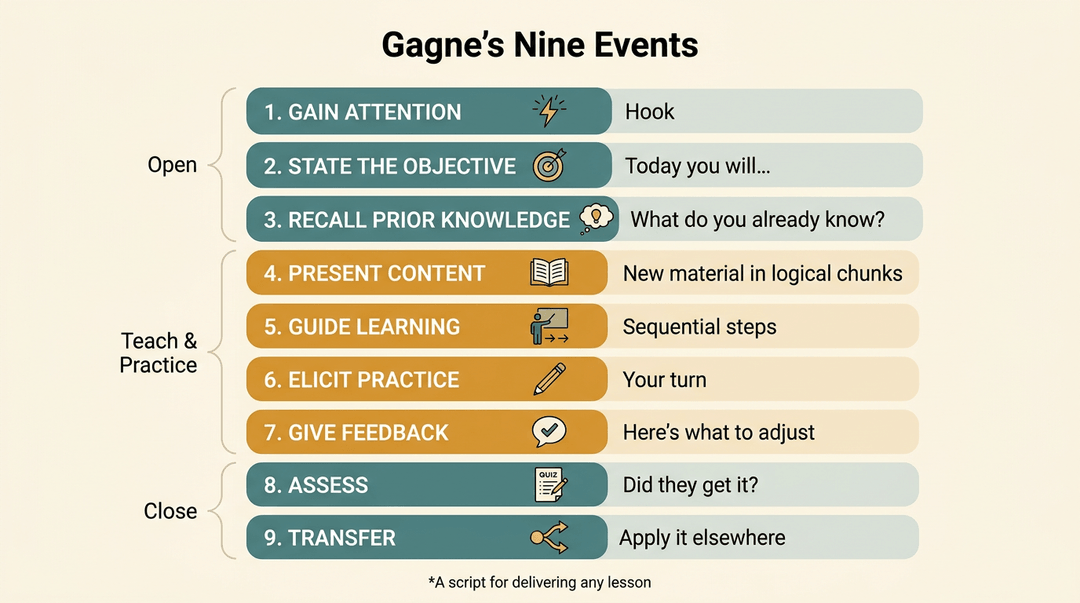
Gagne's Nine Events give the ADDIE process a classroom-level script. Where ADDIE tells you how to build a lesson, Gagne tells you how to deliver it.
The sequence moves from gaining learner attention and stating the learning objective, to stimulating recall of prior knowledge, presenting content in logical chunks, and eliciting practice with feedback.
It closes with assessment and activities that support knowledge transfer to new situations. For a teacher, it maps almost directly onto a well-structured lesson plan.
How Bloom's Taxonomy Shapes Learning Objectives
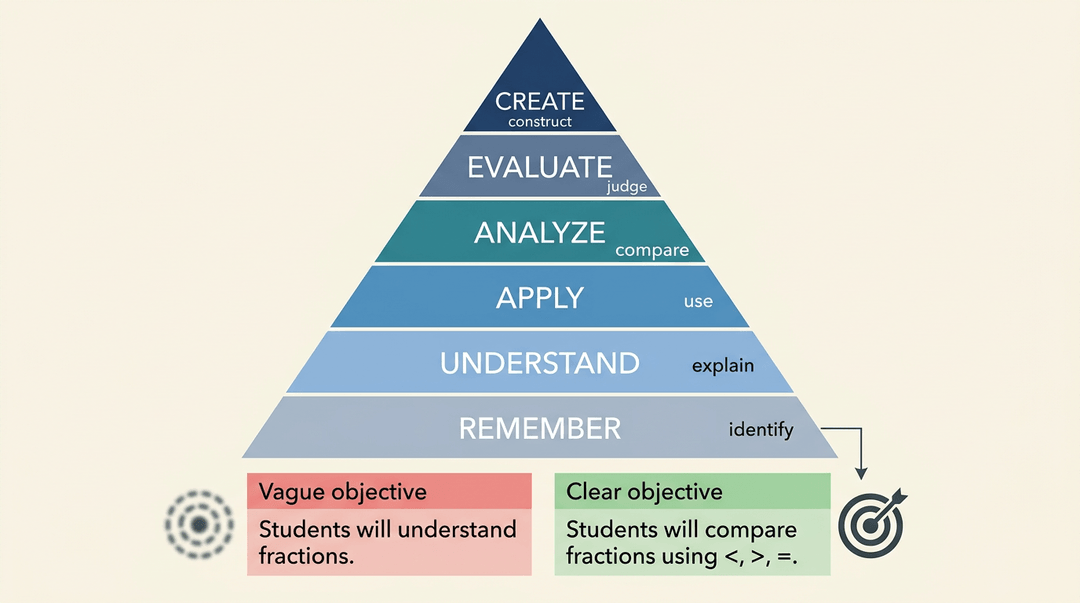
Bloom's Taxonomy organizes cognitive learning into six levels:
- remember
- understand
- apply
- analyze
- evaluate
- create
You'll often see it drawn as a pyramid, with basic recall at the base and higher-order thinking at the top. In practice, though, learning isn't always linear. A student might evaluate a source before they've fully applied the concept behind it.
Where Bloom's earns its place in instructional design is in writing objectives. Each level comes with a set of action verbs ("identify," "compare," "construct") that translate directly into measurable learning targets and proficiency scales.
If your objectives are vague, your assessments will be too. Bloom's fixes that.
Merrill's Principles of Instruction
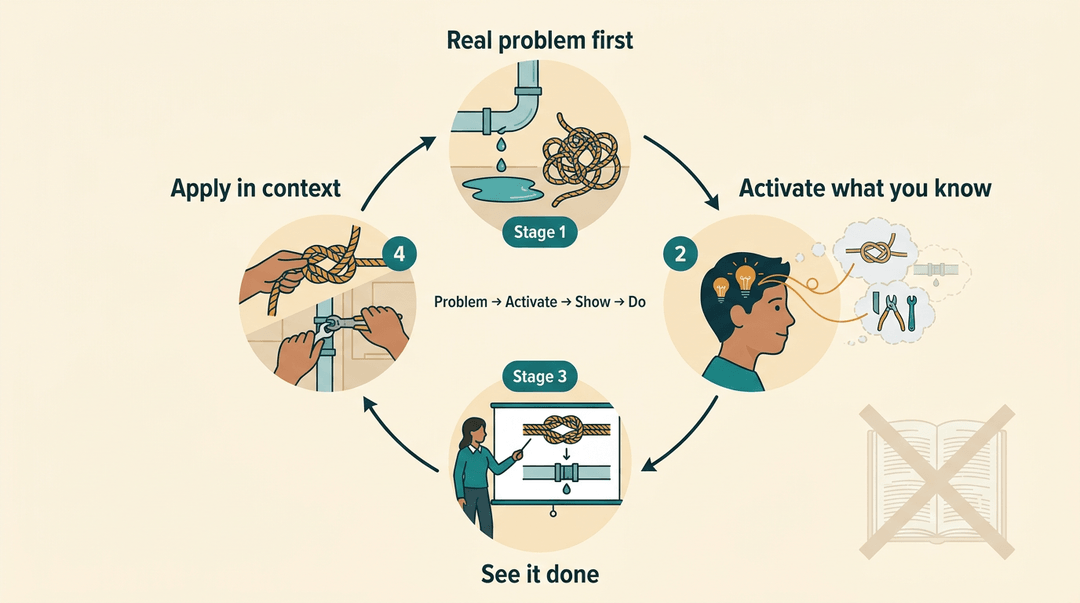
Merrill's Principles push back against content-first design. The model centers learning on real-world problems rather than isolated topics.
Instruction activates what students already know, demonstrates the desired outcome clearly, and then gives learners a chance to apply and integrate skills in context. It's a tight loop: problem, activate, show, do.
SAM Model for Rapid Iterative Design
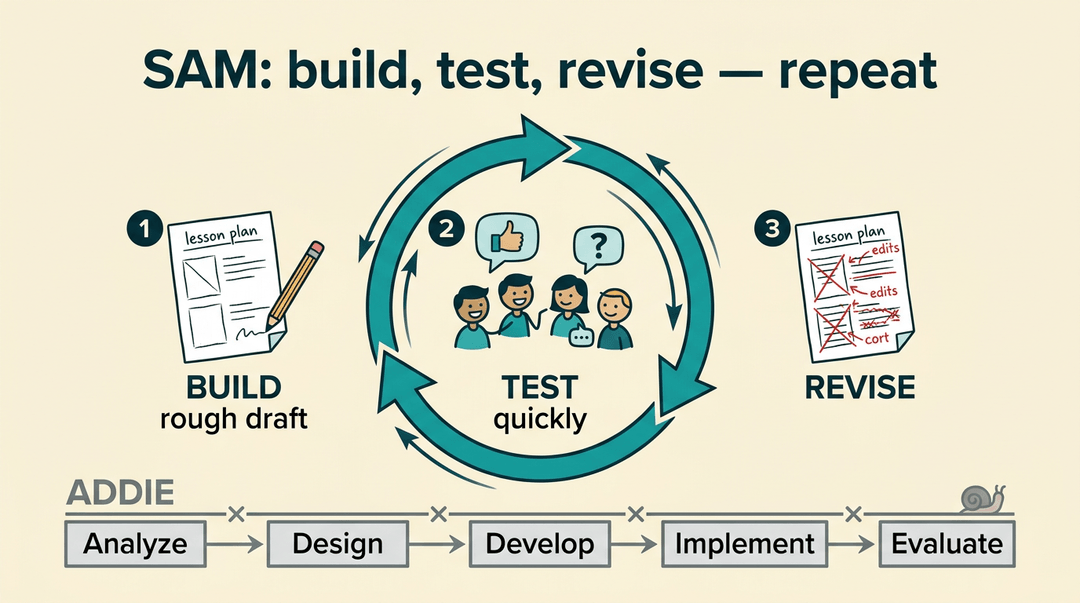
The Successive Approximation Model (SAM) is the closest thing instructional design has to an agile workflow. Instead of completing each ADDIE phase before moving to the next, SAM cycles through design, prototype, and review in short rounds.
Teams build something rough, test it quickly, and improve it. For teachers, it's a useful mindset for curriculum work: pilot a unit, gather feedback, revise, repeat.
Dick and Carey Model
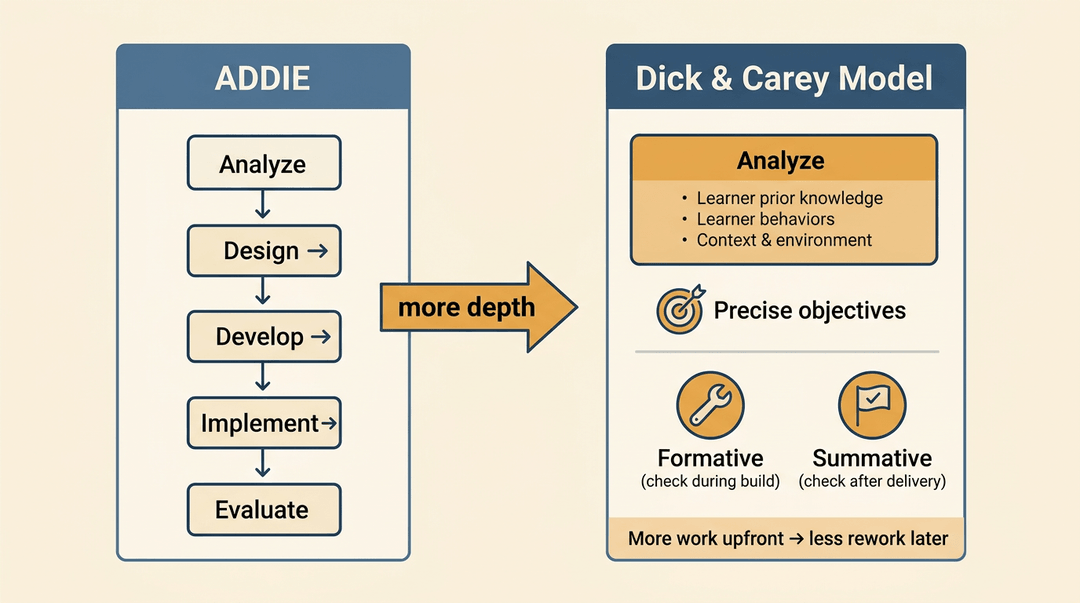
The Dick and Carey Model extends ADDIE by adding depth to the analysis phase. It looks closely at learner behaviors, prior knowledge, and context before a single objective is written.
Performance objectives are defined precisely, and the model builds in both formative evaluation (during development) and summative evaluation (after delivery). It's more demanding than ADDIE, but the upfront rigor tends to reduce rework later.
Putting Instructional Design to Work in Your Classroom
You don't need a design title to use these models. This playbook walks one unit from a blank page to a revised pacing guide, using the same frameworks the rest of this article defined.
Start with what students already know
Before you write a single objective, find the floor you're building on.
- Diagnose prior-knowledge gaps first. A short pre-assessment shows what's missing.
- Jot the chain you're assuming: "graphing lines ← plotting points ← reading a coordinate grid."
- Write measurable unit targets. Use a verb you can actually see.
- "Students will solve two-step equations with 80% accuracy on the exit ticket."
- Anchor each target to a standard. Name the code beside the target so coverage is visible later.
⚠️ Watch out: "Understand fractions" isn't measurable. If you can't picture the evidence, rewrite the verb.
Plan the unit with ADDIE
ADDIE (Analyze, Design, Develop, Implement, Evaluate) keeps you from picking activities before you know the goal.
- Map objectives before choosing activities. Decide the destination, then the route.
- List every target first; only then ask "what task proves it?"
- Build a formative check into each lesson. One quick read on whether today landed.
- An exit ticket, a thumbs scale, two students at the board.
- Revise pacing after summative data. The test tells you where to slow down next time.
Sequence lessons with Bloom's Taxonomy
Bloom's levels (recall, understand, apply, analyze, evaluate, create) give you the order, low to high.
- Open at recall and understand. Build the vocabulary and facts before any judgment task.
- Scaffold toward evaluate and create. End on a task that asks students to make something.
- Use the levels to differentiate. Same content, different verb per group.
| Group | Objective verb |
|---|---|
| Still building basics | Identify the three states of matter |
| On grade level | Explain why ice floats |
| Ready to stretch | Design an experiment to test it |
Example: A seventh-grade science teacher opens a unit on ecosystems with a labeling task (understand), then closes two weeks later with students designing a food web for an invented biome (create). The early labels are what make the final design possible.
Track mastery and adjust as you go
A pacing guide is a hypothesis. Data tells you whether it's holding.
- Track mastery per standard, not per test. A single grade hides which skill broke.
- A simple grid: standards down the side, students across, mastered / not yet in each cell.
- Adjust the pacing guide mid-unit. If half the class misses a standard, reteach now, not in June.
- Document every change for next year. Note what you moved and why, while it's fresh.
💡 Tip: Keep one running note titled "next year": one line per change beats a memory you won't have in August.
At a glance:
| Phase | Key move | What you get |
|---|---|---|
| Start | Pre-assess, write measurable targets | A known starting point |
| Plan | Map objectives before activities | A unit that serves its goals |
| Sequence | Recall first, create last | Tasks students can actually reach |
| Track | Mastery per standard, adjust live | A pacing guide that improves yearly |
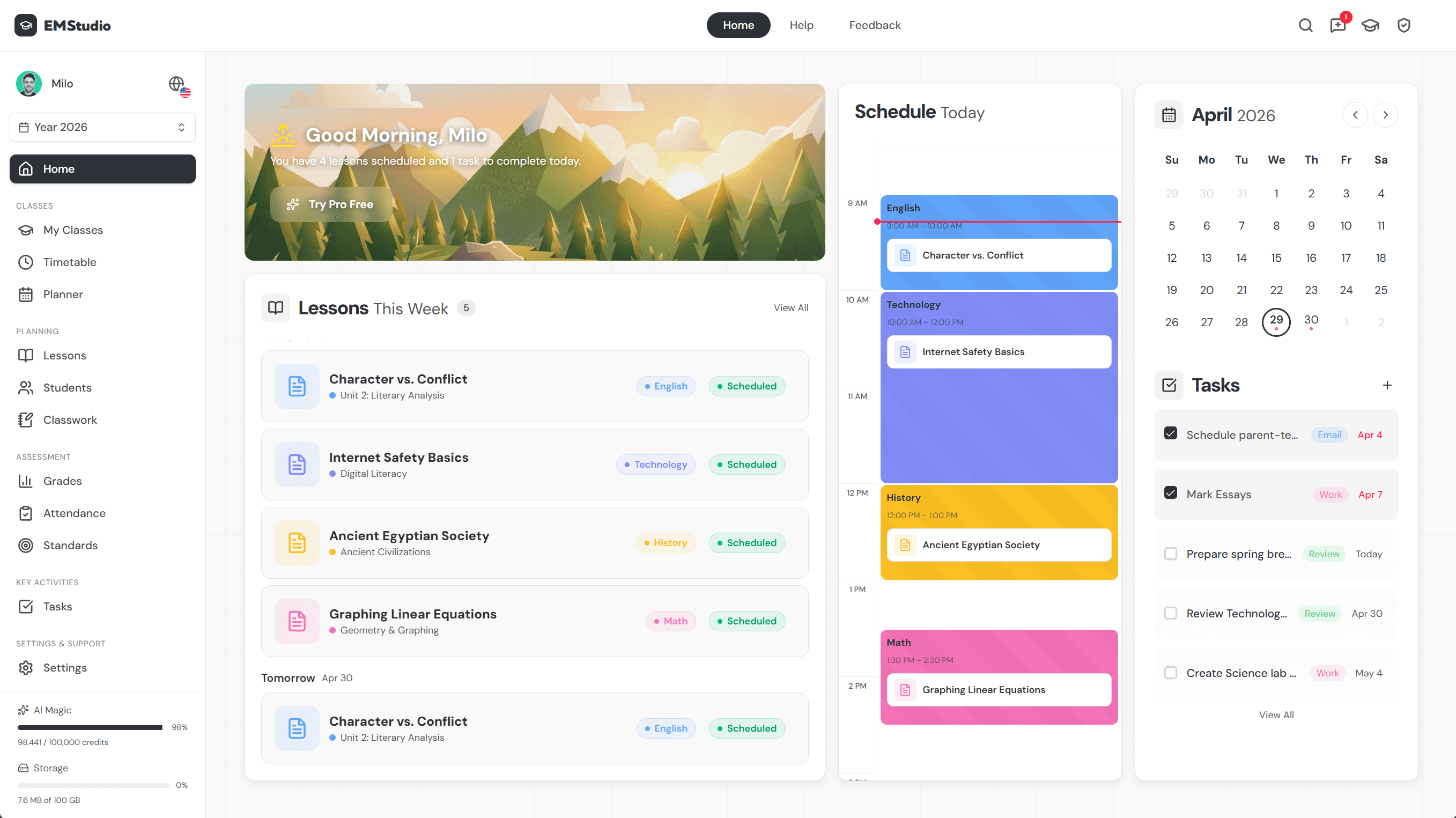
Keep these moves in one workspace: EMStudio's Curriculum Planner lets you map standards, sequence units, and track pacing together, turning instructional design into daily practice.
Best Practices Every Designer Should Follow
Good instructional design isn't guesswork. A few principles separate courses that stick from ones that stall.
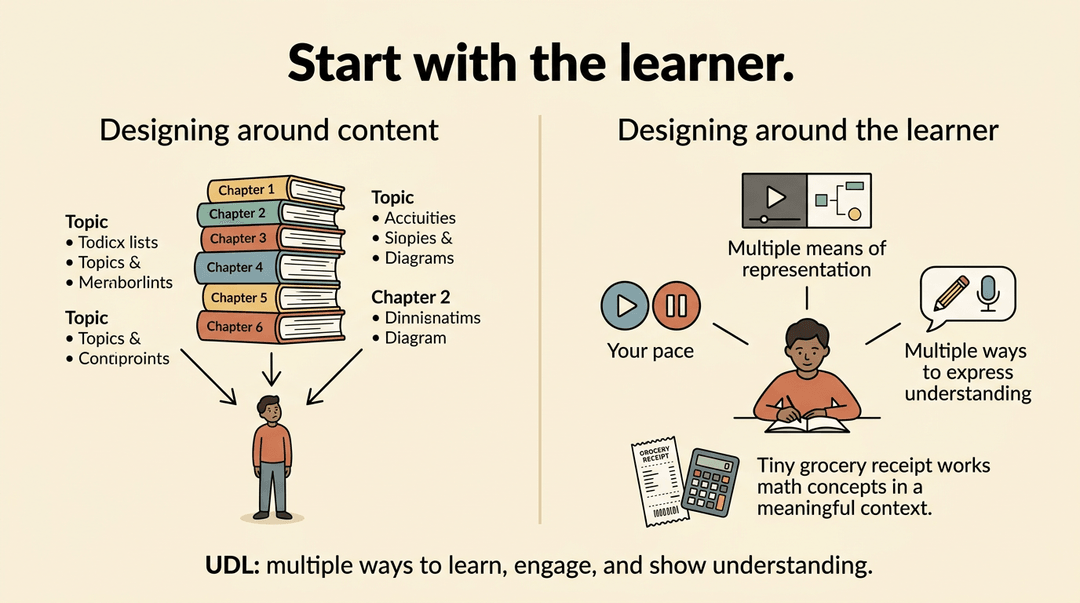
Design around the learner, not the content
Start by scoping what learners actually need, not what seems logical to cover. Tie content to real-life scenarios so it feels relevant, not theoretical. Give learners control over their pace where possible, and build in accessibility from the start.
The Universal Design for Learning (UDL) framework is useful here: it asks you to offer multiple means of representation, engagement, and expression so every learner, including those with disabilities, can access the material.
Keep learners engaged throughout
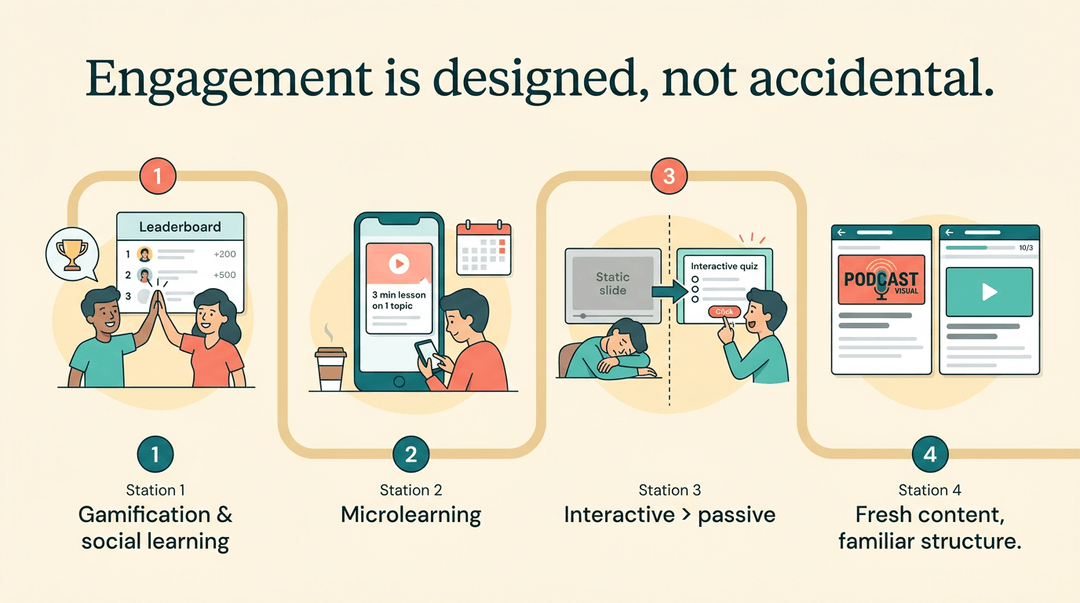
Engagement doesn't happen by accident. A few approaches that work:
- Gamification and social learning add motivation and peer connection.
- Microlearning breaks content into short, flexible chunks learners can fit into a busy day.
- Multimedia and interactive activities shift learners from passive to active.
- Creative content keeps things fresh, but a consistent structure keeps learners oriented.
Improve courses with ongoing data
Decide what success looks like before you build, not after. Clear metrics give you something to measure against. From there:
- Analyze effectiveness while the course is running, not just at the end.
- Use what the data tells you to sharpen weak content.
- Test, gather feedback, and refine iteratively.
Design is rarely finished on launch day. The courses that improve learning over time are the ones built to keep getting better.
Tools Instructional Designers Rely On
The right tool depends on the job. Instructional designers typically work across three categories, each handling a different part of the process:
Authoring tools for building courses
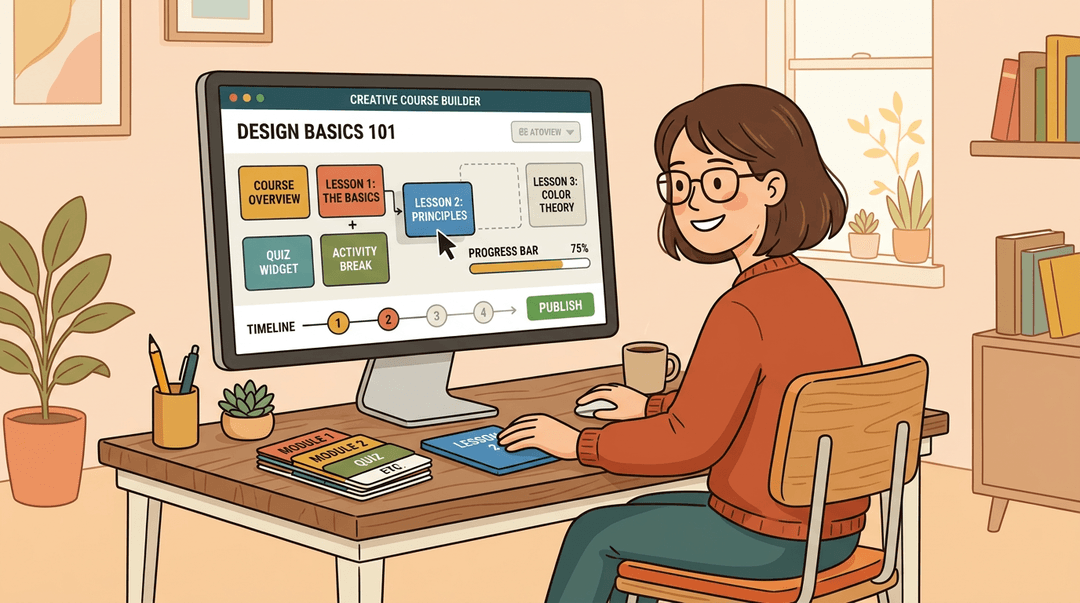
Authoring tools are the foundation. Platforms like Articulate 360, Adobe Captivate, and iSpring let designers build interactive online courses and digital content without needing a software development background.
If you're creating a course from scratch, this is where most of the work happens.
Design and media tools
Authoring tools get the course built, but design and media tools make it engaging.
- Canva handles graphic design for educators who aren't trained designers.
- Adobe Illustrator goes deeper for custom visuals.
- PowToon adds animation and video to bring concepts to life.
These tools supplement the authoring platform rather than replace it.
Learning management systems
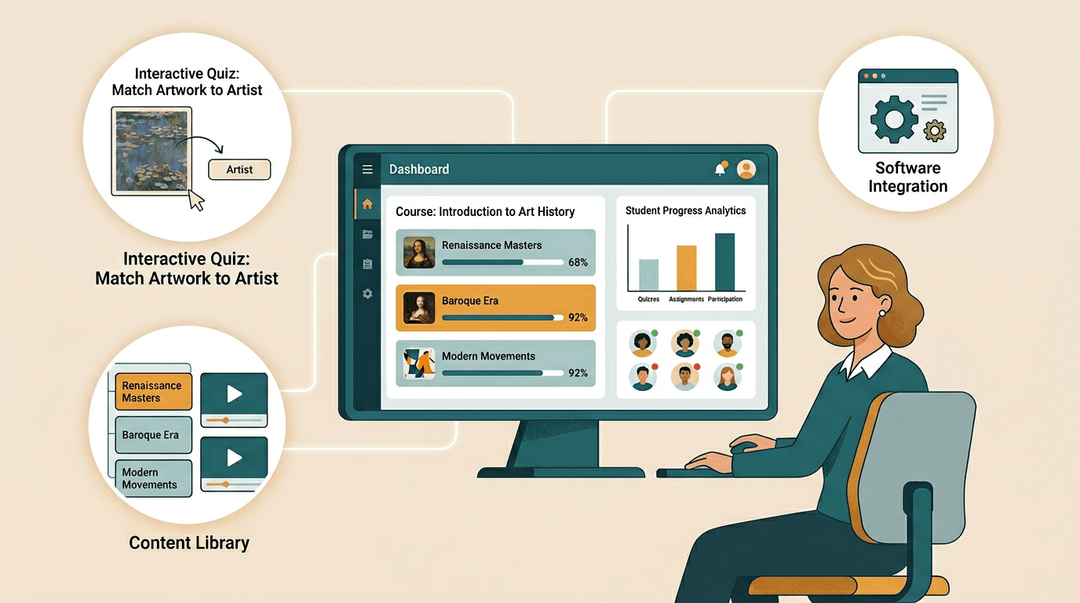
Once a course exists, it needs a home. A learning management system (LMS) delivers content to learners and tracks their progress.
Platforms like EMStudio, 360Learning, and LearnUpon also support analytics and personalization, so you can see what's working and adapt. Most are flexible enough to integrate with other software your school or organization already uses.
For teachers, this stack shows up closer to home than it might seem. An LMS is the platform behind many of the online courses your students already take.
Authoring tools power the interactive quizzes and drag-and-drop activities you see in digital curricula. Knowing what these tools do helps you evaluate the materials you use, and gives you a clearer picture of what's possible when you build your own.
What Does an Instructional Designer Do
Instructional designers turn learning goals into structured experiences that actually work.
Day to day, that means analyzing what learners need, designing content and assessments, collaborating with subject-matter experts, and iterating based on feedback until the learning lands.
Soft skills that matter most
The job is as much about people as it is about content. Strong communication and listening let you translate a subject-matter expert's knowledge into something a learner can use. Collaboration keeps a project moving when stakeholders disagree.
Project management and organization hold timelines together across multiple deliverables. And critical thinking helps you spot when a design isn't working before it reaches the learner.
Technical knowledge you need
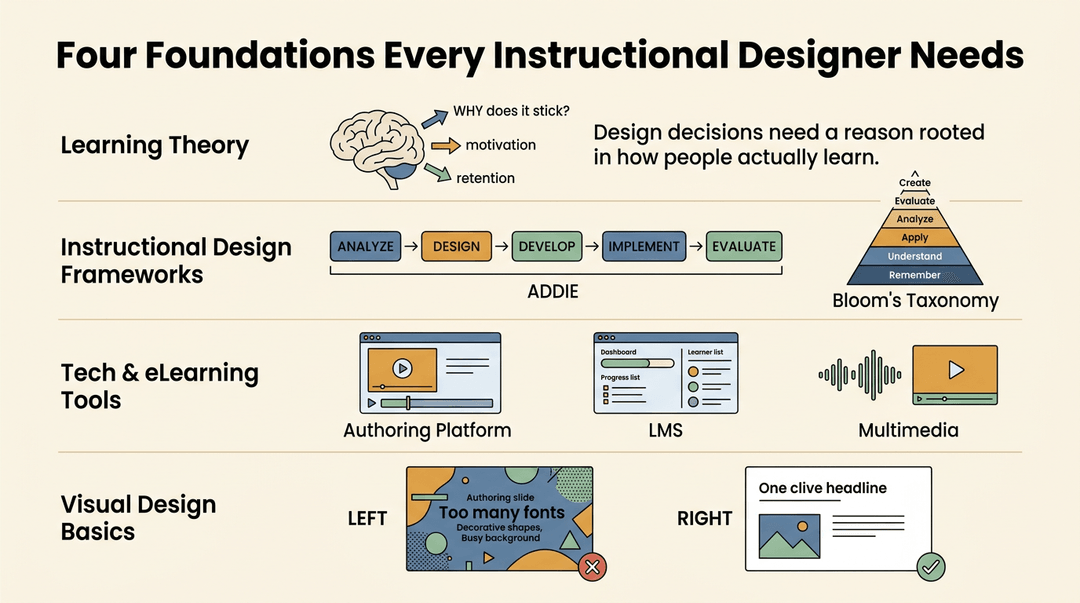
A solid foundation covers four areas:
- Learning theories: understanding how people learn (cognition, motivation, retention) so your design decisions have a reason behind them
- Instructional design principles: frameworks like ADDIE or Bloom's Taxonomy that give your process structure
- Technology and eLearning tools: authoring platforms, LMS basics, and multimedia production
- Visual and graphic design basics: enough to create clear, uncluttered materials that don't distract from the content
Common backgrounds and how people enter the field
There's no single path in. Many instructional designers come from the classroom: teachers already understand pacing, scaffolding, and what it means for something to not click.
Others arrive from corporate HR, project management, or entirely different fields. What matters more than your background is a portfolio that shows you can design learning that works. Build one early, and keep adding to it.
Building a Career in Instructional Design
Instructional design is a genuinely accessible career path, whether you're starting fresh or pivoting from teaching. Here's what the route typically looks like.
Degrees, certificates, and training programs
Many instructional designers hold a master's degree in instructional design, educational technology, or a related field.
If a full degree isn't practical right now, graduate certificates and professional diplomas offer shorter, more flexible routes into the field, often covering the same core models and tools without the two-year commitment.

How to gain real experience
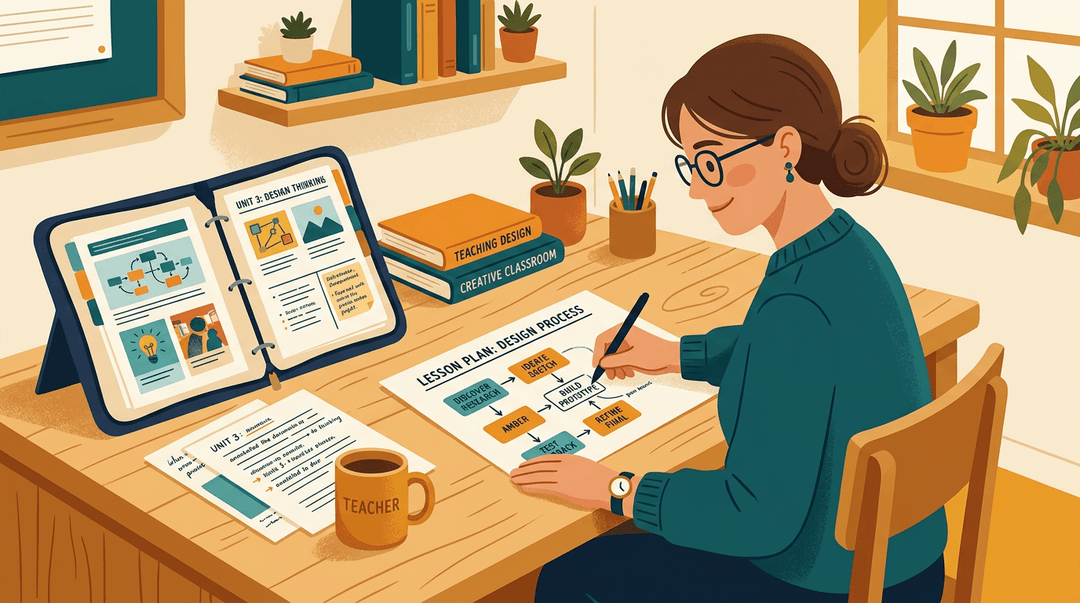
Entry-level roles and internships are the obvious starting point, but you don't have to wait. If you're already teaching, you can practice job crafting: redesigning a unit using ADDIE or Bloom's Taxonomy, then documenting the process.
That work becomes your portfolio, and a portfolio of real projects is often what gets you hired over someone with credentials alone. Look for experiential learning opportunities through professional organizations, too:
- workshops
- mentorships
- design challenges
All count.
Job market and career outlook
Demand is strong. Corporate learning and development (L&D) teams are growing, and technology advances keep creating new needs for people who can design digital and blended learning well.
Organizations now treat instructional design as a strategic priority, not just a training function, which means more senior roles and better pay. Career changers from teaching are particularly well-positioned: classroom experience translates directly.
On salary, the range is wide depending on sector and seniority, but instructional designers can earn competitively, especially in corporate settings. It's a field where skills and portfolio often matter more than pedigree.
Good instructional design isn't a corporate buzzword or a credential for someone else. It's a way of thinking that every teacher already practices, and sharpens with time.
When you design with intention, your students spend less time lost and more time growing.
The goal has always been the same: learning that sticks, for every learner in the room. These frameworks just help you get there faster.
Ready to put these principles into practice? Check out our Curriculum & Standards tool to plan lessons and units that align from objective to outcome.

References
- ERIC - ED349936 — eric.ed.gov
- A History of Instructional Design and Technology: Part II: A History of Instructional Design — speakeasydesigns.com
- AN APPROACH TO THE PSYCHOLOGY OF INSTRUCTION — rca.ucsd.edu
- Sizing the Opportunity — files.eric.ed.gov
- A Review of Models and Frameworks for Designing Mobile Learning Experiences and Environments — scholarworks.boisestate.edu
- Data, Design Thinking and the Changing Role of the Instructional Designer — villanova.edu
Frequently asked questions
What are the 5 D's of instructional design?
The 5 D's of instructional design are Analysis, Design, Development, Implementation, and Evaluation. These phases provide a clear, repeatable process for building effective learning experiences.
What are the 4 types of instructional methods?
Instructional methods can be broadly categorized into four types: active, passive, interactive, and experiential. Active methods involve learners directly participating in tasks, such as problem-solving or discussions. Passive methods include lectures or readings, where learners primarily receive information. Interactive methods foster communication and collaboration, like group projects, while experiential learning emphasizes hands-on activities and real-world application, such as simulations or internships.
What does an instructional designer do?
An instructional designer creates structured learning experiences that meet specific objectives. They analyze learner needs, design content and assessments, collaborate with subject-matter experts, and refine materials based on feedback to ensure effective learning.
Do instructional designers make a lot of money?
The salary for instructional designers varies significantly based on experience, location, industry, and the specific responsibilities of the role. Entry-level positions typically earn less, while experienced instructional designers, especially those with specialized skills or in high-demand sectors like tech or healthcare, can command higher salaries. Many factors influence earning potential in this field.
Is AI replacing instructional designers?
AI is not replacing instructional designers. Instead, it is shifting their role towards higher-order tasks such as curating, personalizing, and quality-checking content generated by AI. This evolution allows instructional designers to focus on more complex aspects of learning design.
What has replaced ADDIE?
While ADDIE remains a widely used framework, it has not been entirely replaced. Other significant models and frameworks that have grown around it include Gagne's Nine Events of Instruction, Bloom's Taxonomy, Merrill's Principles of Instruction, the SAM Model, and the Dick and Carey Model. These alternatives often add more structure, speed, or a focus on specific aspects of the learning process.