PBIS Reward Basics: Logging In, Setup, and Managing Roles


Jump to section
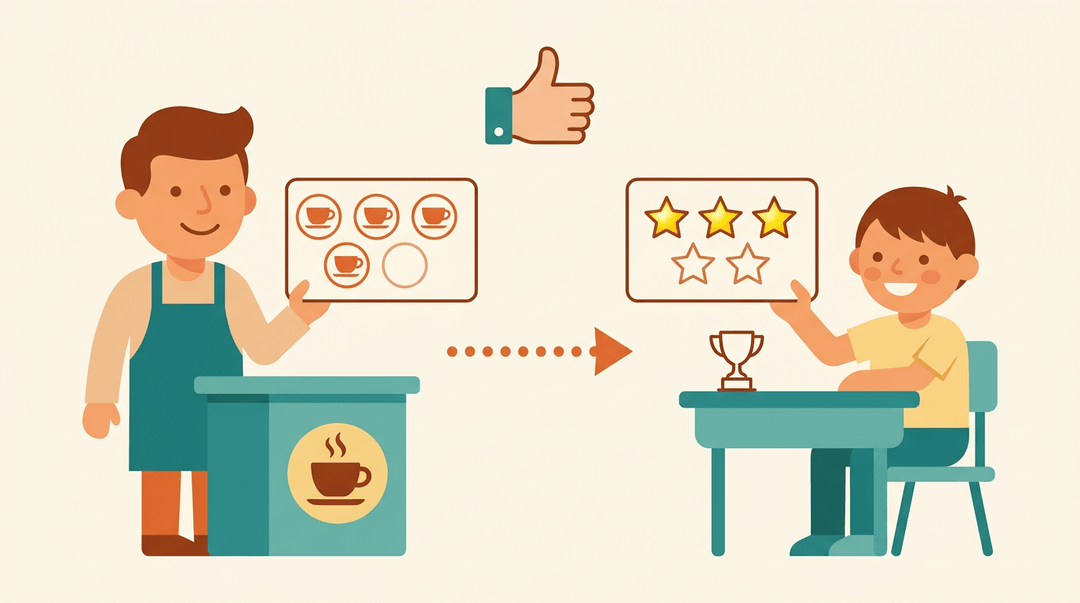
Think about a loyalty card at your favorite coffee shop: every good choice earns a stamp, and enough stamps buy you something real. PBIS rewards work the same way for students.
They turn positive behavior into points, and points into prizes students actually want.
In this post, we'll walk through logging into your account, setting up rewards in your classroom, managing roles for staff and students, and using the hall pass feature day to day.
Logging into Your PBIS Rewards Account
Getting into your account should take less time than taking attendance. Here's what to do when it doesn't, and how to get back in fast.
How to reset your password
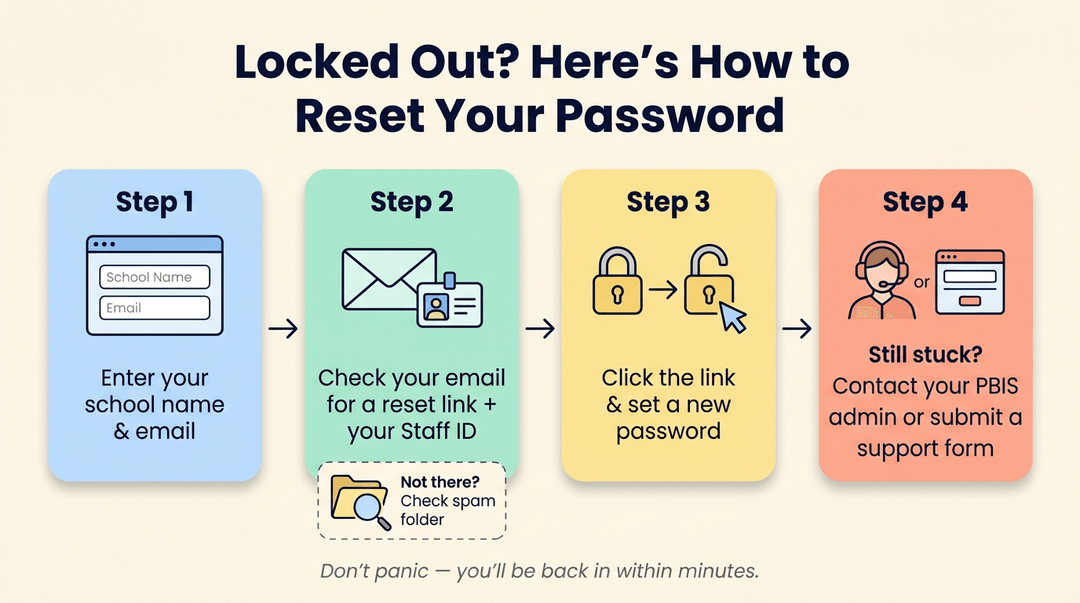
If you're locked out, don't panic. Enter your school name and email address, and PBIS Rewards will send a message to that address along with your staff ID.
That email includes a link to set a new password, so click it and choose something you'll actually remember. Can't find the email? Check your spam folder before assuming it never arrived. Still stuck?
Contact your school's PBIS admin, or fill out a support request form on the PBIS Rewards site.
Steps to log in
Always log in through the specific login URL your school provided, not whatever comes up in a general search. Enter your email and password carefully: autofill can quietly paste in an old password, so double-check both fields before you hit submit.
If login still fails, clear your browser's saved data or try a different browser altogether. One more thing worth knowing: PBIS Rewards logs you out automatically after four hours of inactivity, so you may need to sign back in partway through a busy day.
Logging in with Clever or ClassLink
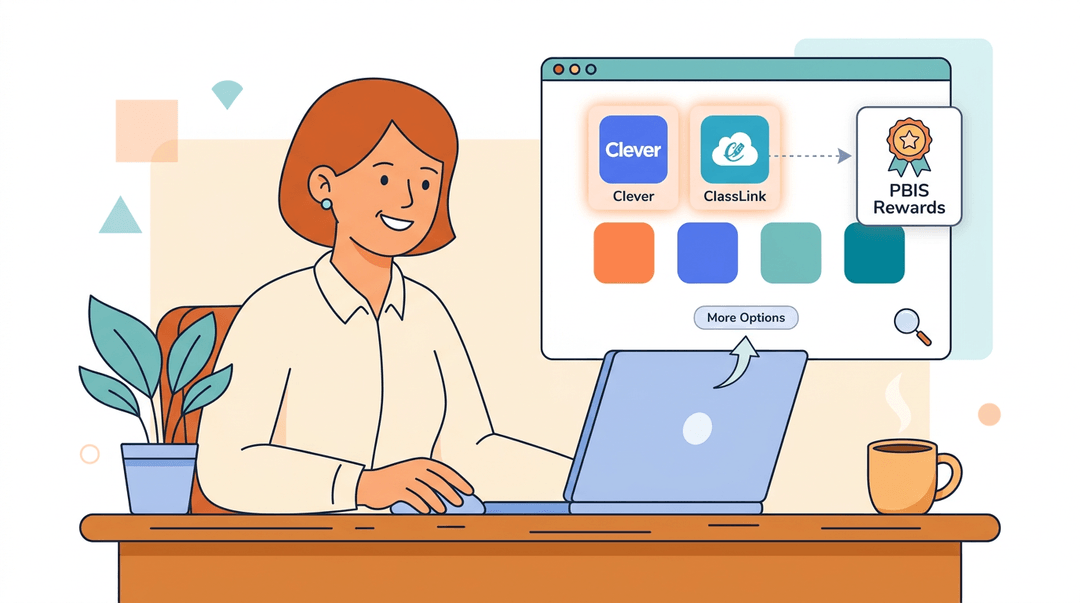
Many schools use single sign-on instead of a standalone password. If yours does, sign into Clever or ClassLink first, then select PBIS Rewards from your list of apps. Can't find it there?
Look for a More Options button, which often reveals an alternate SSO login path that gets you where you need to go.
Setting up PBIS Rewards in Class
You can have a working reward system running inside a week. Here's the setup in the order we'd do it: behaviors first, mechanics second, rewards last.
Name the behaviors you'll reward
Pick 3 to 5 behaviors, and make each one observable: something you could spot from across the room.
- ❌ "Be respectful." Too vague to award a point for.
- ✅ "Raise your hand before speaking." You either saw it or you didn't.
The difference: the strong version names one visible action. Post the list where every student can see it, like this:
We earn points for: raising a hand before speaking, starting work within one minute of the bell, helping a classmate, leaving our station clean.
Then model each one. Act it out yourself, have a student demo it, and award the first point on the spot so the class sees the loop work.
Choose your currency and set the values
Two decisions here: points or tokens, and what each behavior is worth.
| If your class is... | Go with... |
|---|---|
| K-5, motivated by something to hold | Physical tokens: tickets, chips, punch cards |
| 6-12, or moving between rooms | Points: a digital tracker or a simple tally sheet |
Weight the values so bigger effort earns more. A sample scale you can lift as-is:
Hand raised before speaking: 1 point. Helping a classmate: 2 points. A full week of on-time starts: 5 points.
Set redemption frequency now, not later. Weekly works for elementary (young students need the payoff close); every two weeks or monthly suits older students saving for bigger rewards.
Build a reward menu that fits the grade
Rewards only motivate if students actually want them, and what they want changes fast with age.
| Grade band | Rewards that work |
|---|---|
| Elementary | Stickers, prize box picks |
| Middle school | Free time, privileges (line leader, music picker) |
| High school | Coupons (homework pass, front-row parking), public recognition |
Price the menu so a small reward is always reachable within one redemption cycle. A prize that takes two months to afford stops motivating by week three.
Track it, review it, adjust it
The system lives or dies on consistency, so build these three habits:
- Log points the moment you award them. Delayed logging means missed points and lost trust.
- Review the data monthly. Look for students earning nothing and behaviors that never score.
- Refresh the menu when redemptions stall. If nobody's spending, the rewards lost their pull: swap in two new options.
⚠️ Watch out: inconsistency kills a reward system faster than anything else. If points feel random, students stop chasing them within weeks.
Example: A middle school teacher notices at her monthly review that "helping a classmate" hasn't been awarded once. She re-models it on Monday, doubles its value for a week, and it becomes the class's top earner.
Track points and behavior right alongside your rosters using EMStudio's classroom management tools.
Managing Accounts and User Roles
So, what is a PBIS reward, exactly? A PBIS reward is a tangible or social recognition tied to points students earn under Positive Behavioral Interventions and Supports (PBIS), a schoolwide framework built on five core elements:
- clear behavior expectations
- direct teaching of those expectations
- consistent acknowledgment (that's where rewards come in)
- data-driven decisions about what's working
- ongoing support for staff who run it
PBIS has real, documented benefits, but it isn't without pushback: one critical analysis published in Perspectives argues that PBIS, as an alternative to exclusionary discipline, "does little to help historically oppressed youth, specifically, because it denies the presence and value of race."
Worth keeping in mind as you roll it out: explain the point system on day one, plainly, so every student knows how points are earned and what they're worth.
Getting that system running smoothly also means getting your accounts and roles set up correctly, so let's start there.
Who can have an account
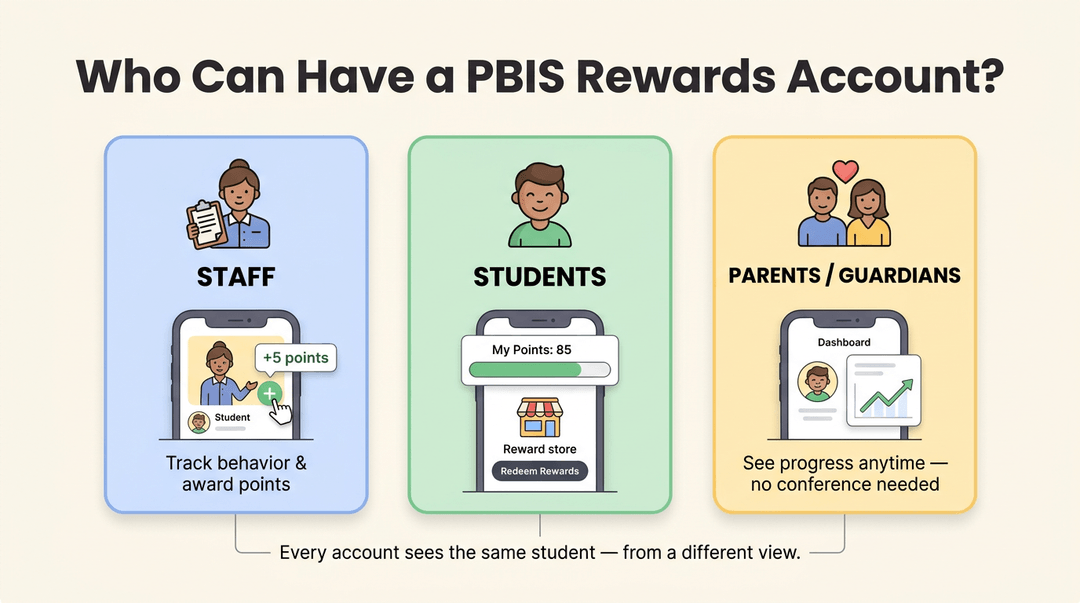
PBIS Rewards accounts aren't limited to one type of user.
- Staff (teachers, administrators, and support staff) get accounts to track behavior and award points.
- Students get their own accounts to check their progress and redeem rewards.
- Parents or legal guardians can request linked accounts too, so they can see how their child is doing without waiting for a conference.
Updating your account after changing schools
Changed schools? Your account doesn't automatically follow you.
If your school uses Clever or ClassLink for single sign-on, start with your district's IT department: they can update your account or adjust ClassLink sharing so the right school syncs to your login. No single sign-on in place?
Contact your new school's admin directly, since they can add you manually to their PBIS Rewards account.
Using the Hall Pass Feature
Not every reward has to come out of a prize bin. Sometimes the best reward is permission: a few minutes out of the room, earned fair and square.
That's what the hall pass feature turns PBIS points (the credits students earn for demonstrated positive behavior) into: a real, usable classroom privilege instead of just a number on a chart.
How the hall pass kiosk works
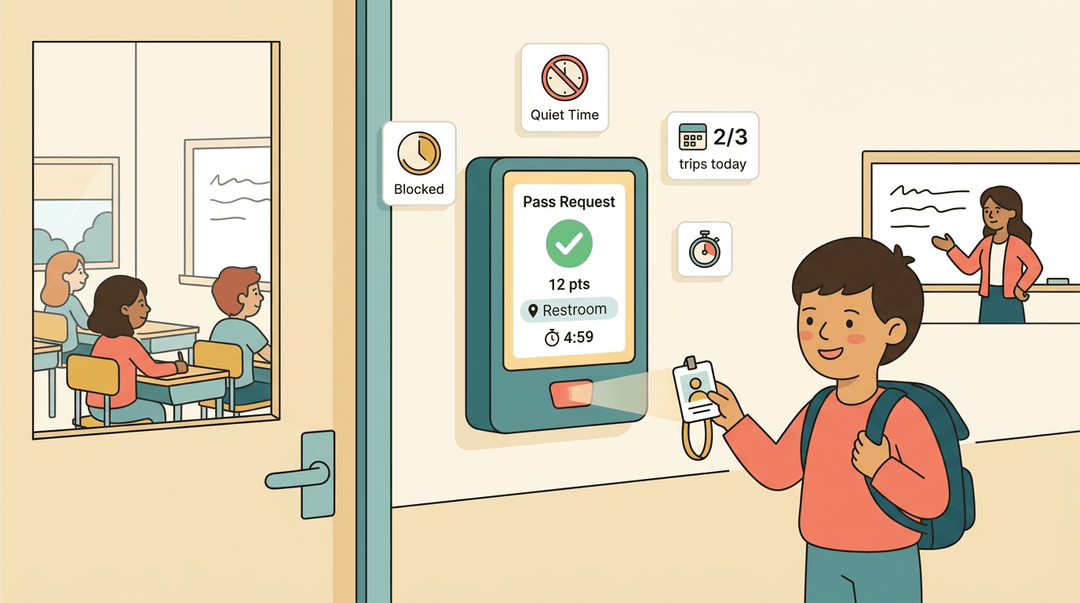
Students scan their badge at the kiosk to request a pass, and the system checks their point balance before letting them through. A few built-in guardrails keep it running smoothly:
- Quiet time restrictions block requests during instruction blocks, tests, or any window you mark off-limits.
- A timed countdown starts the moment a student steps out, so a quick pass doesn't quietly turn into a ten-minute wander.
- A max passes per day setting stops one student from cycling through the door all afternoon.
- If a student hits their location pass limit (say, three restroom trips), the kiosk simply denies the next request instead of leaving it to memory.
- Staff can run a remove kiosk mode command with a quick tap when it's time to shut the system down for the day.
Set the pass expectations early:
- how many points a trip costs
- which locations are covered
- when the kiosk is off-limits
Students who know the boundaries upfront tend to use the privilege responsibly, and the hall pass becomes just one more entry on your list of sample PBIS reward ideas, right alongside classroom prizes, extra recess, or a homework pass.
Once your accounts are set, your rewards are stocked, and your roles and hall passes are sorted, PBIS rewards runs quietly in the background, reinforcing the behavior you want to see more of.
It's a small system that pays off in a calmer, more positive classroom.
Ready to keep the rest of your classroom just as organized? Check out our Classroom Management feature to bring your rosters, sections, and timetables into one structured workspace.
References
- The Racial Pandemic: Positive Behavior Intervention Support as an Asymptomatic Carrier of Racism — digitalcommons.pace.edu (2022)
Frequently asked questions
What is a PBIS reward?
A PBIS reward is something tangible or a social recognition that students earn by accumulating points for positive behavior. These rewards are part of a school-wide framework designed to encourage positive actions through consistent acknowledgment.
What is a PBIS award for students?
A PBIS award for students is a prize, privilege, or recognition that students receive in exchange for points or tokens they have earned. These awards are meant to motivate students and reinforce positive behaviors demonstrated in school.
What are PBIS points?
PBIS points are credits students earn for demonstrating positive behaviors, similar to a loyalty program. These points can be accumulated and then redeemed for rewards, privileges, or prizes.
What are the 5 elements of PBIS?
The 5 elements of PBIS are clear behavior expectations, direct teaching of those expectations, consistent acknowledgment (including rewards), data-driven decisions on what's working, and ongoing support for staff implementing the system.
How much are PBIS Rewards?
The "cost" of PBIS Rewards varies as it is typically determined by individual schools or teachers who set the value of points and the prices of rewards on their menus. There is no universal monetary value associated with PBIS Rewards.
How do I log into PBIS Rewards?
To log into PBIS Rewards, you should use the specific login URL provided by your school, not a general search result. Enter your email and password, double-checking for autofill errors, or use single sign-on through platforms like Clever or ClassLink if your school supports it.
What are some examples of PBIS Rewards?
Examples of PBIS Rewards include stickers, prize box picks, free time, privileges like being a line leader or music picker, coupons for homework passes or front-row parking, and public recognition. For younger students, immediate small rewards are effective, while older students may save for larger privileges.
What does PBIS stand for?
PBIS stands for Positive Behavioral Interventions and Supports.